Sarrera
Thank you for choosing the hOmeLabs 25 Pint Wi-Fi Dehumidifier. This manual provides essential information for the safe operation, maintenance, and troubleshooting of your new appliance. Designed for efficient moisture removal in spaces up to 3,500 sq ft, this dehumidifier features Wi-Fi smart control, quiet operation, and flexible drainage options to enhance your indoor environment.
Segurtasun-argibide garrantzitsuak
Please read all instructions carefully before using the dehumidifier. Failure to follow these instructions may result in electric shock, fire, or serious injury.
- Always plug the dehumidifier into a grounded electrical outlet.
- Ez erabili unitatea korronte-kablea edo entxufea hondatuta badago.
- Ensure the unit is placed on a level, stable surface to prevent tipping.
- Ez blokeatu aire-sarrerak edo irteerak. Mantendu gutxienez 8 cm-ko distantzia unitatearen inguruan.
- Deskonektatu hezegailuaren entxufea garbitu, mugitu edo mantentze-lanak egin aurretik.
- Do not use the unit in areas where flammable liquids or gases are stored.
- Etxetresna hau etxebizitza erabiltzeko soilik da.
- Mantendu haurrak eta maskotak unitatetik urrun funtzionamenduan zehar.
Produktua amaituview
Familiarize yourself with the components of your hOmeLabs dehumidifier.

The hOmeLabs 25 Pint Wi-Fi Dehumidifier shown alongside its blue and white product packaging, highlighting its compact design and brand.

An illustration showing the dimensions of the dehumidifier: 19.6 inches high, 12.2 inches wide, and 8.2 inches deep, emphasizing its compact form factor.

A close-up of the dehumidifier's control panel, displaying buttons for Wi-Fi, fan speed, timer, comfort mode, and indicators for tank full and filter status.

The dehumidifier positioned in a gym setting next to a yoga mat, illustrating its compact design and emphasizing its ultra-quiet operation at 47 dB.
Funtsezko osagaiak:
- Kontrol-panela: Pantaila digitala eta ezarpenetarako botoiak.
- Aire sarrera/irteera: Where air enters and exits the unit.
- Ur depositua: Removable bucket for collected moisture.
- Etengabeko drainatze irteera: Port for connecting a drain hose for continuous operation.
- Caster Wheels & Handle: Eramangarri erraza izateko.
- Iragazki garbigarria: Located at the back for air purification.
Konfigurazio Argibideak
- Despaketatzea: Kontu handiz atera deshezegailua bere ontzitik. Gorde ontziratzeko materialak etorkizunean biltegiratzeko edo garraiatzeko.
- Lekua: Place the unit upright on a firm, level surface in the area where dehumidification is desired. Ensure there is at least 8 inches (20 cm) of space around all sides of the unit for proper airflow. Avoid placing it near heat sources or in direct sunlight.
- Potentzia-konexioa: Plug the power cord into a grounded 110-120V/60Hz electrical outlet. The unit will beep once, and the display will light up.
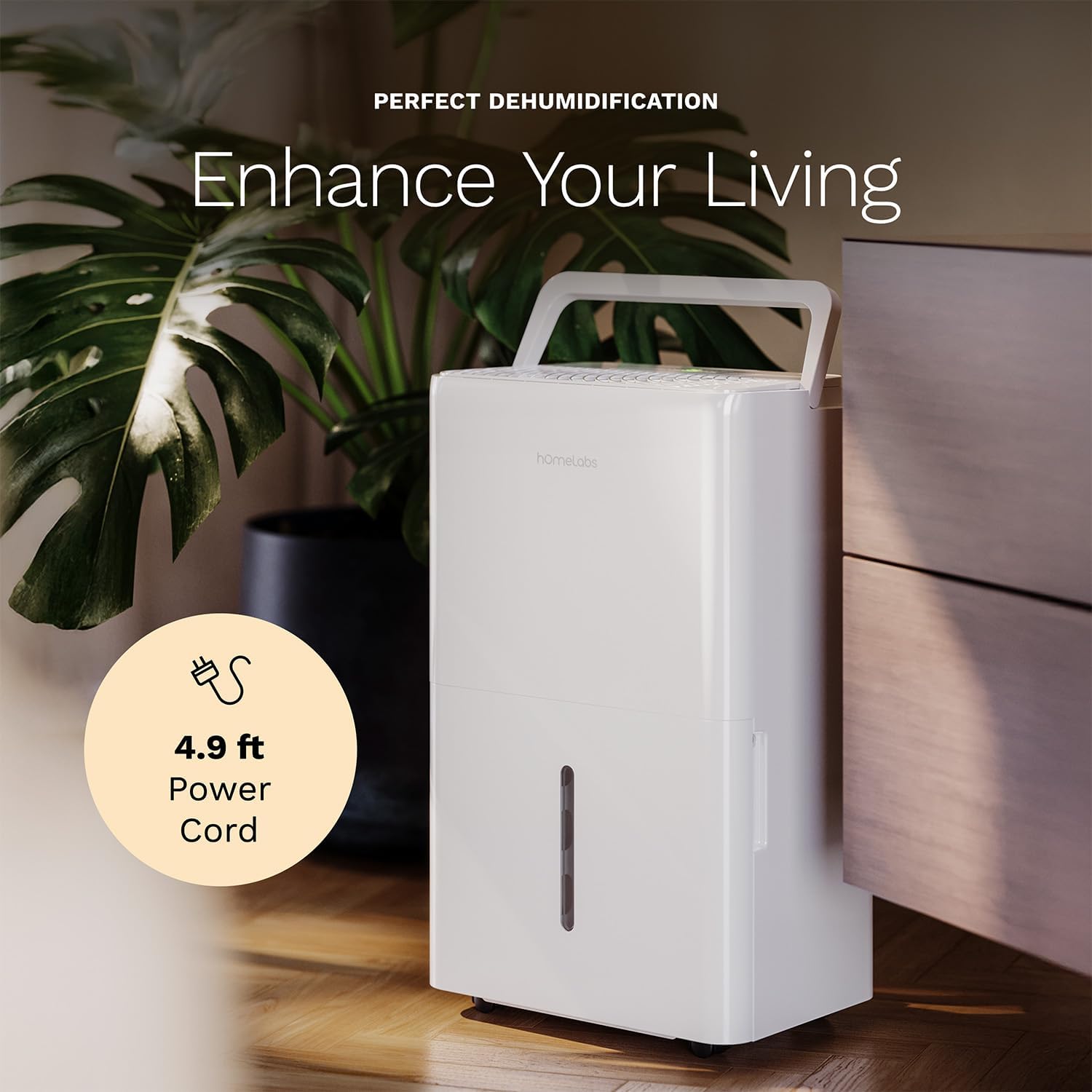
The dehumidifier positioned in a room, highlighting its 4.9 ft power cord for flexible placement.
- Drainage Option (Optional):

An image illustrating the two drainage options: using the built-in tank (manual emptying) or connecting a gravity drain hose for continuous drainage.
- Eskuzko drainatzea: The unit will collect water in the internal tank. When the tank is full, the unit will automatically shut off and indicate "Tank Full". Empty the tank as described in the Maintenance section.
- Etengabeko drainatze: For continuous operation without emptying the tank, attach the included drain hose to the continuous drain outlet. Ensure the hose is sloped downwards to a suitable drain (e.g., floor drain, large bucket) to allow gravity drainage.
Funtzionamendu-argibideak
Kontrol panelaren funtzioak:
- Pizteko botoia: Sakatu unitatea pizteko edo itzaltzeko.
- Hezetasun ezarpen botoiak (+/-): Adjust the desired humidity level from 35% to 85% relative humidity (RH) in 5% increments.
- Fan abiadura botoia: Cycle through High, Medium, and Low fan speeds.
- Tenporizadorearen botoia: Set a timer for automatic ON/OFF operation (1-24 hours).
- Erosotasun Moduaren botoia: Activates a preset humidity level for optimal comfort.
- Wi-Fi botoia: Wi-Fi parekatze modua aktibatzen du.
Wi-Fi Smart Control:
Your dehumidifier can be controlled remotely via Wi-Fi using a smartphone app, Google Assistant, or Alexa.

The dehumidifier shown with icons indicating compatibility with Google Home and Alexa, along with a smartphone icon representing app control for remote operation.
- Deskargatu aplikazioa: Download the hOmeLabs app from your smartphone's app store (iOS or Android).
- Parekatzea: Follow the in-app instructions to pair your dehumidifier with your home Wi-Fi network. This typically involves pressing and holding the Wi-Fi button on the control panel until the indicator light flashes.
- Urruneko kontrola: Once paired, you can adjust settings, monitor humidity levels, and set schedules from anywhere using your smartphone.
Mantentzea
Mantentze-lan erregularrak zure deshezegailuaren errendimendu optimoa bermatzen du eta bizitza luzatzen du.
Ur depositua hustea:
- When the water tank is full, the "Tank Full" indicator will illuminate, and the unit will stop operating.
- Kontu handiz atera ur-depositua unitatearen aurrealdetik.
- Bildutako ura hustubide edo harraska batera.
- Sartu depositu hutsa berriro unitatean klik egin arte. Unitateak berriro funtzionatzen hasiko da.
Aire-iragazkia garbitzea:
The "Filter" indicator light will illuminate after 250 hours of operation, reminding you to clean the filter. Clean the filter every two weeks or more frequently depending on usage and air quality.
- Itzali hezetasun-kentzailea eta deskonektatu korronte-hartunetik.
- Kendu aire-iragazkia unitatearen atzealdetik.
- Garbitu iragazkia ur epel eta xaboitsuarekin. Ondo garbitu.
- Allow the filter to air dry completely before reinstalling. Do not use a dryer or direct heat.
- Once the filter is reinstalled, press and hold the "Filter" button for 3 seconds to reset the filter timer.
Garbiketa orokorra:
- Garbitu unitatearen kanpoaldea leun batekin, damp oihal.
- Ez erabili produktu kimiko gogorrik, urratzailerik edo disolbatzailerik.
- Garbitu ur-depositua aldizka lizun eta onddoen hazkuntza saihesteko.
Arazoak konpontzea
Atal honetan ohiko arazoei eta haien irtenbideei buruzko informazioa aurkituko duzu.
| Arazoa | Kausa posiblea | Irtenbidea |
|---|---|---|
| Hezetasun-kengailuak ez du pizten. | No power; Power cord not plugged in; Tank full. | Check power supply; Plug in power cord securely; Empty water tank. |
| Unitatea martxan dago, baina ez du urik biltzen. | Humidity setting too high; Room temperature too low; Air filter clogged. | Lower desired humidity setting; Ensure room temperature is above 41°F (5°C); Clean air filter. |
| Unitatea zaratatsua da. | Unitatea ez dago maila berean; Aire-iragazkia buxatuta; Haizagailua oztopatua. | Place on a level surface; Clean air filter; Check for obstructions in fan area. |
| Wi-Fi konexio arazoak. | Wi-Fi pasahitz okerra; bideratzailea urrunegi; aplikazio arazoak. | Verify Wi-Fi password; Move unit closer to router; Restart app/unit. |
Zehaztapenak
| Ezaugarri | Xehetasuna |
|---|---|
| Marka | etxe-laborategiak |
| Ereduaren izena | hOmelabs - Dehumidifier - 25 Pint - WIFI (HME0088) |
| Deshumidifikazio Ahalmena | 25 Pints per Day (at 80°F, 60%RH) / MAX 64 Pints (at 95°F, 90%RH) |
| Estaldura Eremua | Gehienez 3,500 Sq Oin |
| Tankaren bolumena | 1 litro |
| Produktuaren neurriak (L x W x H) | 8.2" L x 12.2" W x 19.6" H |
| Elementuaren pisua | 27.1 kilo |
| Eragiketa modua | Automatikoa |
| Ezaugarri bereziak | Adjustable Humidity Control, Automatic Defrost, Automatic Moisture Removal, Automatic Shutoff, Bucket Storage, Digital Display, Portable, Quiet Operation, Removable Tank, Timer, Washable Filter, Wi-Fi Enabled |
| Energia Eraginkortasuna | Energy Star Most Efficient 2024 Certified |
Bermea eta Laguntza
Your hOmeLabs 25 Pint Wi-Fi Dehumidifier comes with a standard manufacturer's warranty. For detailed warranty information, please refer to the official warranty document provided with your purchase or visit the hOmeLabs webgunea.
Berme Dokumentua: Deskargatu Bermea (PDF)
For technical support, troubleshooting assistance, or to inquire about replacement parts, please contact hOmeLabs customer service. Contact information can typically be found on the hOmeLabs webgunean edo zure produktuaren ontzian.


