1. Sarrera
The Elitech DR-230-THDE is a versatile Bluetooth hygrometer thermometer designed for accurate and reliable monitoring of temperature and humidity. Featuring a large 10.6-inch display and dual external probes, it is suitable for a wide range of applications including industrial workshops, warehouses, wine cellars, archives rooms, power distribution stations, and walk-in cold storage facilities. This device offers robust data storage capabilities with automatic overwrite, smart alerts, and seamless integration with the Elitech iCold mobile application for real-time data access and export.

Figure 1.1: Elitech DR-230-THDE device and its accompanying mobile application interface.
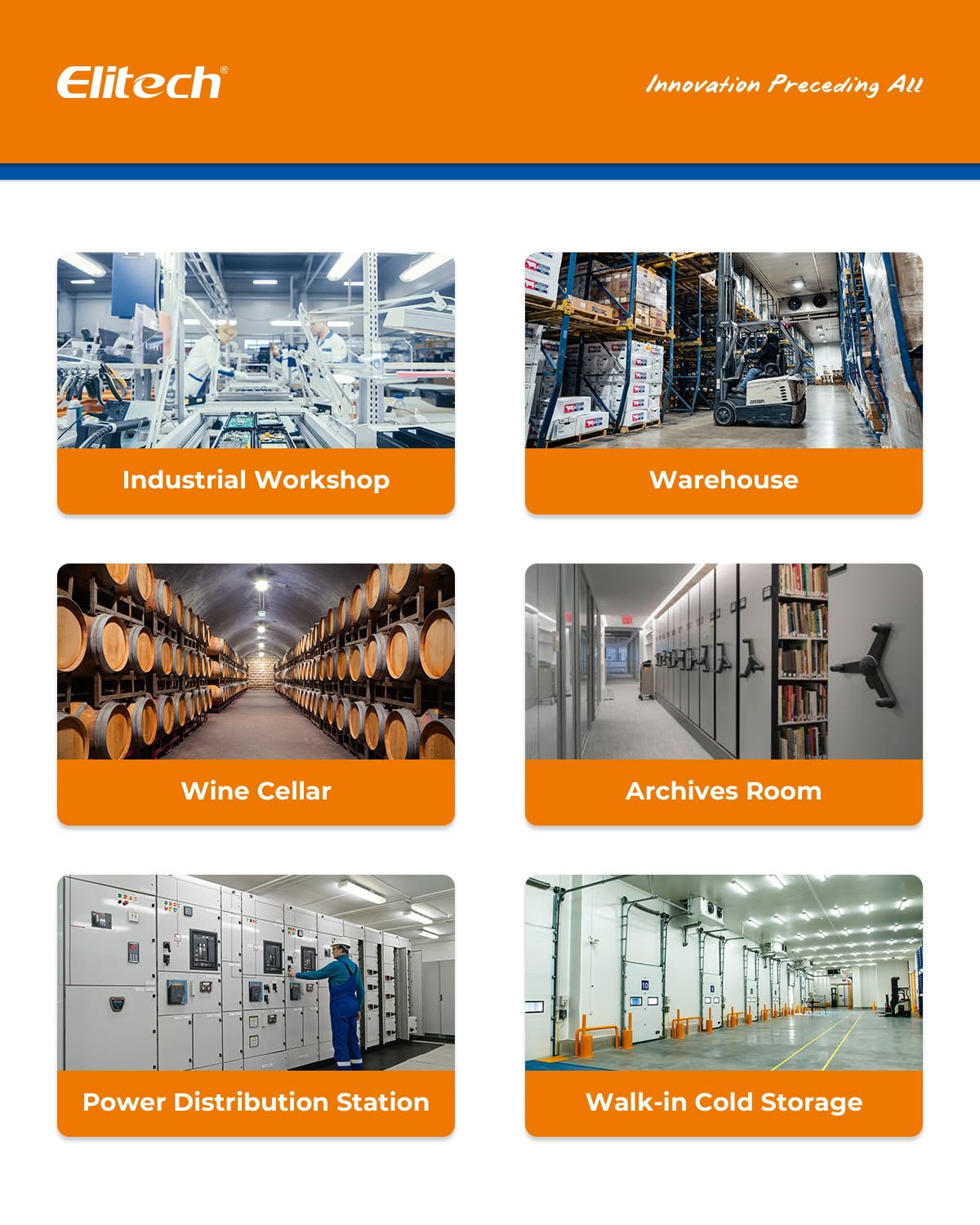
Figure 1.2: Diverse environments where the DR-230-THDE can be effectively utilized for environmental monitoring.
2. Paketearen edukia
Mesedez, egiaztatu behean zerrendatutako elementu guztiak zure paketean sartuta daudela:
- Elitech DR-230-THDE Data Logger
- Dual External Temperature and Humidity Probes
- Elikatze kablea
- Interchangeable Power Plugs (US, EU, UK, China standards)
- Desktop Stand / Wall-mounting Bracket
- Manufacturer's Certificate of Validation

Figure 2.1: Contents of the Elitech DR-230-THDE package.
3. Gailua amaitu daview
The DR-230-THDE features a large, clear display and multiple connection ports for external sensors and power. Understanding its components is essential for proper use.

3.1. irudia: Aurrealdea eta atzealdea views of the DR-230-THDE, highlighting key features and connection points.
3.1 Bistaratzeko Ezaugarriak
- 10.6-inch Jumbo Display: Ensures clear visibility of data from a distance.
- 4-in-1 Display: Shows real-time temperature, humidity, date, and time simultaneously.
- Measurement Channel Indicator: Displays which channel (CH: 1 or CH: 2) is currently being shown.
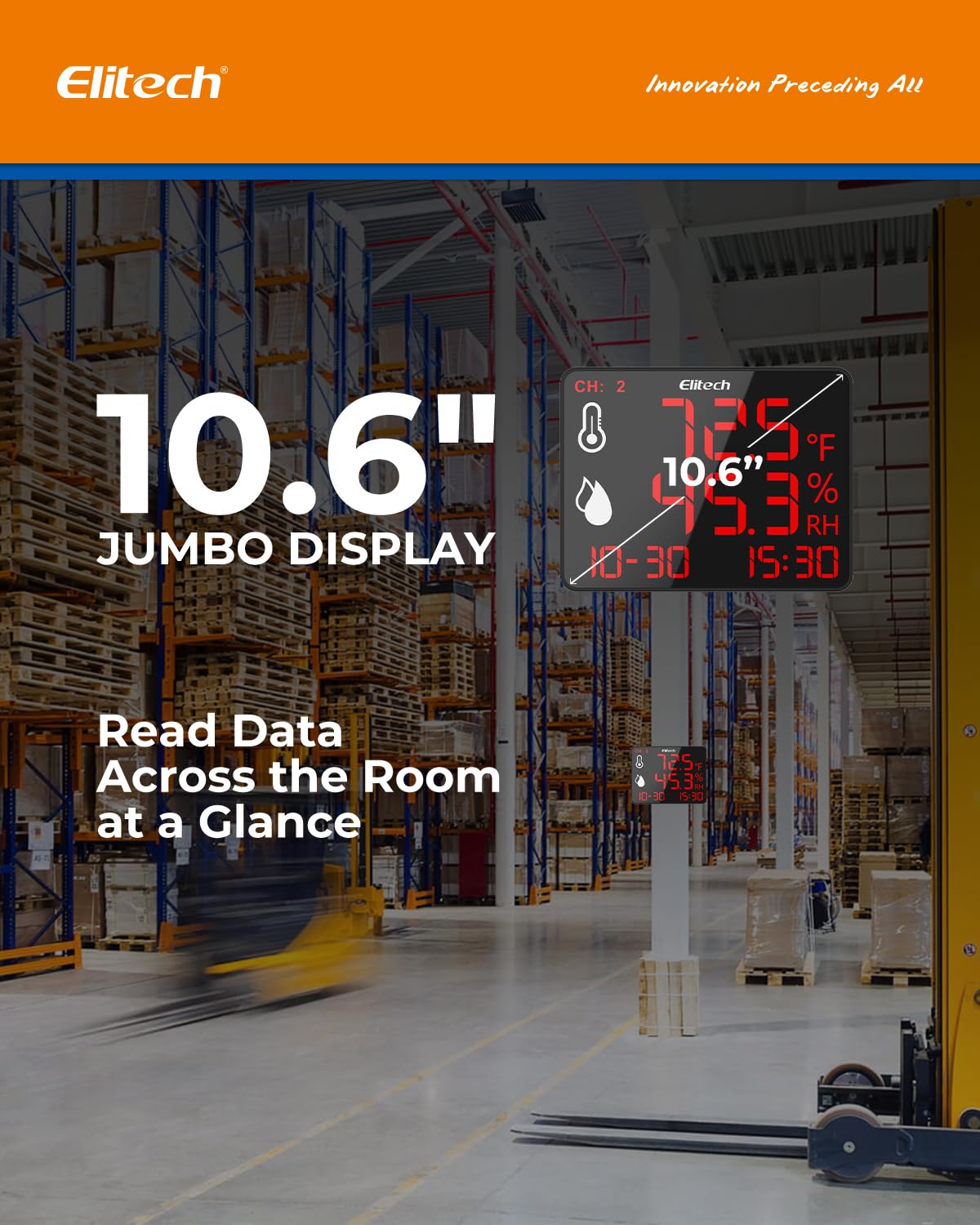
Figure 3.2: The 10.6-inch jumbo display for easy readability.

Figure 3.3: The 4-in-1 display showing all key information at a glance.
4. Konfigurazioa
4.1 Gailua piztea
- Connect the provided power cord to the power supply interface on the back of the device.
- Select the appropriate interchangeable power plug (US, EU, UK, or China standard) for your region and attach it to the power adapter.
- Plug the power adapter into a standard electrical outlet (100–240V). The device will power on automatically.
4.2 Sentsoreen konexioa
The DR-230-THDE comes with dual external temperature and humidity probes.
- Carefully insert the probe connectors into the external sensor interfaces on the back of the device. Ensure a secure connection.
- Position the probes in the areas where you wish to monitor temperature and humidity. The device supports dual-channel monitoring, allowing you to track two separate zones simultaneously.
4.3 Instalazio aukerak
The device offers flexible installation methods:
- Mahaigaineko euskarria: Use the integrated stand to place the device on any flat surface.
- Horman muntatzea: Utilize the wall-mounting hole on the back of the device to secure it to a wall using appropriate hardware (not included).

Figure 4.1: Wall-mounting and desktop stand options for the device.
4.4 Mobile App Integration (Elitech iCold)
To fully utilize the data logging and remote monitoring features, download and set up the Elitech iCold app.
- Step 1: Download Elitech iCold App. Bilatu "Elitech iCold" on Google Play Store (for Android) or Apple App Store (for iOS) and install the application.
- Step 2: Enter Bluetooth Data Logger Interface. Open the app and navigate to the Bluetooth data logger section.
- Step 3: Find Nearby Devices. The app will scan for nearby Elitech devices via Bluetooth. Select your DR-230-THDE based on its serial number (S/N).
- Step 4: Parameter Setting. Configure desired parameters such as logging interval, alarm thresholds, and unit preferences within the app.
- Step 5: Automatically Start Recording. After saving your settings, the device will automatically begin recording data.
- 6. urratsa: View or Export Data. Access real-time graphs, historical data, and export reports (PDF/EXCEL) directly from the app.

Figure 4.2: Step-by-step guide for connecting and configuring the device using the Elitech iCold app.
5. Funtzionamendu-argibideak
5.1 Denbora errealeko jarraipena
Once powered on and probes are connected, the device will immediately display real-time temperature and humidity readings from both channels. The display will cycle between Channel 1 and Channel 2 data.

Figure 5.1: Dual-channel tracking capability of the DR-230-THDE.
5.2 Data Logging and Storage
The DR-230-THDE automatically records up to 30,000 data points. It features an auto-overwrite storage function, ensuring that new data continuously replaces the oldest data once the memory is full, preventing data loss.

Figure 5.2: The device's 30,000 data point auto-overwrite storage feature.
5.3 Smart Alerts
The device supports customizable alarms for temperature and humidity deviations. When a set threshold is exceeded, the screen will flash to alert users. An optional 110dB external siren can be connected for audible alerts. Alarm delays (3-10 seconds) are adjustable to prevent false alarms.
- Screen Flashing: Visual alert on the device display.
- External Siren (Optional): Connect an external siren to the dedicated interface for audible alerts.
- Adjustable Delay: Set a delay to prevent immediate alarms from minor fluctuations.
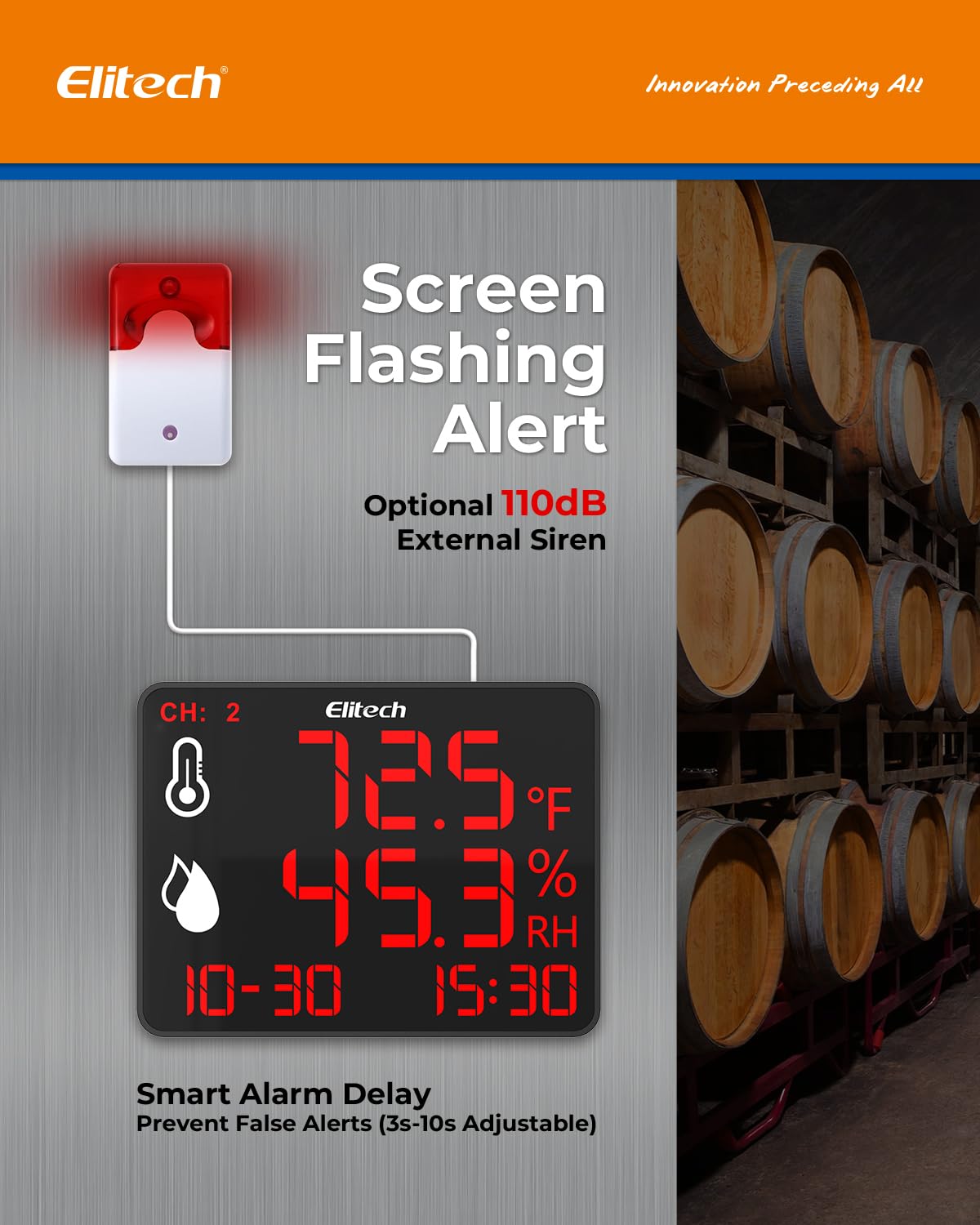
Figure 5.3: Screen flashing alert and optional external siren connection.
5.4 Data Export and Reporting
Through the Elitech iCold app, users can easily export real-time charts and instant PDF/EXCEL reports of the recorded data. This feature is crucial for compliance, analysis, and record-keeping.

Figure 5.4: Elitech iCold app features for data management and reporting.
6. Mantentzea
Proper maintenance ensures the longevity and accuracy of your Elitech DR-230-THDE.
- Garbiketa: Wipe the device and probes with a soft, dry cloth. Do not use abrasive cleaners or immerse the device in water.
- Zunda zaintzea: Handle the external probes with care. Avoid bending or kinking the cables excessively. Keep the probe tips clean and free from dust or debris that could affect readings.
- Biltegiratzea: Denbora luzez erabiltzen ez baduzu, gorde gailua leku fresko eta lehor batean, eguzki-argitik eta muturreko tenperaturetatik babestuta.
- Elikatze-iturria: Ziurtatu energia-iturria egonkorra dela eta zehaztutako bolumenaren barruan dagoela.tage sorta (100-240V).
7. Arazoak
If you encounter issues with your DR-230-THDE, refer to the following common problems and solutions:
| Arazoa | Kausa posiblea | Irtenbidea |
|---|---|---|
| Gailua ez da pizten. | Ez dago energia-iturririk; konexioa askatuta. | Check power cord connection; ensure outlet is functional; try a different power adapter. |
| Irakurketa okerrak. | Probes are dirty or damaged; environmental interference. | Clean probes; ensure probes are not exposed to extreme conditions or direct airflow; check probe connections. |
| Cannot connect to Elitech iCold app. | Bluetooth is off; device out of range; app issue. | Ensure Bluetooth is enabled on your smartphone; move closer to the device (up to 147ft range); restart the app and device; check app permissions. |
| No data recording. | Recording not initiated; memory full. | Ensure recording is started via the app; the device features auto-overwrite, so older data will be replaced. |
| Alarm not triggering. | Alarm thresholds not set; alarm delay too long; external siren not connected or faulty. | Verify alarm settings in the app; adjust alarm delay; check external siren connection and functionality. |
If the problem persists, please contact Elitech customer support for further assistance.
8. Zehaztapenak
Key technical specifications for the Elitech DR-230-THDE:
| Ezaugarri | Xehetasuna |
|---|---|
| Modelo zenbakia | DR-230-THDE |
| Bistaratzeko tamaina | 10.6 hazbete (diagonala) |
| Tenperaturaren zehaztasuna | 0.5 °C / 0.9 °F |
| Hezetasun-barrutia | 0-95% RH |
| Datuak biltegiratzeko ahalmena | 30,000 data points (auto-overwrite) |
| Konektibitatea | Bluetooth (up to 147ft range) |
| Potentzia Sarrera | 100-240V |
| Kanpoko zundaketak | Dual External Temperature and Humidity Sensors |
| Aukerako osagarriak | 110dB External Siren |
| Neurriak (Gailua) | Gutxi gorabehera. 9.21 x 9.09 x 2.01 hazbete |
| Pisua | Gutxi gorabehera. 1.86 kilo |
| Eskuragarri dagoen lehen data | 17ko otsailaren 2025a |
9. Bermea eta Laguntza
Elitech products are designed for reliability and performance. For specific warranty information, including terms and conditions, please refer to the warranty card included with your product or visit the official Elitech website. For technical support, troubleshooting assistance beyond this manual, or inquiries about replacement parts, please contact Elitech customer service through their official channels.
No official product videos with 'Seller' creator type were found in the provided data to embed in this manual.


