Sarrera
This manual provides essential information for setting up, operating, maintaining, and troubleshooting your Lenovo IdeaPad 3i 15.6-inch laptop. Please read these instructions carefully to ensure proper use and longevity of your device.
Paketearen edukia
Hasi aurretik, egiaztatu elementu guztiak zure paketean daudela:
- Lenovo IdeaPad 3i ordenagailu eramangarria
- Elikatze-moldagailua
- 7-in-1 Docking Station with 128GB Storage
- 32 GB-ko MicroSD txartela egokitzailearekin
- C motako datu kablea
- 3-en-1 Kargatzeko kablea
- Suede garbiketa zapi

Image: Components of the included docking station set, featuring the 7-in-1 docking station, 32GB MicroSD card with adapter, Type-C data cable, 3-in-1 charging cable, and a suede cleaning cloth.
Konfigurazioa
1. Hasierako piztea
- Connect the power adapter to the laptop's power port and then to an electrical outlet.
- Ireki ordenagailu eramangarriaren estalkia.
- Press the power button, usually located on the top-right of the keyboard or on the side.
- Follow the on-screen instructions to complete the Windows 11 initial setup, including language, region, network connection, and user account creation.
2. Ainguratze-estazioa konektatzea
The included 7-in-1 docking station expands your laptop's connectivity options.
- Connect the docking station to your laptop using the Type-C data cable.
- You can then connect external devices such as monitors (via HDMI), USB devices (USB 2.0, USB 3.0), and memory cards (SD/MicroSD) to the docking station.
- The docking station also supports PD Charging (100W) for compatible devices.
Funtzionamendu-argibideak
Pantaila eta ikus-entzunezko elementuak
Your IdeaPad 3i features a 15.6-inch Full HD (1920x1080) anti-glare display, powered by Intel UHD Graphics, providing clear and vibrant visuals for various tasks.
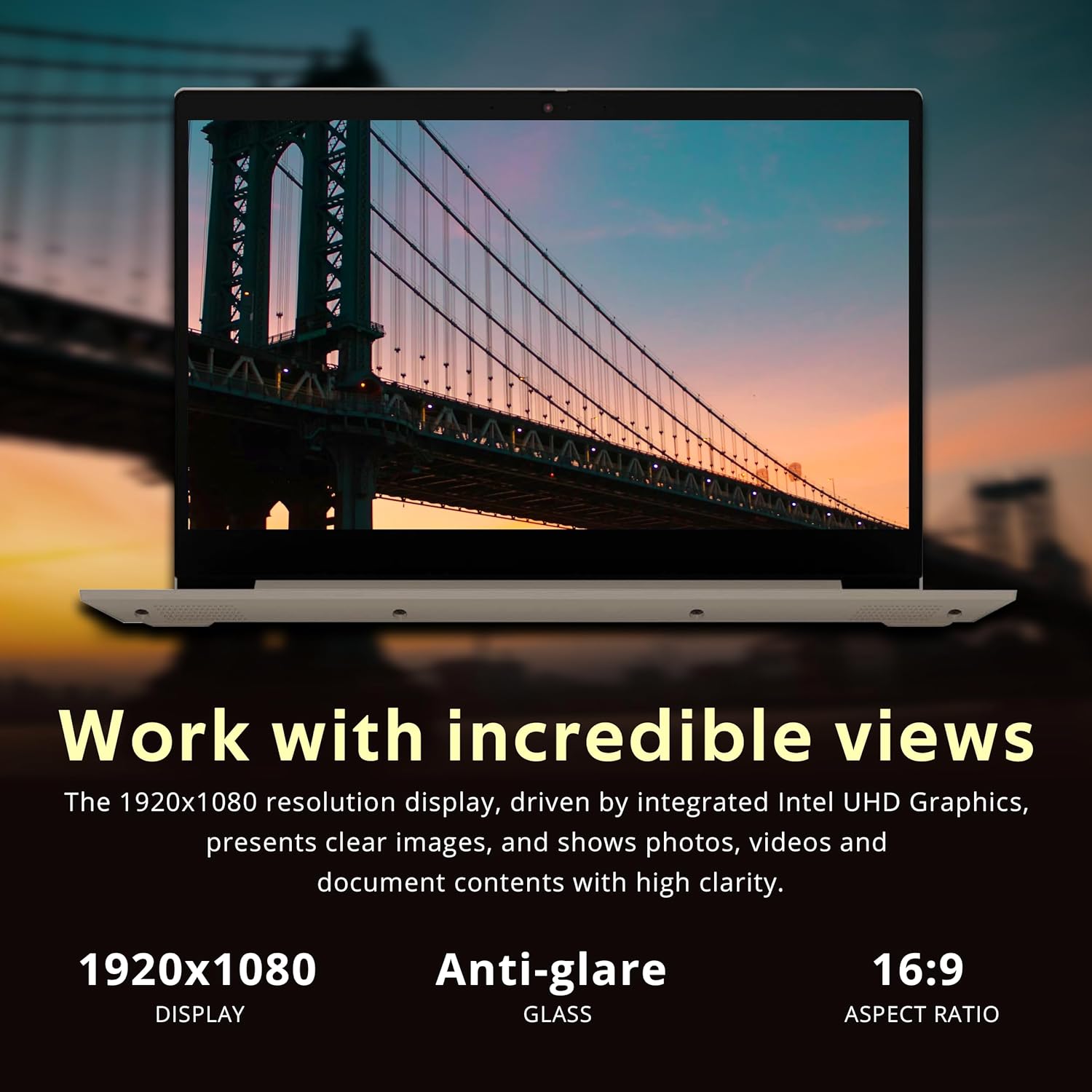
Image: The laptop's 15.6-inch Full HD display, emphasizing its 1920x1080 resolution and anti-glare properties for comfortable viewing.
Teklatua eta Touchpad
The laptop includes a full-size keyboard with a numeric keypad for efficient data entry. The precision touchpad supports multi-touch gestures for navigation.
Konektibitatea
The IdeaPad 3i offers various connectivity options:
- Wi-Fi: Connect to wireless networks using the integrated Wi-Fi 5 (801.11ac).
- Bluetootha: Pair with Bluetooth-enabled devices such as headphones or mice.
- Portuak:
- 3x USB Type-A ports (USB 2.0 and USB 3.2 Gen 1)
- 1x HDMI port for external displays
- 1x Entzungailu/mikrofono konbinazio-jacka
- 1x Media card reader

Image: The laptop's communication features, including a 720p HD webcam for video calls, Wi-Fi 5 for internet access, and Bluetooth for peripheral connections.

Irudia: Xehetasun handikoa view of the laptop's side ports, including the headphone/microphone combo jack, power input, HDMI, USB 2.0, and USB 3.2 (Gen 1) ports.
Multitasking and Performance
Equipped with an Intel Core i3-1115G4 processor and 8GB DDR4 RAM, the IdeaPad 3i is designed for smooth multitasking and responsive performance for everyday computing tasks. The 416GB storage (256GB PCIe SSD + 160GB Docking Station Set) provides ample espazioa files eta aplikazioak.

Image: The laptop demonstrating effortless multitasking with several applications open simultaneously, showcasing its capability for efficient workflow.
Flexible Hinge
The laptop features a 180-degree hinge, allowing you to lay the screen flat for comfortable viewing or collaborative presentations.

Image: The laptop's screen rotated 180 degrees, illustrating the flexible hinge design for versatile viewing and presentation modes.
Mantentzea
Zure ordenagailu eramangarria garbitzea
- Use the provided suede cleaning cloth or a soft, lint-free cloth to gently wipe the screen and exterior surfaces.
- Orban egoskorretarako, apur bat dampGarbitu zapi bat urarekin edo pantailarako segurua den garbitzaile batekin. Saihestu produktu kimiko gogorrak.
- Ziurtatu ordenagailu eramangarria itzalita eta deskonektatuta dagoela garbitu aurretik.
Software eguneraketak
- Regularly check for Windows updates through Ezarpenak > Windows eguneratzea to ensure your system has the latest security patches and features.
- Lenovo furgoneta instalatzea kontuan hartutaggidarien eguneratzeetarako eta sistemaren osasun-egiaztapenetarako softwarea.
Bateria zaintzea
- Bateriaren iraupena luzatzeko, saihestu tenperatura altuenak.
- Noizean behin bateria % 20tik behera deskargatzea eta gero guztiz kargatzea gomendatzen da.
Arazoak konpontzea
If you encounter issues with your Lenovo IdeaPad 3i, refer to the following common solutions:
| Arazoa | Irtenbide posiblea |
|---|---|
| Ordenagailu eramangarria ez da pizten. | Ensure the power adapter is securely connected to both the laptop and a working electrical outlet. Check if the power adapter's indicator light is on. Try a different outlet. |
| Pantaila hutsik edo beltzez dago. | Sakatu Fn + F2 (or the key with a display icon) to ensure the display is not turned off. Connect an external monitor to check if the issue is with the laptop's display. Restart the laptop. |
| Wi-Fi konexio arazoak. | Check if Wi-Fi is enabled (often Fn + F5 or a dedicated Wi-Fi key). Restart your router and modem. Ensure correct Wi-Fi password. Update network drivers via Device Manager. |
| Errendimendu motela. | Close unnecessary applications. Check Task Manager for high CPU/RAM usage. Run a disk cleanup. Ensure Windows is updated. Consider running a malware scan. |
Laguntza gehiago lortzeko, bisitatu Lenovoren laguntza ofiziala webwebgunean edo jarri harremanetan bere bezeroarentzako zerbitzuarekin.
Zehaztapenak
Key technical specifications for the Lenovo IdeaPad 3i laptop:

Irudia: Gainetikview of the laptop's core specifications, including the Intel i3-1115G4 processor, Intel UHD Graphics, 8GB RAM, and 416GB total storage.
| Ezaugarri | Xehetasuna |
|---|---|
| Ereduaren izena | Lenovo IdeaPad 3i |
| Prozesadorea | Intel Core i3-1115G4 (1.7 GHz) |
| RAM | 8 GB DDR4 SDRAM |
| Biltegiratzea | 256 GB PCIe SSD + 160 GB Docking Station Set (Total 416GB) |
| Grafikoak | Intel UHD grafikoak (integratuak) |
| Bistaratzea | 15.6-inch FHD (1920 x 1080) Anti-glare |
| Sistema eragilea | Windows 11 |
| Haririk gabeko konexioa | Wi-Fi 5 (801.11ac), Bluetooth |
| Portuak | 3x USB Type-A, 1x HDMI, 1x Headphone/Mic Combo, 1x Media Card Reader |
| Webkamara | 720p HD Webkamara |
| Neurriak (LxWxH) | Gutxi gorabehera 14.3" x 10" x 0.78" (36.3 cm x 25.4 cm x 1.98 cm) |
| Pisua | Gutxi gorabehera 4.07 lb (1.85 kg) |
| Kolorea | Almendra |

Image: Physical dimensions of the laptop, showing its sleek profile and measurements for thickness, width, and depth.
Bermea eta Laguntza
Your Lenovo IdeaPad 3i laptop comes with a 1-year manufacturer warranty on original components. Any upgraded RAM/SSD components also carry a 1-year warranty.
For warranty claims, technical support, or service inquiries, please visit the official Lenovo support website or contact their authorized service centers. Keep your purchase receipt and product serial number handy for faster service.
Lenovo laguntza Webgunea: support.lenovo.com


