1. Sarrera
This manual provides detailed instructions for the installation, operation, and maintenance of your NKPU 48-inch White Low Profile Ceiling Fan with Light. Please read this manual thoroughly before installation and use to ensure proper function and safety. Keep this manual for future reference.

1.1. irudia: Amaituview of the NKPU 48-inch White Low Profile Ceiling Fan, including the remote control and mobile app interface.
2. Segurtasun informazio garrantzitsua
Jarraitu beti oinarrizko segurtasun neurriak tresna hau instalatzean eta erabiltzean, sute, deskarga elektriko eta lesio pertsonalen arriskua murrizteko.
- Irakurri arretaz argibide guztiak instalatzen hasi aurretik.
- Ziurtatu zirkuitu-etengailuan korrontea itzalita dagoela instalazioa edo mantentze-lanak egin aurretik.
- Kableatu guztiak estatuko eta tokiko araudi elektrikoen arabera egin behar dira. Kableatuarekin ohituta ez bazaude, kontsultatu elektrizista kualifikatu bati.
- The fan must be mounted with a minimum of 7 feet (2.1 meters) clearance from the floor to the blade trailing edge.
- Do not connect the fan to a dimmer switch or a fan's gear switch. Use only conventional wall switches for ON/OFF control.
- Ez sartu objekturik haizagailuaren palen ibilbidean.
- Ziurtatu muntaketa-egiturak haizagailuaren pisua eutsi dezakeela.
3. Paketearen edukia
Instalazioarekin jarraitu aurretik, egiaztatu osagai guztiak daudela eta kalterik gabe daudela.
- 1 x Ceiling Fan with Lights Kit
- 1 x Erabiltzailearen eskuliburua
- 1 x Urruneko kontrola

Image 3.1: The NKPU ceiling fan with its remote control and a smartphone displaying the control app, illustrating the various features like dimmable light, app control, remote control, 6 fan speeds, reversible motor, low profile, low noise, and 3 color temperatures.
4. Konfigurazioa eta instalazioa
Detailed installation instructions and videos are available on the product page. This section provides an overview of key installation considerations.
4.1 Muntatzeko aukerak
This ceiling fan is designed for Flush mendia installation, suitable for average to large rooms (110 sq.ft - 170 sq.ft). Angle mount is not supported.
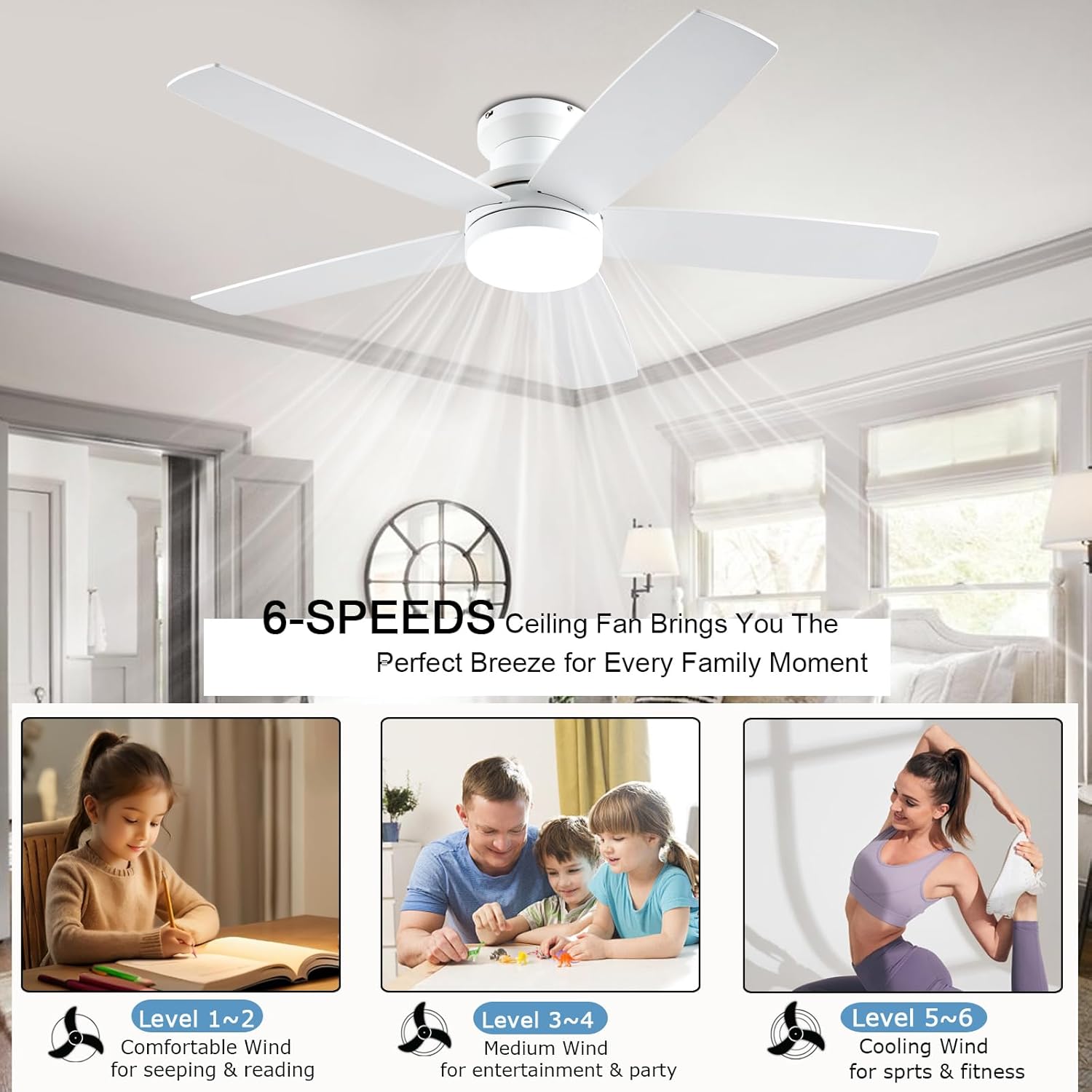
Image 4.1: Diagram showing the 48-inch ceiling fan dimensions (48"D x 48"W x 12.9"H) and illustrating the flush mount option as suitable, while an angle mount is not. Recommended room size is 110-170 sq.ft.
4.2 Blade instalazioa
The fan comes with dual-sided blades, offering two aesthetic options: one side in white and the other in wood grain. Choose the side that best matches your interior decor during installation.

4.2 irudia: Gertuko planoa view of the dual-sided fan blades, showing one side in white (A-side) and the other in white wood grain (B-side), allowing for customizable aesthetics.
4.3 Wall Switch Compatibility
The fan is suitable for conventional wall switches to control the fan and light ON/OFF functions. Do not connect the fan to a dimmer switch or a fan's gear switch, as this can damage the unit.

Image 4.3: Illustration demonstrating that the fan is compatible with conventional wall switches for ON/OFF control, but explicitly warns against connecting it to dimmer switches or fan gear switches.
5. Funtzionamendu-argibideak
Your NKPU ceiling fan can be controlled via the included remote control or a dedicated mobile application.
5.1 Urruneko kontrolaren funtzioak
The remote control allows for comprehensive management of the fan and light settings.
- Orokorra ON/OFF: Powers the entire unit on or off.
- Argia piztu/itzali: Argia modu independentean kontrolatzen du.
- Argi modua aldatzeko botoia: Cycles through 3 color temperatures (3000K Warm White, 4000K Natural White, 6000K Cool White).
- Light Brightness Increase/Decrease: Adjusts light intensity from 10% to 100%.
- Fan Gear (Speed): Selects one of 6 fan speeds.
- Fan Timing: Sets a timer for 1, 2, or 4 hours.
- Fan Forward and Reverse: Changes the direction of blade rotation for summer or winter modes.
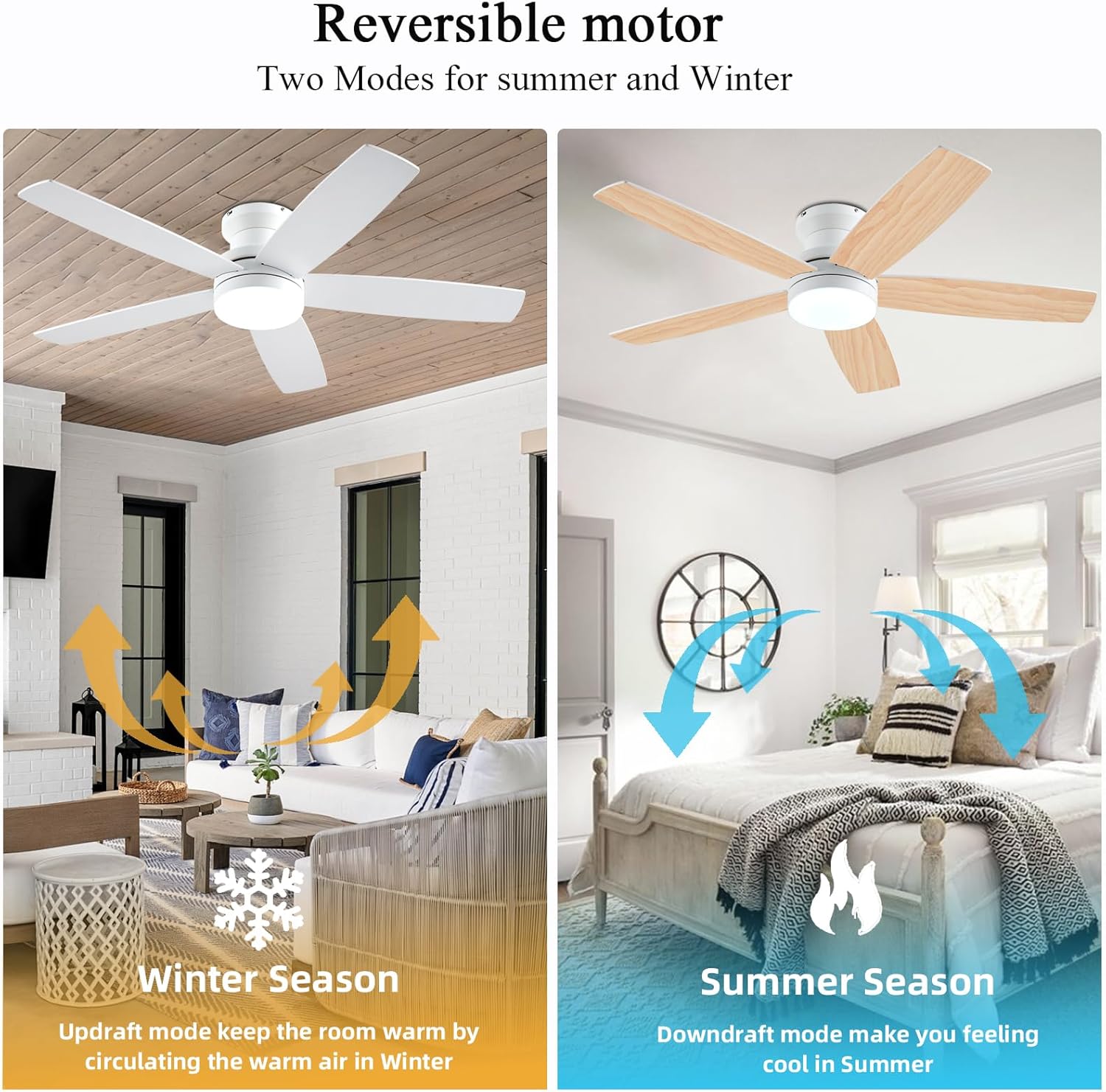
Image 5.1: The remote control and a smartphone displaying the 'Fan Lamp Pro' app, illustrating the various control options for the fan and light, including speed, brightness, color temperature, and timer settings.

Image 5.2: Detailed diagram of the remote control buttons and their functions, alongside visual representations of the three adjustable color temperatures (6000K Cool Light, 4500K Natural Light, 3000K Warm Light) and the 10-100% dimmable range.
5.2 Mugikorretarako aplikazioen kontrola
For enhanced control, download the "Fan Lamp Pro" app. Scan the QR code provided in the image below or visit http://www.jasonghost.com/fanlamppro/ aplikazioa deskargatzeko.
- Scan the QR code to download the "Fan Lamp "Pro" aplikazioa.
- Gehitu gailua.
- Choose Light Fan.
- Click to Pair: Click the "+" button to set the name of your fan light. Then, click the pair button 1-2 times within 3 seconds after the fan is powered on.

Image 5.3: Instructions for setting up app control, including a QR code to download the "Fan Lamp Pro" app, steps for adding a device, and pairing the fan with the app.
5.3 Alderantzikagarria den korronte zuzeneko motorra
The fan features a reversible DC motor, allowing for two modes of operation to suit different seasons:
- Summer Season (Downdraft Mode): Blades rotate counter-clockwise, creating a direct breeze to make you feel cool.
- Winter Season (Updraft Mode): Blades rotate clockwise, circulating warm air trapped near the ceiling downwards, helping to keep the room warm.

Image 5.4: Visual representation of the reversible motor's two modes: updraft for winter to circulate warm air, and downdraft for summer to create a cooling breeze.
5.4 3CCT Dimmable LED Light
The integrated LED light offers three color temperatures and dimming capabilities from 10% to 100%.
- 3000K Zuri epela: Ideal for a cozy and relaxing ambiance.
- 4000K Zuri Naturala: Suitable for general illumination and daily activities.
- 6000K Zuri Hotza: Provides bright, crisp lighting for tasks or a modern feel.

Image 5.5: Display of the three color temperature options for the LED light: 3000K Warm White, 4500K Natural Light, and 6000K Cool Light, along with a dimming scale from 10% to 100%.
5.5 6-Speed Settings
The fan offers 6 distinct speed settings to provide the desired airflow for any occasion.
- 1-2 maila (Baxua): Comfortable wind for sleeping or reading.
- Level 3-4 (Medium): Natural wind for entertainment or parties.
- 5-6 maila (Altua): Cooling wind for sports or fitness activities.

Image 5.6: Illustration of the 6-speed settings, categorized into Low (1-2 for comfort), Medium (3-4 for natural wind), and High (5-6 for cooling), with suggested activities for each level.
5.6 Funtzionamendu isila
The fan is equipped with a silent DC motor, ensuring a peaceful environment with a noise level below 30 dB, comparable to a library whisper.

Image 5.7: A graph comparing the fan's noise level (30 dB) to common sounds like normal conversation (50 dB), library whisper (35 dB), and feather drops (20 dB), highlighting its quiet operation.
6. Mantentzea
Mantentze-lan erregularrak zure sabaiko haizagailuaren iraupena eta errendimendu optimoa bermatzen ditu.
- Garbiketa: Haizagailua garbitzeko, zapi leun batekin garbituamp oihal. Ez erabili garbitzaile edo disolbatzaile urratzailerik. Ziurtatu argindarra itzalita dagoela garbitu aurretik.
- Palan ikuskatzea: Periodically check the fan blades for any dust buildup and clean them to maintain efficient airflow.
- Estutasuna: Aldian-aldian egiaztatu torloju eta konexio guztiak ondo lotuta daudela ziurtatzeko.

Image 6.1: Close-up of the fan blades, emphasizing their durable and stylish solid wood construction, which is UV resistant, damp resistant, and features premium textures.
7. Arazoak
If you encounter issues with your ceiling fan, refer to the following common problems and solutions.
| Arazoa | Kausa posiblea | Irtenbidea |
|---|---|---|
| Fan ez da martxan jartzen | Ez dago haizagailurako korronterik; Kableen konexio solteak; Urrutiko agintearen bateria baxua. | Check circuit breaker; Ensure all connections are secure; Replace remote control batteries. |
| Argiak ez du funtzionatzen | Kable konexio soltea; LED kontrolatzailearen arazoa. | Check light wiring; Contact customer support if LED driver is suspected. |
| Urruneko kontrolak ez du erantzuten | Batteries are dead; Remote not paired; Obstruction between remote and receiver. | Replace batteries; Re-pair the remote control (refer to app pairing instructions); Remove obstructions. |
| Gehiegizko zarata | Muntatzeko torloju solteak; Palak desorekatuta. | Tighten all mounting screws; Ensure blades are properly installed and balanced. |
Konponbide hauek saiatu ondoren arazoa konpontzen ez bada, jarri harremanetan bezeroarentzako arreta-zerbitzuarekin.
8. Produktuaren zehaztapenak
| Ezaugarri | Xehetasuna |
|---|---|
| Marka | NKPU |
| Ereduaren izena | BR-SY69 / SY69-WHITE |
| Kolorea | Zuria |
| Produktuaren neurriak | 48" L x 48" W x 12.9" H |
| Elementuaren pisua | 10.27 kilo |
| Haizagailu elektrikoaren diseinua | Sabaiko Fan |
| Energia iturria | DC |
| Estiloa | Modernoa |
| Gela Mota | Logela, Haurren Gela, Egongela, Haurtzaindegia, Jolastokia |
| Ezaugarri Berezia | Adjustable Height, Adjustable Tilt, App Operable, LED Light, Remote Controlled |
| Gomendatutako Erabilerak | Air Circulation, Cooling, Lighting |
| Zarata Maila | 30 dB |
| Wattage | 60 watt |
| Akabera mota | Zuria |
| Pala kopurua | 5 |
| Abiadura | 6 RPM (6 Power Levels) |
| liburukiatage | 110 Volt |
| Aldatu mota | Sakatu botoia |
| Dakarten osagaiak | 1 x Ceiling Fan with Lights Kits, 1 x User Manual, Remote |
| Barruko/Kanpoko erabilera | Barruan, Kanpoan |
| Kontrol-metodoa | Aplikazioa, Urrunekoa |
| Eraginkortasuna | High Efficiency (up to 80% reduction in power loss compared to traditional fans) |
| Pilak behar dira? | Bai (urrutiko aginterako) |
9. Bermea eta laguntza
Your NKPU ceiling fan comes with a 24 hilabeteko kezkarik gabeko bermea. We are committed to providing excellent customer service.
If you encounter any issues during the installation or use of the fan, please do not hesitate to contact us. Our 24-hour after-sales support taldea laguntzeko prest dago.
For warranty claims or technical assistance, please refer to the contact information provided with your purchase or on the official NKPU webgunea.


