1. Produktua amaitu daview
The Apple 2025 MacBook Air 15-inch Laptop, powered by the M4 chip, is designed for performance and portability. It features a 15.3-inch Liquid Retina display, advanced camera and audio capabilities, and integrates Apple Intelligence for enhanced productivity.
Ezaugarri nagusiak:
- M4 Chip: Delivers enhanced speed and fluidity for various tasks, from daily work to creative projects.
- Apple Intelligence: A personal intelligence system designed to assist with writing, creation, and expression, incorporating advanced privacy protections.
- Bateriaren iraupen luzea: Up to 18 hours of battery life for extended use on the go.
- 15.3 hazbeteko erretina likidoaren pantaila: Supports 1 billion colors, offering rich contrast, sharp detail, and crisp text.
- 12MP Center Stage Camera: Provides clear video calls with Center Stage funtzionaltasuna.
- Audio Aurreratua: Features three microphones and a six-speaker sound system with Spatial Audio.
- Konektibitate polifazetikoa: Includes two Thunderbolt 4 ports, a MagSafe charging port, a headphone jack, Wi-Fi 6E, and Bluetooth 5.3.

Image: The Apple MacBook Air 15-inch laptop connected to two external monitors, demonstrating its multi-display capabilities in a workspace setting.
Bideoa: Amaiera batview of the Apple MacBook Air, showcasing its lightweight design, available sizes (13-inch and 15-inch), four stunning colors including Sky Blue, and key features like Apple Intelligence, Liquid Retina display, M4 chip performance, long battery life, 12MP Center Stage camera, and various connectivity options.
2. Kutxatik ateratzea eta hasierako konfigurazioa
Paketearen edukia:
Egiaztatu zure paketeak elementu hauek dituela:
- 15-inch MacBook Air
- USB-C to MagSafe 3 Cable (2m)
- 35W-ko USB-C korronte egokitzailea

Image: The contents of the MacBook Air box, including the 15-inch MacBook Air laptop, a USB-C Power Adapter, and a USB-C to MagSafe 3 Cable.
Lehen konfigurazioa:
- Piztu: Open the lid of your MacBook Air. The device will automatically power on.
- Konektatu energia: Plug the USB-C to MagSafe 3 Cable into the MagSafe 3 port on your MacBook Air and connect the USB-C Power Adapter to a power outlet.
- Jarraitu pantailako argibideak: The macOS Setup Assistant will guide you through selecting your language, connecting to Wi-Fi, transferring data (if applicable), and setting up your Apple ID and Touch ID.
- Software eguneraketak: After initial setup, it is recommended to check for and install any available macOS software updates to ensure optimal performance and security.
3. Operating Your MacBook Air
Display and Visuals:
The 15.3-inch Liquid Retina display offers a vibrant and detailed visual experience. It features a 2880-by-1864 native resolution, 500 nits brightness, and True Tone technology for adaptive color. The display supports 1 billion colors and Wide color (P3) for accurate color reproduction.
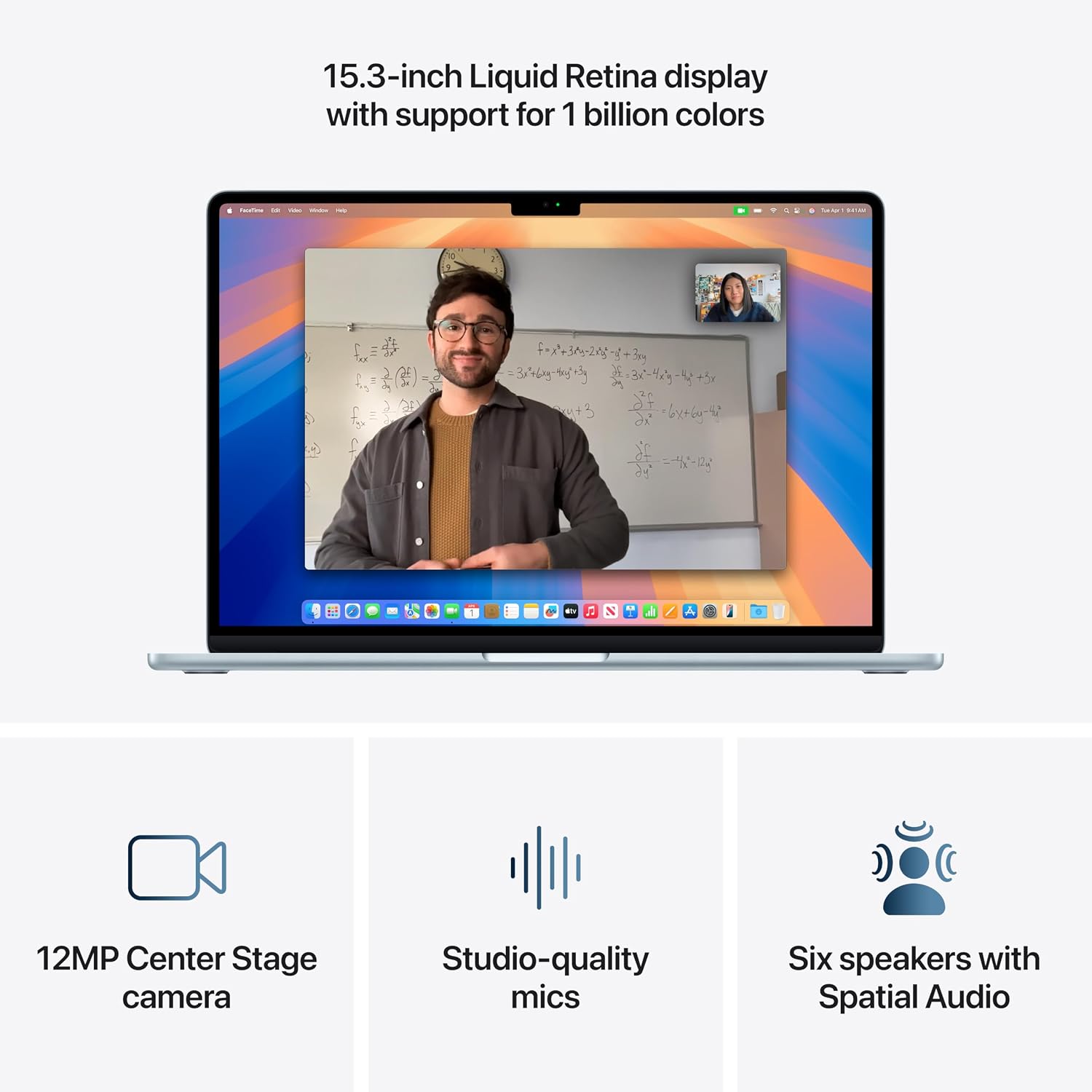
Image: The MacBook Air display showcasing a video call, with icons highlighting the 12MP Center Stage camera, studio-quality mics, and six speakers with Spatial Audio.
Performance with M4 Chip:
The Apple M4 chip integrates a 10-core CPU, 10-core GPU with hardware-accelerated ray tracing, and a 16-core Neural Engine. This architecture provides significant processing power for demanding applications, multitasking, and AI-driven tasks.

Image: A graphic illustrating the Apple M4 chip and emphasizing the MacBook Air's capability of providing up to 18 hours of battery life.
Apple Intelligence:
Apple Intelligence is designed to personalize and enhance your Mac experience. It offers features like Intelligent Writing Tools for summarizing and rewriting text, and capabilities to clean up photos. These features are integrated with strong privacy protections.

Image: The MacBook Air display demonstrating Apple Intelligence features, specifically Intelligent Writing Tools for tasks like proofreading, rewriting, summarizing, and generating key points within a document.
Teklatua eta ukipen-panela:
The Backlit Magic Keyboard includes 78 (U.S.) or 79 (ISO) keys, 12 full-height function keys, and 4 arrow keys. Touch ID is integrated for secure authentication. The Force Touch trackpad provides precise cursor control, pressure-sensing capabilities, and Multi-Touch gestures.
4. Konektibitatea
The MacBook Air offers a range of ports and wireless technologies for connecting peripherals and networks.
- MagSafe 3 Charging Port: For secure and convenient charging.
- Thunderbolt 4 (USB-C) Ports: Two ports supporting charging, DisplayPort, Thunderbolt 4 (up to 40Gb/s), and USB 4 (up to 40Gb/s).
- 3.5 mm-ko entzungailuen jack-a: With advanced support for high-impedance headphones.
- Haririk gabeko konektagarritasuna: Wi-Fi 6E for fast wireless internet and Bluetooth 5.3 for accessories.
- Kanpoko pantailaren euskarria: Simultaneously supports full native resolution on the built-in display and up to two external displays with up to 6K resolution at 60Hz.

Irudia: Gertutik view of the MacBook Air's side ports, clearly labeling the MagSafe charging port, two Thunderbolt 4 ports, and the 3.5 mm headphone jack.
5. Mantentzea eta Zainketa
Bateria zaintzea:
The MacBook Air is equipped with a built-in 53.8-watt-hour lithium-polymer battery. To maximize battery lifespan:
- Saihestu giro-tenperatura altuegiak.
- Store the device at approximately 50% charge if storing for long periods.
- Regularly update macOS to benefit from the latest power management optimizations.
Cleaning Your MacBook Air:
To clean your MacBook Air, use a soft, lint-free cloth. Dampen the cloth slightly with water if necessary. Avoid using aerosol sprays, solvents, abrasives, or cleaners containing hydrogen peroxide, as these can damage the finish.
6. Arazoak
If you encounter issues with your MacBook Air, consider the following basic troubleshooting steps:
- Berrabiarazi: Often, a simple restart can resolve minor software glitches.
- Egiaztatu konexioak: Ensure all cables (power, peripherals) are securely connected.
- Software eguneraketak: Verify that macOS and all applications are up to date.
- Periferikoak: Disconnect any external devices to see if they are causing the issue.
- Appleren laguntza: For persistent issues, refer to Apple's official support resources or contact Apple Support.
7. Zehaztapenak
| Ezaugarri | Xehetasuna |
|---|---|
| Produktuaren neurriak | 9.35 x 13.4 x 0.45 hazbete |
| Elementuaren pisua | 3.32 kilo |
| Fabrikatzailea | Sagarra |
| ASIN | B0DZDBWM5B |
| Elementuaren eredu-zenbakia | MC7A4LL/A |
| Pilak | 1 litio ioi bateria behar da (barne) |
| Eskuragarri dagoen lehen data | 5ko martxoaren 2025a |
| Marka | Sagarra |
| Ereduaren izena | MacBook Air |
| Pantailaren tamaina | 15.3 hazbete |
| Kolorea | Zeru Urdina |
| Disko gogorraren tamaina | 256 GB |
| CPU eredua | Apple M4 |
| RAM memoria instalatuaren tamaina | 16 GB |
| Sistema eragilea | Mac OS |
| Ezaugarri bereziak | Backlit Keyboard, Fingerprint Reader, Lightweight |
| Txartel grafikoaren deskribapena | Integratua |
| Txipa | Apple M4 chip (10-core CPU, 10-core GPU, 16-core Neural Engine, 120GB/s memory bandwidth, Media Engine) |
| Apple Inteligentzia | Personal intelligence system for writing, creation, and expression with privacy protections. |
| Bistaratzea | 15.3-inch Liquid Retina (2880x1864, 224 ppi), 500 nits, 1 billion colors, Wide color (P3), True Tone. |
| Bateria eta energia | Up to 18 hours video streaming, 15 hours wireless web, 53.8-watt-hour lithium-polymer battery. |
| Charging and Expansion | MagSafe 3, 3.5 mm headphone jack, Two Thunderbolt 4 (USB-C) ports. |
| Bistaratzeko euskarria | Supports native resolution on built-in display and up to two external 6K displays at 60Hz. |
| Bideo erreprodukzioa | HEVC, H.264, AV1, ProRes, HDR with Dolby Vision, HDR10+/HDR10, HLG. |
| Audio Erreprodukzioa | AAC, MP3, Apple Lossless, FLAC, Dolby Digital, Dolby Digital Plus, Dolby Atmos. |
| Teklatua eta Trackpad | Backlit Magic Keyboard with Touch ID, Force Touch trackpad. |
| Kamera | 12MP Center Stage camera, 1080p HD video recording. |
| Audioa | Four-speaker sound system, Spatial Audio, Three-mic array, 3.5 mm headphone jack. |
8. Bermea eta Laguntza
Your Apple MacBook Air comes with a limited warranty. For extended coverage and peace of mind, AppleCare+ is available. AppleCare+ provides expert technical support and hardware coverage, including unlimited incidents of accidental damage protection, each subject to a service fee.
For detailed warranty information, service options, and technical assistance, please visit the official Apple Support website or contact Apple directly.
Video: An advertisement for AppleCare+, highlighting how it provides coverage for unexpected incidents and offers support from Apple experts, ensuring your device is repaired with genuine Apple parts.
Terms and Conditions including service fees apply and are subject to change. Repair service for damage is limited to accidental damage resulting from handling or use of the device. Descriptions of features are those available in the U.S. Feature availability and options may vary by country.


