1. Produktua amaitu daview
The ShanWan Q38 is a versatile wireless Bluetooth controller designed for a wide range of gaming platforms. It features advanced controls such as Hall Effect joysticks and micro-switch buttons for enhanced precision and responsiveness.

1.1 irudia: Goitik behera view of the ShanWan Q38 Wireless Bluetooth Controller, showcasinbere diseinu trinkoa eta botoien kokapena esker.
2. Paketearen edukia
Mesedez, ziurtatu elementu guztiak paketean daudela:
- ShanWan Q38 Wireless Bluetooth Controller
- USB kargatzeko kablea
- Erabiltzailearen eskuliburua (dokumentu hau)
- 1 AAA Battery (pre-installed or included separately)
3. Konfigurazioa eta Konektibitatea
3.1 Kontrolagailua kargatzea
Before initial use, ensure the controller is sufficiently charged. Connect the provided USB charging cable to the controller's charging port and to a USB power source (e.g., computer, USB wall adapter). The LED indicator will show charging status.
3.2 Bateragarritasuna
The ShanWan Q38 controller is compatible with the following platforms:
- Nintendo Switch / Switch 2 (firmware upgrade may be required for Switch 2)
- Steam Deck
- PC (Windows)
- Android devices (phones, tablets)
- iPhonea
- iPad
- macOS gailuak
- PS4 (as indicated by mode switch, specific compatibility may vary)

Image 3.1: The ShanWan Q38 controller demonstrating compatibility with multiple gaming platforms.
3.3 Bluetooth bidez konektatzea
Kontrolagailua zure gailura konektatzeko:
- Piztu: Sakatu eta eutsi kontrolatzailearen Hasiera botoia adierazle-argiak keinuka hasten diren arte.
- Aukeratu modua: Use the mode switch located on the top edge of the controller to select the appropriate mode for your device:
- X Mode: For Mobile & Computer (Android, PC, macOS, iOS).
- S modua: For Nintendo Switch.
- P modua: For PS4 (if compatible).
- Parekatzea: On your device, navigate to the Bluetooth settings and search for available devices. Select "ShanWan Q38" (or similar) from the list to pair.
- Berrespena: Once successfully paired, the indicator light on the controller will become solid.
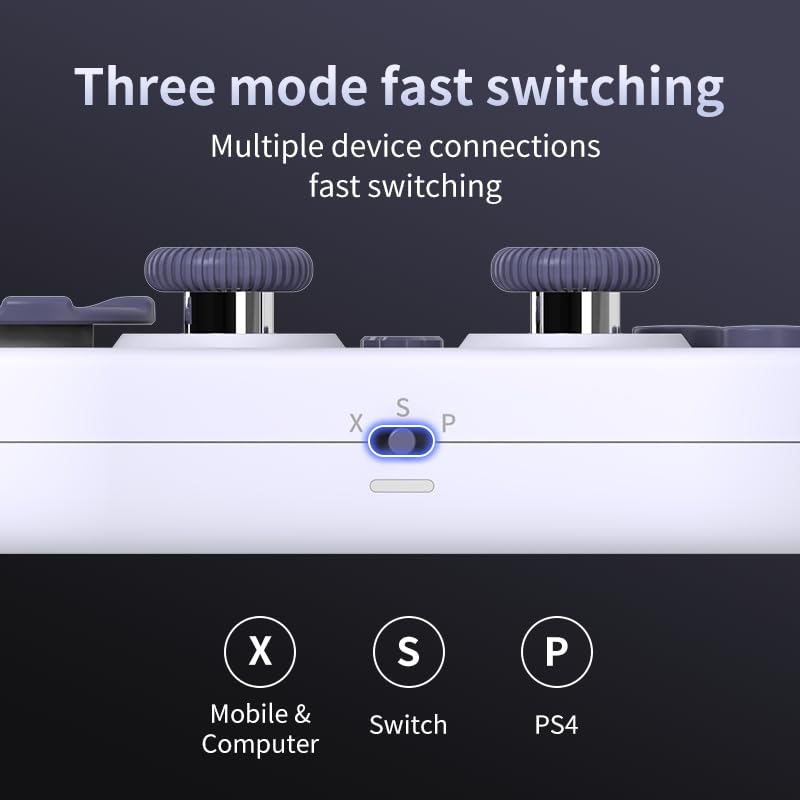
Image 3.2: Detail of the three-mode fast switching selector on the controller.
3.4 Customization and Calibration
For advanced customization, including button remapping and macro functions, download the official "gamepad space" application. This application also allows for controller calibration to ensure optimal performance.
4. Kontrolatzailea erabiltzea
4.1 Ezaugarri nagusiak
- Hall efektuko joystickak: Provides high precision and sensitivity. The joystick height is adjustable between 5mm and 8mm for personalized comfort.
- Composite Micro-Switch Buttons: These buttons offer a tactile response similar to mechanical keyboards, providing quick and precise input.
- Mechanical Triggers: Designed for fast response times.
- Dual Micro Motors: Provides dual vibration feedback for an immersive gaming experience.
- Somatosensory Gyroscope: Equipped with a 6-axis gyroscope for motion control in supported games.

Image 4.1: Detail of the adjustable Hall Effect joysticks.

Image 4.2: Close-up of the composite micro-switch action buttons.

Image 4.3: Diagram illustrating the internal components of the composite micro-keypad.
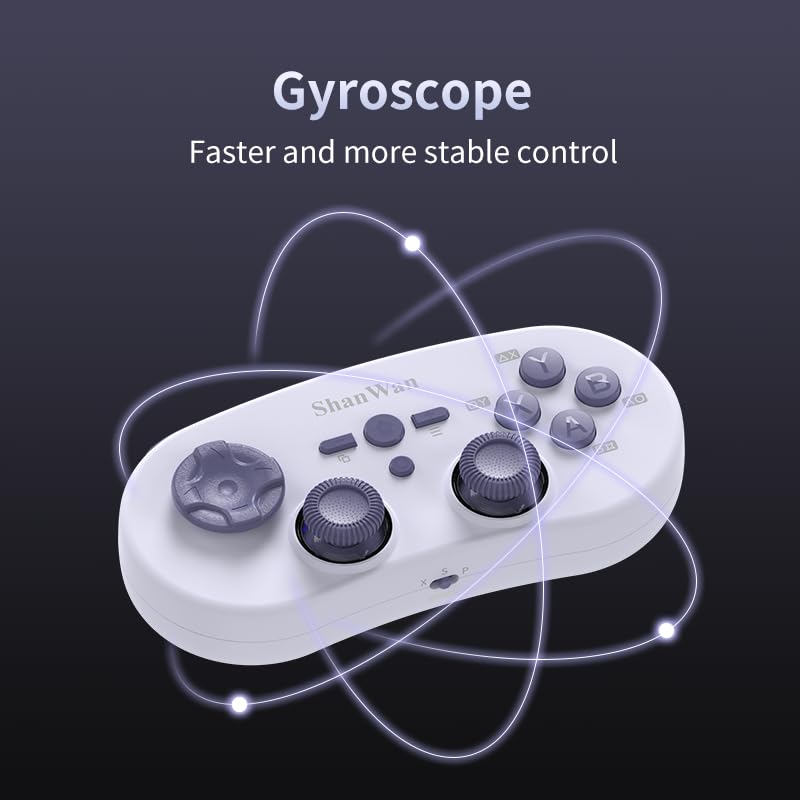
Image 4.4: Visual representation of the controller's gyroscope functionality.
4.2 Jokoen esperientzia
The compact design allows for portability, making it suitable for gaming on the go with devices like the Nintendo Switch or smartphones.

Image 4.5: Controller in use with a Nintendo Switch.

Image 4.6: Controller paired with a smartphone for mobile gaming.
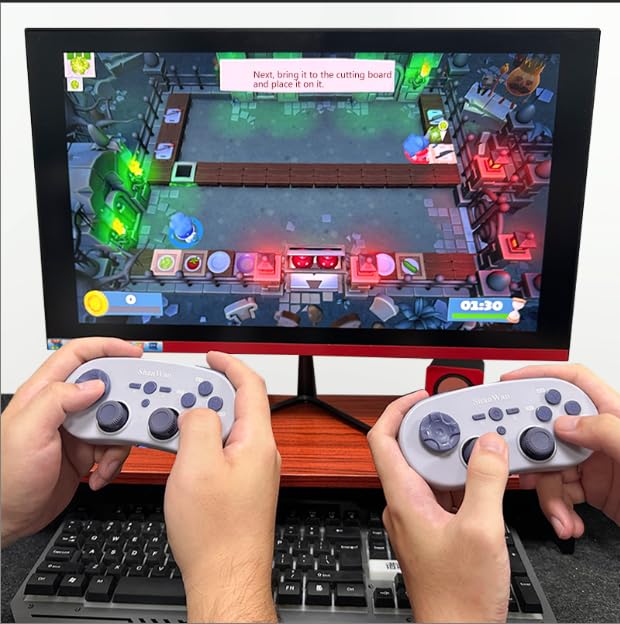
Image 4.7: Two controllers in use for multiplayer gaming on a PC.
5. Mantentzea
To ensure the longevity and optimal performance of your ShanWan Q38 controller, follow these maintenance guidelines:
- Garbiketa: Use a soft, dry cloth to wipe the controller. For stubborn dirt, a slightly damp oihal bat erabil daiteke, baina ziurtatu hezetasunik ez sartzen gailuan. Saihestu produktu kimiko gogorrak edo garbitzaile urratzaileak.
- Biltegiratzea: Gorde kontrolatzailea leku fresko eta lehor batean, eguzki-argitik eta muturreko tenperaturetatik babestuta.
- Bateria zaintzea: If using replaceable AAA batteries, remove them if the controller will not be used for an extended period to prevent leakage.
- Saihestu tantoak: Babestu kontrolatzailea kolpe fisikoetatik eta erorketetatik, barneko osagaiak kaltetu baititzakete.
6. Arazoak
If you encounter issues with your ShanWan Q38 controller, refer to the following common problems and solutions:
- Controller Does Not Power On:
- Ensure the battery is correctly inserted and has sufficient charge. Replace AAA batteries if necessary.
- Connect the controller to a power source using the USB cable to confirm if it charges.
- Difficulty Connecting via Bluetooth:
- Ensure the controller is in the correct mode (X, S, or P) for your device.
- Itzali eta piztu zure gailuaren Bluetooth-a.
- Ahaztu gailua Bluetooth ezarpenetan eta saiatu berriro parekatzen.
- Ensure the controller is within the effective range of your device.
- Buttons or Joysticks Not Responding Correctly:
- Calibrate the controller using the "gamepad space" application.
- Egiaztatu botoien edo joysticken inguruan oztopo fisiko edo hondakinik dagoen.
- Ensure the controller's firmware is up to date, especially for Switch 2 compatibility.
- Random Disconnections:
- Ziurtatu inguruan haririk gabeko interferentzia indartsurik ez dagoela.
- Keep the controller close to the connected device.
- Re-pair the controller if disconnections are frequent.
7. Zehaztapenak
| Ezaugarri | Xehetasuna |
|---|---|
| Modelo zenbakia | 38.G |
| Fabrikatzailea | ShanWan |
| Konektibitatea | Haririk gabeko Bluetootha |
| Bateragarritasuna | Switch/Switch 2, Steam Deck, PC, Android, iPhone, iPad, macOS, PS4 |
| Joystick mota | Hall Effect, Adjustable Height (5mm-8mm) |
| Botoi mota | Composite Micro-Switch |
| Dardara | Dual Micro Motors |
| Mugimenduaren Kontrola | 6 ardatzeko giroskopioa |
| Paketearen neurriak | 5.63 x 4.53 x 1.54 hazbete |
| Elementuaren pisua | 4.6 ontza |
| Pilak | 1 AAA bateria behar da (barne) |

Image 7.1: Physical dimensions of the ShanWan Q38 controller.
8. Bermea eta Laguntza
For warranty information and customer support, please refer to the official ShanWan webwebgunera joan edo produktua erosi diozun saltzailearekin harremanetan jarri. Gorde erosketaren frogagiria bermearen erreklamazioetarako.


