Sarrera
This manual provides essential instructions for the safe and efficient use of your Philips TAT5000 True Wireless Bluetooth Earbuds. Please read this guide thoroughly before operating the device and retain it for future reference. These earbuds feature Adaptive Noise Canceling Pro, 6-mic call technology, and Bluetooth 5.4 multipoint connectivity, designed for a superior audio experience.
Kutxan dagoena
- Philips TAT5000 True Wireless Earbuds (Left and Right)
- Kargatzeko kaxa
- USB-C kargatzeko kablea
- Belarri-puntak (Txikia, Ertaina, Handia)
- Erabiltzailearen eskuliburua

Image: Philips TAT5000 True Wireless Earbuds shown inside their open charging case, ready for use.
Konfigurazioa
1. Entzungailuak eta zorroa kargatzea
Before first use, fully charge the earbuds and charging case. Connect the USB-C charging cable to the charging port on the case and to a power source. The charging indicators on the case will show the charging status. A full charge provides up to 40 hours of total playtime (10 hours from earbuds + 30 hours from case with ANC off). A 15-minute quick charge provides approximately 3 hours of playtime.

Image: The Philips TAT5000 charging case, closed, displaying its USB-C charging port on the front.
2. Zure gailuarekin parekatzea
- Ziurtatu entzungailuak kargatuta daudela eta kargatzeko zorroan sartuta daudela.
- Ireki kargatzeko zorroa. Aurikularrak automatikoki sartuko dira parekatze moduan.
- Zure gailuan (smartphone-a, tableta, ordenagailu eramangarria), gaitu Bluetooth-a eta bilatu gailu berriak.
- Select "Philips TAT5000" from the list of available devices to connect.
- For Android devices, Google Fast Pair allows for instant connection. For Windows devices, Microsoft Swift Pair offers quick pairing.
- The earbuds support Bluetooth 5.4 multipoint connectivity, allowing connection to two devices simultaneously.
3. Belarri-punta egokiak aukeratzea
Choose the soft silicone eartips (S/M/L) that provide the most comfortable and secure fit for optimal sound quality and noise cancellation performance.
Funtzionamendu-argibideak
1. Piztu/Itzali
- Piztu: Ireki kargatzeko kaxa, eta entzungailuak automatikoki piztuko dira.
- Itzali: Jarri entzungailuak berriro kargatzeko zorroan eta itxi tapa. Automatikoki itzaliko dira.
2. Music Playback (Touch Controls)
- Erreproduzitu/Pausatu: Sakatu behin entzungailuetako edozeinetako ukipen-panela.
- Hurrengo ibilbidea: Sakatu bi aldiz eskuineko entzungailuaren ukipen-panela.
- Aurreko pista: Sakatu bi aldiz ezkerreko entzungailuaren ukipen-panela.
3. Call Management (Touch Controls)
- Deia erantzun/amaitu: Sakatu behin entzungailuetako edozeinetako ukipen-panela.
- Deia baztertu: Sakatu eta eutsi entzungailuetako edozeinetako ukipen-panela 2 segundoz.
4. Zarata Kontrolatzeko Moduak
The earbuds feature Adaptive Noise Canceling Pro. Tap the touch panel (specific earbud/pattern may vary, refer to app for customization) to cycle through modes:
- Adaptive Noise Canceling (ANC): Inguruko zarata murrizten du.
- Sentsibilizazio modua: Allows you to hear your surroundings.
- Quick Awareness: Amplifies voices for quick conversations without removing earbuds.
5. Philips Headphones App
Download the Philips Headphones App for additional features, including:
- Ukipen-kontrolak pertsonalizatzea.
- Adjusting Equalizer (EQ) settings.
- Managing ANC levels and modes.
- Firmware eguneraketak jasotzen.
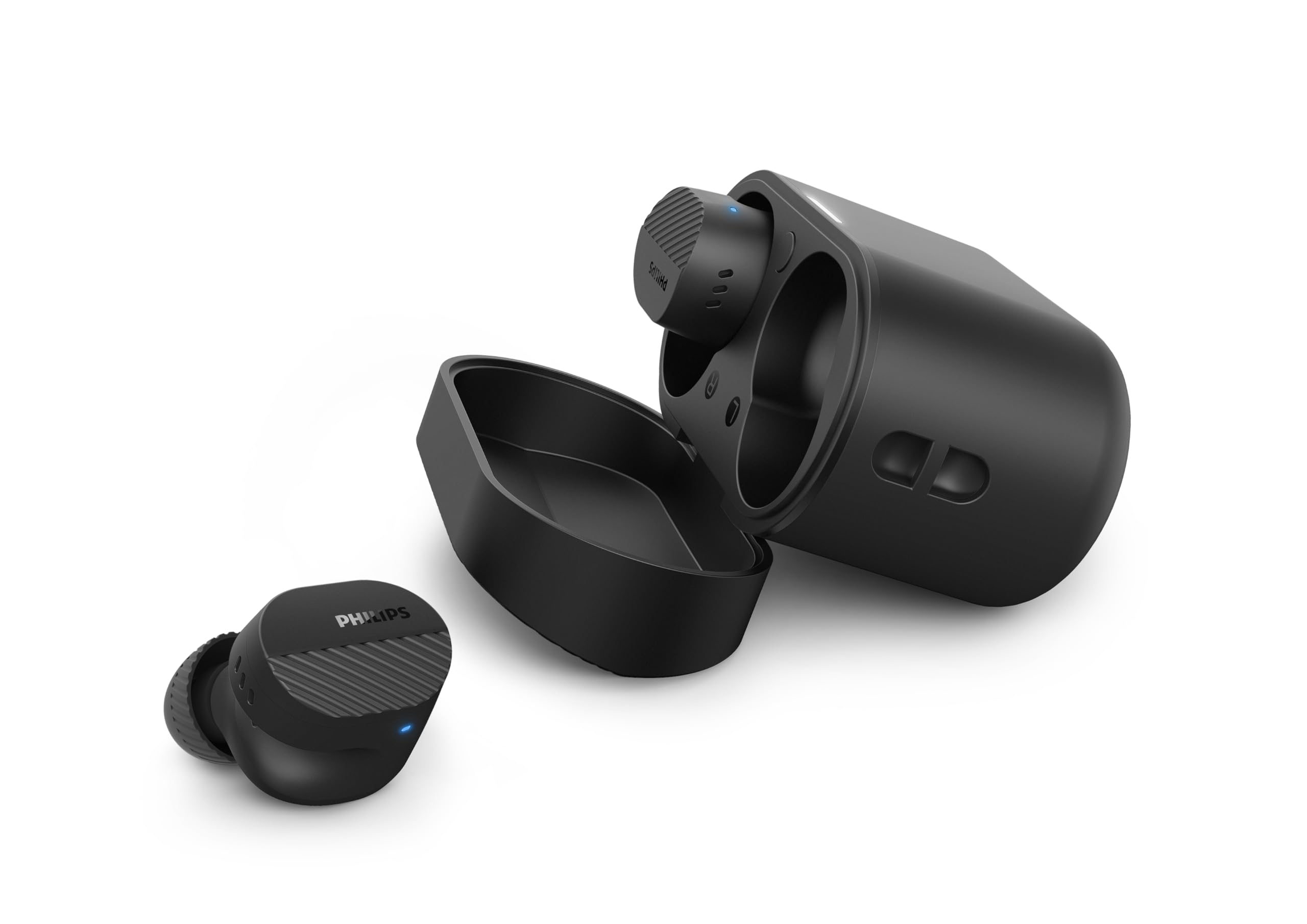
Image: A person holds the Philips TAT5000 earbuds in their charging case in one hand and a smartphone displaying the Philips Headphones app settings in the other, demonstrating app control.
Mantentzea
Garbiketa
- Garbitu astiro-astiro entzungailuak eta kargatzeko zorroa oihal leun, lehor eta pelusik gabeko batekin.
- Kendu belarri-puntak eta garbitu xaboi leun eta urarekin, eta gero lehortu ondo berriro jarri aurretik.
- Ez erabili garbitzaile urratzailerik, alkoholik edo disolbatzaile kimikorik.
Uraren Erresistentzia
The earbuds are IPX5 water resistant, meaning they are protected against sweat and splashes of water. They are not designed for submersion in water. Ensure the charging port is dry before charging.
Biltegiratzea
Store the earbuds in their charging case when not in use to protect them and conserve battery life. Avoid extreme temperatures.
Arazoak konpontzea
| Arazoa | Kausa posiblea | Irtenbidea |
|---|---|---|
| Entzungailuak ez dira pizten | Bateria baxua | Jarri entzungailuak kargatzeko zorroan eta kargatu guztiz. |
| Ezin da gailuarekin parekatu | Bluetooth off, earbuds not in pairing mode, or device too far | Ensure Bluetooth is enabled on your device. Open the charging case to activate pairing mode. Move device closer to earbuds. Try forgetting the device in Bluetooth settings and re-pairing. |
| Soinurik ez edo soinu kalitate eskasa | Incorrect eartip size, low volume, or connection issue | Adjust eartips for a secure fit. Increase volume on your device. Reconnect earbuds to your device. |
| ANCk ez du eraginkortasunez funtzionatzen | Improper fit, or ANC mode not active | Ensure earbuds are properly seated in your ears with the correct eartip size. Verify ANC is enabled via touch controls or the Philips Headphones App. |
| Kargatzeko kaxa ez da kargatzen | Kablea edo elikadura iturri akastunak | Try a different USB-C cable and power adapter. Ensure the charging port is clean and dry. |
If issues persist, refer to the Philips Headphones App for further assistance or contact customer support.
Zehaztapenak
- Ereduaren izena: TAT5000BK/00
- Konektibitatea: Bluetooth 5.4
- Audio kontrolatzaileak: 8mm Graphene-Coated Dynamic Driver
- Bateriaren iraupena: Up to 40 Hours Total (10 hours earbuds + 30 hours case, ANC off)
- Karga azkarra: 15 minutu 3 ordu jolasteko
- Uraren erresistentzia: IPX5 (Izerdiaren eta zipriztinen aurkakoa)
- Kontrol-metodoa: Ukitu
- Zarata kontrola: Adaptive Noise Canceling Pro
- Pisua: Approximately 4.16 ounces (earbuds and case)
- Dakarten osagaiak: Earbuds, Charging Case, USB-C Cable, Eartips, User Manual
Bermea eta Laguntza
Your Philips TAT5000 True Wireless Bluetooth Earbuds are covered by a limited warranty. Please refer to the warranty card included in your product packaging or visit the official Philips webzure eskualdeko berme-baldintza zehatzak ikusteko, bisitatu webgunea.
For technical support, product registration, or frequently asked questions, please visit the Philips support website or contact Philips customer service directly. Contact information can typically be found on the Philips webgunean edo zure produktuaren dokumentazioan.


