1. Sarrera
The ICY BOX M.2 NVMe/SATA & 2.5”/3.5” Hard Drive Docking Station provides a versatile solution for connecting various types of storage drives to your computer. This docking station supports M.2 NVMe/SATA SSDs and 2.5”/3.5” SATA HDDs/SSDs, offering high-speed data transfer up to 10 Gbit/s via USB 3.2 Gen2x1 Type-C. Its tool-free design and broad compatibility make it suitable for data recovery, backups, and storage expansion across Windows and macOS systems.
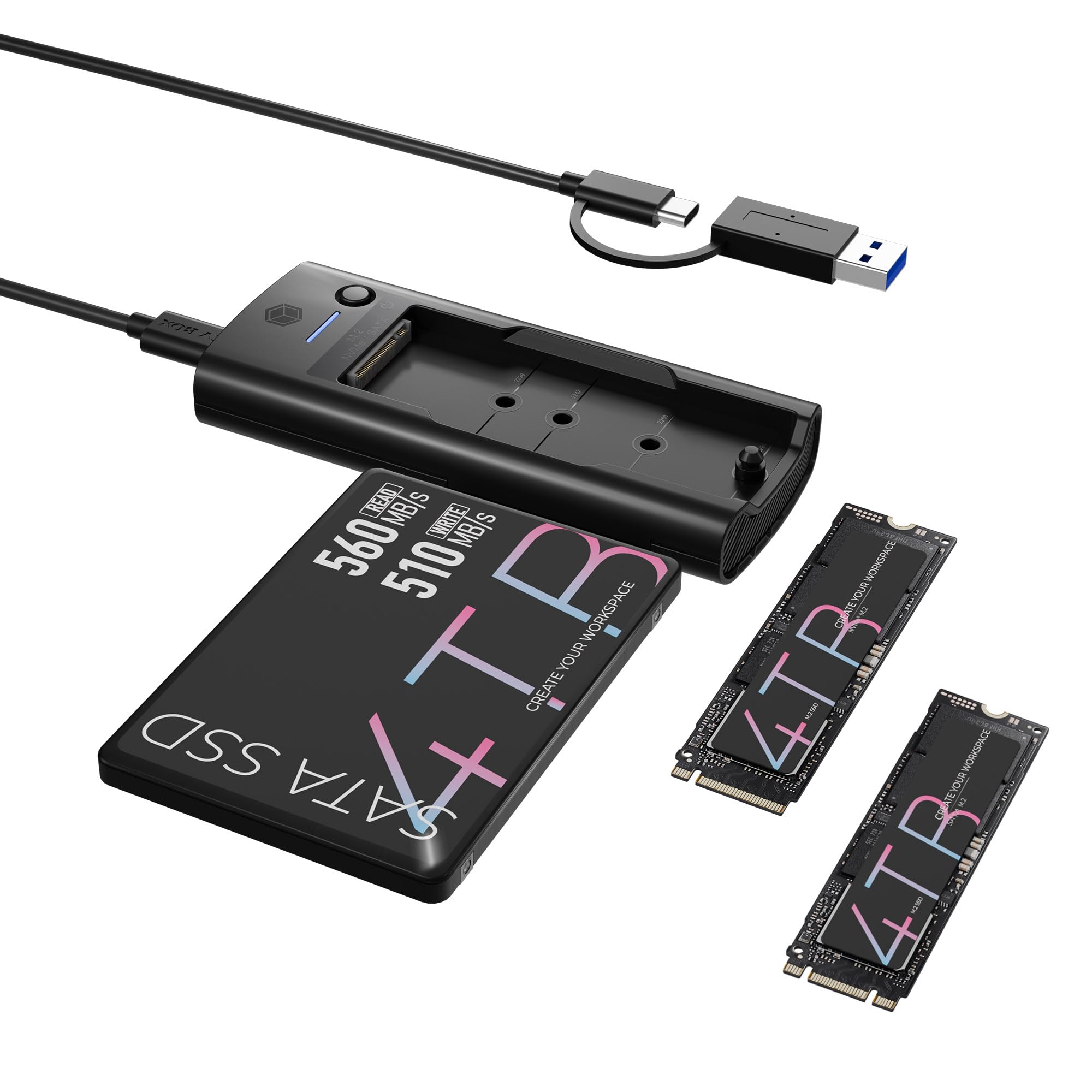
Figure 1: ICY BOX M.2 NVMe/SATA & 2.5”/3.5” Hard Drive Docking Station.
2. Paketearen edukia
Mesedez, egiaztatu elementu guztiak paketean daudela:
- M.2 NVMe & SATA SSD/HDD Docking Station
- 2-in-1 Cable (USB-C to USB-C & USB-C to USB-A)
- 2x M.2 rubber fixations
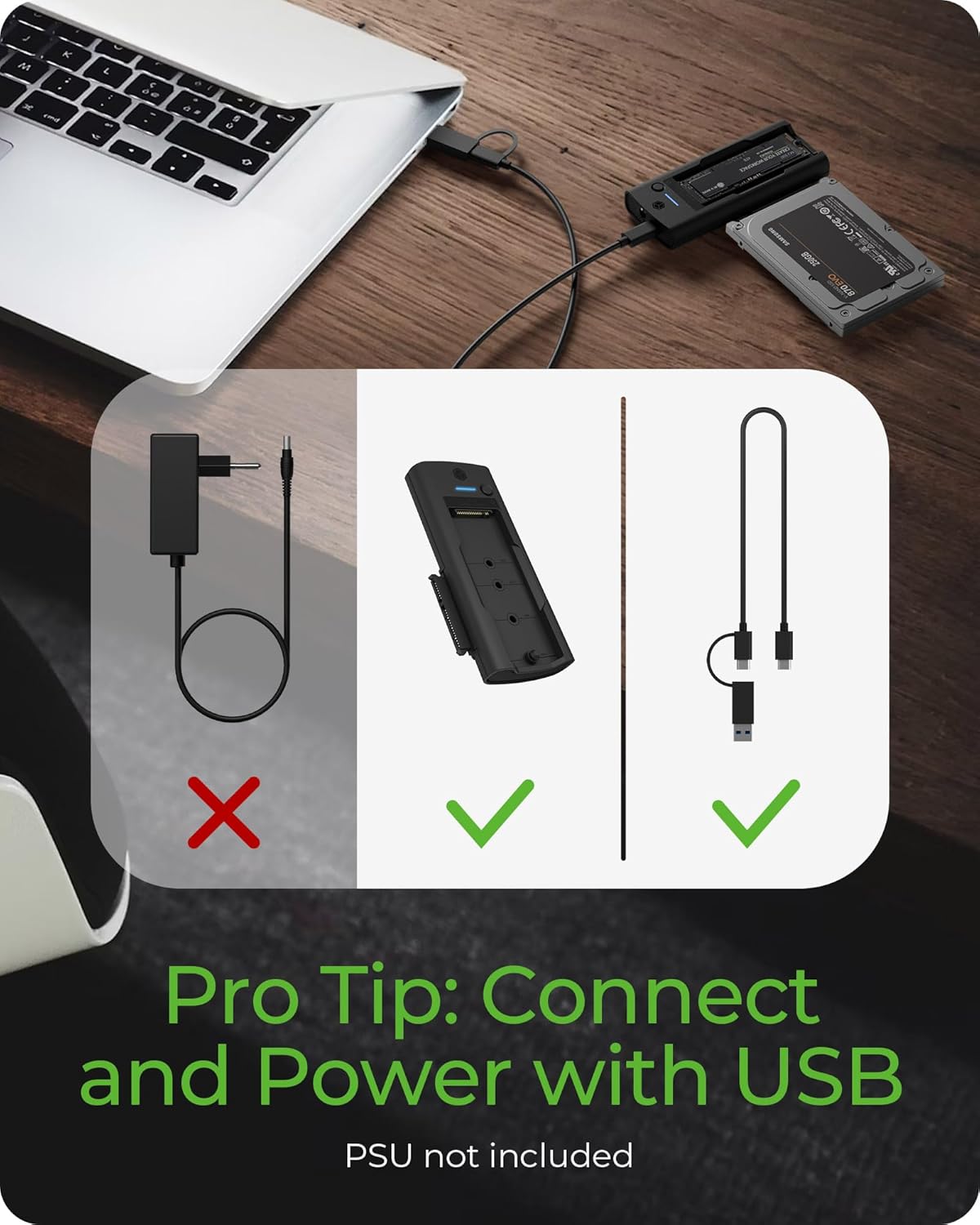
Figure 2: Included accessories with the docking station. Note: A power supply unit (PSU) for 3.5" HDDs is not included.
3. Konfigurazio gida
3.1 Connecting an M.2 SSD
- Gently insert your M.2 NVMe or SATA SSD into the designated M.2 slot on the docking station.
- Secure the M.2 SSD with one of the provided rubber fixations.
3.2 Connecting a 2.5”/3.5” SATA Drive
- Slide your 2.5” or 3.5” SATA HDD/SSD into the SATA drive bay until it is firmly seated.
- For 3.5” HDDs, an external 12V DC power adapter (not included) is required for operation. Connect the power adapter to the DC input port on the docking station.
3.3 Ordenagailura konektatzea
- Use the provided 2-in-1 USB cable to connect the docking station to your computer.
- Connect the USB-C end of the cable to the USB Type-C host connection port on the docking station.
- Connect the other end of the cable (USB-C or USB-A, depending on your computer's port) to an available USB port on your computer.

3 Irudia: Gainetikview of the docking station components, including M.2 slot, SATA connection, USB-C host connection, and power input.

Figure 4: The included 2-in-1 cable supports both USB Type-A and USB Type-C connections for broad compatibility.
4. Funtzionamendu-argibideak
4.1 Drive Detection
Once connected, your operating system (Windows or macOS) should automatically detect the docking station and any inserted drives. New drives may require initialization and formatting before use.
4.2 One-Touch Drive Switching
The docking station features a front-panel tact switch to toggle between the M.2 SSD and the 2.5”/3.5” HDD/SSD. Press the switch to select the active drive. This allows for quick switching without needing to disconnect and reconnect drives.
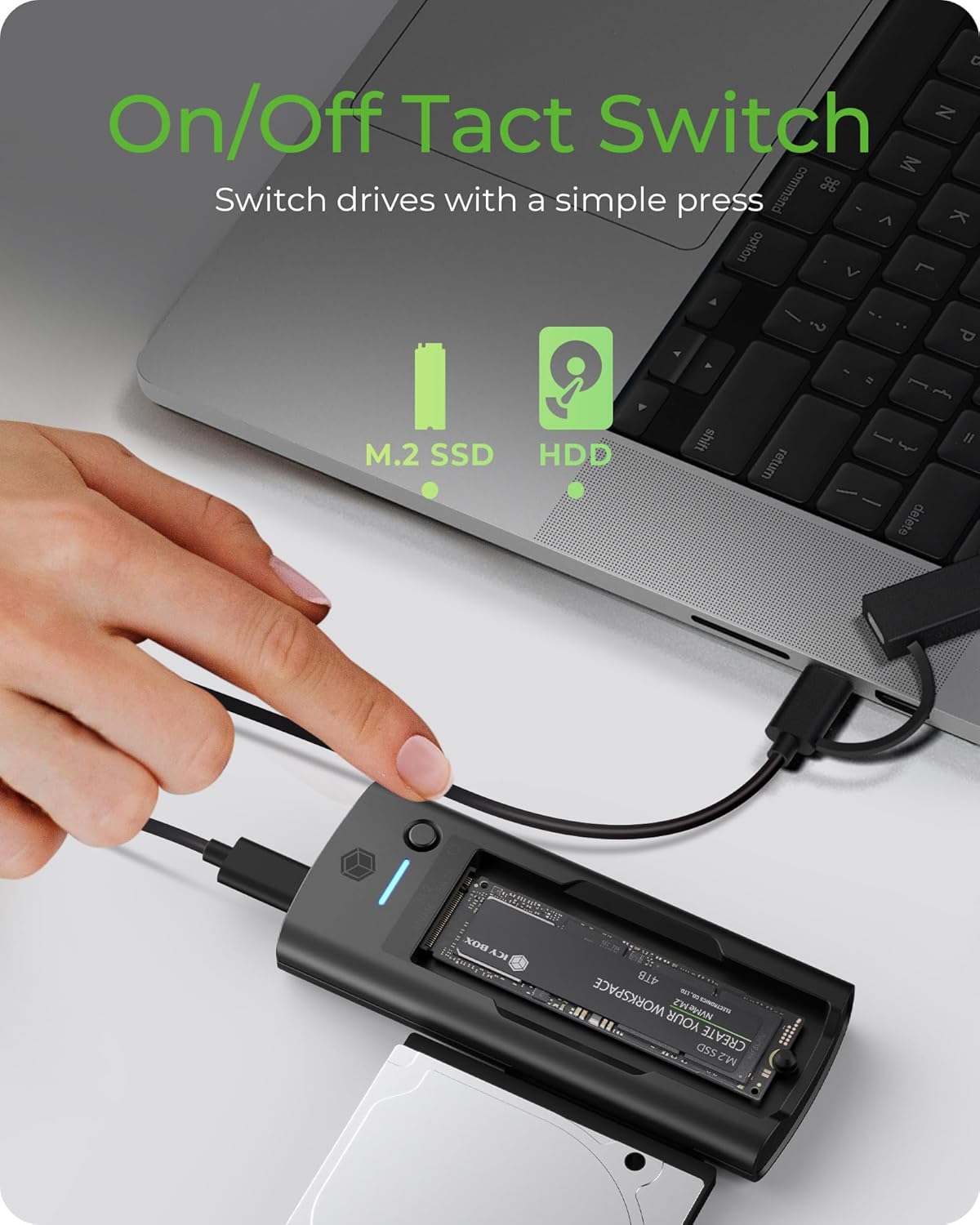
Figure 5: The tact switch allows for instant switching between M.2 SSD and 2.5”/3.5” SATA drives.
4.3 Datuen transferentzia
The docking station supports USB 3.2 Gen2x1, providing data transfer speeds up to 10 Gbit/s. This is ideal for transferring large files, performing backups, or working with high-resolution media.

Figure 6: Experience fast data transfer speeds up to 10 Gbit/s.
4.4 Sistemaren bateragarritasuna
This device is compatible with both macOS and Windows operating systems, ensuring seamless integration with most desktop and laptop environments.
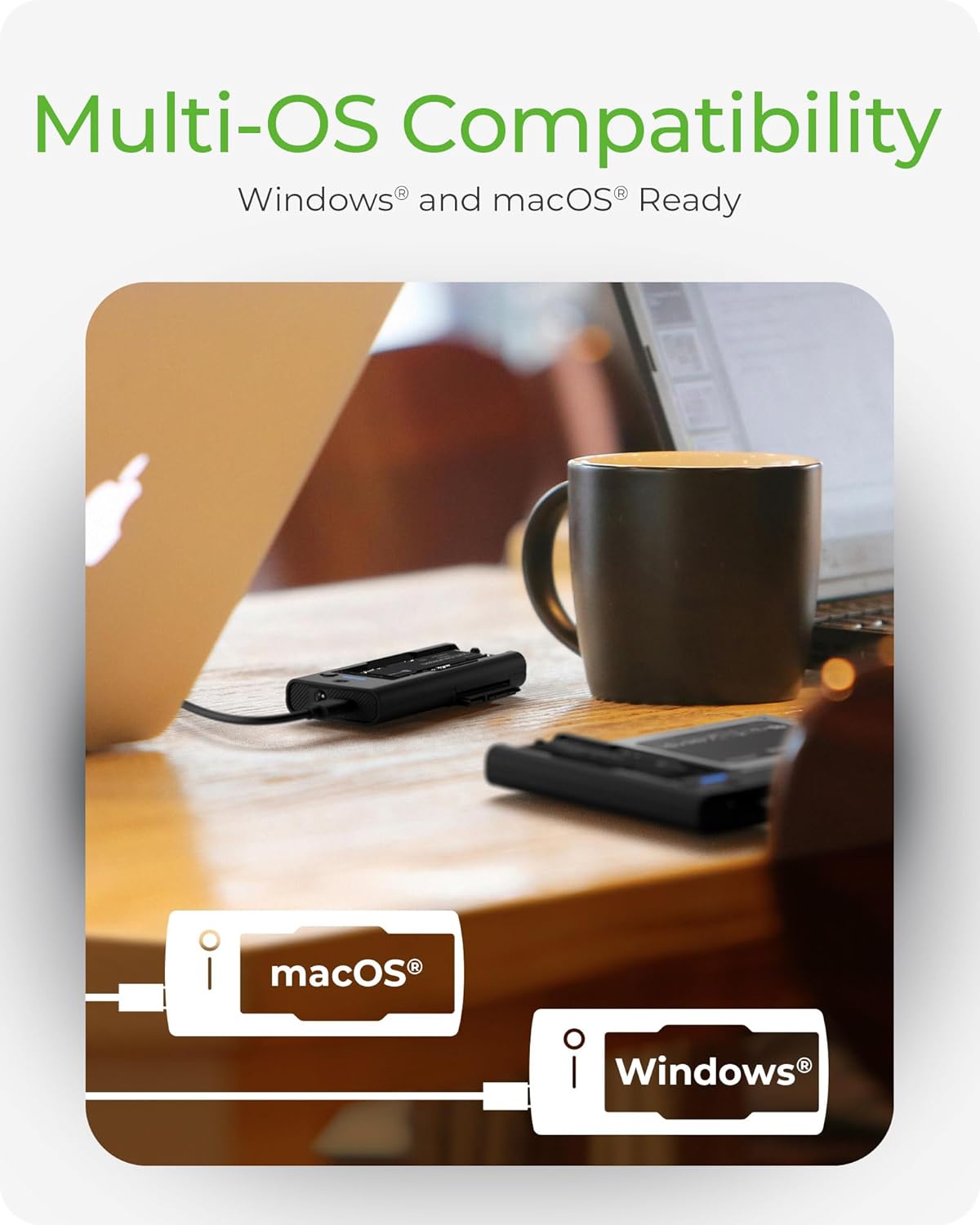
Figure 7: The docking station offers multi-OS compatibility for Windows and macOS.
5. Mantentzea
To ensure the longevity and optimal performance of your ICY BOX docking station, follow these maintenance guidelines:
- Garbiketa: Use a soft, dry cloth to clean the exterior of the docking station. Avoid using liquid cleaners or solvents, as they may damage the device.
- Biltegiratzea: Erabiltzen ez duzunean, gorde kargatzeko estazioa leku fresko eta lehor batean, eguzki-argitik eta muturreko tenperaturetatik babestuta.
- Manipulazioa: Kontu handiz maneiatu gailua kalte fisikoak saihesteko. Saihestu erortzea edo kolpe bortitzak jasatea.
- Aireztapena: Ensure the docking station has adequate ventilation during operation to prevent overheating, especially when using multiple drives or during prolonged data transfers.
6. Arazoak
6.1 Unitatea ez da detektatu
- Egiaztatu konexioak: Ensure all cables are securely connected to both the docking station and your computer.
- Elikatze-iturria: For 3.5” SATA HDDs, confirm that an external 12V DC power adapter is connected and providing power. 2.5” SATA drives and M.2 SSDs typically draw power from the USB connection, but a power adapter may be beneficial for stability with some systems.
- Drive Seating: Verify that the M.2 SSD or SATA drive is correctly and firmly seated in its respective slot.
- Sistema eragilea: Begiratu zure ordenagailuaren Diskoen Kudeaketa (Windows) edo Diskoen Utilitatea (macOS) unitatea ezagutzen den baina hasieratu gabe edo formatu gabe dagoen ikusteko.
- Saiatu beste ataka/kable batekin: Test with a different USB port on your computer or a different USB cable if available.
6.2 Datuen transferentzia abiadura motelak
- USB ataka: Ensure the docking station is connected to a USB 3.0 (or higher) port on your computer. Connecting to a USB 2.0 port will limit speeds.
- Drive Performance: The actual transfer speed is limited by the slowest component, which could be the drive itself. Older HDDs or slower SSDs will not reach 10 Gbit/s.
- Sistemaren karga: CPUaren erabilera handiak edo ordenagailuko beste atzeko planoan dauden prozesu batzuek transferentzia-abiaduran eragina izan dezakete.
6.3 3.5” HDD Not Powering On
- Beharrezko kanpoko energia: 3.5” HDDs require an external 12V DC power adapter (not included) to operate. The USB connection alone cannot provide sufficient power for these drives.
- Potentzia-egokigailuaren zehaztapenak: Ensure the power adapter used provides 12V DC and sufficient amperage (e.g., 2A or 3A) for the HDD. Using an incorrect power adapter can damage the drive or the docking station.
7. Zehaztapenak
| Produktuaren neurriak | 4.45 x 2.17 x 0.59 hazbete (11.3 x 5.5 x 1.5 cm) |
| Elementuaren pisua | 4.6 ontza (130 gramo) |
| Hardware interfazea | USB 3.2 2. belaunaldia |
| Datuen transferentzia-tasa | Gehienez 10 Gbit/s |
| Unitate bateragarriak | M.2 NVMe/SATA SSDs (2230, 2242, 2260, 2280), 2.5"/3.5" SATA HDDs/SSDs |
| Sistema bateragarriak | macOS, Windows |
| USB portuak guztira | 2 (Internal for drives) |
| Sarrera boltage | 12 Volts (DC) for external power (for 3.5" HDDs) |
| Kolorea | Beltza |
8. Bermea eta Laguntza
8.1 Bermearen informazioa
This ICY BOX product comes with a 24-month warranty from the date of purchase. This warranty covers manufacturing defects and ensures the product functions as intended under normal use. Please retain your proof of purchase for warranty claims.
8.2 Bezeroarentzako laguntza
For technical assistance, troubleshooting, or warranty inquiries, please contact ICY BOX customer service. Refer to the official ICY BOX webwebgunean edo produktuaren ontzian kontaktu-informazio eguneratuena lortzeko.


