1. Sarrera
Thank you for choosing the Diyeeni Smart Video Doorbell. This device provides enhanced home security with its wireless connectivity, HD wide-angle lens, and two-way communication features. This manual will guide you through the setup, operation, and maintenance of your new video doorbell system.
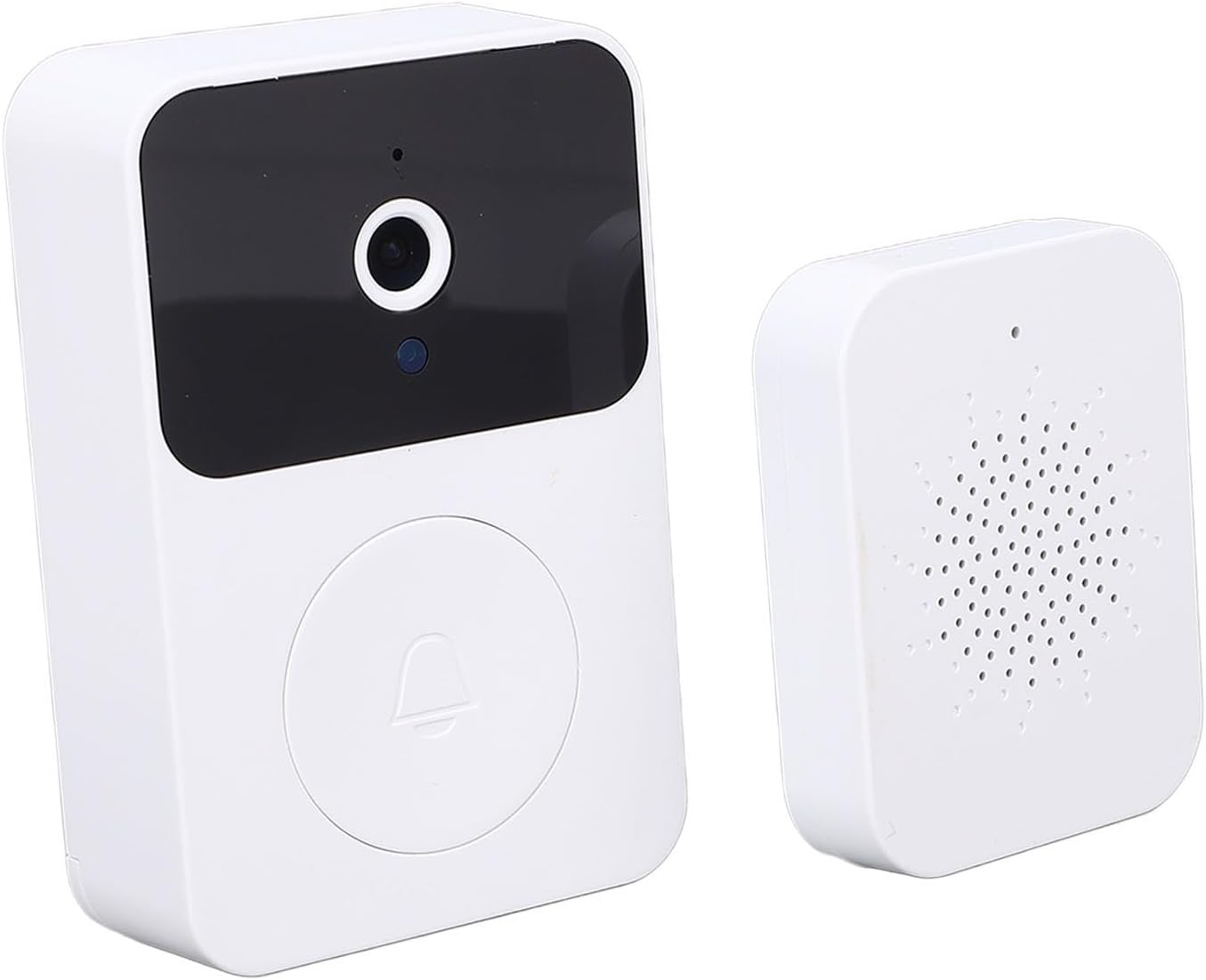
Image 1.1: The Diyeeni Smart Video Doorbell and its accompanying indoor chime unit.
2. Paketearen edukia
Mesedez, egiaztatu elementu guztiak zure paketean daudela:
- 1 x Smart Video Doorbell
- 1 x Indoor Ding Dong Machine (Chime)
- 1 x Erabiltzailearen eskuliburua (dokumentu hau)
- 1 x Kargatzeko kablea

Image 2.1: All components included in the Diyeeni Smart Video Doorbell package: doorbell unit, indoor chime, and charging cable.
3. Konfiguratzeko argibideak
3.1 Hasierako piztea eta kargatzea
The Smart Video Doorbell is equipped with a built-in 800mAh lithium-ion battery. Before first use, ensure the device is fully charged using the provided charging cable. Connect the cable to the doorbell and a standard USB power adapter (not included).
To power on the doorbell, locate the power switch and turn it to the 'ON' position. The device will indicate its power status, typically with an LED indicator.

Image 3.1: The doorbell unit displaying a charging indicator, signifying its long standby time capability.
3.2 Mobile App Connection
To utilize the full features of your Smart Video Doorbell, download the dedicated mobile application. Bilatu the app name (refer to packaging or quick start guide for specific app name) in your device's app store (Google Play Store for Android or Apple App Store for iOS).
- Deskargatu eta instalatu aplikazioa.
- Sortu kontu bat edo hasi saioa dagoeneko baduzu.
- Follow the in-app instructions to add your new video doorbell. This typically involves scanning a QR code on the device or entering a device ID.
- Connect the doorbell to your home's Wi-Fi network through the app. Ensure your Wi-Fi signal is strong at the installation location.
3.3 Instalazioa
The Diyeeni Smart Video Doorbell is designed for easy installation. Choose a suitable location near your front door, ensuring a clear view of the entrance. The doorbell can be mounted using adhesive backing or screws (if provided and preferred for a more secure fit).
- Txirrina unitatea: Mount the doorbell at an appropriate height, typically around 48-60 inches (120-150 cm) from the ground, to capture visitors clearly.
- Barruko kanpai hotza: Plug the indoor chime unit into a standard power outlet within range of the doorbell.

Image 3.2: Visual representation of key features including easy installation, visitor snapshots, video calls, and sound changing functionality.
4. Funtzionamendu-argibideak
4.1 Responding to Visitors (2-Way Talk)
When a visitor presses the doorbell button, you will receive a notification on your connected mobile phone. Open the app to view the live video feed and engage in two-way communication.
- Zuzenean View: Access real-time video from the doorbell camera.
- Bi norabideko audioa: Speak to your visitor and hear their response through the app.

Image 4.1: A mobile phone displaying the video call interface, allowing users to easily respond to visitors at their door.
4.2 HD Wide-Angle Lens
The doorbell features an HD wide-angle lens, providing a broad view of your doorstep. This ensures you can see who is at your door and observe their actions with clarity.
4.3 Visitor Records and Snapshots
The mobile application allows you to review records of past visitors. The doorbell can capture snapshots or video clips when motion is detected or the button is pressed, storing them for later review.

Image 4.2: The mobile application interface displaying a visitor record, including the date and time of the visit.

Image 4.3: Another example of a visitor record in the app, showing a delivery person at the door.
4.4 Chime Settings
The indoor chime unit offers multiple melody options and adjustable volume levels. Refer to the chime unit's specific buttons or the mobile app for instructions on changing melodies and adjusting volume.

Image 4.4: The indoor chime unit, highlighting its capability to switch between 38 different melodies.
5. Mantentzea
5.1 Bateria kargatzea
The doorbell's built-in 800mAh battery provides a long standby time. When the battery level is low, the device will typically indicate this via an LED light or an in-app notification. Recharge the doorbell using the provided USB charging cable. A full charge ensures optimal performance and standby duration.
5.2 Garbiketa
Wipe the doorbell and chime units with a soft, dry cloth. Avoid using abrasive cleaners or solvents, as these can damage the device's finish or internal components.
6. Arazoak
- Potentziarik gabe: Ensure the doorbell is charged. Check the power switch is in the 'ON' position.
- Aplikazioaren jakinarazpenik ez: Verify that the doorbell is connected to Wi-Fi and that app notifications are enabled in your phone's settings and within the doorbell app.
- Bideoaren kalitate eskasa: Egiaztatu zure Wi-Fi seinalearen indarra txirrina dagoen tokian. Ziurtatu lentea garbi dagoela eta oztoporik gabe dagoela.
- Txirrina ez da jotzen: Ensure the indoor chime is plugged in and powered on. Check that it is paired correctly with the doorbell (refer to app or quick start guide for pairing instructions).
- Bi norabideko audio-arazoak: Check your phone's microphone and speaker settings. Ensure there are no obstructions blocking the doorbell's microphone or speaker.
7. Zehaztapenak
| Ezaugarri | Zehaztapena |
|---|---|
| Ereduaren izena | Diyeenis9pv80h24o |
| Bateria mota | Lithium Ion Battery (Built-in) |
| Bateria Edukiera | 800mAh |
| Elementuaren pisua | 123 gramo (4.3 ontza) |
| Produktuaren neurriak (L x W x H) | 5.9 x 3.93 x 1.57 hazbete |
| Konektibitatea | Haririk gabeko WiFi |
| Lentea | HD angelu zabala |
8. Bermea eta Laguntza
For warranty information and customer support, please refer to the documentation included with your purchase or visit the official Diyeeni brand store. The brand store can be accessed via this link: Diyeeni Store on Amazon.