1. Sarrera
This manual provides instructions for the proper use and maintenance of your ttec SoundFlow OWS Wireless Bluetooth Earphones, model KM156. Please read this manual thoroughly before using the product to ensure optimal performance and longevity.
The ttec SoundFlow OWS earphones feature an open-ear design for situational awareness, dynamic acoustic system for clear sound, and Bluetooth 5.4 for stable wireless connectivity.
2. Paketearen edukia
Egiaztatu elementu guztiak zure produktuaren paketean daudela:
- ttec SoundFlow OWS Wireless Bluetooth Earphones (Left and Right)
- Kargatzeko kaxa
- USB-C kargatzeko kablea
- Erabiltzailearen eskuliburua
3. Produktua amaitu daview
Familiarize yourself with the components of your ttec SoundFlow OWS earphones.

Image 3.1: ttec SoundFlow OWS Earphones and Charging Case. The image displays the two black earphones with ear hooks, positioned above their open black charging case.
Earphone Components:
- Belarri-kakoa: Belarrian egokitze seguru eta erosoa eskaintzen du.
- Bozgorailu unitatea: Audio irteera ematen du.
- Mikrofonoa: Deietarako eta ahots-komandoetarako.
- Touch Sensor Area: For controlling music, calls, and other functions.
- Kontaktuak kargatzeko: Kargatzeko kaxarekin konektatzen da energia lortzeko.

Image 3.2: Close-up of an earbud highlighting the touch sensor area. The image shows a detailed view of the earbud's outer surface, indicating the touch-sensitive zone for controls.
Kargatzeko kaxaren osagaiak:
- Entzungailuen zirrikituak: Aurikularrak ondo eusten eta kargatzen ditu.
- USB-C kargatzeko ataka: Maleta kargatzeko.
- LED adierazlea: Karga-egoera eta bateriaren maila erakusten ditu.
4. Konfigurazioa
4.1 Entzungailuak eta zorroa kargatzea
Lehenengo aldiz erabili aurretik, kargatu guztiz entzungailuak eta kargatzeko zorroa.
- Place the earphones into the charging case. Ensure the charging contacts align.
- Konektatu USB-C kargatzeko kaxako kargatzeko atakara eta beste muturra energia-iturri batera (adibidez, USB hormako egokitzailea, ordenagailuko USB ataka).
- The LED indicator on the case will show the charging status. Once fully charged, the indicator will change or turn off.
A full charge provides up to 6 hours of earphone use, and the charging case provides up to 30 hours of additional battery life. The Charge&Go feature allows 2.5 hours of use from a 15-minute charge.
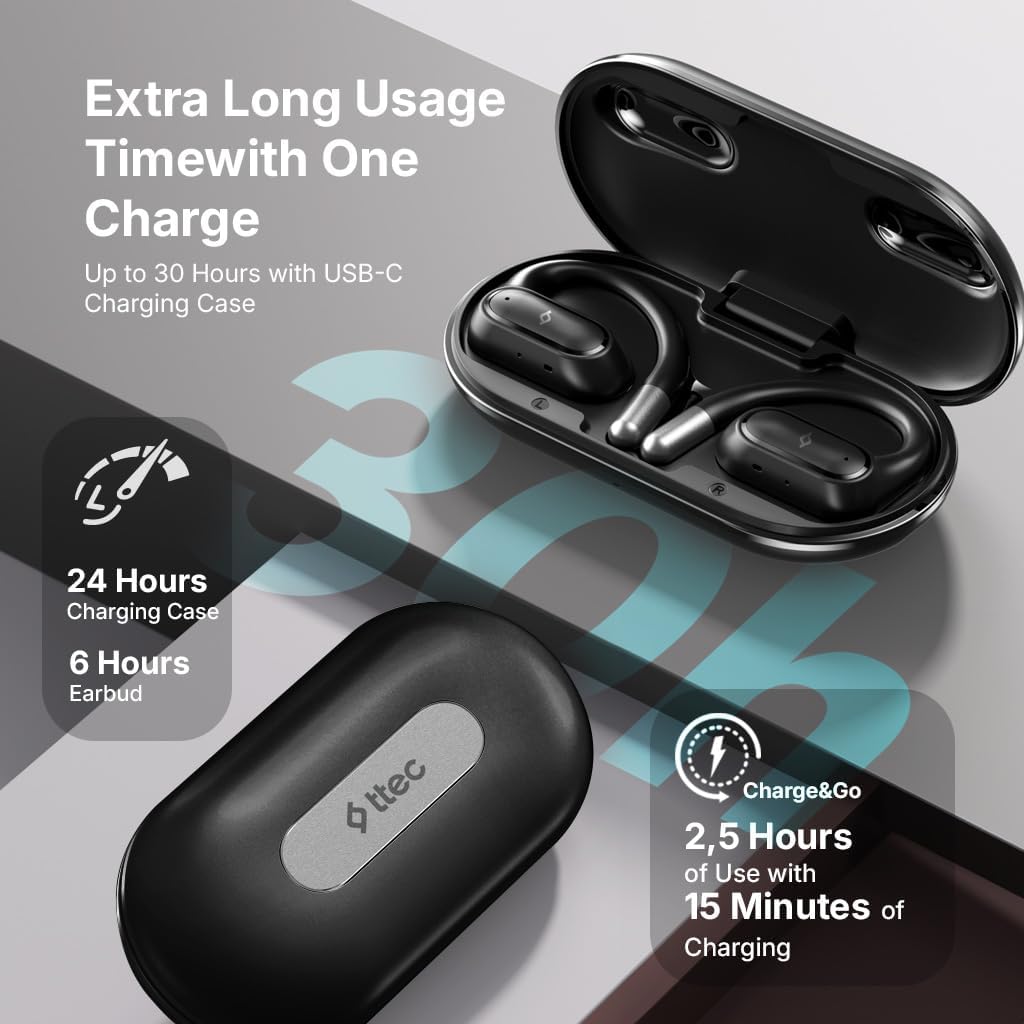
Image 4.1: Charging case displaying battery life. The image illustrates the charging case with text indicating 24 hours from the charging case, 6 hours from earbuds, and 2.5 hours of use from 15 minutes of charging.
4.2 Bluetooth gailu batekin parekatzea
To connect your earphones to a smartphone or other Bluetooth-enabled device:
- Ziurtatu entzungailuak kargatuta daudela eta kargatzeko zorroan sartuta daudela.
- Open the charging case. The earphones will automatically enter pairing mode, and their LED indicators will flash.
- Gailuan, gaitu Bluetootha eta bilatu eskuragarri dauden gailuak.
- Select "ttec SoundFlow" from the list of found devices.
- Once connected, the earphone LED indicators will stop flashing or turn off, and you will hear a confirmation tone.
The earphones will automatically reconnect to the last paired device when removed from the case, if Bluetooth is enabled on the device.
5. Funtzionamendu-argibideak
5.1 Entzungailuak janztea
Gently place the ear hook over your ear and position the speaker unit comfortably in front of your ear canal. The open-ear design allows you to remain aware of your surroundings.

Image 5.1: A person cycling while wearing the ttec SoundFlow OWS earphones. The image highlights the open-ear design, allowing the user to stay connected to their surroundings.

Image 5.2: A woman wearing a ttec SoundFlow earbud, demonstrating the comfortable and secure fit. The image also indicates the lightweight design: 8.2g per earbud and 52g for the charging case.
5.2 Ukitu Kontrolak
The earphones feature touch sensors for easy control of various functions:
| Ekintza | Funtzioa |
|---|---|
| Ukitu bakarra (E/E) | Play/Pause Music, Answer Call |
| Kolpe bikoitza (L) | Aurreko Pista |
| Ukitu bikoitza (R) | Hurrengo Pista |
| Hirukoitz ukitu (E/E) | Aktibatu Ahots Laguntzailea |
| Sakatu luzea (E/E) | Reject Call, End Call |
5.3 Joko modua
The earphones feature a low-latency game mode for an enhanced gaming and video experience. This mode reduces audio delay to 50ms.
- To activate Game Mode: Refer to the specific instructions in the quick start guide or product packaging for the exact touch gesture to enable/disable game mode. (Typically a specific tap sequence or long press).
- When Game Mode is active, you may notice a slight change in audio profile, optimized for lower latency.

Image 5.3: ttec SoundFlow earphones and charging case, surrounded by gaming console symbols, highlighting the 50ms low latency feature for an optimized gaming and video experience.
6. Mantentzea
6.1 Garbiketa
- Garbitu entzungailuak eta kargatzeko zorroa oihal leun, lehor eta lihorik gabeko batekin.
- Ez erabili garbitzaile urratzailerik, alkoholik edo disolbatzaile kimikorik.
- Ensure charging contacts are clean and dry to prevent charging issues.
6.2 Urarekiko eta izerdiarekiko erresistentzia
The ttec SoundFlow OWS earphones are IPX6 rated, meaning they are resistant to high-pressure water jets from any direction. This makes them suitable for use during workouts and in light rain.
- Ez sartu entzungailuak uretan.
- Ensure the earphones are dry before placing them back into the charging case to prevent damage.

Image 6.1: A man running outdoors, illustrating the sweat and water-resistant design of the ttec SoundFlow earphones, which are IPX6 rated.
6.3 Biltegiratzea
Erabiltzen ez dituzunean, gorde entzungailuak kargatzeko zorroan babesteko eta kargatuta mantentzeko. Gorde leku fresko eta lehor batean, muturreko tenperaturetatik urrun.
7. Arazoak
Entzungailuekin arazoak badituzu, jo ezazu honako ohiko irtenbide hauetara:
| Arazoa | Irtenbidea |
|---|---|
| Entzungailuak ez dira parekatzen | Ensure earphones are charged. Turn off and on Bluetooth on your device. Forget the device in your Bluetooth settings and re-pair. |
| Entzungailu bakarra funtzionatzen du | Place both earphones back in the case, close the lid, then open again. Ensure both are charged. |
| Soinurik ez | Check device volume. Ensure earphones are connected. Try playing different audio. |
| Kargatzeko arazoak | Ziurtatu kargatzeko kablea ondo konektatuta dagoela. Garbitu entzungailuen eta zorroaren kargatzeko kontaktuak. Saiatu beste USB-C kable edo energia-iturri batekin. |
Arazoak jarraitzen badu, jarri harremanetan bezeroarentzako arreta-zerbitzuarekin.
8. Zehaztapenak
| Ezaugarri | Xehetasuna |
|---|---|
| Ereduaren izena | Soinu-fluxua |
| Modelo zenbakia | KM156 |
| Konektibitate Teknologia | Haririk gabekoa (Bluetooth 5.4) |
| Forma-faktorea | True Wireless, Open-Ear |
| Earbud pisua | 8.2 gramo (bakoitza) |
| Kargatzeko kasuaren pisua | 52 gramo |
| Aurikularretako bateriaren iraupena | Gehienez 6 ordu (karga bakarra) |
| Bateriaren iraupen osoa (zorroarekin) | Gehienez 30 ordu |
| Karga azkarra | 15 min charge for 2.5 hours use (Charge&Go) |
| Uraren Erresistentzia | IPX6 Rated (Sweat and Water Resistant) |
| Latentzia baxua | 50ms (Joko Modua) |
| Fabrikatzailea | ttec |
9. Bermea eta Laguntza
Your ttec SoundFlow OWS Wireless Bluetooth Earphones are covered by a manufacturer's warranty. For detailed warranty information, please refer to the warranty card included in your product packaging or visit the official ttec webgunea.
For technical support, troubleshooting assistance, or to inquire about replacement parts, please contact ttec customer service through their official channels. Contact information can typically be found on the product packaging or the official ttec webgunea.


