1. Sarrera
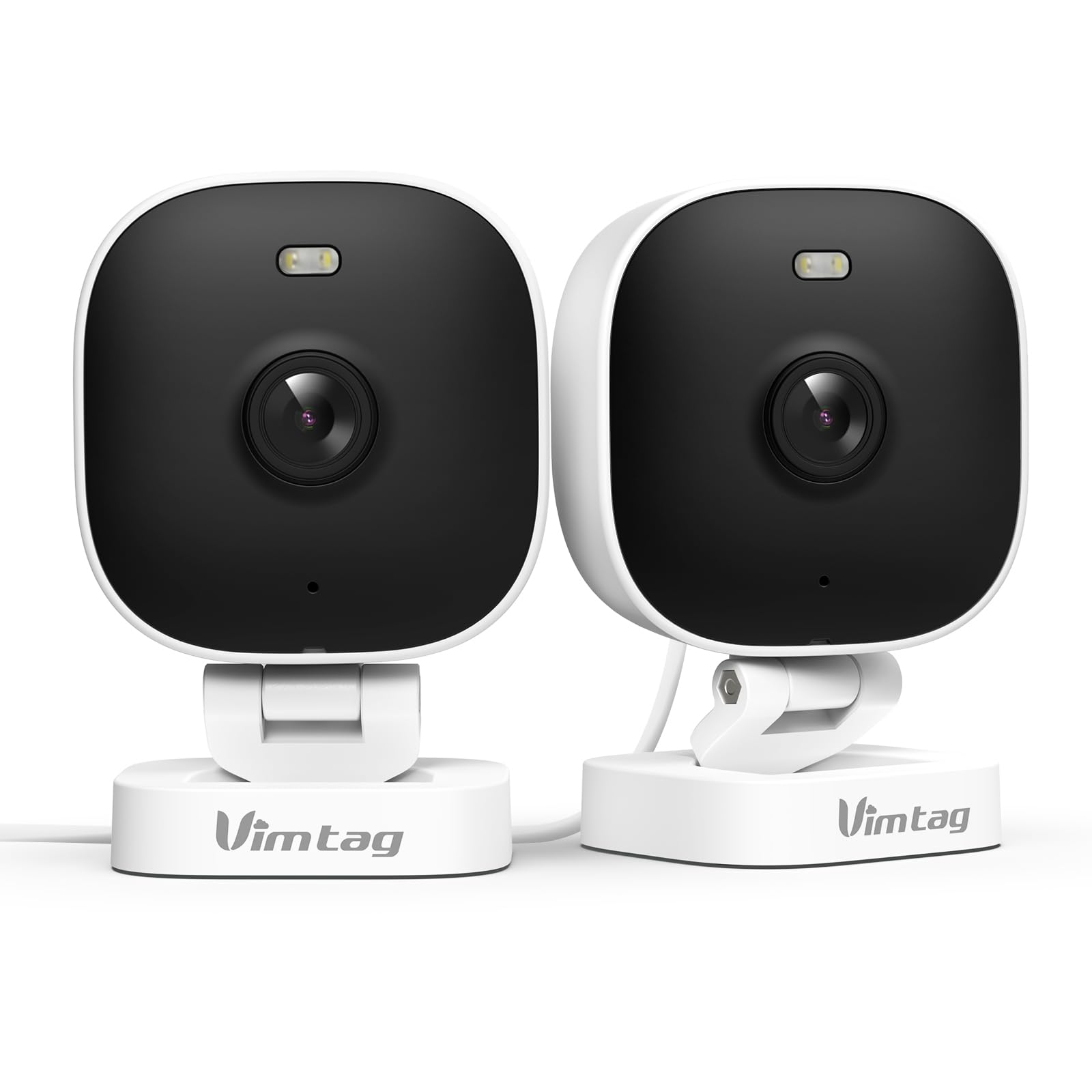
The VIMTAG 8310 2.5K Security Camera is designed to provide comprehensive surveillance for your home, pets, and loved ones. This manual provides detailed instructions for setting up, operating, and maintaining your camera to ensure optimal performance and security.
Ezaugarri nagusiak:
- Etengabeko funtzionamendua: The camera operates 24/7 via a plug-in power cable, eliminating the need for battery charging. It supports 2.4GHz and 5GHz dual-band WiFi, including WiFi 6 technology, for stable connections.
- Bereizmen handiko bideoa: Provides 2.5K resolution for clear day and night visibility. Features full-color night vision, enhanced by a built-in LED light, for detailed monitoring in various indoor and outdoor environments.
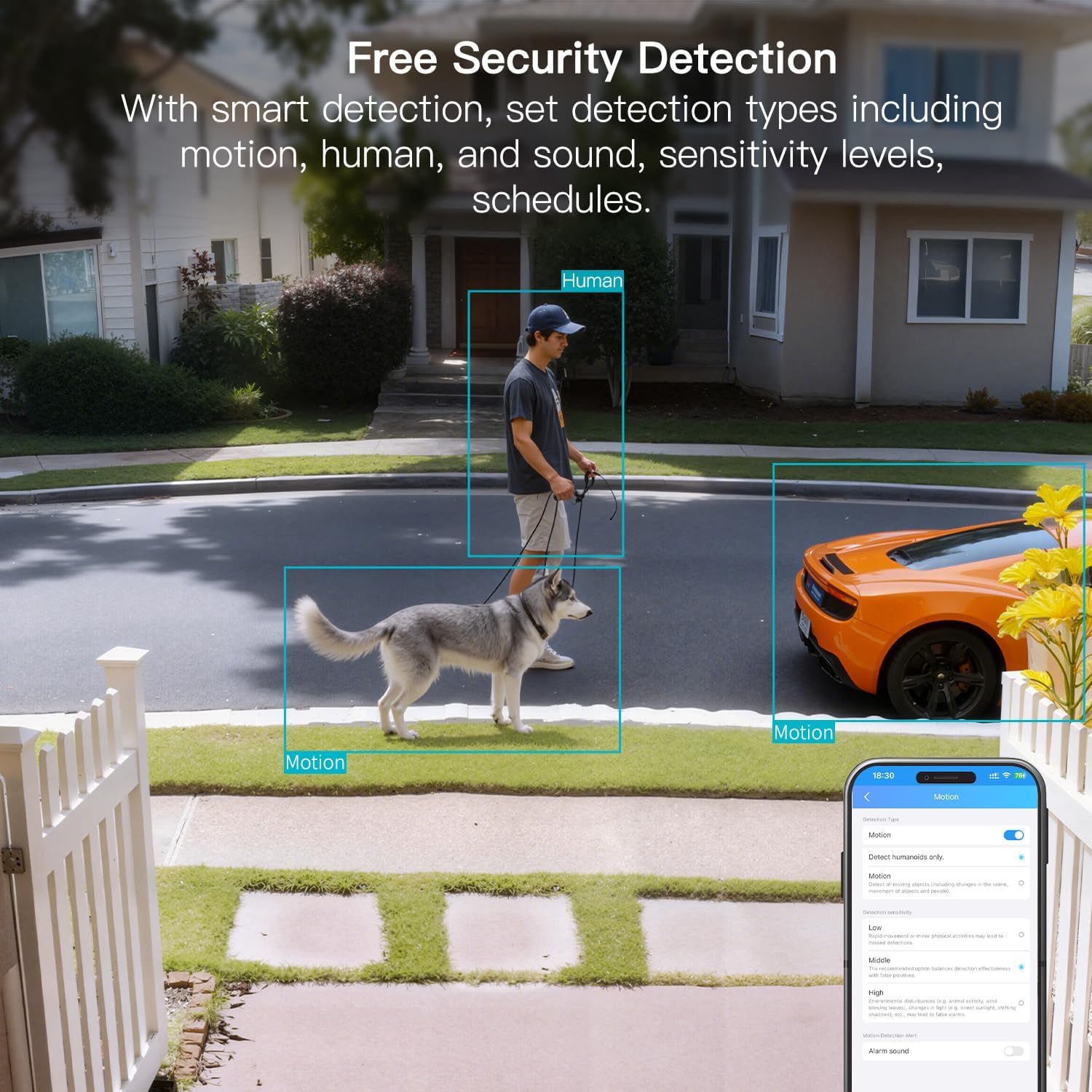
- Detekzio adimenduna: Offers advanced detection capabilities for motion, people, and sound up to 33 feet. Users receive instant alerts for detected activity.
- Eguraldiarekiko erresistentzia: Rated IP65, the camera is designed for outdoor use and can withstand rain, snow, heat, and cold, ensuring continuous operation in various weather conditions.
- Remote Access and Two-Way Audio: The mobile app allows remote access to live video footage and recorded content. Built-in two-way audio enables real-time communication through the camera.
- Kudeaketa zentralizatua: Up to 32 Vimtag WiFi cameras can be managed within a single application. Features include smart cloud storage (subscription required), motion detection, and event filtering.
2. Zer dago kutxan
Mesedez, egiaztatu paketearen edukia elementu guztiak daudela ziurtatzeko:
- Camera with cable
- Muntatzeko Torlojua
- Elikatze-moldagailua
- Argibide eskuliburua (dokumentu hau)
3. Konfigurazioa
3.1 Hasierako konfigurazioa eta aplikazioaren konexioa
- Deskargatu aplikazioa: Bilatu "Canny Cam" in your smartphone's app store (iOS or Android) and download the application.
- Erregistratu kontua: Open the Canny Cam app and follow the on-screen instructions to register a new user account.
- Piztu: Connect the camera to the power adapter using the provided cable and plug it into an electrical outlet. The camera will power on automatically.
- Gehitu gailua: In the Canny Cam app, select the option to add a new device. Enable Bluetooth and Wi-Fi on your smartphone as prompted by the app.
- Jarraitu aplikazio barruko argibideei: The app will guide you through the process of connecting the camera to your home Wi-Fi network. Ensure your Wi-Fi network is 2.4GHz or 5GHz compatible.
- Konexioaren berrespena: Once successfully connected, the app will confirm the device has been added.

Image: Visual guide showing the steps to download the Canny Cam app, enable Bluetooth and Wi-Fi, and connect the camera.
3.2 Muntatzeko aukerak
The VIMTAG 8310 camera offers flexible mounting options to suit various indoor and outdoor locations. Use the provided mounting screws for secure installation.
- Hormako muntaia: Securely attach the camera to a wall using the mounting bracket and screws.
- Sabaiko muntaia: Install the camera on a ceiling for an overhead view.
- Tabletop Mount/Freestanding: Place the camera on a flat surface such as a table, shelf, or desk.
- Door Mount/Window Mount: Position the camera near doors or windows for specific entry point monitoring.

Image: A hand using a screwdriver to mount the VIMTAG camera to a surface.
Irudia: Adibamples of various mounting positions for the camera, including freestanding, wall-mounted, and ceiling-mounted.
4. Kameraren funtzionamendua
4.1 Bizi View eta Grabaketa
Sartu zuzeneko bideo-jariora eta grabatutako janariratage through the Canny Cam app on your smartphone or tablet.

Image: A comparison demonstrating the enhanced detail of 2.5K QHD resolution compared to 1080p.
4.2 Gaueko Ikusmena Koloretan
The camera features full-color night vision, providing clear and detailed images even in low-light conditions, unlike traditional black-and-white night vision.
Image: A visual comparison illustrating the difference between color night vision and traditional night vision.
4.3 Banda bikoitzeko Wi-Fi konexioa
The camera supports both 2.4GHz and 5GHz Wi-Fi bands, offering flexibility for network connection. 2.4GHz provides a stable connection over longer distances, while 5GHz offers faster speeds for shorter ranges.

Image: Explanation of 2.4GHz and 5GHz Wi-Fi benefits for the camera's connectivity.
4.4 Detekzio eta alerta adimendunak
Configure motion, human, and sound detection settings within the Canny Cam app. The camera can trigger a smart sound and light alarm and send instant notifications to your smartphone upon detecting activity.

Image: Depiction of the smart sound and light alarm feature in action.

Image: App interface showing options for setting detection types and sensitivity levels.
4.5 Bi norabideko audioa
Utilize the built-in microphone and speaker for two-way communication. This allows you to speak to visitors, deter intruders, or comfort pets remotely.
Irudia: Adibample of using two-way audio to communicate through the camera.
4.6 Biltegiratze aukerak
The camera supports local storage via a MicroSD card (up to 512GB, sold separately) for continuous or event-triggered recording. Cloud storage is also available through a subscription service, offering event recording and multi-device playback.

Image: The camera's recording capabilities to a TF card or cloud storage.

Irudia: Gainetikview of Canny Cam app features, including those available with and without a cloud subscription.
4.7 Alexa integrazioa
The VIMTAG 8310 camera is compatible with Alexa, allowing for hands-free control and live streaming to compatible Alexa-enabled devices.

Irudia: Adibample of using Alexa to view kamera jarioa.
5. Mantentzea
To ensure the longevity and optimal performance of your VIMTAG 8310 camera, follow these maintenance guidelines:
- Garbiketa: Regularly wipe the camera lens and body with a soft, dry cloth to remove dust and smudges. Avoid using harsh chemicals or abrasive materials.
- Firmware eguneraketak: Check the Canny Cam app periodically for available firmware updates. Keeping your camera's firmware up-to-date ensures you have the latest features and security enhancements.
- Elikatze-iturria: Ensure the camera is connected to a stable power source. Avoid using damaged cables or adapters.
- Ingurumena babestea: While the camera is IP65-rated for weather resistance, avoid direct exposure to extreme conditions or prolonged submersion in water.
6. Arazoak
If you encounter any issues with your VIMTAG 8310 camera, please refer to the following common troubleshooting tips or contact support:
- Potentziarik gabe: Ensure the power adapter is securely connected to both the camera and a working electrical outlet.
- Wi-Fi konexioaren arazoak: Verify your Wi-Fi network is active and the camera is within range. Try restarting your router and the camera. Ensure you are connecting to the correct 2.4GHz or 5GHz network as supported by your router and camera settings.
- Aplikazioen konexio arazoak: Check if your smartphone has a stable internet connection. Ensure the Canny Cam app is updated to the latest version. Try restarting the app or your phone.
- Bideoaren kalitate eskasa: Check your internet speed. A slow connection can affect streaming quality. Ensure the camera lens is clean.
- Mugimendu-detekzioa ez dabil: Review the motion detection settings in the Canny Cam app to ensure they are configured correctly and sensitivity levels are appropriate.
Note: No relevant product videos with 'creator_type: Seller' were found in the provided data to include in this section.
7. Zehaztapenak
| Ezaugarri | Xehetasuna |
|---|---|
| Barruko/Kanpoko erabilera | Barruan, Kanpoan |
| Gailu bateragarriak | Smartphone, iPhone, iPad, Android Phone, Android Pad |
| Energia iturria | Kable elektrikoa |
| Konektibitate-protokoloa | Wi-Fi |
| Kontrolagailu mota | APLIKAZIOA |
| Muntatze Mota | Wall mount, Ceiling mount, Tabletop Mount, Freestanding, Door mount, Window mount |
| Bideo Harrapaketa Ebazpena | 1440p (2.5K) |
| Kolorea | Zuria |
| Elementu kopurua | 2 |
| Kanal kopurua | 2 |
| Haririk gabeko Komunikazio Teknologia | Wi-Fi |
| Forma-faktorea | Kuboa |
| Bideo Ebazpen eraginkorra | 4 MP |
| Viewangelua | 130 gradu |
| Gaueko Ikusmenaren barrutia | 33 Oin |
| Fotograma-tasa | 25 fotograma segundoko |
| Materiala | Plastikoa |
| liburukiatage | 5 Volt |
| Wattage | 5 watt |
| Elementuaren neurriak L x W x H | 2.28 x 1.85 x 2.8 hazbete |
| Uraren Erresistentzia Maila | Iragazgaitza (IP65) |
| Pilak behar dira? | Ez |
| Flash memoria mota | Mikro SD |
| Elementuaren pisua | 0.19 kilogramo (6.7 ontza) |
| Bideo kodeketa | H.264 & H.265 |
| Forma | Laukizuzena |
| Foku mota | Foku automatikoa |
| Argi gutxiko teknologia | Gau Kolorea |
| Zoom mota | Zoom digitala |
| Zoom ratioa | 8 |
| Alerta mota | Audioa eta Mugimendua |
| Argi iturri mota | LED, IR |
| Bideo Harrapaketa formatua | MPEG-4 |
| Argazki sentsoreen teknologia | CMOS |
| Ebazpen finko eraginkorra | 4 MP |
| Nazioarteko Babesteko Balorazioa | IP66 |
| Gehienezkoa Webcam Irudien Ebazpena | 4 MP |
| Kontrol-metodoa | Aplikazioa, Urrunekoa |
| IR LED kopurua | 2 |
| Onartutako Flash memoria Gehienezko tamaina | 512 GB |
| Produktuen Kalifikazioa | Bizitegi Eremua |
| Etxe adimendunen bateragarritasuna | Smart Home Compatible |
| Teknologia Zelularra | 2.4G 5G |
| Audio Visual Recording Capabilities | Audio, Still Image, Video |
| Maiztasun Banda Klasea | Banda Bikoitza |

Image: Product dimensions of the VIMTAG 8310 camera.
8. Bermea eta Laguntza
For expert support with setting up and optimizing your VIMTAG cameras, please contact our support team:
- Telefono-laguntza: +1 (978) 437-5767
- Eskuragarritasuna: Monday to Friday, 9:00 AM - 6:00 PM (ET)
VIMTAG is committed to providing lifetime technical support for its products. For any inquiries or assistance, please reach out to our dedicated support channels.

Image: VIMTAG Free Expert Support contact information.


