Sarrera
This manual provides detailed instructions for setting up and using your Rapoo 9360M Wireless Keyboard and Mouse Combo. This combo offers versatile connectivity, supporting up to four devices across multiple operating systems, enhancing your productivity and workspace efficiency.

Image: The Rapoo 9360M wireless keyboard and mouse combo, featuring a sleek black design.
Paketearen edukia
- Rapoo 9360M Haririk gabeko Teklatua
- Rapoo M300G Silent Wireless Mouse
- USB 2.4GHz hartzailea
- 2 x AAA bateria (teklatuarentzat)
- 1 x AA bateria (saguarentzat)
- Hasierako gida azkarra (eskuliburu hau)
Konfigurazio Argibideak
1. Bateriaren instalazioa
- Teklatua: Ireki teklatuaren azpialdean dagoen bateriaren konpartimentua. Sartu bi AAA bateria, polaritate zuzena ziurtatuz (+/-). Itxi konpartimentua.
- Sagua: Open the battery compartment on the underside of the mouse. Insert one AA battery, ensuring correct polarity (+/-). Close the compartment. The USB 2.4GHz receiver is typically stored inside the mouse's battery compartment for convenience.
2. Konektibitate-aukerak
The Rapoo 9360M combo supports connection via a 2.4GHz USB receiver or Bluetooth 5.0/4.0, allowing connection to up to four devices simultaneously.
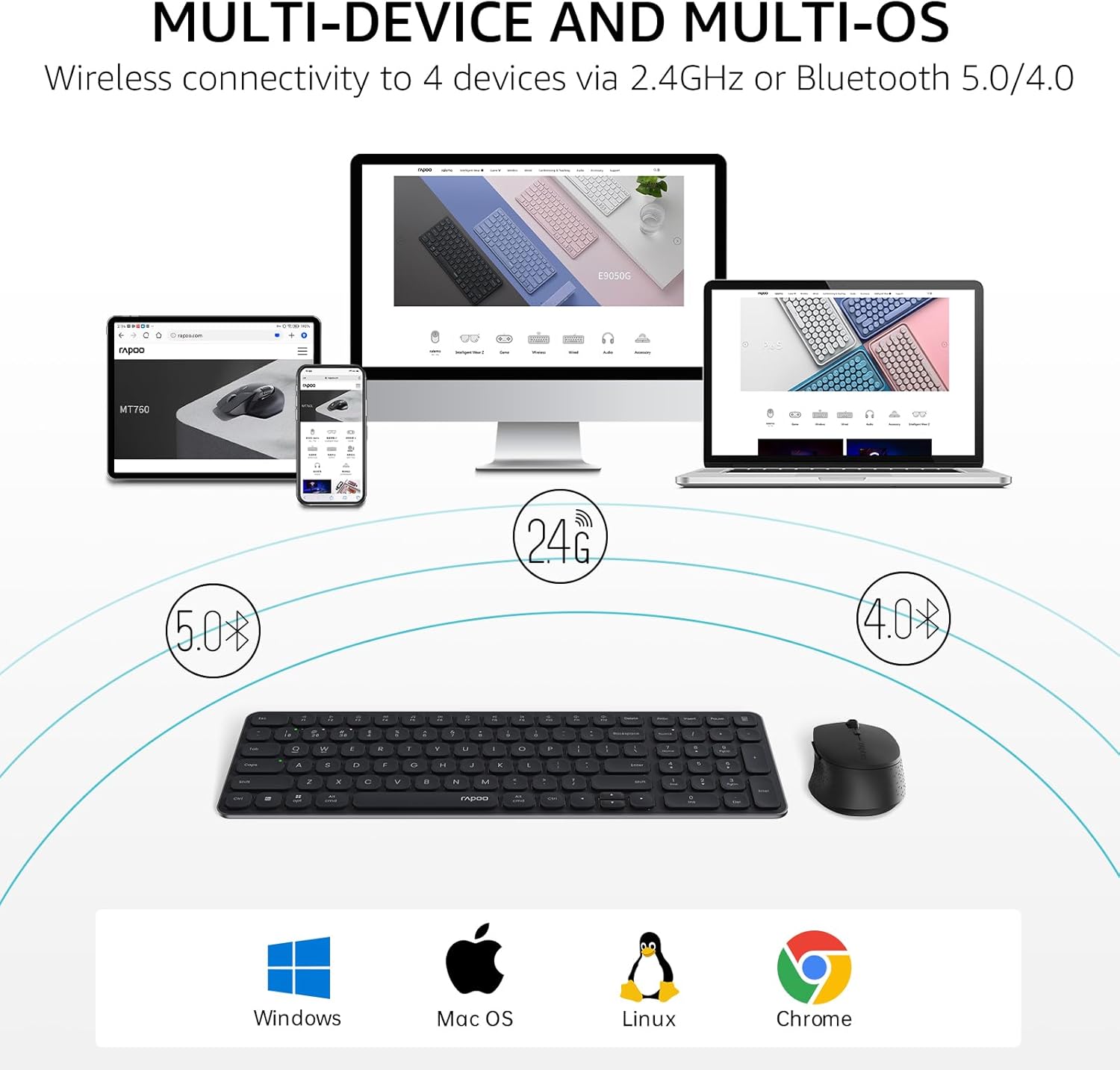
Image: Multi-device and multi-OS connectivity diagram for the Rapoo 9360M combo.
2.1. 2.4GHz USB Receiver Connection
- Kendu USB 2.4GHz hartzailea saguaren bateriaren konpartimentutik.
- Konektatu hargailua ordenagailuko USB ataka erabilgarri batean.
- The keyboard and mouse should automatically connect to your device.
2.2. Bluetooth parekatzea
The keyboard and mouse can each pair with up to three Bluetooth devices (BT1, BT2, BT3).
Keyboard Bluetooth Pairing:
- Eduki sakatuta fn+1, fn+2, edo fn+3 key combination for 3 seconds to select a Bluetooth channel. The indicator light above the '1', '2', or '3' key will flash slowly.
- Eduki sakatuta berdina Fn + 1/2/3 key combination again for 3 seconds until the indicator light flashes rapidly. This indicates the keyboard is in pairing mode.
- Zure gailuan (ordenagailua, tableta, telefonoa), joan Bluetooth ezarpenetara eta bilatu gailu berriak.
- Select "Rapoo BT3.0 Keyboard" or "Rapoo BT5.0 Keyboard" from the list and follow the on-screen prompts to complete pairing.
Mouse Bluetooth Pairing:
- Press the Bluetooth button on the underside of the mouse to switch between BT1, BT2, or BT3 channels. The indicator light will flash slowly.
- Press and hold the Bluetooth button for 3 seconds until the indicator light flashes rapidly. This indicates the mouse is in pairing mode.
- Zure gailuan, joan Bluetooth ezarpenetara eta bilatu gailu berriak.
- Select "Rapoo BT3.0 Mouse" or "Rapoo BT5.0 Mouse" from the list and follow the on-screen prompts to complete pairing.
Funtzionamendu-argibideak
1. Gailu anitzeko kommutazioa
The keyboard and mouse allow seamless switching between connected devices.
- Teklatua: Sakatu fn+1, fn+2, fn+3 to switch between Bluetooth devices, or fn+4 to switch to the 2.4GHz USB receiver connection. The corresponding indicator light will illuminate.
- Sagua: Press the Bluetooth button on the underside of the mouse to cycle through BT1, BT2, BT3, and 2.4GHz connections. The indicator light will show the active channel.
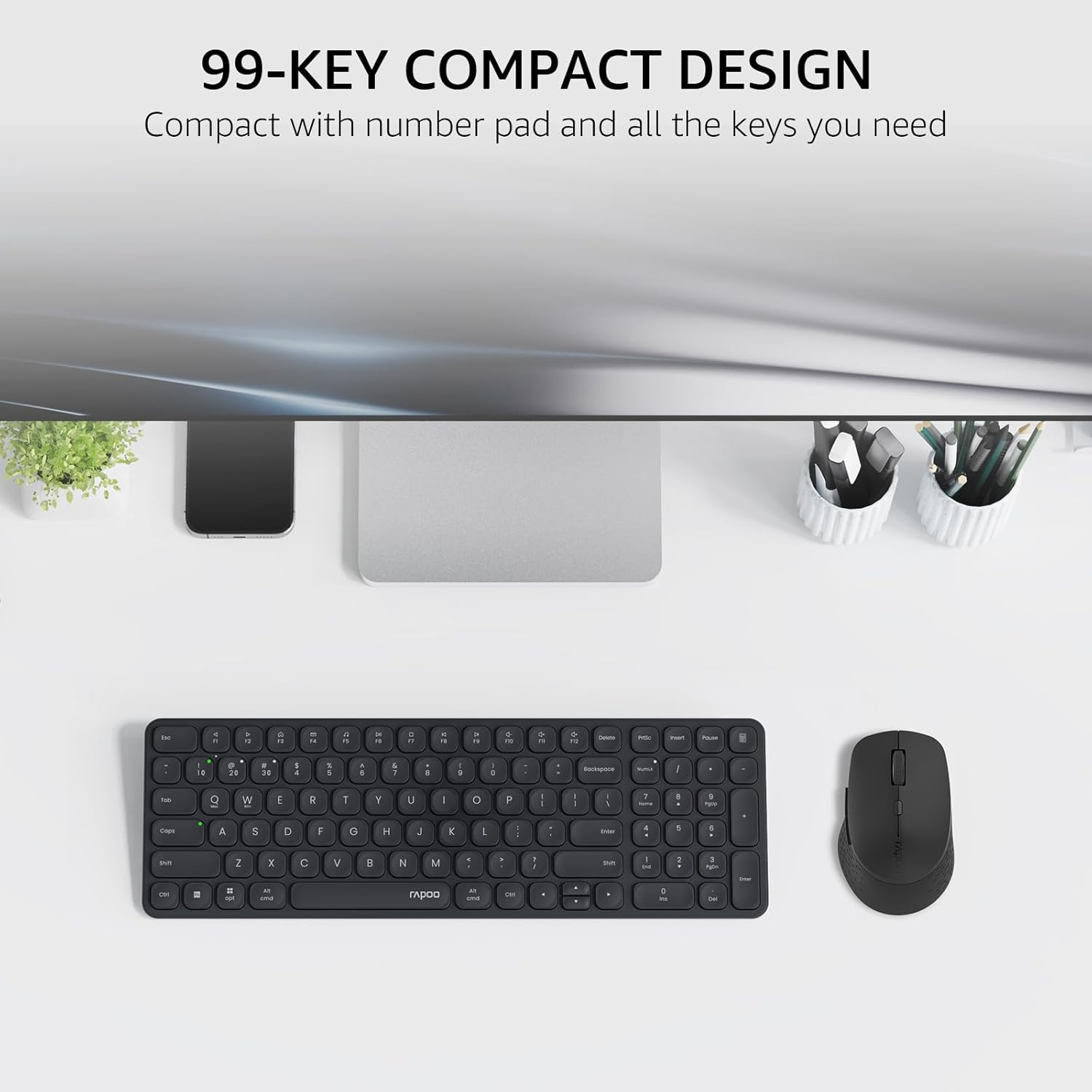
Image: The compact 99-key design of the Rapoo 9360M keyboard and mouse.
2. Multimedia teklak
The keyboard features dual-system multimedia keys for quick access to common functions.
- To use multimedia functions (e.g., play/pause, volume control), press the Fn key simultaneously with the desired F-key (F1-F12).
- The keyboard supports both Windows and Mac OS shortcuts.
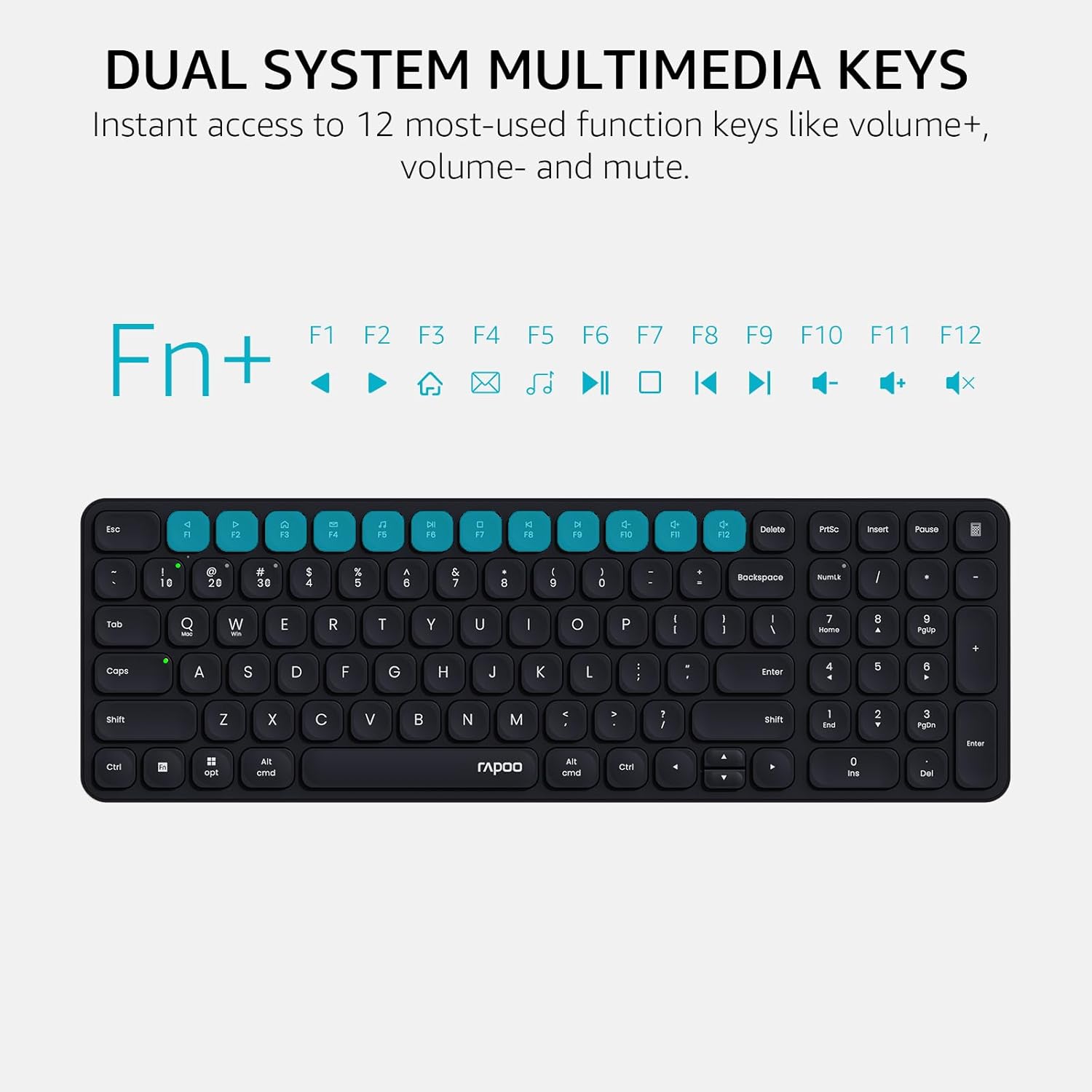
Image: Dual system multimedia keys on the Rapoo 9360M keyboard.
3. Mouse DPI Adjustment
The M300G mouse offers 5 adjustable DPI settings for precise cursor control.
- Press the DPI button located on the top of the mouse (usually behind the scroll wheel) to cycle through the preset DPI values: 800, 1000, 1200, 1600, and 2400.
- Select the DPI setting that best suits your preference and screen resolution.
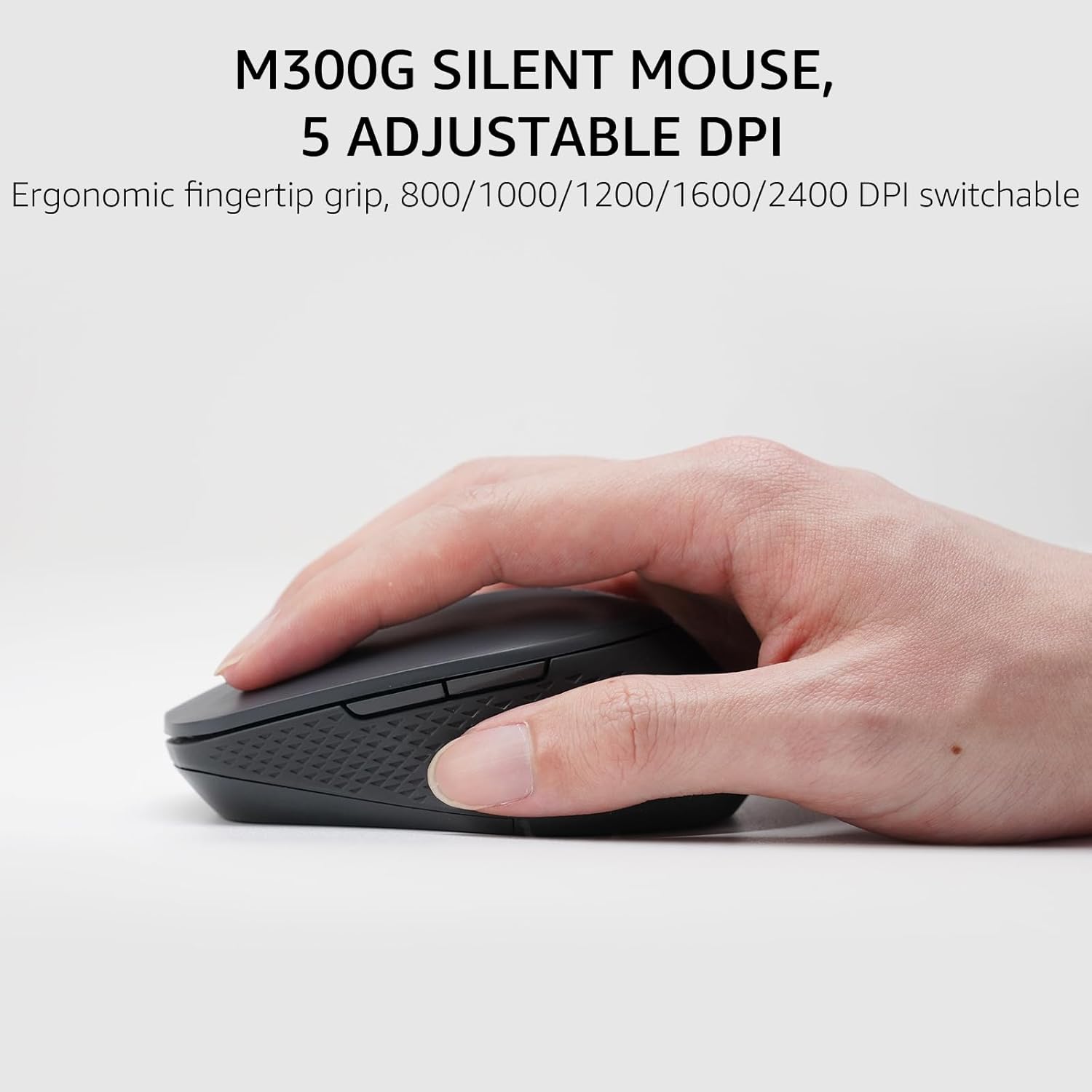
Image: The M300G Silent Mouse with 5 adjustable DPI settings.
4. Argi adierazleak
The keyboard includes indicator lights for device connection and capitalization status.
- Gailuaren adierazlea: Located above the '1', '2', '3', and '4' keys, these lights indicate which device channel is currently active.
- Maiuskulak blokeatzeko adierazlea: A dedicated light indicates when Caps Lock is active.
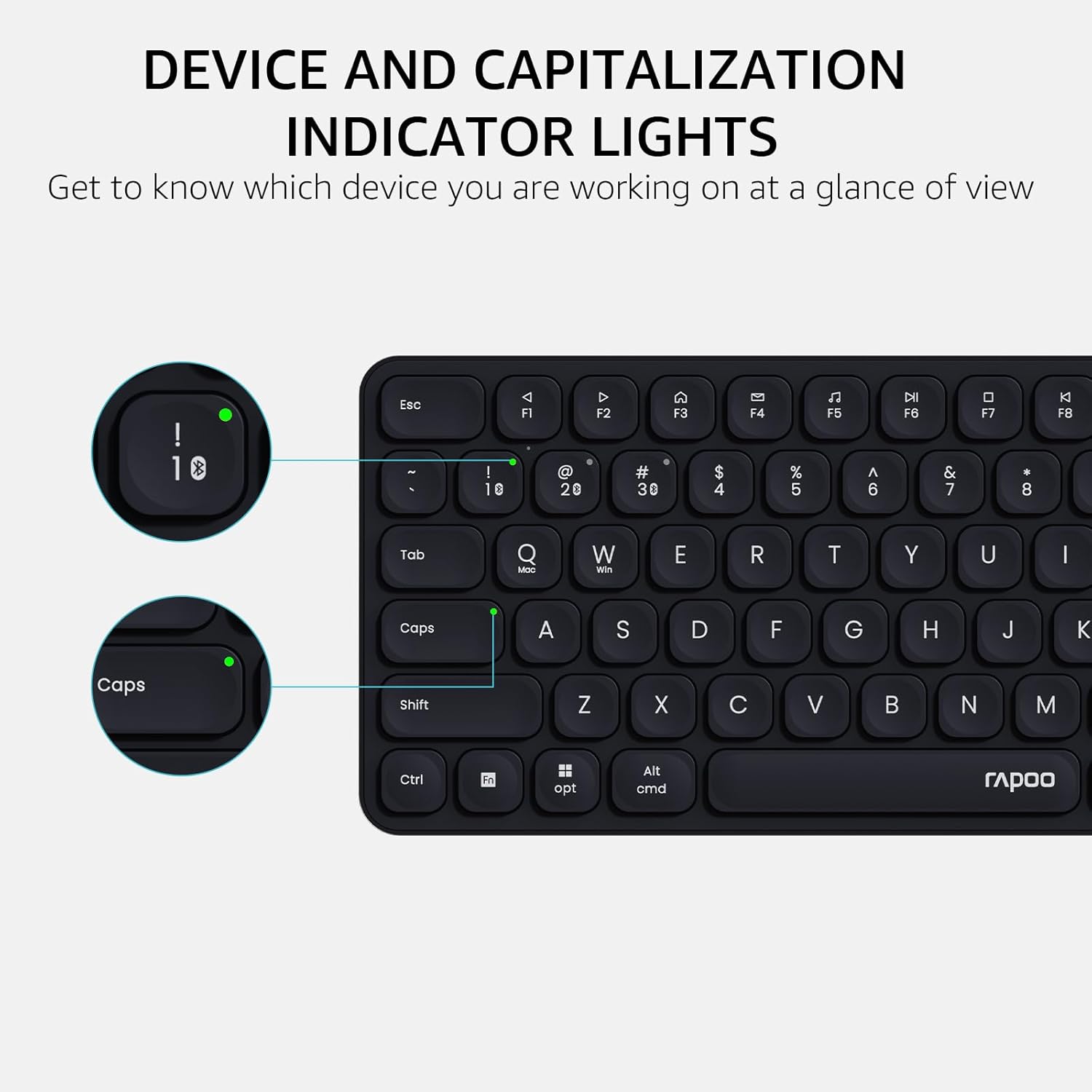
Image: Device and capitalization indicator lights on the keyboard.
Mantentzea
- Garbiketa: Erabili zapi leun eta lehor bat teklatua eta sagua garbitzeko. Zikinkeria egoskorra bada, garbitu zapi pixka bat.amp xaboi leun batekin oihal bat erabil daiteke, likidorik gailuetan sartzen ez dela ziurtatuz.
- Bateria ordezkatzea: Replace batteries when the low battery indicator appears or when performance degrades. Ensure to use the correct battery types (AAA for keyboard, AA for mouse) and dispose of old batteries responsibly.
- Biltegiratzea: When not in use for extended periods, remove batteries to prevent leakage. Store in a cool, dry place.
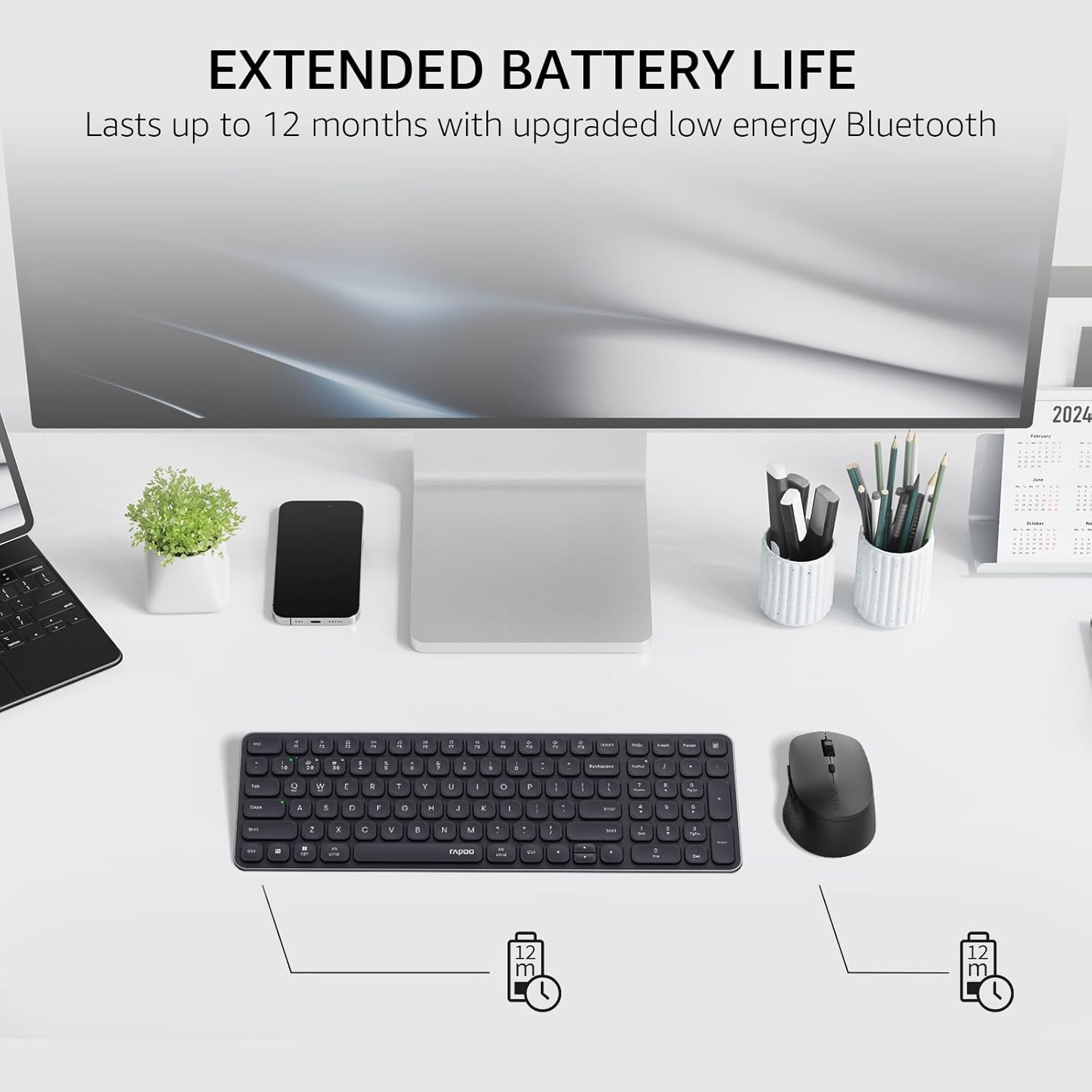
Image: Illustration of extended battery life for the keyboard and mouse.
Arazoak konpontzea
- Gailua ez da konektatzen:
- Ziurtatu bateriak behar bezala instalatuta daudela eta karga nahikoa dutela.
- For 2.4GHz connection, ensure the USB receiver is securely plugged into a working USB port.
- Bluetooth konexiorako, ziurtatu Bluetooth gaituta dagoela zure gailuan eta teklatua/sagua parekatze moduan daudela. Saiatu gailuak berriro parekatzen.
- Switch to a different channel (Fn + 1/2/3/4 for keyboard, button on mouse) to ensure you are on the correct connection mode.
- Konexio atzeratua edo etengabekoa:
- Move the keyboard/mouse closer to the receiver or Bluetooth device.
- Saihestu gailuak interferentzia iturri indartsuen ondoan erabiltzea (adibidez, Wi-Fi bideratzaileak, beste haririk gabeko gailu batzuk).
- Ordeztu bateriak baxuak badira.
- Keys or mouse buttons unresponsive:
- Egiaztatu bateriaren mailak.
- Ensure the device is connected to the correct channel.
- Berrabiarazi ordenagailua edo gailua.
Zehaztapenak
| Ezaugarri | Xehetasuna |
|---|---|
| Modelo zenbakia | 9360M |
| Teklatuaren diseinua | 99-key with number pad and arrow keys |
| Saguaren eredua | M300G Silent Mouse |
| Konektibitatea | Bluetooth 5.0/4.0, 2.4GHz Radio Frequency |
| Gailu anitzeko laguntza | Up to 4 devices (1 x 2.4GHz, 3 x Bluetooth) |
| Sistema eragile bateragarriak | Windows, Mac OS, Linux, Chrome |
| Teklatuaren bateria | 2 x AAA bateria (barne) |
| Saguaren bateria | 1 x AA bateria (barne) |
| Saguaren DPI ezarpenak | 800/1000/1200/1600/2400 (adjustable) |
| Teklatuaren neurriak | 14.29 x 4.69 x 0.79 hazbete (36.3 x 11.9 x 2 cm) |
| Saguaren neurriak | 4.09 x 2.57 x 1.47 hazbete (10.39 x 6.54 x 3.73 cm) |
| Elementuaren pisua | 13.9 ounces (keyboard and mouse combined) |
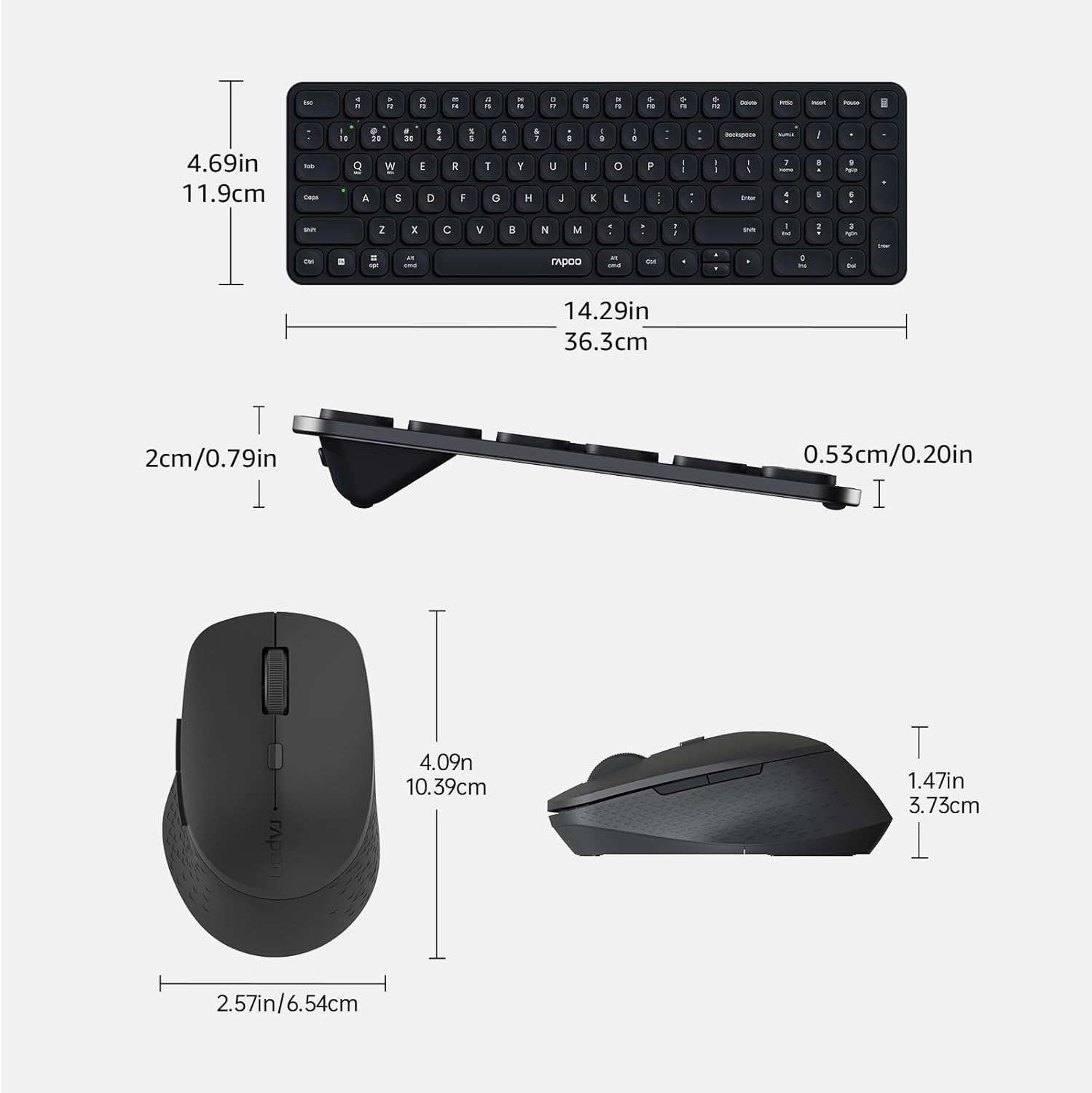
Image: Dimensions of the Rapoo 9360M keyboard and M300G mouse.
Bermea eta Laguntza
Bermeari buruzko informazioa eta laguntza teknikoa lortzeko, jo Rapooren webgune ofizialera. website or contact your local retailer. Keep your purchase receipt for warranty claims.


