Sarrera
This manual provides detailed instructions for the installation, operation, and maintenance of your ANRAN 4K 8MP Wireless Solar & Battery Outdoor WiFi Surveillance Camera, Model Q3M8. Please read this manual thoroughly before using the product to ensure proper functionality and safety.

Irudia: Gehiagoview of the ANRAN Q3 camera system, highlighting its 360-degree coverage, 4K resolution, and color night vision capabilities for both day and night surveillance.
Paketearen edukia
- ANRAN 4K 8MP Surveillance Camera
- Eguzki-panela
- Muntatzeko Hardwarea
- Erabiltzailearen eskuliburua
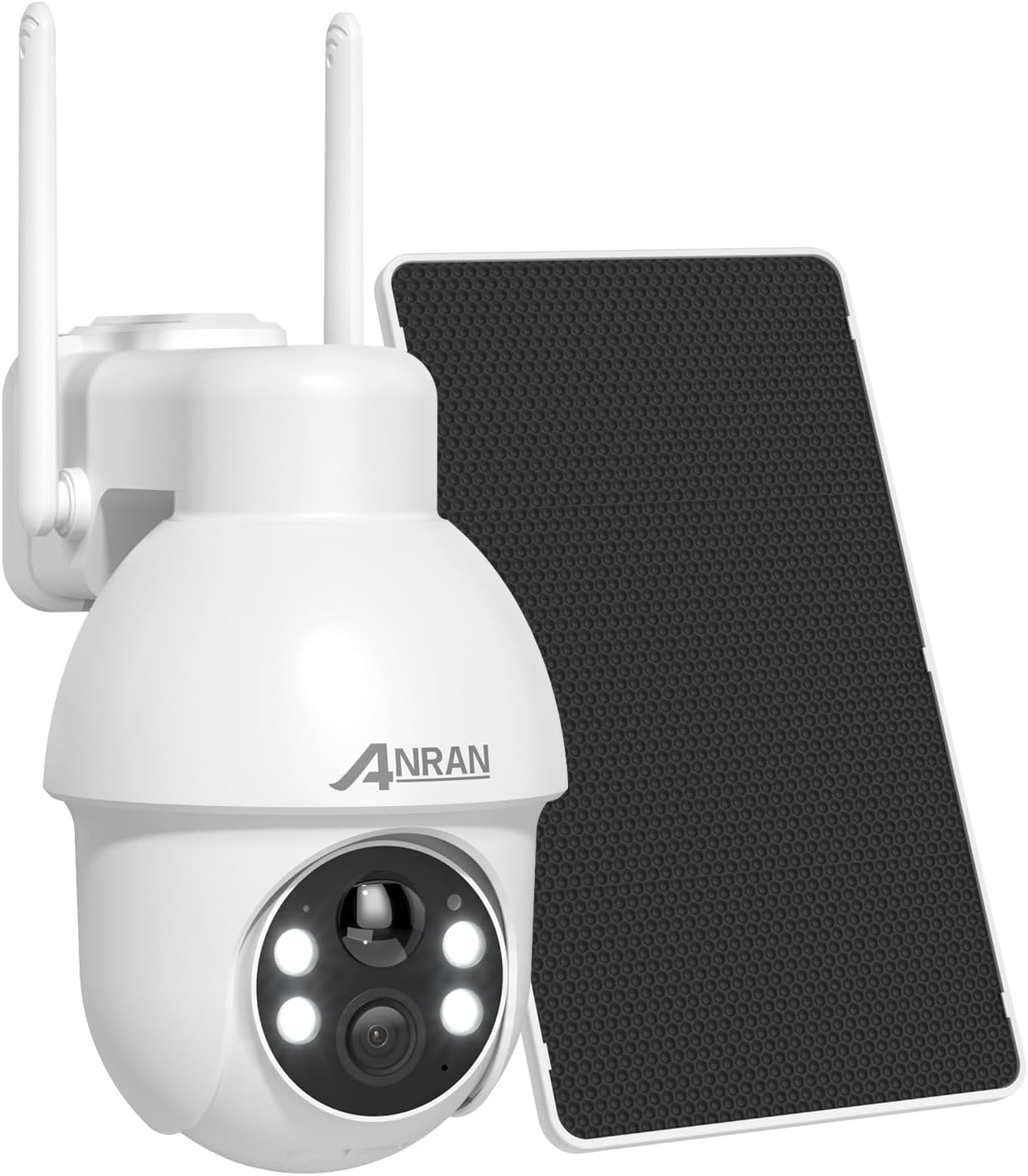
Image: The ANRAN 4K 8MP Wireless Solar & Battery Outdoor WiFi Surveillance Camera shown with its accompanying solar panel and mounting bracket.
Konfigurazio Gida
1. Hasierako kargatzea
Before first use, ensure the camera's battery is fully charged. Connect the camera to a power source using the provided cable or allow the solar panel to charge it for at least 4 hours in direct sunlight. A full charge ensures optimal performance.
2. Aplikazioaren instalazioa eta parekatzea
- Deskargatu ANRAN aplikazioa from the Google Play Store or Apple App Store.
- Ireki aplikazioa eta jarraitu pantailako argibideei kontu bat sortzeko.
- Initiate the device pairing process. The camera supports Bluetooth one-touch pairing for faster connection.
- When prompted, check the last 4 digits of the camera's serial number (SN) and select the corresponding device in the app.

Image: A smartphone displaying the ANRAN app's interface for Bluetooth one-touch pairing, indicating a 50% faster connection speed.
3. Kamera eta eguzki-panela muntatzea
The ANRAN Q3M8 camera is designed for outdoor use and wall mounting. Choose a location that provides optimal surveillance coverage and sufficient sunlight for the solar panel.
- Use the provided mounting hardware to securely attach the camera to a wall or suitable surface.
- Mount the solar panel in a location that receives maximum direct sunlight throughout the day to ensure continuous charging.
- Konektatu eguzki-panelaren kablea kamerara.

Image: An ANRAN camera and its solar panel are shown mounted on the exterior wall of a building, illustrating a typical installation scenario.
Funtzionamendu-argibideak
1. Bizi View eta Grabaketa
Access the ANRAN app on your smartphone, tablet, or PC to view bizi footagzure kameratik. Berriro ere egin dezakezuview grabatutako gertaerak.
- 4K Ultra HD & 8MP Resolution: The camera captures clear, detailed images and videos, ensuring no critical details are missed.
- Kolore Gaueko Ikusmena: Equipped with CMOS sensors and smart white/infrared lights, the camera provides vivid color images even in low-light conditions when motion is detected.

Irudia: Xehetasun zehatza view of the ANRAN camera's lens and light sensors, highlighting its 4K Ultra HD resolution, color night vision capabilities, and 4X digital zoom.

Image: A side-by-side comparison illustrating the difference between standard night vision and the camera's enhanced color night vision, achieved with integrated spotlights.
2. 360° Surveillance (Pan/Tilt)
Control the camera's pan (horizontal) and tilt (vertical) movements remotely via the ANRAN app to achieve a 360-degree view puntu itsurik gabe.

Image: The ANRAN camera is depicted with arrows illustrating its 360-degree horizontal rotation and 90-degree vertical tilt capabilities, ensuring comprehensive surveillance.
3. Bi norabideko audioa
The integrated microphone and speaker allow for real-time two-way communication. You can speak to visitors or deter intruders directly through the camera.

Image: A person is shown interacting with a delivery driver at their doorstep through the ANRAN camera, demonstrating its two-way audio functionality.
4. AI Human Detection and Alarm Modes
The camera features advanced AI that accurately detects human movement, reducing false alarms. You can configure three levels of alerts:
- Modu isila: Sends notification messages to your device.
- Abisu modua: Activates a 70dB beep.
- Deterrence Mode: Triggers a bright spotlight and a siren.
Customize alert scenarios via the app, for example, a notification for a pet and a siren/spotlight for an intruder. You can also define specific motion detection zones to avoid unwanted alerts.

Image: The ANRAN camera is shown detecting a person in a garden, with an overlay indicating "AI Detects Humans" and "99% Accuracy."

Image: An ANRAN camera overlooking a house and driveway, with a highlighted "Motion Zone" indicating customizable areas for precise surveillance and alarm activation.

Image: An ANRAN camera illuminates an area with its spotlight and sounds a siren, while a smartphone displays an app notification, illustrating the camera's alarm modes.
5. Wi-Fi 6 Connectivity
The camera supports Wi-Fi 6, offering low latency, superfast streaming, and high stability, even in congested networks. This advanced standard provides up to four times the capacity of previous Wi-Fi versions.

Image: The ANRAN camera is featured alongside the Wi-Fi 6 logo, emphasizing its benefits such as low latency, superfast streaming, and high stability.
6. Biltegiratzeko aukerak
Your video footage can be stored locally or in the cloud:
- Tokiko biltegiratzea: Supports Micro SD cards from 16GB to 128GB (SD card not included).
- Hodeiko biltegiratzea: Offers encrypted cloud storage for your recordings.

Image: An illustration showing the ANRAN camera's two storage options: local storage via a Micro SD card (up to 128GB) and cloud storage.
7. Smart Home Integrazioa
The ANRAN Q3M8 camera integrates with smart home ecosystems like Alexa and Google Home for convenient voice control and live viewgailu bateragarrietan erreproduzitzen.

Image: An ANRAN camera is shown with an Amazon Echo Show device displaying a live feed from the camera, illustrating its compatibility with Alexa for voice control.
Mantentzea
1. Eguzki-panelen eraginkortasuna
The high-efficiency solar panel generates 3W of power, even on cloudy days. Ensure the solar panel is clean and free from obstructions to maximize charging efficiency. Approximately 4 hours of direct sunlight can provide up to 7 days of continuous surveillance.

Image: A close-up of the ANRAN solar panel, highlighting its improved folding design for faster charging and better efficiency.
2. SD txartelaren kudeaketa
If using local storage, regularly check the SD card capacity. You can format the SD card directly through the ANRAN app to clear old recordings and free up space.
3. Firmware eguneraketak
Periodically check the ANRAN app for available firmware updates. Keeping your camera's firmware up-to-date ensures optimal performance, security, and access to new features.
Arazoak konpontzea
Ohiko arazoak eta irtenbideak
- Kamera ez da Wi-Fi-ra konektatzen:
Ensure your Wi-Fi network is 2.4GHz (if applicable, check camera specifications for supported bands). Verify the Wi-Fi password is correct. Move the camera closer to the router or consider a Wi-Fi extender. If using Bluetooth pairing, ensure Bluetooth is enabled on your device and the camera is in pairing mode.
- Delayed camera rotation response:
This can sometimes be due to network latency. Ensure a strong Wi-Fi signal. Close other applications on your smartphone that might be consuming bandwidth. If the issue persists, contact customer support for potential firmware updates or further assistance.
- Bateria azkar agortzen da:
Ensure the solar panel is receiving adequate direct sunlight. Check for obstructions on the solar panel. Frequent motion detection alerts and live viewing can consume more battery. Adjust motion detection sensitivity and recording duration in the app to optimize battery life.
- Irudiaren kalitate eskasa:
Clean the camera lens regularly. Ensure the camera is mounted securely to prevent vibrations. Check your network speed, as poor bandwidth can affect streaming quality.
Laguntza gehiago behar baduzu, jo ezazu Bermea eta Laguntza atalera.
Zehaztapenak
| Ezaugarri | Xehetasuna |
|---|---|
| Marka | ANRAN |
| Ereduaren izena | Q3M8 |
| Konektibitate Teknologia | Haririk gabeko (WiFi) |
| Ezaugarri bereziak | Two-way audio, Motion detector, Portable, Weather resistant, HD resolution, PTZ technology, Night vision, Integrated light |
| Barruan/Kanpoan erabilera | Kanpoan |
| Gailu bateragarriak | Ordenagailua, telefono adimenduna, tableta |
| Energia iturria | Solar powered, Battery powered |
| Kontrolagailu mota | Smartphone aplikazioa |
| Muntatze Mota | Hormako Muntaia |
| Bideo Grabaketa Ebazpena | 4K |
| Bideo Ebazpen eraginkorra | 8.0 megapixelekoa |
| Kolorea | Zuria |
| Dakarten osagaiak | Surveillance camera, Mounting hardware, Solar panel |
| Kanal kopurua | 2 |
| Haririk gabeko Komunikazio Teknologia | Wi-Fi |
| Forma-faktorea | Kupula |
| Viewangelua | 360 gradu |
| Gaueko Ikusmenaren barrutia | 20 metro |
| Fotograma-tasa | 25 fotograma segundoko |
| Materiala | Plastikoa |
| liburukiatage | 5 Volt |
| Boterea | 5 Watt |
| Produktuaren neurriak (L x W x H) | 12 x 15 x 15 zentimetro |
| Uraren Erresistentzia Maila | Iragazgaitza |
| Zoom mota | Digitala |
| Foku mota | Foku automatikoa |
Bermea eta Laguntza
Bermearen informazioa
The ANRAN Q3M8 camera comes with a 2 urteko bermea erosketa-datatik aurrera, fabrikazio-akatsak eta erabilera normalaren pean izandako matxurak estaliz.
Bezeroarentzako Arreta
ANRAN is committed to providing excellent customer service. For any technical issues, questions, or support needs, please contact us:
- Bizi osorako laguntza teknikoa: Our dedicated team is available to assist you with any product-related inquiries throughout the lifespan of your camera.
- 24/7 Online Zerbitzua: Access support anytime, day or night, through our online channels.
When contacting support, please have your product model (Q3M8) and serial number ready for faster service.

Image: Icons representing ANRAN's customer service offerings: a shield for 2-year warranty, a headset for lifetime technical support, and a clock for 24/7 online service.


