Produktua amaituview
The realme Buds Air 7 are advanced wireless earbuds designed for an immersive audio experience. They feature 12.4mm dynamic bass drivers, 52dB hybrid active noise cancellation, and up to 52 hours of total playback. With 360° spatial audio, Hi-Res LHDC support, and IP55 dust and water resistance, these earbuds are suitable for various activities including travel, sport, music, and gaming.
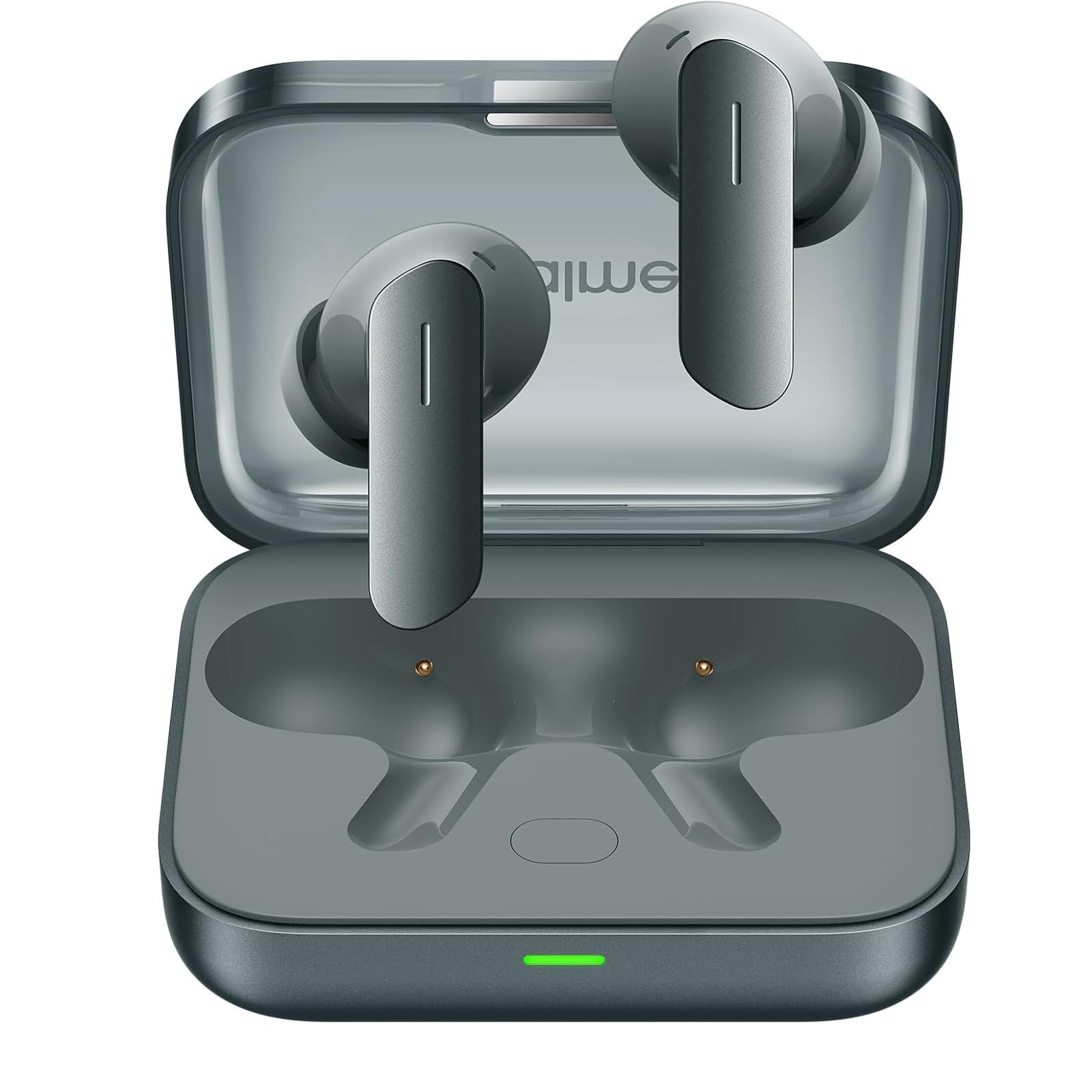
Image: realme Buds Air 7 earbuds in their charging case.
1. Konfigurazioa
1.1 Zer dago kutxan
- realme Buds Air 7 Earbuds
- Haririk gabeko kargatzeko kaxa
- USB kargatzeko kablea
- Belarri-puntak (tamaina desberdinak)
- Erabiltzailearen eskuliburua
1.2 Kargatzen
Before first use, fully charge the realme Buds Air 7 and their charging case.
- Konektatu emandako USB kargatzeko kaxako kargatzeko atakara eta energia-iturri batera.
- Kaxako adierazle-argiak kargatze-egoera erakutsiko du.
- Place the earbuds into the charging case to charge them. The earbuds will charge automatically when placed correctly in the case.
- A 10-minute charge provides significant playback time.

Image: The realme Buds Air 7 charging case, showing the earbuds inside.
1.3 Gailu batekin parekatzea
- Ziurtatu entzungailuak kargatzeko zorroan daudela eta zorroak bateria nahikoa duela.
- Open the charging case lid. The earbuds will automatically enter pairing mode (indicator light will flash).
- Zure gailuan (telefono adimenduna, tableta, ordenagailua), gaitu Bluetooth-a.
- Bilatu "realme Buds Air 7" in the list of available Bluetooth devices.
- Select "realme Buds Air 7" to connect. Once connected, the indicator light will stop flashing.
Oharra: For subsequent use, the earbuds will automatically connect to the last paired device when the case lid is opened, if Bluetooth is enabled on the device.
1.4 Entzungailuak janztea
Choose the correct size of eartips for a comfortable and secure fit. A good seal is crucial for optimal sound quality and noise cancellation.
- Sartu aurikularrak astiro-astiro belarri-hodietan.
- Biratu itzazu apur bat ondo eta eroso sartu arte.
- Test different eartip sizes to find the best fit for your ears.
2. Funtzionamendu-argibideak
2.1 Ukitu Kontrolak
The realme Buds Air 7 feature touch-sensitive areas on each earbud for control. Specific functions can often be customized via the realme Link app (if available for your region).
- Sakatu birritan: Musika erreproduzitu/pausatu, deia erantzun/amaitu.
- Sakatze hirukoitza: Hurrengo pista.
- Touch and Hold (one earbud): Switch between Noise Cancellation modes (ANC/Transparency/Normal).
- Touch and Hold (both earbuds simultaneously): Enter/Exit Gaming Mode (Low Latency).
2.2 Zarata Deuseztatze Aktiboa (ANC)
The earbuds feature 52dB Hybrid ANC to reduce ambient noise. You can switch between different modes:
- Zarata bertan behera uzteko modua: Blocks out external noise for an immersive listening experience.
- Gardentasun modua: Allows you to hear your surroundings without removing the earbuds, useful for conversations or being aware of traffic.
- Modu normala: Zarata ezeztapenik edo gardentasunik gabeko audio erreprodukzio estandarra.
To switch modes, touch and hold one earbud until you hear an audible prompt indicating the mode change.

Image: A user experiencing the 52dB Active Noise Cancellation feature of the realme Buds Air 7.
2.3 Audio Ezaugarriak
- 360°-ko audio espaziala: Provides an immersive, theater-like sound experience.
- Hi-Res LHDC: Supports high-resolution audio codecs for superior sound quality.
- 12.4mm Dynamic Bass Drivers: Engineered to deliver powerful and deep bass.
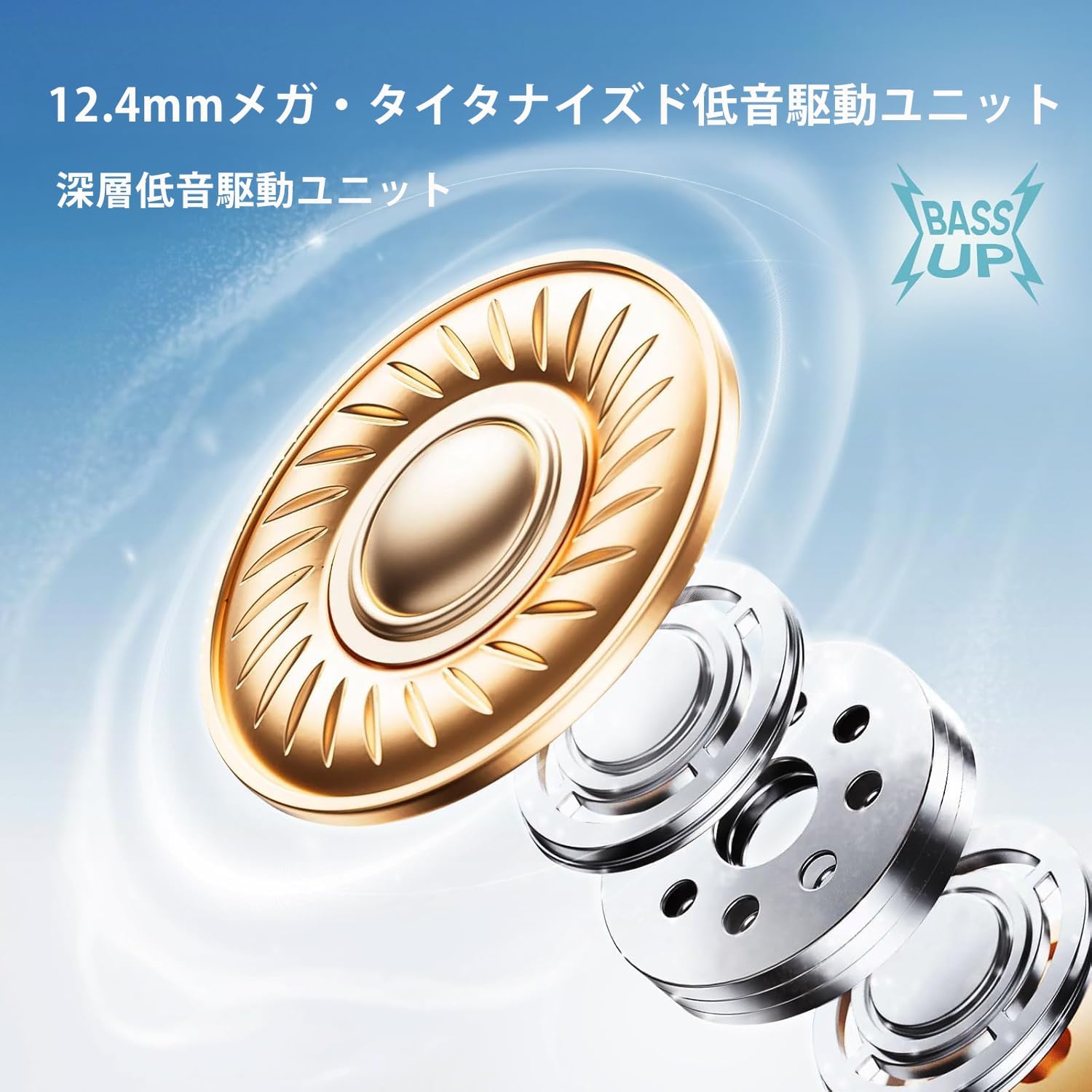
Irudia: Leherketa bat view illustrating the 12.4mm dynamic bass driver technology.
2.4 Low Latency Mode (Gaming Mode)
Activate Gaming Mode to reduce audio latency, providing a more synchronized experience for gaming or video playback. To activate/deactivate, touch and hold both earbuds simultaneously.
3. Mantentzea
3.1 Garbiketa
- Erabili zapi leun, lehor eta lihorik gabeko bat entzungailuak eta kargatzeko zorroa garbitzeko.
- Zikinkeria egoskorrerako, apur bat lehortuampeu zapi urarekin edo garbitzaile leun eta ez urratzaile batekin.
- Remove eartips and clean them separately with water and mild soap, then dry thoroughly before reattaching.
- Ez erabili produktu kimiko gogorrak edo material urratzaileak.
3.2 Urarekiko eta hautsarekiko erresistentzia (IP55)
The realme Buds Air 7 are rated IP55 for dust and water resistance. This means they are protected against limited dust ingress and low-pressure water jets from any direction. They are suitable for workouts and light rain, but should not be submerged in water or exposed to high-pressure water.
- Ez kargatu entzungailuak edo zorroa bustita badaude.
- Dry the earbuds thoroughly before placing them back into the charging case.
- The IP55 rating is not a permanent condition and resistance might decrease as a result of normal wear.
3.3 Biltegiratzea
Store the earbuds in their charging case when not in use to protect them and keep them charged. Avoid extreme temperatures and direct sunlight.
4. Arazoak
4.1 Ohiko arazoak eta irtenbideak
- Entzungailuak ez dira parekatzen:
- Ziurtatu bi entzungailuak kargatuta daudela.
- Place earbuds in the case, close the lid, wait a few seconds, then open the lid to re-enter pairing mode.
- Itzali eta piztu Bluetooth-a zure gailuan.
- Forget "realme Buds Air 7" from your device's Bluetooth settings and try pairing again.
- Soinurik ez edo soinu tartekatua:
- Egiaztatu zure gailuko bolumen-maila.
- Ziurtatu entzungailuak behar bezala konektatuta daudela gailura.
- Clean the earbud mesh to ensure no blockage.
- Saiatu entzungailuak berrezartzen.
- Kargatzeko arazoak:
- Ziurtatu kargatzeko kablea ondo konektatuta dagoela.
- Saiatu beste kargatzeko kable edo korronte egokitzaile batekin.
- Garbitu entzungailuen eta zorroaren kargatzeko kontaktuak.
4.2 Fabrika berrezarri
If you encounter persistent issues, a factory reset may resolve them. Refer to the official realme support website or the included quick start guide for specific reset instructions for your model, as this can vary.
5. Zehaztapenak
| Ezaugarri | Xehetasuna |
|---|---|
| Ereduaren izena | Air 7 (RMA7PADRE) |
| Konektibitate Teknologia | Haririk gabekoa (Bluetooth 5.4 bertsioa) |
| Audio kontrolatzailearen tamaina | 12.4 mm-ko baxu dinamikoen kontrolatzaileak |
| Zarata Kontrola | 52dB-ko zarata-ezabatze aktibo hibridoa (ANC) |
| Audio espaziala | 360° Spatial Audio |
| Audio-kodeka | Hi-Res LHDC |
| Latentzia baxua | 45 ms |
| Jolasaldi osoa | 52 ordu arte (kargatzeko zorroarekin) |
| Uraren Erresistentzia | IP55 hautsa eta urarekiko erresistentea |
| Kargatzeko Denbora | 10 minutes for significant playback |
| Elementuaren pisua | 130 Grams (total package) / 4.6 ounces |
| Produktuaren neurriak | 0.39 x 0.39 x 0.39 inches (earbud, approximate) |
| Dakarten osagaiak | Earbuds, Wireless Charging Case, USB Cable, Eartips, User Manual |
6. Bermearen informazioa
realme products are covered by a standard limited warranty from the date of purchase. The specific terms and conditions of the warranty may vary by region. Please retain your proof of purchase for warranty claims.
For detailed warranty information, including coverage, duration, and how to make a claim, please visit the official realme website or contact realme customer support in your region.
7. Bezeroarentzako arreta
If you require further assistance, have questions not covered in this manual, or need technical support, please contact realme customer service.
- Visit the official realme weblaguntza baliabideetarako, maiz egiten diren galderetarako eta harremanetarako informaziorako gunea.
- Refer to the contact details provided in the packaging or on the realme webzure eskualde zehatzerako gunea.
Always provide your product model (RMA7PADRE) and purchase details when contacting support.


