1. Sarrera
This manual provides essential information for setting up, operating, maintaining, and troubleshooting your XIAOMI TV F 65 (2025 Model) 4K UHD Smart Fire TV. Please read this manual thoroughly before using your television to ensure safe and optimal performance.
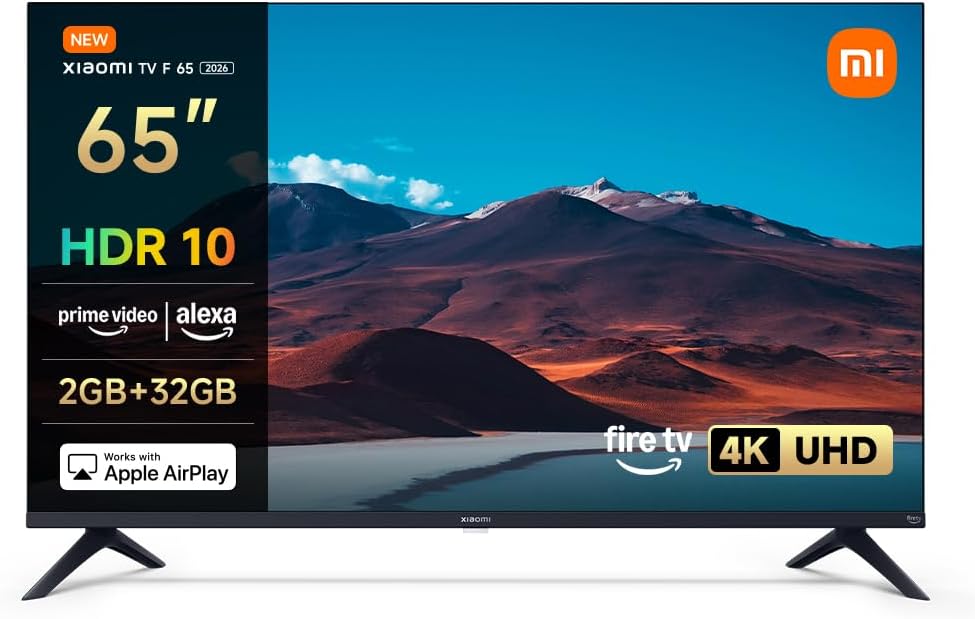
1.1. irudia: Aurrealdea view of the XIAOMI TV F 65 (2025 Model) 4K UHD Smart Fire TV.
2. Konfigurazioa
2.1. Kutxa irekitzea eta paketearen edukia
Kontu handiz atera osagai guztiak paketetik. Ziurtatu behean zerrendatutako elementu guztiak daudela:
- Telebistako pantaila
- Elikatze-kablea
- Safety and Installation Instruction Kit
- Stand Elements
- Torloju kit
- Bluetooth Urruneko Kontrola
2.2. Standaren instalazioa
Telebistako euskarria instalatzeko:
- Place the TV screen face down on a soft, clean surface to prevent scratches.
- Lerrokatu euskarriaren elementuak telebistaren behealdeko dagokien zirrikituekin.
- Lotu euskarria emandako torlojuak erabiliz. Ziurtatu ondo estututa daudela.
2.3. Horman muntatzea (aukerakoa)
If you choose to wall mount your TV, ensure you use a VESA-compatible mount (300 x 400 mm). Consult a professional for installation to ensure safety and proper alignment. Note that the VESA mounting holes are located in the lower third of the TV's back panel.

2.1. irudia: TV dimensions and VESA mounting points (300x400mm).
2.4. Hasierako piztea eta sareko konexioa
After physical installation:
- Konektatu korronte-kablea telebistara eta korronte-hartune batera.
- Sakatu telebistako edo urrutiko aginteko pizteko botoia.
- Follow the on-screen instructions to complete the initial setup, including language selection and connecting to your Wi-Fi network. The TV supports dual-band Wi-Fi for stable connectivity.

2.2. irudia: The TV supports Bluetooth 5.0 and dual-band Wi-Fi for seamless wireless connectivity.
3. Zure telebista funtzionatzea
3.1. Fire TV Interface and Navigation
Your XIAOMI TV F 65 features an integrated Fire TV operating system, providing instant access to thousands of applications and content. Navigate the interface using the provided Bluetooth remote control.
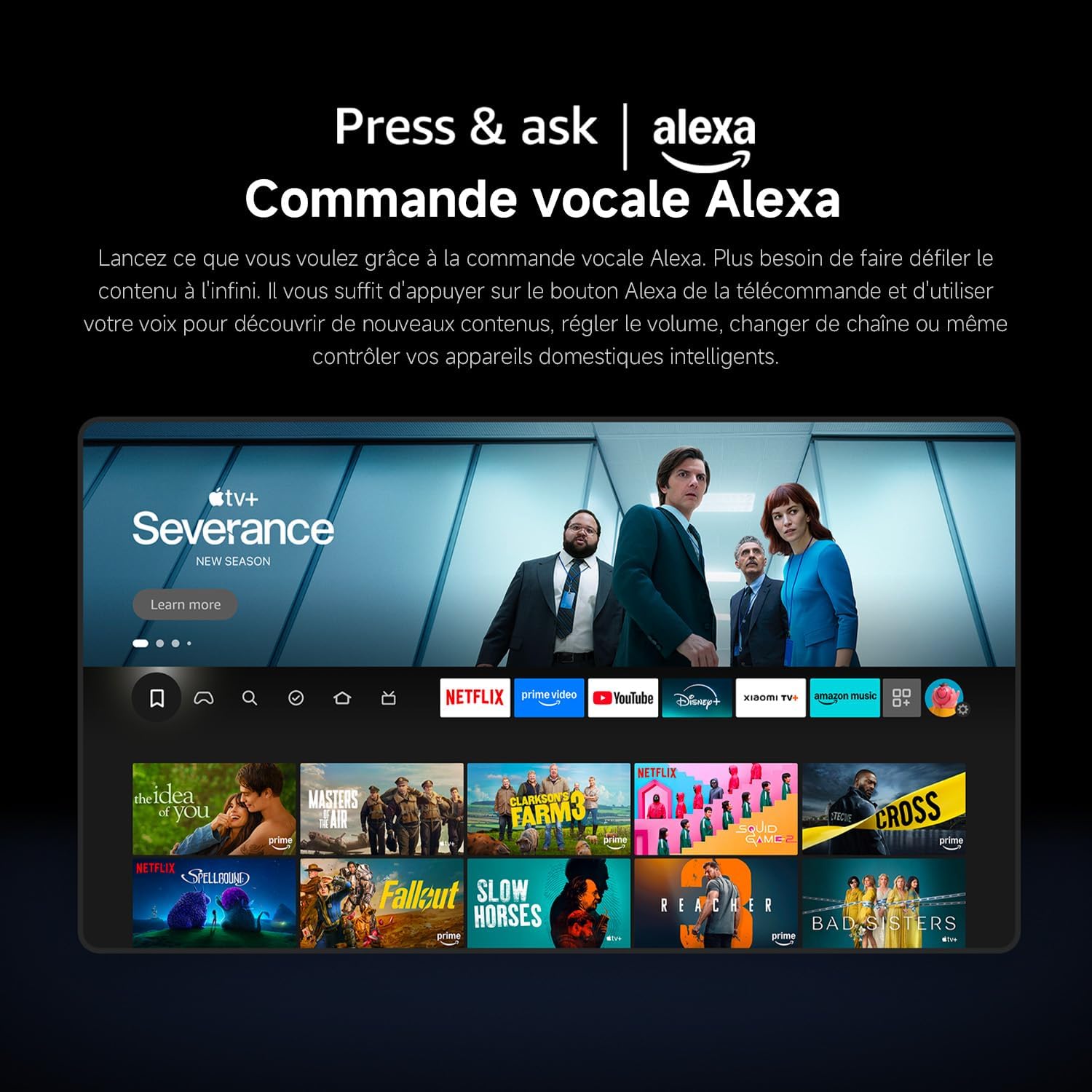
3.1. irudia: The Fire TV interface offers endless entertainment with personalized recommendations and easy access to streaming services.
3.2. Alexa Voice Control
The TV includes built-in Alexa. To use voice commands, simply press the Alexa button on your remote control and speak your request. You can discover new content, adjust the volume, change channels, or control compatible smart home devices.

3.2. irudia: Use the 360° Bluetooth voice remote to easily control your TV and smart home devices with Alexa.
3.3. Streaming zerbitzuak
Access popular streaming platforms such as Netflix, Prime Video, and Disney+ directly from your Fire TV interface. Enjoy exclusive movies, series, and original content with quick access and smooth playback.
3.4. Apple AirPlay
Stream content effortlessly from your iPhone, iPad, or Mac directly to your TV using Apple AirPlay. Share photos, play videos, or mirror your entire screen wirelessly in seconds for a seamless integration with your Apple ecosystem.
3.3. irudia: Stream content from your Apple devices directly to your TV using Apple AirPlay.
3.5. Irudi eta soinu hobekuntzak
- 4K HDR10: Experience exceptional 4K clarity with HDR10, offering enhanced contrast and richer colors. Discover sharper details in both dark and bright scenes.
- Zinemagile modua: Activate Filmmaker Mode for an authentic cinematic experience, adhering to Hollywood standards, and see the image as the director intended.
- MEMC: Motion Estimation and Motion Compensation (MEMC) technology enhances high-speed movements for smoother images, ensuring a perfect visual experience for sports, action movies, or games.
- Game Boost Mode 120 Hz: Enjoy an improved screen refresh rate of 120 Hz (at 1080p resolution) when receiving HDMI signals, ensuring smoother and clearer images during fast-paced gaming scenes.
- Argi urdin baxuko modua: Next-generation CC dimming technology ensures smooth brightness control and reduces blue light for more comfortable viewbegiak nekatu gabe.
- Dolby Audio and DTS:X: Powerful dual speakers deliver richer highs and lows, providing an immersive, cinema-worthy sound experience with dynamic audio and exceptional clarity.

3.4. irudia: Enjoy comfortable 4K viewing with HDR image quality, revealing every detail.

3.5. irudia: MEMC technology ensures every image is fantastic by smoothing high-speed movements.

3.6. irudia: Game Boost Mode at 120 Hz provides fast image processing for an enhanced gaming experience.

3.7. irudia: Dolby Audio and DTS:X deliver a cinema-worthy immersive sound experience.
3.6. Xiaomi TV+
Enjoy free live television with Xiaomi TV+. Access a wide selection of premium content, including news, entertainment, reality TV, and movies, anytime and anywhere, without any subscription.

3.8. irudia: Xiaomi TV+ offers free live television and a wide selection of content.
4. Mantentzea
4.1. Telebista garbitzea
Telebistaren itxura eta errendimendua mantentzeko:
- Pantaila: Garbitu pantaila astiro-astiro zapi leun eta pelusik gabeko batekin. Orbanik egoskorrak izanez gero, garbitu astiro-astiro.ampGarbitu zapi bat urarekin edo pantaila-garbitzaile espezializatu batekin. Ez bota inoiz likidorik zuzenean pantailan.
- Markoa eta euskarria: Use a soft, dry cloth to wipe dust and smudges from the TV frame and stand.
- Urruneko kontrola: Clean the remote control with a soft, dry cloth. Avoid using harsh chemicals.
Kontuz: Deskonektatu beti telebista entxufetik garbitu aurretik.
4.2. Software eguneraketak
Your TV may receive periodic software updates to improve performance and add new features. Ensure your TV is connected to the internet to receive these updates. You can usually check for updates manually in the TV's settings menu.
5. Arazoak
Telebistarekin arazoak badituzu, jo ezazu honako arazo eta irtenbide ohikoenei:
| Arazoa | Kausa posiblea | Irtenbidea |
|---|---|---|
| Telebista ez da pizten | No power, remote control batteries low | Check power cable connection. Replace remote control batteries. |
| Slow startup time | System initialization, background processes | This can take up to 2.5 minutes for the first boot. Subsequent startups from quick standby are faster (3-8 seconds). |
| Pixelated image on some channels/sources | Low resolution source content (e.g., 720p, analog) | This is normal for lower resolution content on a 4K screen. Ensure you are viewing 4K or HD content for optimal clarity. |
| Voice control (Alexa) not responding | Remote control issue, network connectivity | Ensure remote batteries are charged. Check TV's internet connection. Re-pair the remote if necessary. |
| Ez dago Wi-Fi konexiorik | Router issue, incorrect password, TV too far from router | Restart your router. Re-enter Wi-Fi password. Move TV closer to router or use an Ethernet cable. |
6. Zehaztapenak
Key technical specifications for the XIAOMI TV F 65 (2025 Model):
| Ezaugarri | Xehetasuna |
|---|---|
| Marka | XIAOMI |
| Modelo zenbakia | L65MB-FAEU |
| Pantailaren tamaina | 65 hazbete (165 cm) |
| Bistaratzeko Teknologia | LED |
| Ebazpena | 4K UHD (3840 x 2160 pixel) |
| Freskatze tasa | 60 Hz (120 Hz in Game Boost Mode via HDMI at 1080p) |
| Ezaugarri bereziak | Apple AirPlay, Alexa Voice Control, Fire TV, HDR10, MEMC, Filmmaker Mode, Low Blue Light |
| Sistema eragilea | Fire TV |
| Prozesadorea | 64-bit CPU, Quad-core A55 CPU |
| Memoria (RAM + Biltegiratzea) | 2 GB RAM + 32 GB Storage |
| Audioa | Dolby Audio, DTS:X, DTS Virtual:X (5.1 Surround Configuration) |
| Konektibitatea | Wi-Fi (Dual-band), Bluetooth 5.0, Ethernet, 3x HDMI Ports, 1x USB Port |
| Sintonizatzaileak | DVB-S2, DVB-T2 |
| Produktuaren neurriak (L x W x H) | 144.5 x 39.1 x 90 cm |
| Pisua (zutiluarekin) | 20 kg |
| VESA mendia | 300 x 400 mm |

6.1. irudia: The quad-core chip ensures smoother performance and faster response times.
7. Bermearen informazioa
Your XIAOMI TV F 65 (2025 Model) is covered by a bi urteko fabrikatzailearen bermea. Please retain your proof of purchase for any warranty claims. The warranty covers defects in materials and workmanship under normal use. For specific terms and conditions, refer to the warranty documentation included with your product or visit the official XIAOMI support webgunea.
8. Bezeroarentzako arreta
If you require further assistance or have questions not covered in this manual, please contact XIAOMI customer support. You can typically find support contact information, FAQs, and additional resources on the official XIAOMI webgunea:
- Bisitatu XIAOMI Brand Store produktuaren informazioa lortzeko.
- Refer to the online support section for your specific model.


