1. Sarrera
This manual provides essential information for the safe and efficient use of your Philips B4000 Soundbar. Please read these instructions carefully before using the product and retain them for future reference. The Philips B4000 Soundbar is designed to enhance your television's audio experience with clear 2.0 channel sound and versatile connectivity options.

Image: The Philips B4000 Soundbar, its remote control, and a television displaying colorful content, illustrating the product in use.
2. Paketearen edukia
Egiaztatu elementu guztiak zure paketean daudela:
- Philips B4000 Soundbar
- Urruneko Kontrola
- 2 x AAA bateria (urrutiko aginterako)
- Pareta Muntatzeko euskarriak
- Hasierako gida azkarra
- Berme Txartela
3. Produktua amaitu daview
The Philips B4000 Soundbar features a compact design with integrated speakers and various input options for seamless integration with your home entertainment system.

Image: The Philips B4000 Soundbar positioned below a television in a living room, emphasizing its 2.0 channel audio, 60W maximum output power, and dual full-range speakers.
4. Konfigurazioa eta instalazioa
4.1 Kokapen aukerak
The soundbar offers flexible placement to suit your setup:
- Telebistarako standaren kokapena: Place the soundbar on a flat surface directly in front of your TV. Ensure it does not obstruct the TV's remote sensor.
- Hormako muntaia: Use the included wall mount brackets to attach the soundbar to the wall below your TV. Refer to the Quick Start Guide for detailed wall mounting instructions.
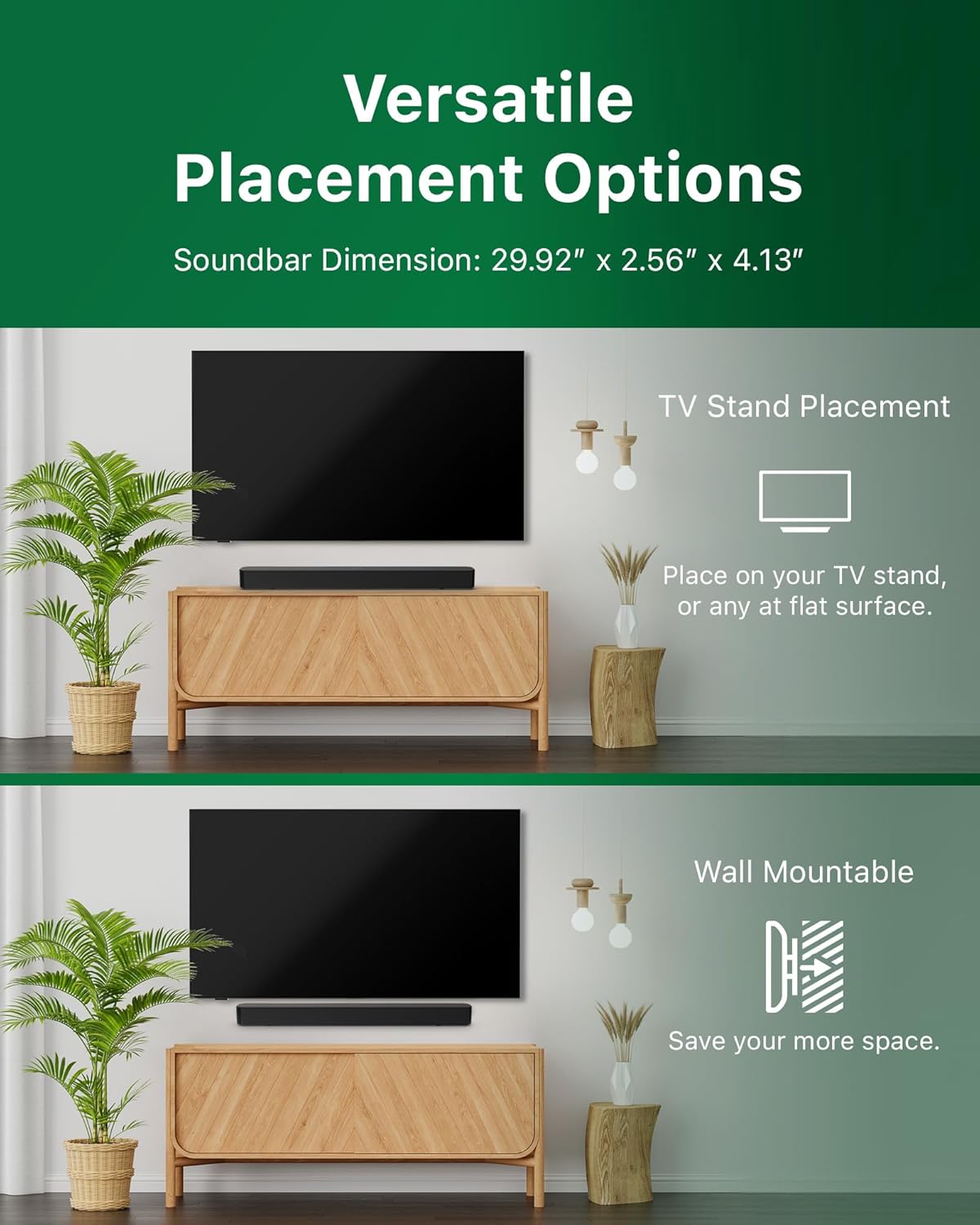
Image: Illustrations demonstrating the two primary placement methods for the soundbar: resting on a TV stand and securely mounted on a wall.
4.2 Zure telebistara konektatzea
The soundbar supports multiple connection types:
- HDMI ARC (Gomendatua): Connect an HDMI cable (not included) from the HDMI ARC port on your TV to the HDMI ARC port on the soundbar. This allows for audio return and control via your TV remote.
- Bluetootha: For wireless audio streaming, pair your soundbar with a Bluetooth-enabled device.
- USBa: Connect a USB device for audio playback.
- DC IN: Connect the power adapter to the DC IN port.

Image: A visual representation of the soundbar's available audio input ports, including HDMI (ARC), USB, Bluetooth, and DC IN for power.
4.3 Roku TV Ready Setup
The Philips B4000 Soundbar is Roku TV Ready certified, simplifying setup and control when paired with a Roku TV.
- Connect the soundbar to your Roku TV via HDMI ARC.
- Your Roku TV should automatically detect and configure the soundbar.
- Use your Roku TV remote to control the soundbar's power and volume.

Image: The Philips B4000 Soundbar seamlessly integrated with a television, illustrating its 'Roku TV Ready' certification for simplified setup and control.
4.4 Urruneko kontrolaren konfigurazioa
Insert the two included AAA batteries into the remote control, ensuring correct polarity.
5. Funtzionamendua
5.1 Piztu/Itzali
Sakatu soinu-barran edo urrutiko agintean dagoen pizteko botoia unitatea pizteko edo itzaltzeko.
5.2 Sarrera hautatzea
Press the 'Source' button on the remote control to cycle through available input sources (HDMI ARC, Bluetooth, USB).
5.3 Bolumen kontrola
Use the 'Volume Up' and 'Volume Down' buttons on the remote control to adjust the audio level. If connected via HDMI ARC to a Roku TV, your TV remote may also control the volume.
5.4 Bluetooth parekatzea
- Press the 'Bluetooth' button on the remote control to enter Bluetooth pairing mode. The indicator light on the soundbar will flash.
- On your mobile device, search for Bluetooth devices and select 'Philips B4000'.
- Behin parekatuta, adierazle-argia finko piztuta egongo da, eta audioa haririk gabe erreproduzitu ahal izango duzu.
5.5 Soinu moduak eta berdintzailea
The soundbar may offer various sound modes or equalizer settings to optimize audio for different content types (e.g., Movie, Music, News). Use the remote control to access and adjust these settings. While specific equalizer details are not extensively documented, experimentation with available settings is encouraged to find your preferred audio profile.

Image: The Philips soundbar remote control in the foreground, with a television screen in the background displaying the EasyLink 2.0 menu for adjusting sound styles, including Bass, Treble, and Custom Equalize options.
6. Mantentzea
Soinu-barraren iraupena eta errendimendu optimoa bermatzeko, jarraitu mantentze-jarraibide hauek:
- Garbiketa: Erabili zapi leun eta lehor bat soinu-barraren gainazala garbitzeko. Ez erabili garbitzaile likidorik edo material urratzailerik, akabera kaltetu baitezakete.
- Aireztapena: Ensure the soundbar's ventilation openings are not blocked. Proper airflow prevents overheating.
- Biltegiratzea: Soinu-barra denbora luzez gordetzen baduzu, deskonektatu korrontetik eta gorde leku fresko eta lehor batean.
7. Arazoak
If you encounter issues with your Philips B4000 Soundbar, refer to the following common problems and solutions:
| Arazoa | Kausa posiblea | Irtenbidea |
|---|---|---|
| Ez dago soinu barratik |
|
|
| Soinu estatikoa edo distortsionatua |
|
|
| Bluetooth-a parekatzeko arazoak |
|
|
| Urruneko kontrola ez dabil |
|
|
8. Zehaztapenak
| Ezaugarri | Xehetasuna |
|---|---|
| Ereduaren izena | TAB4000 / 37 |
| Hizlari mota | Soinu barra |
| Inguruko soinu-kanalaren konfigurazioa | 2.0 |
| Bozgorailuaren irteera-potentzia maximoa | 60 Watt |
| Konektibitate Teknologia | Bluetooth (5.4), HDMI ARC, USB |
| Ezaugarri bereziak | Advanced Bluetooth 5.4 Connectivity, Bass Boost, Roku TV Ready™ Certification, Wall mountable |
| Produktuaren neurriak | 4.1" L x 30" W x 2.56" H |
| Elementuaren pisua | 4.89 libra (2.22 kilogramo) |
| Energia iturria | Battery Powered (for remote), AC Power (for soundbar) |
| Sarrera boltage | 120 Volt |
| Dakarten osagaiak | Battery, Quick Start Guide, Remote, Wall Mount Bracket, Warranty Card |
9. Bermea eta Laguntza
9.1 Bermearen informazioa
The Philips B4000 Soundbar comes with a Limited Warranty. Please refer to the included Warranty Card for specific terms, conditions, and duration of coverage. Retain your proof of purchase for warranty claims.
9.2 Bezeroarentzako laguntza
Laguntza gehiago, laguntza teknikoa edo zerbitzu-kontsultak egiteko, bisitatu Philips-en laguntza ofiziala. website or contact their customer service. Contact details can typically be found on the Philips webgunea edo Hasiera Azkarreko Gidan.


