1. Segurtasun informazioa
Please read all safety instructions carefully before using this product. Retain this manual for future reference.
- Ez jarri soinu-barra euripean, hezetasunean edo muturreko tenperaturetan.
- Ez blokeatu aireztapen-zulorik.
- Erabili fabrikatzaileak zehaztutako eranskinak/osagarriak soilik.
- Unplug the soundbar during lightning storms or when unused for long periods.
- Jarri zerbitzu-zerbitzu guztiak zerbitzu-pertsonal kualifikatuari.
2. Paketearen edukia
Egiaztatu elementu guztiak paketean daudela:
- THOMSON B210 Bluetooth Soundbar
- Urruneko Kontrola
- Elikatze-moldagailua
- Erabiltzailearen eskuliburua
- Audio Cables (e.g., Optical, AUX - specific cables may vary)
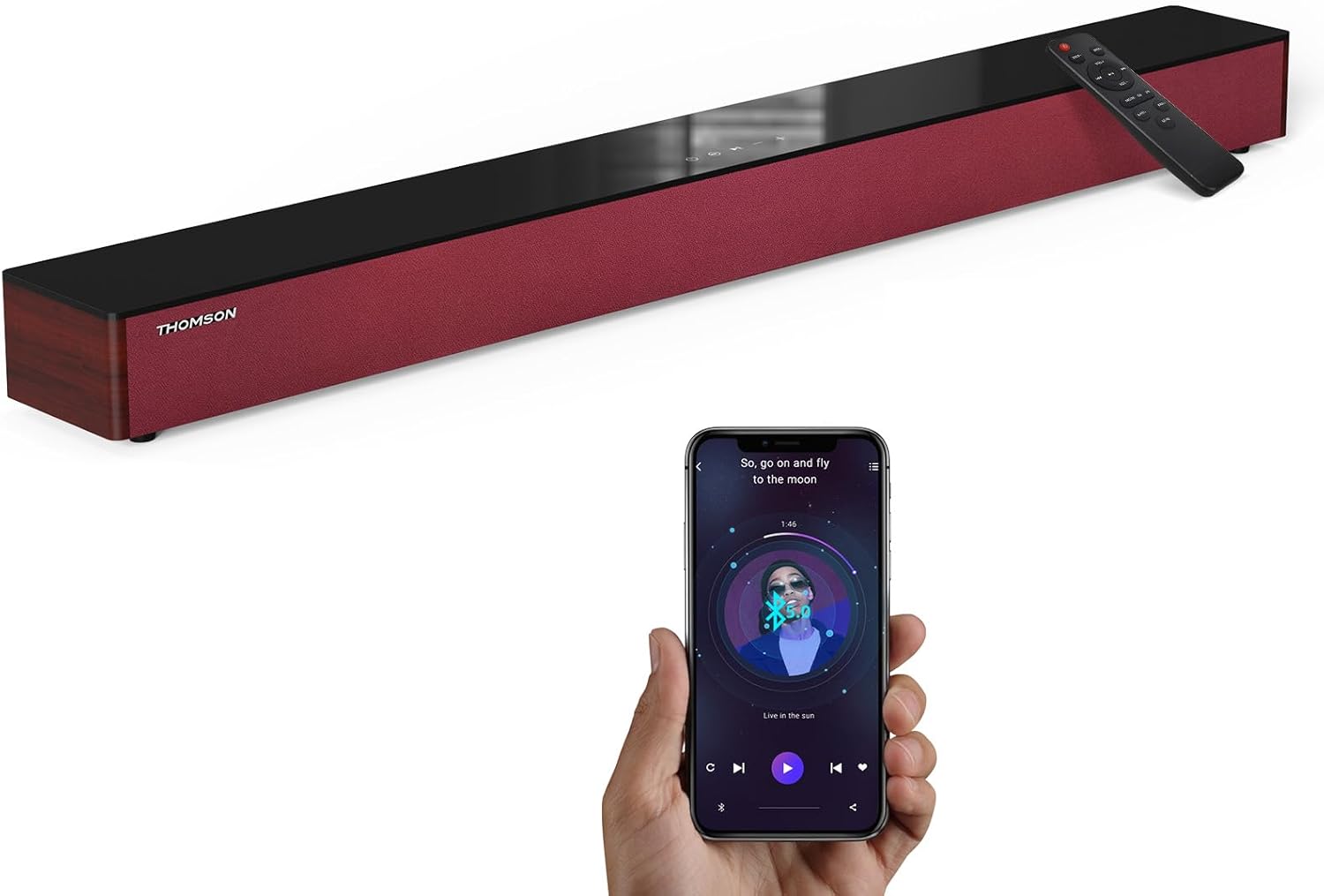
Image: The THOMSON B210 Soundbar, its remote control, and a smartphone demonstrating Bluetooth connectivity.
3. Produktua amaitu daview
3.1 Front and Top Panel
The soundbar features intuitive controls on its top panel for easy access.
3.2 Atzeko panelaren konexioak
The rear panel provides various input ports for connecting to different audio sources.

Irudia: Xehetasun handikoa view of the soundbar's rear connection ports, including AUX IN, COAXIAL, OPTICAL, HDMI ARC, USB, and DC IN.
3.3 Urruneko kontrola
The included remote control allows for convenient operation of all soundbar functions.

Image: A hand operating the soundbar with its remote control, demonstrating wireless command over the device.
4. Konfigurazioa
4.1 Jartzea
Place the soundbar on a stable, flat surface directly in front of your television for optimal sound dispersion. Ensure there is adequate space around the soundbar for ventilation.
4.2 Energia-konexioa
- Konektatu korronte-egokitzailea soinu-barraren atzealdeko DC IN atakara.
- Entxufatu korronte-egokigailuaren beste muturra hormako entxufe batera.
5. Funtzionamendu-argibideak
5.1 Piztu/Itzali
Press the Power button on the soundbar's top panel or the remote control to turn the unit on or off.
5.2 Bolumen kontrola
Erabili soinu-barran edo urrutiko agintean Bolumena igotzeko (+) eta Bolumena jaitsi (-) botoiak audioaren maila doitzeko.
5.3 Sarrera hautatzea
Press the 'MODE' button on the soundbar or remote control to cycle through available input sources: ARC, Optical, AUX, USB, and Bluetooth.
5.4 Berdinketa moduak
The soundbar offers three distinct equalizer modes to optimize audio for different content types:
- Musika modua: Enhances musical clarity and bass.
- Filmen modua: Provides a more immersive cinematic experience.
- Albiste modua: Optimizes dialogue for clear speech.
Press the corresponding EQ button on the remote control to select your desired mode.

Image: Visual representation of the soundbar's optimized audio modes for Music, Movie, and News content.
6. Konexioak
The THOMSON B210 Soundbar supports multiple connection types for versatility.

Image: The soundbar demonstrating its compatibility with multiple devices such as projectors, PCs, game consoles, and smartphones.
6.1 HDMI ARC konexioa
For the best audio quality and control, connect your TV to the soundbar using an HDMI cable via the ARC port.
- Connect one end of an HDMI cable to the HDMI ARC port on your TV.
- Connect the other end to the HDMI ARC port on the soundbar.
- Select 'ARC' as the input source on the soundbar.
6.2 Konexio optikoa
Erabili kable optiko bat kalitate handiko audio digitalaren konexio baterako.
- Connect one end of an optical cable to the Optical OUT port on your TV or audio device.
- Connect the other end to the OPTICAL port on the soundbar.
- Hautatu 'Optikoa' soinu-barran sarrera-iturri gisa.
6.3 AUX konexioa
For analog audio devices, use an AUX cable.
- Connect one end of a 3.5mm audio cable to the headphone jack or AUX OUT port on your device.
- Konektatu beste muturra soinu-barrako AUX IN atakara.
- Hautatu 'AUX' soinu-barran sarrera-iturri gisa.
6.4 USB konexioa
Erreproduzitu audioa files zuzenean USB biltegiratze gailu batetik.
- Insert a USB drive into the USB port on the soundbar.
- Select 'USB' as the input source on the soundbar.
- Soinu-barrak automatikoki hasiko da audio bateragarria erreproduzitzen files.
6.5 Bluetooth parekatzea
Connect your smartphone, tablet, or other Bluetooth-enabled device wirelessly.
- Turn on the soundbar and select 'Bluetooth' mode using the 'MODE' button. The Bluetooth indicator will flash.
- Gaitu Bluetootha zure gailuan eta bilatu eskuragarri dauden gailuak.
- Select 'THOMSON B210' from the list.
- Once paired, the Bluetooth indicator will stop flashing and remain solid.

Image: A family enjoying entertainment with the soundbar, illustrating seamless Bluetooth connectivity from a smartphone.
7. Mantentzea
Soinu-barraren iraupena eta errendimendu optimoa bermatzeko, jarraitu mantentze-jarraibide hauek:
- Garbiketa: Erabili zapi leun eta lehor bat soinu-barraren gainazala garbitzeko. Ez erabili garbitzaile likidorik edo material urratzailerik.
- Biltegiratzea: Soinu-barra denbora luzez gordetzen baduzu, deskonektatu entxufetik eta gorde leku fresko eta lehor batean.
- Aireztapena: Ziurtatu aireztapen-irekidurak ez daudela oztopatuta gehiegi berotzea saihesteko.
8. Arazoak
If you encounter issues with your THOMSON B210 Soundbar, refer to the following common problems and solutions:
| Arazoa | Kausa posiblea | Irtenbidea |
|---|---|---|
| Botererik ez | Kable elektrikoa ez dago konektatuta; Entxufea ez dago aktibo | Ziurtatu kablea ondo konektatuta dagoela; Saiatu beste entxufe batekin |
| Soinurik ez | Incorrect input source; Volume too low; Mute activated; Cable connection issue | Select correct input source; Increase volume; Deactivate mute; Check audio cable connections |
| Bluetooth parekatzeak huts egin du | Soundbar not in pairing mode; Device Bluetooth off; Device too far | Ensure soundbar is in Bluetooth mode (flashing indicator); Enable Bluetooth on device; Move device closer to soundbar |
| Urruneko kontrola ez dabil | Bateriak agortuta; Oztopoa urrutiko agintearen eta soinu-barraren artean | Replace remote control batteries; Remove any obstructions; Ensure remote is pointed at the soundbar's sensor |
9. Zehaztapenak
Detailed technical specifications for the THOMSON B210 Soundbar:
- Eredua: B210
- Marka: THOMSON
- Produktuaren neurriak: 92.7 cm x 11.8 cm x 7.3 cm (36.5" S x 4.7" Z x 2.9" A)
- Elementuaren pisua: 11 libra (gutxi gorabehera 5 kg)
- Bozgorailuaren irteera-potentzia maximoa: 50 Watt
- Muntatze mota: Mahai gaineko muntaia
- Bluetooth bertsioa: 5.3
- Seinaleztapen-zarata ratioa: 70 dB
- Hizlariak: 4 Full Range Speakers, 2 Woofers (Advanced Bass Diaphragms)
- Sarrerako konexioak: ARC (HDMI), Optical, AUX, USB, Bluetooth

Image: Physical dimensions of the soundbar, showing length, width, and height in centimeters, along with a view of the rear ports.

Image: Internal component diagram of the soundbar, detailing its 4 high-performance drivers and 2 advanced bass diaphragms for enhanced audio.
10. Bermea eta Laguntza
THOMSON products are manufactured to high-quality standards. For warranty information and technical support, please refer to the warranty card included with your product or visit the official THOMSON support webgunea.
For further assistance, please contact THOMSON customer service.


