1. Sarrera
The Genius Ergo 8250S Wireless Vertical Ergonomic Silent Mouse is designed to provide a natural and comfortable posture for your right hand, reducing fatigue and muscle strain in the forearm and shoulder. This advanced mouse features 6 buttons, selectable DPI settings, silent click technology, a concealed receiver slot, and a stable wireless connection up to 10 meters.

1.1. irudia: Goitik behera view of the Genius Ergo 8250S mouse, showcasing its ergonomic design and Champagne Gold accent.
2. Ezaugarriak
- Natural Ergonomic Posture: Designed with a comfortable thumb rest to promote a natural hand position.
- Haririk gabeko konexio egonkorra: Utilizes 2.4G wireless technology for a reliable connection up to 10 meters.
- Multi-Button Functionality: Equipped with 6 buttons: left click, right click, scroll wheel (center click), forward, reverse, and DPI switch.
- DPI erregulagarria: Easily switch between 800, 1200 (standard), and 1600 DPI for customized cursor sensitivity.
- Klik isila: Reduces click noise for a quieter working environment.
- Receiver Card Slot: Conveniently store the USB receiver within the mouse when not in use.
- USB konektatu eta erabili: Simple setup without the need for additional drivers.
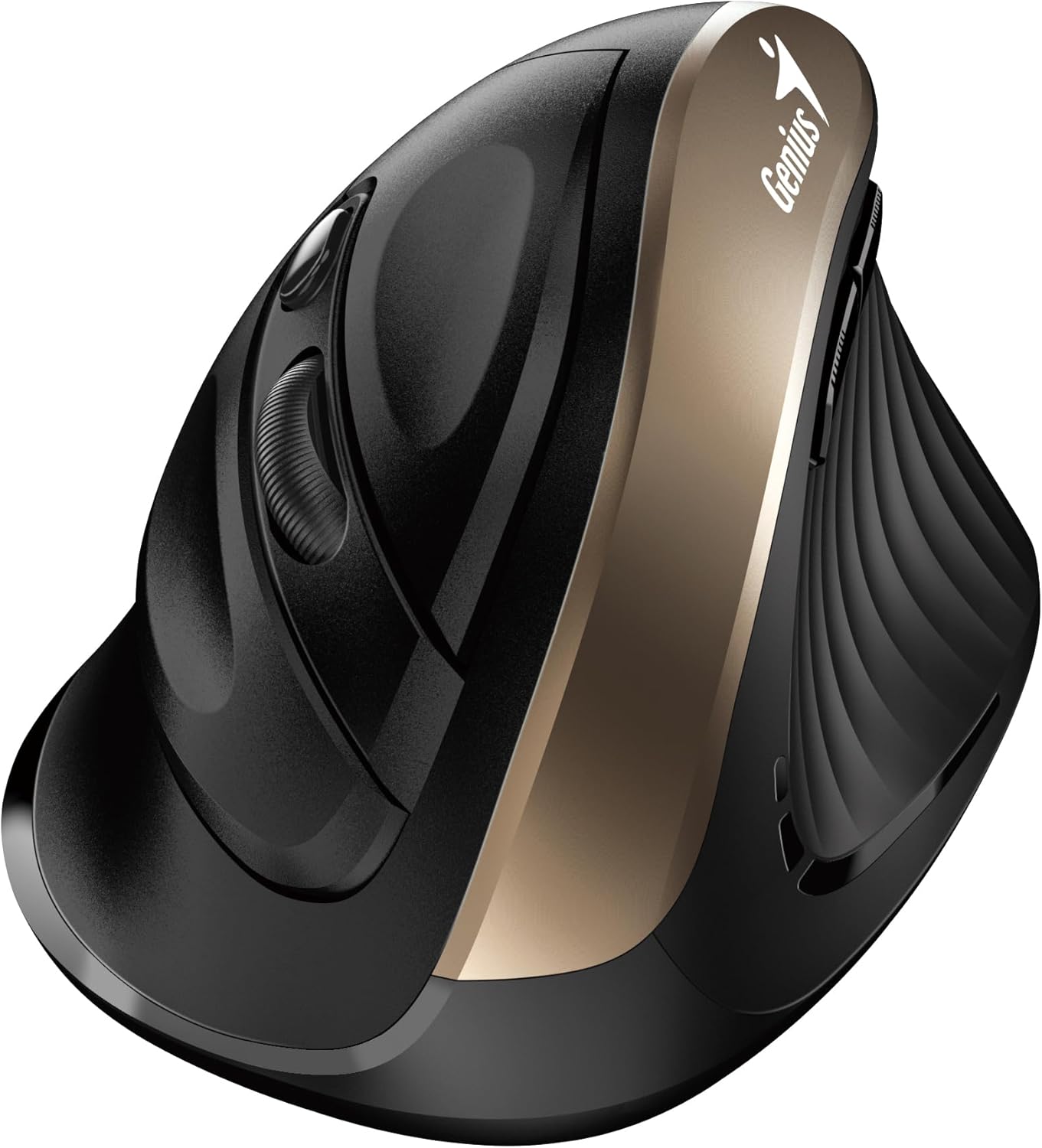
2.1. irudia: Aldea view highlighting the vertical ergonomic design and thumb rest of the mouse.
3. Paketearen edukia
Mesedez, egiaztatu paketea arretaz elementu guztiak bertan daudela ziurtatzeko:
- Genius Ergo 8250S haririk gabeko sagu ergonomiko isila bertikala
- USB hargailua
- AA Alkaline Battery (1 included)
- Gida Azkarra

3.1. irudia: Product packaging displaying the mouse, its features, and package contents.
4. Sistemaren eskakizunak
To ensure proper functionality, your computer system must meet the following requirements:
- Sistema eragilea: Windows® 8, 10, 11 edo berriagoa
- Sistema eragilea: Mac OS X 10.8 edo berriagoa
- Portua: Eskuragarri dagoen USB ataka
5. Konfigurazioa
- Instalatu bateria: Open the battery compartment cover on the bottom of the mouse. Insert the provided AA alkaline battery, ensuring correct polarity (+/-). Close the cover securely.
- Konektatu USB hargailua: Locate the USB receiver stored in its slot on the bottom of the mouse. Remove it and plug it into an available USB port on your computer.
- Piztu: Turn on the mouse using the power switch located on the bottom. The mouse should automatically connect to your computer.
- Gidariaren instalazioa (automatikoa): Zure sistema eragileak automatikoki detektatu eta instalatuko ditu beharrezko kontrolatzaileak. Prozesu honek minutu batzuk iraun ditzake.
6. Funtzionamendu-argibideak
The Ergo 8250S mouse features multiple buttons for enhanced productivity:

6.1. irudia: Goiena view of the mouse, indicating the positions of the various buttons.
- Ezkerreko klik botoia: Klik egiteko funtzio nagusia.
- Eskuineko botoiarekin klik egiteko: Bigarren mailako klik funtzio estandarra, normalean testuinguru menuak irekitzen dituena.
- Scroll Wheel / Middle Click: Joan dokumentuetan zehar eta web pages. Pressing the wheel acts as a middle click.
- Aurrera egiteko botoia: Aurrera nabigatzen du web nabigatzaileak edo file explorers. (Located on the side, near the thumb rest)
- Alderantzizko botoia: Atzeraka nabigatzen du web nabigatzaileak edo file explorers. (Located on the side, near the thumb rest)
- DPI aldatzeko botoia: Press this button to cycle through DPI settings (800/1200/1600). The default setting is 1200 DPI.
7. Mantentzea
- Garbiketa: Erabili zapi leun eta lehor bat sagua garbitzeko. Zikinkeria egoskorra bada, garbitu pixka bat.ampGarbitu zapi bat urarekin edo garbiketa-soluzio leun batekin. Saihestu produktu kimiko gogorrak edo material urratzaileak.
- Bateria ordezkatzea: When the mouse performance degrades or the indicator light (if present) signals low battery, replace the AA battery. Ensure the mouse is powered off before replacing the battery.
- Biltegiratzea: When not in use for extended periods, turn off the mouse to conserve battery life. Store the USB receiver in its dedicated slot on the mouse to prevent loss.
8. Arazoak
| Arazoa | Kausa posiblea | Irtenbidea |
|---|---|---|
| Sagua ez du erantzuten |
|
|
| Cursor erratic or jumps |
|
|
| Botoiek ez dute funtzionatzen |
|
|
9. Zehaztapenak
| Ezaugarri | Xehetasuna |
|---|---|
| Eredua | Ergo 8250S |
| Marka | Jenioa |
| Konektibitatea | 2.4G Haririk gabekoa |
| Distantzia eragilea | Gehienez 10 metro |
| Botoiak | 6 (Left, Right, Middle/Scroll, Forward, Reverse, DPI Switch) |
| DPI ezarpenak | 800 / 1200 (Standard) / 1600 |
| Sakatu Mota | Klik isila |
| Energia iturria | 1 x AA bateria (barne) |
| Kolorea | Champagne Urrea |
| Eskuragarri dagoen lehen data | 12ko ekainaren 2025a |
10. Bermea eta Laguntza
For warranty information and technical support, please refer to the official Genius webwebgunera edo jarri harremanetan bezeroarentzako arreta-zerbitzura. Gorde erosketa-agiria erosketaren frogagiri gisa berme-erreklamazioetarako.
Fabrikatzailea: Jenioa
Webgunea: www.geniusnet.com (Please note: This is a general link and may not be the exact support page for your region or product. Refer to your product packaging or quick guide for specific support contacts.)


