1. Sarrera
Eskerrik asko erosketagatik.asing the IRRADIO IR-M5 Classic Portable Speaker. This manual provides essential information for the safe and efficient operation of your device. Please read it thoroughly before use and keep it for future reference.
2. Segurtasun informazioa
- Ez jarri bozgorailua tenperatura altuen edo eguzki-argiaren eraginpean denbora luzez.
- Saihestu bozgorailua kolpe gogorrak erortzea edo jasaten.
- Ez desmuntatu, konpondu edo aldatu gailua zuk zeuk. Jarri harremanetan zerbitzu-langile kualifikatuekin.
- Keep the speaker away from medical devices, as it contains magnets.
- Kargatzeko kablea konektatu aurretik, ziurtatu kargatzeko ataka lehor dagoela.
- This device is IPX7 water-resistant, meaning it can be submerged in up to 1 meter of water for 30 minutes. Do not intentionally submerge it for longer periods or deeper than specified.
3. Paketearen edukia
Mesedez, egiaztatu paketea elementu hauek dituen:
- IRRADIO IR-M5 Classic Portable Speaker
- USB kargatzeko kablea
- Erabiltzailearen eskuliburua
4. Produktua amaitu daview
Ezagutu bozgorailuen osagaiak eta kontrolak.

4.1. irudia: Aurrealdea view of the IRRADIO IR-M5 Classic speaker, showing the speaker grille, IRRADIO logo, and RGB LED light bar.
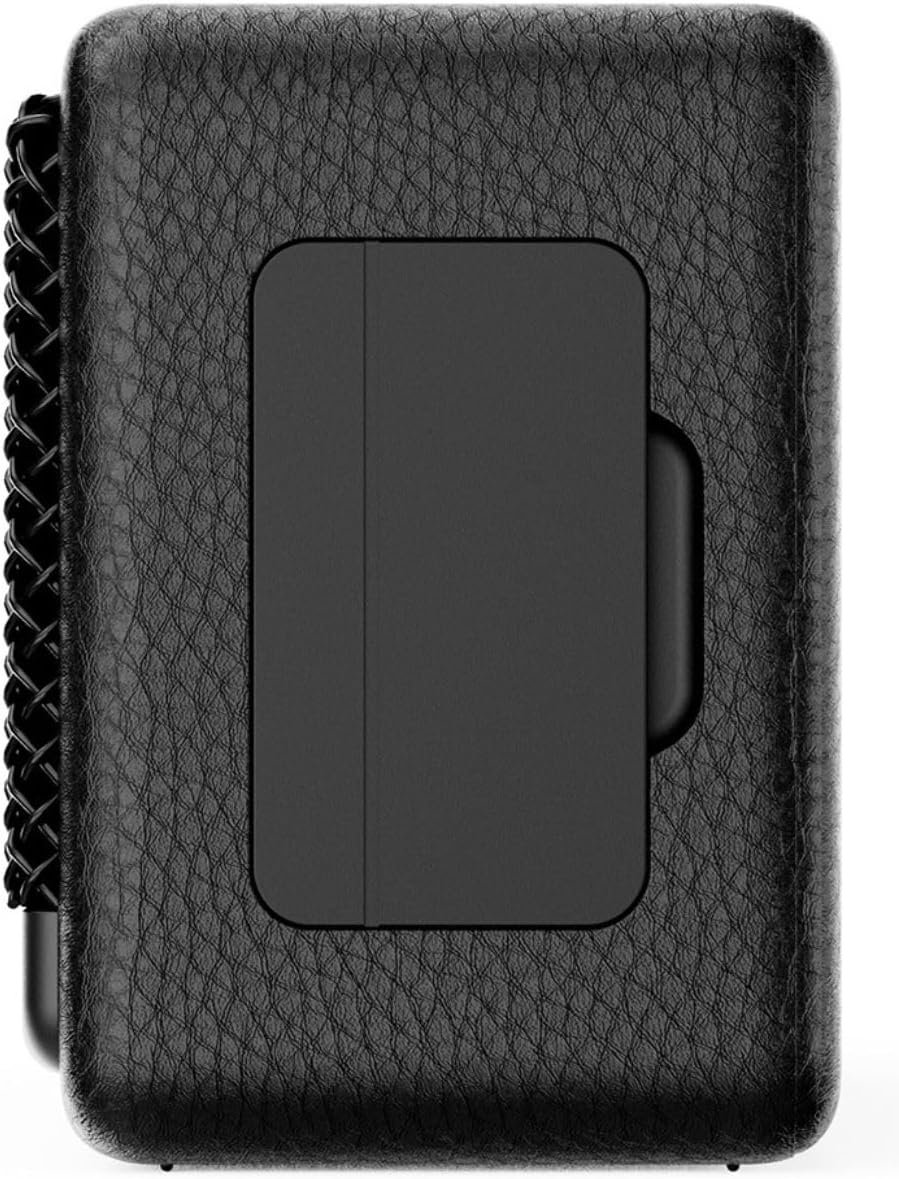
4.2. irudia: Atzealdea view of the IRRADIO IR-M5 Classic speaker, highlighting the passive subwoofer panel.

4.3. irudia: Aldea view of the IRRADIO IR-M5 Classic speaker, showing the integrated strap for portability.
Kontrolak eta Portuak:
- Pizteko botoia: Eduki sakatuta pizteko/desaktibatzeko.
- Bolumena igo / Hurrengo pista: Sakatu labur bolumena igotzeko, sakatu luze hurrengo abestia ikusteko.
- Bolumena jaitsi / Aurreko pista: Sakatu labur bolumena jaisteko, sakatu luze aurreko abestira joateko.
- Erreproduzitu/Pausatu/Deitu botoia: Press to play/pause music or answer/end calls.
- Modu botoia (M): Press to switch between Bluetooth and USB playback modes.
- RGB LED Button: Press to cycle through RGB lighting modes or turn off the lights.
- USB-C kargatzeko ataka: Bozgorailua kargatzeko.
- USB-A ataka: For external USB music playback.
- AUX Input (3.5mm Mini Jack): Kable bidezko audio konexiorako.
5. Konfigurazioa
5.1 Bozgorailua kargatzea
Before first use, fully charge the speaker. Connect the provided USB charging cable to the USB-C port on the speaker and the other end to a compatible USB power adapter (not included).
- LED adierazleak kargaren egoera erakutsiko du.
- Karga osoak 3.5 ordu behar ditu gutxi gorabehera.
5.2 Piztu/Itzali
- To power on, press and hold the Power button until you hear an audible prompt.
- Itzaltzeko, sakatu eta eutsi berriro pizteko botoia bozgorailua itzali arte.
5.3 Bluetooth parekatzea
- Piztu bozgorailua. Automatikoki Bluetooth parekatze moduan sartuko da, LED keinukari batek adierazita.
- Zure gailuan (smartphone-a, tableta, ordenagailu eramangarria), gaitu Bluetooth-a eta bilatu eskuragarri dauden gailuak.
- Select "IR-M5 Classic" from the list of devices.
- Once paired, the LED indicator will stop flashing and remain solid. You are now ready to play music.
6. Funtzionamendu-argibideak
6.1 Musika erreproduzitzea
- Bluetooth modua: Parekatzea behar bezala egin ondoren, erreproduzitu musika konektatutako gailutik.
- USB erreprodukzioa: Insert a USB drive with MP3/WAV files into the USB-A port. The speaker will automatically switch to USB mode and begin playback. Use the Mode button to switch if necessary.
- AUX modua: Connect an audio device using a 3.5mm AUX cable to the AUX input. The speaker will automatically switch to AUX mode.
6.2 Bolumen kontrola
- Press the Volume Up (+) button to increase volume.
- Press the Volume Down (-) button to decrease volume.
6.3 Pistaren nabigazioa
- Long press the Volume Up (+) button for the next track.
- Long press the Volume Down (-) button for the previous track.
6.4 Benetako Haririk gabeko Estereo (TWS) Funtzioa
To pair two IR-M5 Classic speakers for a stereo experience:
- Ziurtatu bi bozgorailuak piztuta daudela eta ez daudela Bluetooth gailu batera konektatuta.
- On one speaker, double-press the Play/Pause button. It will enter TWS pairing mode.
- The speakers will automatically connect to each other. You will hear a confirmation sound.
- Once TWS paired, connect your device to one of the speakers via Bluetooth as described in section 5.3. Both speakers will now play in stereo.
6.5 RGB LED argiztapena
Press the RGB LED button to cycle through different lighting modes or to turn the lights off.
7. Mantentzea
- Garbitu bozgorailua zapi leun eta lehor batekin. Ez erabili garbitzaile edo disolbatzaile urratzailerik.
- Gorde bozgorailua leku fresko eta lehor batean erabiltzen ez duzunean.
- If the speaker will not be used for an extended period, charge it every 3 months to maintain battery health.
8. Arazoak
| Arazoa | Kausa posiblea | Irtenbidea |
|---|---|---|
| Bozgorailua ez da pizten. | Bateria baxua. | Kargatu bozgorailua guztiz. |
| Ezin da Bluetooth bidez parekatu. | Speaker is not in pairing mode or already connected to another device. | Ensure speaker is in pairing mode. Disconnect from other devices. Restart speaker and device. |
| Soinurik ez. | Bolumena baxuegia; sarrera modu okerra; gailua ez dabil erreproduzitzen. | Increase volume. Check input mode (Bluetooth/USB/AUX). Ensure source device is playing. |
| TWS parekatzeak huts egin du. | Speakers are already connected to a device or each other. | TWS parekatzea hasi aurretik, ziurtatu bi bozgorailuak gailu guztietatik deskonektatuta daudela. |
9. Zehaztapenak
| Ezaugarri | Xehetasuna |
|---|---|
| Ereduaren izena | IR-M5 Klasikoa |
| Marka | IRRADIOA |
| Irteera Potentzia | 20W (Rated), 28W (Music) |
| Gidariak | 2 x 50mm Full-Range, 1 x Passive Subwoofer |
| Maiztasun Erantzuna | 85Hz - 20kHz |
| Bluetooth bertsioa | 5.4 |
| Wireless Range | Gehienez 10 metro (oztoporik gabe) |
| Bateria Edukiera | 2000 mAh (3.7 V, 7.4 Wh) |
| Erreprodukzio-denbora | Gutxi gorabehera. 8 ordu (% 50eko bolumenean) |
| Kargatzeko Denbora | Gutxi gorabehera. 3.5 ordu |
| Uraren Erresistentzia | IPX7 |
| Neurriak (L x W x H) | 17.4 x 8 x 5.3 cm (6.8 x 3.15 x 2.1 hazbete) |
| Pisua | 506 gramo (0.506 kg) |
| Onartutako audio formatuak | MP3, WAV |
10. Bermea eta Laguntza
This product comes with a standard manufacturer's warranty. For detailed warranty terms and conditions, please refer to the warranty card included in your package or contact your local distributor. For technical support or service inquiries, please visit the official IRRADIO webwebgunean edo jarri harremanetan bere bezeroarentzako zerbitzuarekin.
Oharra: Produktuaren zehaztapenak eta diseinua hobekuntzak egiteko abisurik gabe alda daitezke.


