1. Sarrera
This user manual provides essential information for the safe and efficient operation of your DALY Smart BMS (Battery Management System) 48V 16S 200A with 5A Active Balancer. This system is designed to protect and optimize 16-series 48-volt LiFePO4 battery packs, commonly used in applications such as golf carts, electric outboard motors, and solar energy power systems. Please read this manual thoroughly before installation and use.
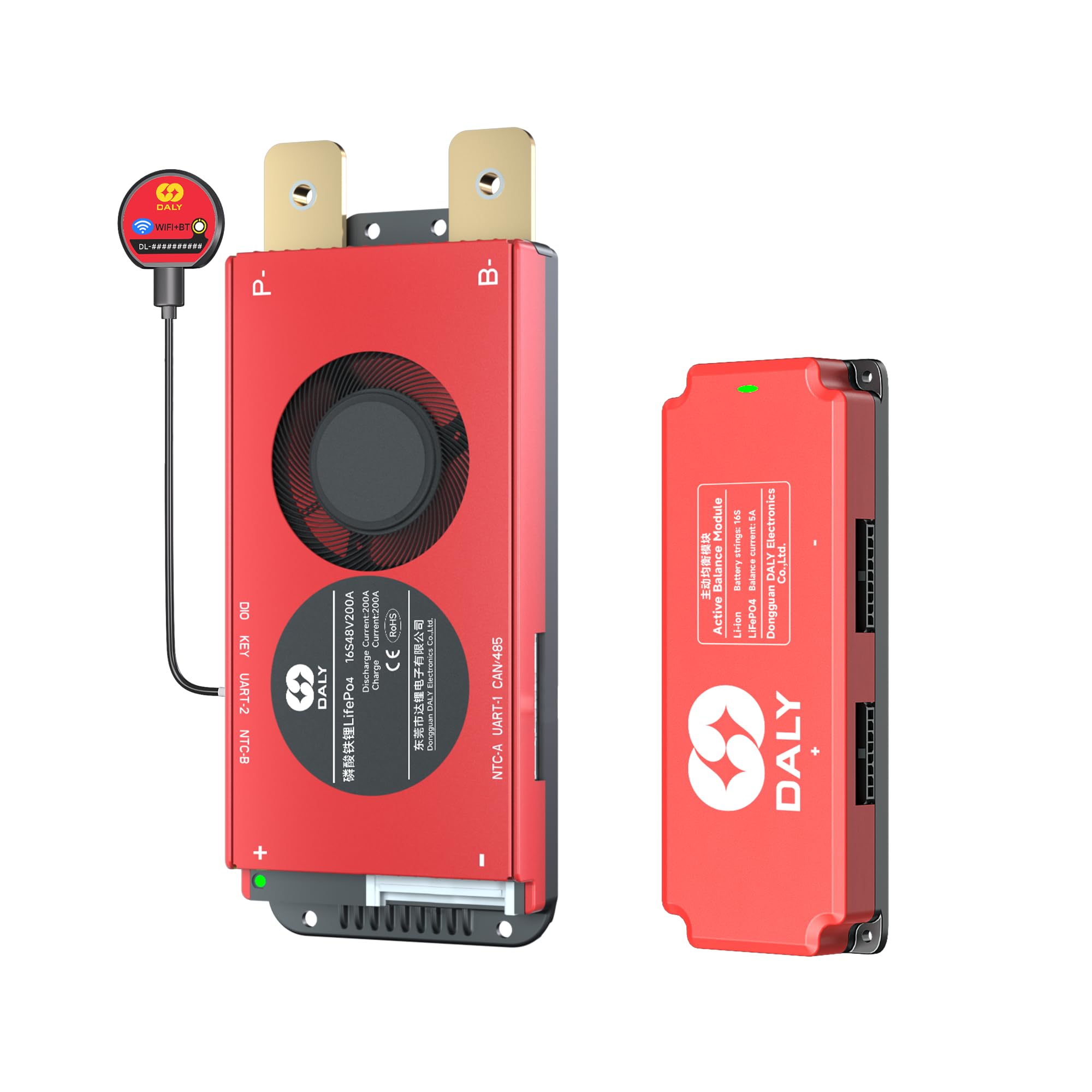
Image 1.1: DALY Smart BMS 48V 16S 200A with 5A Active Balancer, highlighting the 5-year extended warranty.
2. Segurtasun informazioa
Always prioritize safety when working with battery systems. Improper installation or handling can lead to serious injury or damage to equipment. Adhere to the following safety guidelines:
- Instalazio profesionala: Installation should be performed by qualified personnel with experience in electrical systems and battery management.
- Tresna isolatuak: Use only insulated tools to prevent short circuits.
- Polaritate zuzena: Ensure all connections are made with correct polarity. Reversing polarity can cause severe damage to the BMS and battery.
- liburukiatage eta uneko mugak: Ez gainditu zehaztutako bolumenatage and current ratings of the BMS and battery pack.
- Ingurumen-baldintzak: Install the BMS in a dry, well-ventilated area, away from flammable materials and direct sunlight.
- Larrialdi prozedurak: Familiarize yourself with emergency shutdown procedures for your battery system.
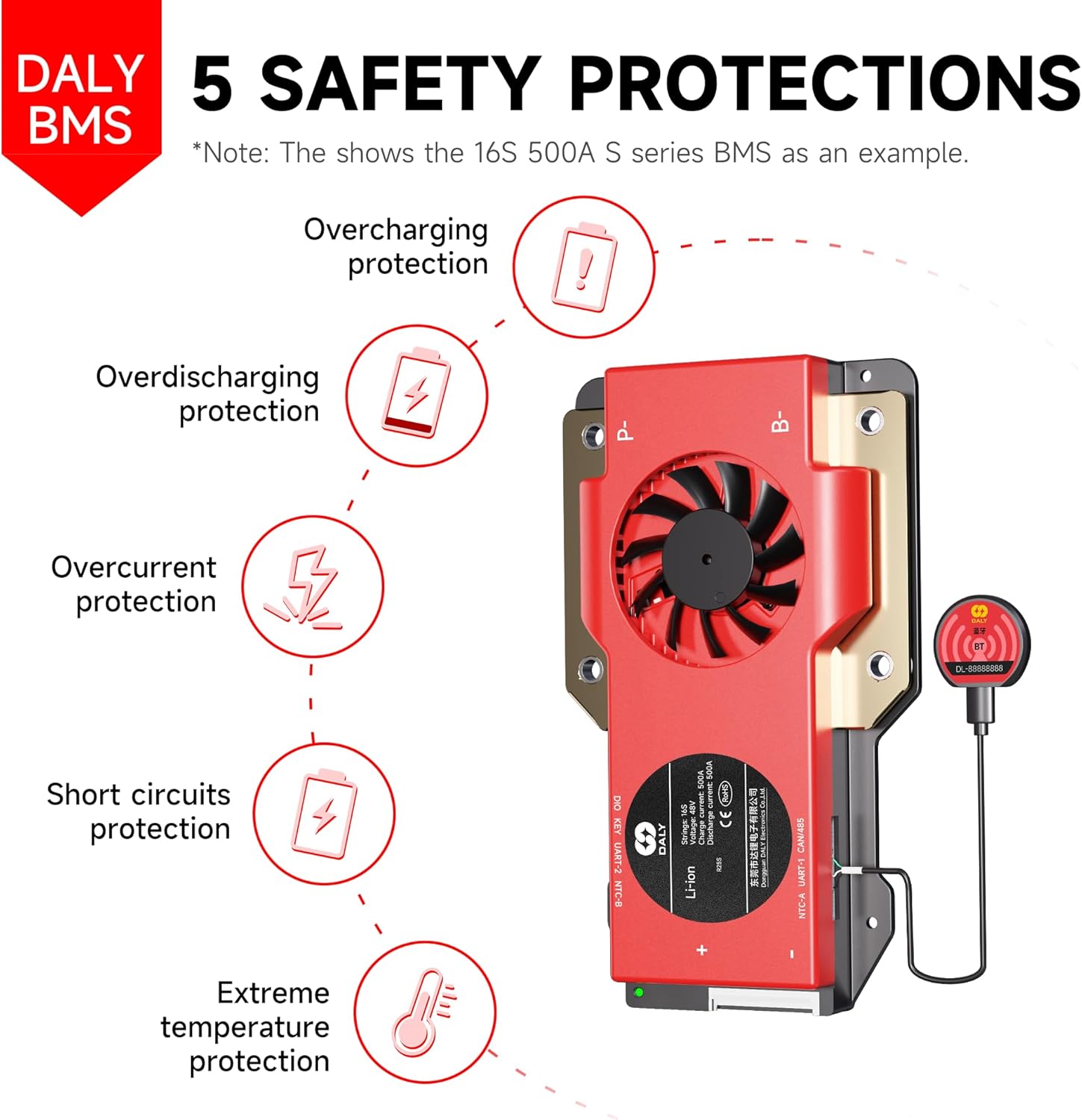
Image 2.1: The DALY BMS provides comprehensive protection against overcharging, overdischarging, overcurrent, short circuits, and extreme temperatures.
3. Produktua amaitu daview
3.1 Ezaugarri nagusiak
- Babes integrala: Bolumen txikia barne hartzen dutage mozketa, bolumen handikoatage cutoff, short circuit protection, and temperature protection for enhanced battery performance and longevity.
- Jarraipen adimenduna: Features a 2-in-1 Bluetooth/Wi-Fi dongle for local and remote battery monitoring via the Smart BMS mobile app. Provides real-time system alerts and customizable parameters.
- Parallel System Support: Built-in parallel circuit allows for scaling capacity by connecting up to 8+ battery packs.
- 5A Active Balancer: Enables faster cell balancing, reduces heat generation, improves energy efficiency, and increases system runtime.
- Komunikazio Interfazeak: Supports RS485 and CAN communication protocols.
3.2 Enbalatzeko zerrenda
Paketeak osagai hauek ditu:
- 16S 48V 200 Amps Smart BMS (x1)
- 5A 16S Active Balancer (x1)
- B-P-Output line (x1)
- 2-in-1 BT/WiFi dongle (x1)
- Sampling cable (x1)
- NTC (Temperature Sensor) (x1)
- Argibide eskuliburua (x1)
- Screws (for mounting)

Image 3.1: Contents of the DALY BMS package.
4. Konfigurazioa eta instalazioa
Careful installation is crucial for the proper functioning and safety of your BMS. Follow these steps for setup:
4.1 Instalazioaren aurreko egiaztapenak
- Verify that your battery pack is a 16S (16 series) LiFePO4 system with a nominal voltag48V-eko e.
- Confirm that the total current draw of your application does not exceed the 200A rating of this BMS.
- Ensure all battery cells are balanced before connecting the BMS.
4.2 Kableatzeko jarraibideak
- Connect B- wire: Connect the thick black B- wire from the BMS to the negative terminal of your battery pack.
- Connect P- wire: Connect the thick black P- wire from the BMS to the negative terminal of your load/charger.
- Konektatu oreka-kableak: Carefully connect the multi-pin sampling cable to the balance port on the BMS. Then, connect each individual wire of the sampling cable to the corresponding positive terminal of each cell in your battery pack, starting from B0 (negative of the first cell) up to B16 (positive of the last cell). Ensure the order is correct.
- Connect Active Balancer: Connect the 5A active balancer to its dedicated port on the BMS.
- Connect NTC (Temperature Sensor): Attach the NTC sensor to a central cell or area within the battery pack to monitor temperature.
- Connect BT/WiFi Dongle: Plug the 2-in-1 Bluetooth/Wi-Fi dongle into the communication port on the BMS.
- Konektatu terminal positiboa: Finally, connect the main positive wire from your battery pack to the positive terminal of your load/charger.
Note: Refer to the detailed wiring diagram provided in the separate installation guide or contact DALY support for specific wiring configurations if unsure.

Image 4.1: The DALY BMS supports multiple parallel systems to increase battery pack capacity.
5. Funtzionamendu-argibideak
The DALY Smart BMS offers advanced monitoring and control capabilities via its mobile application.
5.1 Mobile App Installation and Connection
- Deskargatu aplikazioa: Bilatu "Smart BMS" in your device's app store (iOS/Android) and install the application.
- Gaitu Bluetooth/Wi-Fi: Ensure Bluetooth or Wi-Fi is enabled on your mobile device.
- Connect to BMS: Open the Smart BMS app. The app should detect your BMS via the connected dongle. Select your BMS from the list to establish a connection.
5.2 Monitoring and Customization
Once connected, the app provides real-time data and allows for parameter adjustments:
- Denbora errealeko datuak: View bateria boltage, uneko bolumena, zelula bakoitzarenatages, temperature, State of Charge (SOC), and balance status.
- Alertak: Receive notifications for any protection triggers (e.g., over-voltage, bolumen azpikoatage, over-temperature).
- Parametroen ezarpenak: Customize various protection thresholds and operational parameters as needed for your specific battery configuration and application. Refer to the app's help section for detailed explanations of each setting.
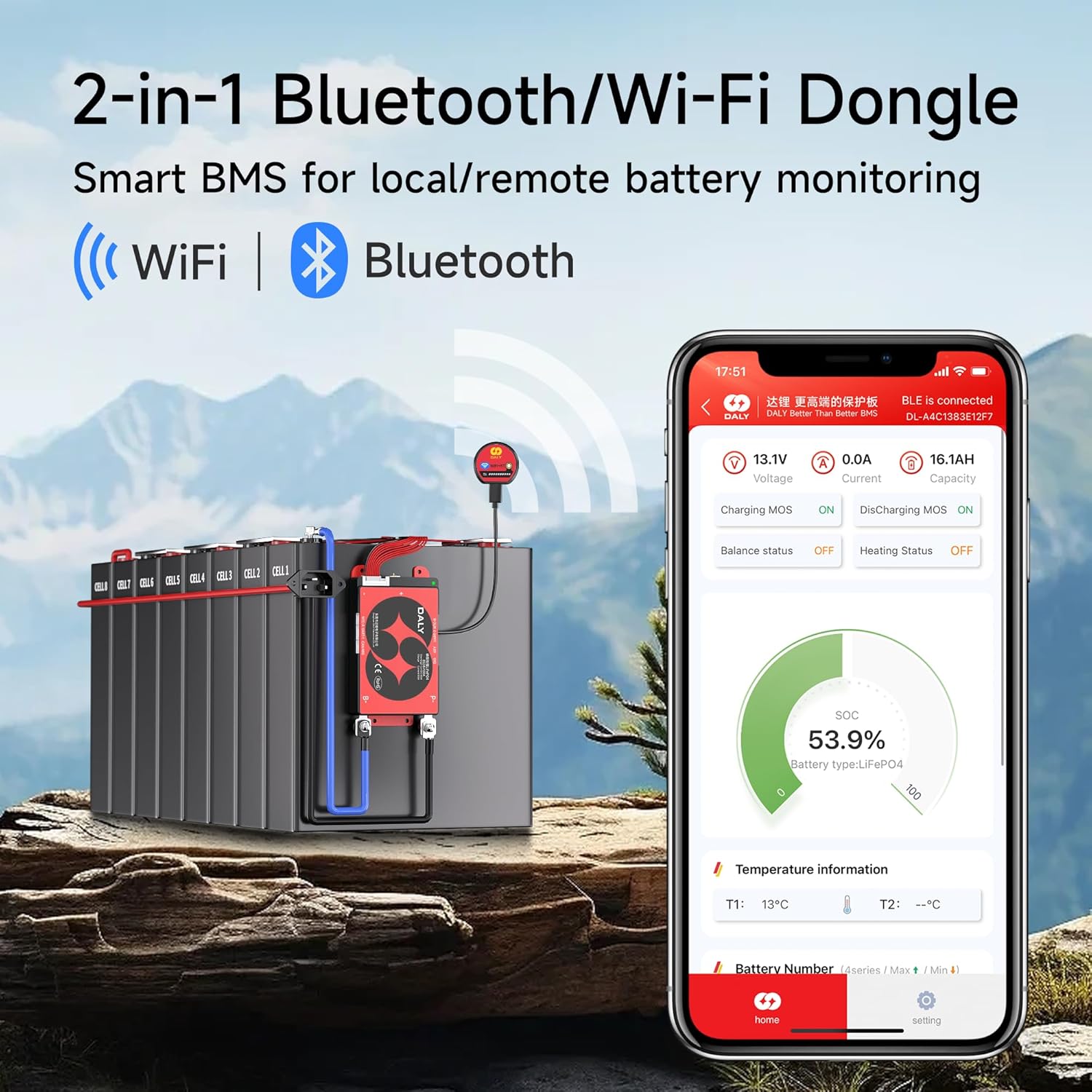
Image 5.1: The 2-in-1 Bluetooth/Wi-Fi Dongle enables smart monitoring via the mobile app.
6. Mantentzea
Regular maintenance ensures the longevity and optimal performance of your DALY Smart BMS and battery system.
- Aldizkako ikuskapena: Visually inspect all wiring and connections for signs of wear, corrosion, or damage. Ensure all terminals are secure.
- Garbitasuna: Keep the BMS unit clean and free from dust and debris. Do not use liquid cleaners directly on the unit.
- Firmware eguneraketak: Check the DALY website or app periodically for firmware updates for your BMS to ensure you have the latest features and bug fixes.
- Bateriaren osasunaren jarraipena: Regularly monitor cell voltages and temperatures via the Smart BMS app to detect any anomalies early.
- Active Balancer Check: The 5A active balancer works continuously. Monitor its status via the app to ensure it is functioning correctly, contributing to faster cell balancing and higher energy efficiency.
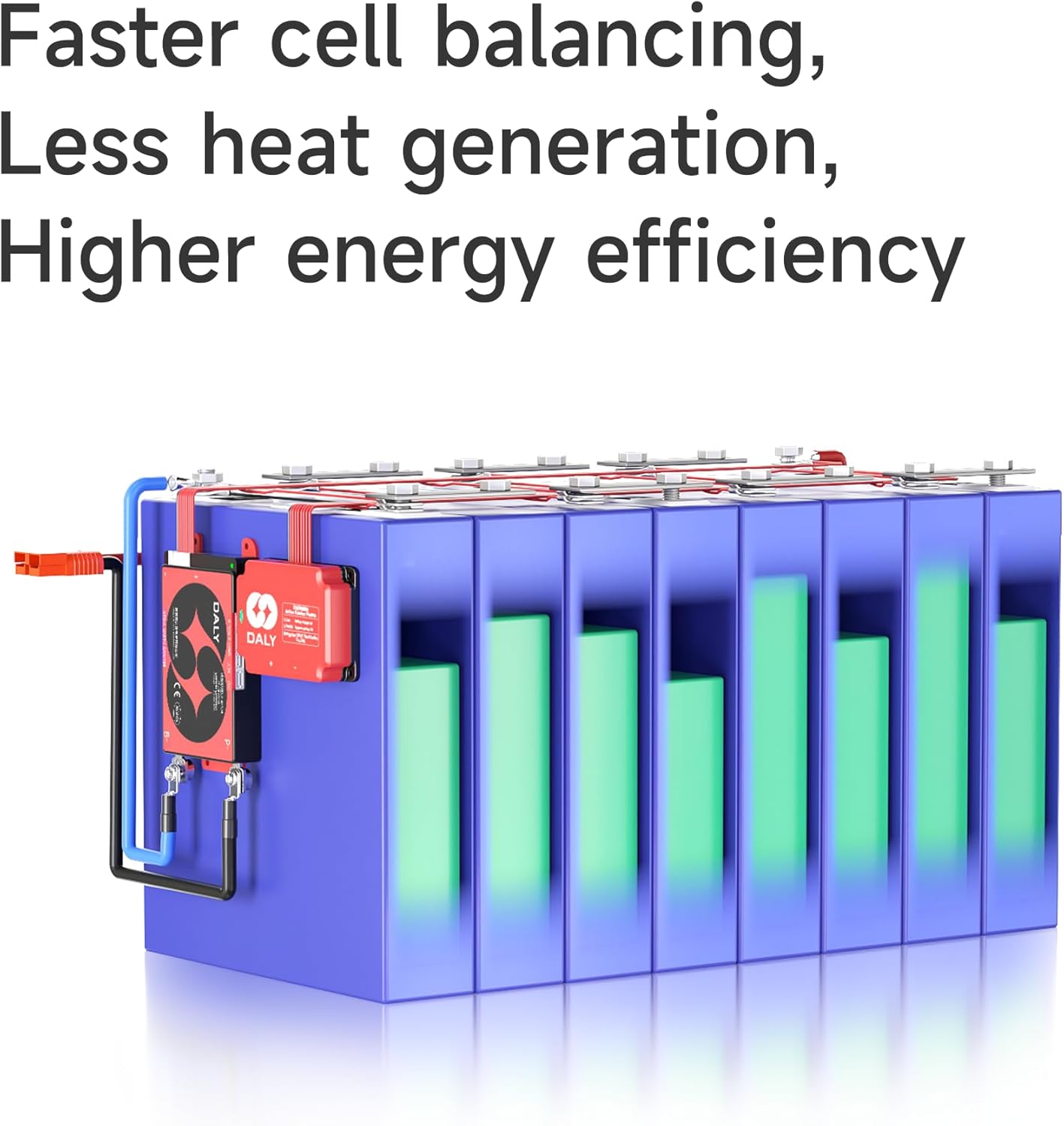
Image 6.1: The active balancer ensures faster cell balancing, less heat generation, and higher energy efficiency.
7. Arazoak
This section addresses common issues you might encounter. For more complex problems, consult DALY technical support.
7.1 Ohiko arazoak eta irtenbideak
| Arazoa | Kausa posiblea | Irtenbidea |
|---|---|---|
| BMS not powering on / No display | Incorrect wiring (B-, P-), loose connections, battery voltage baxuegia. | Check all main power connections. Verify battery voltage is within operating range. Ensure balance wires are correctly connected. |
| Cannot connect via Bluetooth/Wi-Fi | Dongle not properly connected, Bluetooth/Wi-Fi disabled on device, app issues, signal interference. | Ensure dongle is securely plugged in. Restart mobile device and app. Move closer to the BMS. Check app permissions. |
| Battery not charging/discharging | BMS protection triggered (e.g., over-voltage, bolumen azpikoatage, over-current, over-temperature), faulty charger/load. | Check app for active protection alerts. Address the cause of the protection (e.g., reduce load, allow cooling). Verify charger/load functionality. |
| Cell imbalance issues | Active balancer not functioning, significant cell degradation, incorrect balance wire connection. | Verify active balancer connection and status via app. Check individual cell voltages. If imbalance persists, inspect battery cells. |
7.2 General Troubleshooting Advice
The image below provides a helpful guide for determining the right BMS for your battery and addressing common questions.
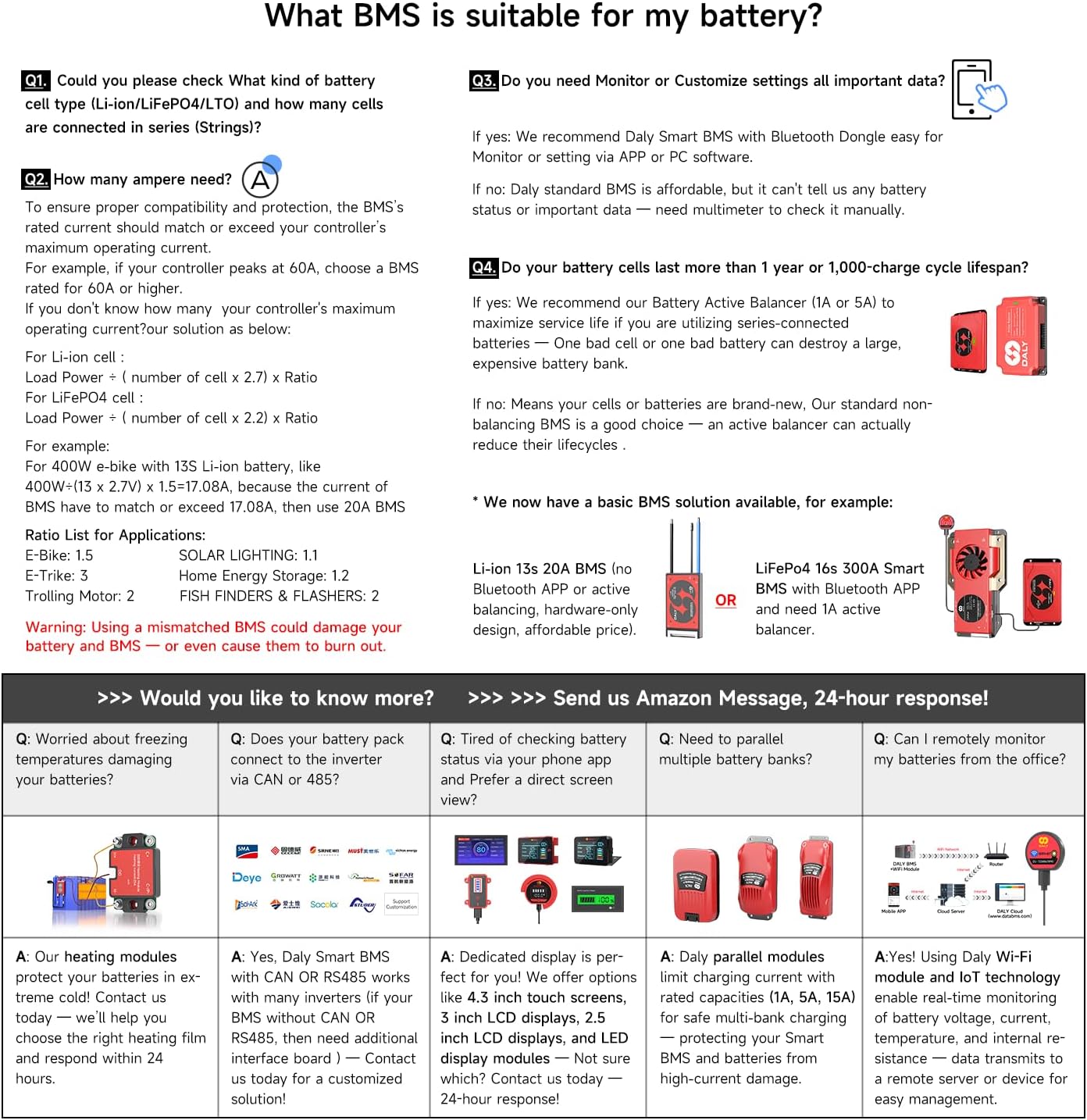
Image 7.1: Guide to selecting the correct BMS and addressing common battery management questions.
8. Zehaztapenak
Key technical specifications for the DALY Smart BMS 48V 16S 200A with 5A Active Balancer:
- Eredua: 48V 16S 200A Smart BMS with 5A Active Balancer
- Bateria mota: LiFePO4
- Seriearen konfigurazioa: 16S
- Etengabeko Deskarga Korrontea: 200A
- Orekatze-korronte aktiboa: 5A
- Komunikazioa: Bluetooth, Wi-Fi (via dongle), RS485, CAN
- Sarrera boltage: 48 voltio (DC)
- Irteera boltage: 48 voltio (DC)
- Babes-ezaugarriak: Overcharge, Overdischarge, Overcurrent, Short Circuit, Overtemperature
- Ziurtagiriak: ISO/FCC/RoHS/PSE/CE approved
- Paketearen neurriak: 13.39 x 9.8 x 2.24 hazbete
- Elementuaren pisua: 2.01 kilo
9. Bermea eta Laguntza
9.1 Bermearen informazioa
The DALY Smart BMS 48V 16S 200A with 5A Active Balancer comes with a 5 urteko bermea from the date of purchase. This warranty covers defects in materials and workmanship under normal use. It does not cover damage caused by improper installation, misuse, accidents, unauthorized modifications, or natural disasters.
9.2 Laguntza Teknikoa
For technical assistance, troubleshooting, or warranty claims, please contact DALY customer support through the official DALY website or your point of purchase. When contacting support, please have your product model number and purchase date available.
Era berean, bisitatu dezakezu DALY Store on Amazon baliabide gehigarriak eta produktuaren informazioa lortzeko.


