1. Produktua amaitu daview
The DOOGEE Tab A9 is a 10.1-inch Android 15 tablet designed for versatile use, from productivity to entertainment. It features a quad-core processor, ample memory, and a high-capacity battery, complemented by a suite of accessories for enhanced functionality.
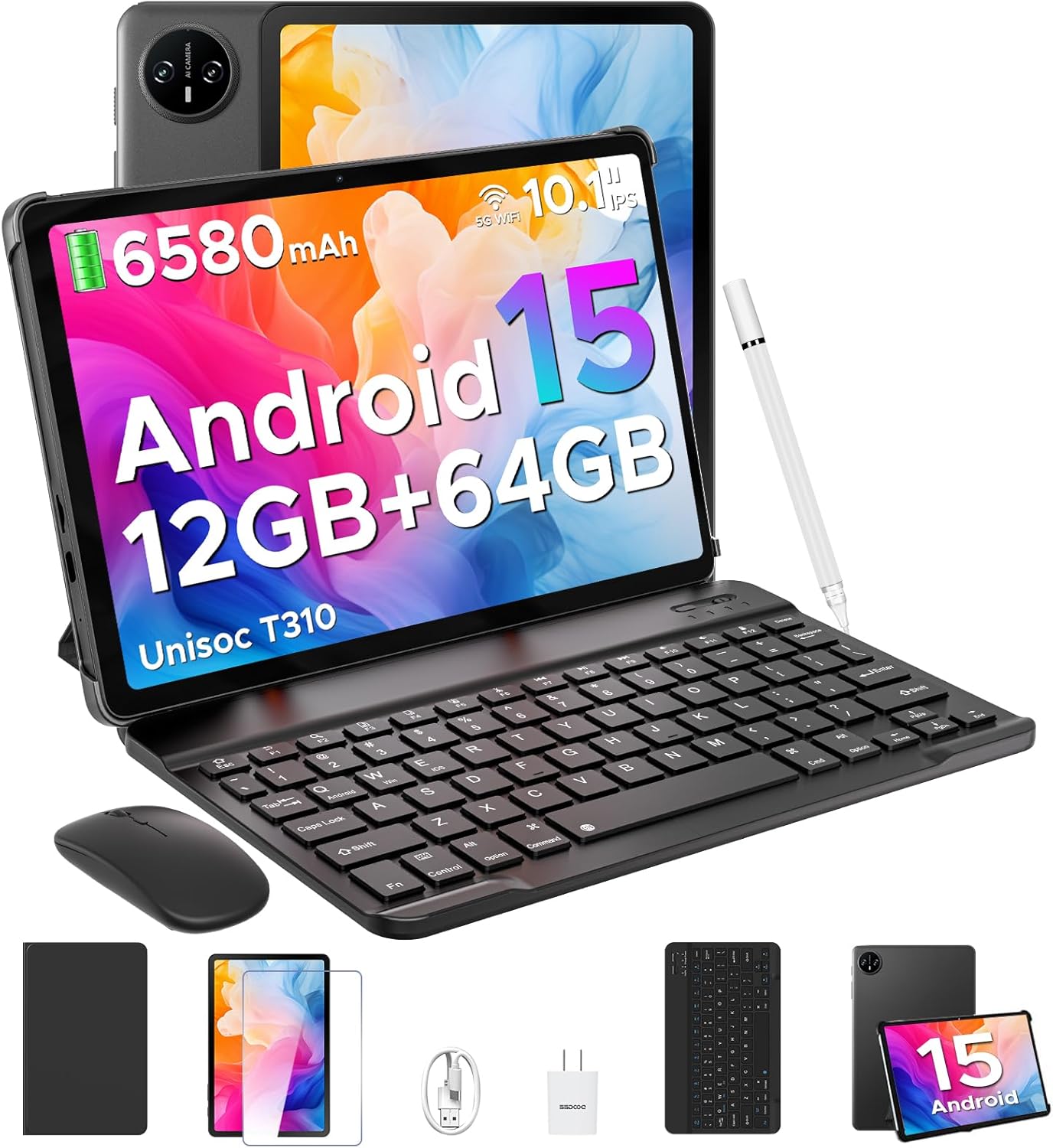
Image 1.1: DOOGEE Tab A9 tablet with its complete accessory kit.
Ezaugarri nagusiak:
- Sistema eragilea: Android 15 for enhanced performance and privacy.
- Prozesadorea: Unisoc T310 Quad-Core, 2.0GHz.
- Memoria eta biltegiratzea: 12GB RAM (3GB physical + 9GB virtual) and 64GB internal storage, expandable up to 2TB via microSD.
- Pantaila: 10.1-inch IPS HD (1280x800) touchscreen.
- Bateria: 6580mAh for extended use.
- Kamerak: 8MP-ko atzeko kamera eta 5MP-ko aurreko kamera.
- Konektibitatea: 2.4G/5G Dual-band WiFi, Bluetooth 5.0.
- Segurtasuna: Aurpegi desblokeatzea.
- Audioa: Dual speakers and 3.5mm headphone jack.
2. Zer dago barne
Your DOOGEE Tab A9 package includes the following items:

Image 2.1: Contents of the DOOGEE Tab A9 package.
- DOOGEE Tab A9 Tablet
- Bluetooth teklatua
- Bluetooth sagua
- Stylus Pen
- Pantaila babeslea
- Babes-zorroa
- Kargagailua
- USB motako kablea
- Erabiltzailearen eskuliburua
3. Konfigurazioa
3.1 Hasierako karga
Before first use, fully charge your tablet using the provided charger and USB Type-C cable. Connect the cable to the tablet's charging port and the charger to a power outlet. The battery indicator on the screen will show charging status.
3.2 Piztu/Itzali
- Pizteko: Press and hold the Power button (located on the side of the tablet) until the DOOGEE logo appears.
- Itzaltzeko: Sakatu eta eutsi pizteko botoiari, eta ondoren hautatu "Itzali" pantailan agertzen diren aukeren artean.
- Berrabiarazteko: Sakatu eta eutsi pizteko botoiari, eta ondoren hautatu "Berrabiarazi" aukeren artean.
3.3 Connecting Accessories (Keyboard & Mouse)
The included keyboard and mouse connect via Bluetooth:
- Ensure the keyboard/mouse is charged and powered on.
- Zure tabletan, joan honera: Ezarpenak > Konektatutako gailuak > Bluetooth.
- Aktibatu Bluetooth-a eta bilatu eskuragarri dauden gailuak.
- Select the keyboard or mouse from the list and follow any on-screen pairing instructions.
3.4 MicroSD txartel bat sartzea
To expand storage, insert a microSD card (up to 2TB, sold separately):
- Bilatu SIM/microSD txartelaren erretilua tabletaren alboan.
- Erabili SIM txartelaren kanporatzeko tresna erretilua irekitzeko.
- Jarri microSD txartela erretiluko zirrikitu izendatuan.
- Kontu handiz sartu erretilua tabletan berriro.
4. Funtzionamendu-argibideak
4.1 Android 15 Sistema
Your DOOGEE Tab A9 runs on Android 15, offering improved app launch speeds, system smoothness, and enhanced privacy controls. Explore the intuitive interface and customize settings to your preference.
4.1. bideoa: Amaitu daview of the DOOGEE Tab A9 tablet's features, including its display, speakers, and connectivity.

Image 4.1: The Android 15 system logo, highlighting its intelligent, seamless, and secure features.
4.2 Pantailaren ezarpenak
The 10.1-inch IPS HD display offers clear visuals. You can adjust display settings for comfort:
- Begien Zaintza Modua: Reduces blue light to minimize eye strain. Activate it in Settings > Display > Eye Care Mode.
- Modu iluna: Changes the system theme to a darker palette, ideal for low-light environments. Activate it in Settings > Display > Dark Mode.

Image 4.2: Visual representation of the tablet's 10.1-inch IPS HD display and its key specifications.
4.3 Kameraren erabilera
Capture photos and videos with the tablet's cameras:
- Atzeko kamera (8MP): Suitable for general photography.
- Aurreko kamera (5MP): Ideal for video calls and selfies.
Open the Camera app from the home screen or app drawer to start. Tap the shutter button to take a photo or switch to video mode to record.

4.3 irudia: Adibideaamp8MP-ko kamera nagusiarekin ateratako argazki kopurua.

Image 4.4: The 5MP front camera is suitable for clear video calls.
4.4 Audio Ezaugarriak
The tablet is equipped with dual speakers for clear audio output and a 3.5mm audio jack for private listening with headphones.

Image 4.5: Illustration of the tablet's dual speaker system for enhanced audio.
4.5 Konektibitatea
- Wi-Fi: Supports 2.4G and 5G dual-band Wi-Fi for stable and fast internet access. Connect via Ezarpenak > Sarea eta internet > Wi-Fi.
- Bluetooth 5.0: For connecting wireless peripherals like headphones, speakers, and the included keyboard and mouse. Manage connections in Ezarpenak > Konektatutako gailuak > Bluetooth.

Image 4.6: Features of the tablet's WiFi 5 connectivity.
4.6 Aurpegia desblokeatzea
For convenient and secure access, set up Face Unlock:
- Joan zaitez Ezarpenak > Segurtasuna eta pribatutasuna > Aurpegi bidezko desblokeoa.
- Jarraitu pantailako argibideei zure aurpegia erregistratzeko.
- Ensure you are in a well-lit area during registration for optimal performance.

Image 4.7: The tablet's facial recognition unlock feature in action.
4.7 Multitasking with Split-Screen
Utilize the split-screen feature to run two apps simultaneously:
- Ireki lehenengo aplikazioa.
- Irristatu pantailaren behealdetik gora eta eutsi sakatuta azken aplikazioetara sartzeko.
- Tap the app icon at the top of the first app's card and select "Split screen".
- Aukeratu bigarren aplikazioa azken aplikazioetatik edo aplikazioen tiraderetatik pantailaren beste erdia betetzeko.

Image 4.8: Demonstrating efficient split-screen multitasking on the tablet.
4.8 Errendimendua eta biltegiratzea
The Unisoc T310 Quad-Core processor and 12GB RAM (3GB physical + 9GB virtual) ensure smooth operation for daily tasks and multitasking. The 64GB internal storage provides space for essential apps and files, with expandable storage up to 2TB via microSD card.
Video 4.2: Highlights of the DOOGEE Tab A9's processor, RAM, and storage capabilities.

Image 4.9: Visual representation of the Unisoc T310 Quad-Core processor.

Image 4.10: Illustrates the tablet's memory and storage capacity, including expandable memory.
4.9 Bateriaren iraupena
The 6580mAh battery, combined with smart battery management, provides all-day usage. Actual battery life may vary based on usage patterns and settings.

Image 4.11: Details on the 6580mAh battery capacity and estimated usage times.
5. Mantentzea
- Software eguneraketak: Egiaztatu eta instalatu sistemaren eguneraketak aldizka errendimendu eta segurtasun optimoa bermatzeko. Joan honera Ezarpenak > Sistema > Sistemaren eguneraketa.
- Garbiketa: Erabili zapi leun eta lihorik gabeko bat tabletaren pantaila eta gorputza garbitzeko. Saihestu material urratzaileak edo produktu kimiko gogorrak.
- Bateria zaintzea: Bateriaren iraupena luzatzeko, saihestu tenperatura altuenak eta ez utzi bateria guztiz deskargatzen maiz.
- Biltegiratze kudeaketa: Aldian-aldian garbitu beharrezkoak ez direnak files and apps to maintain system speed.
6. Arazoak
Ikusi beheko taula arazo ohikoenak eta haien irtenbideak ikusteko:
| Gaia | Irtenbide posiblea |
|---|---|
| Tableta ez da pizten | Ensure the battery is charged. Connect the charger and try again. If unresponsive, press and hold the Power button for 10-15 seconds to force a restart. |
| Wi-Fi konexio arazoak | Restart the tablet and your Wi-Fi router. Check Wi-Fi settings to ensure the correct network is selected and the password is entered correctly. |
| Bluetooth gailua ez da parekatzen | Ensure the Bluetooth device is in pairing mode and within range. Restart both the tablet and the Bluetooth device. Check tablet's Bluetooth settings. |
| Errendimendu motela | Itxi erabili gabeko aplikazioak. Garbitu cachea eta aldi baterakoak files. Consider uninstalling rarely used apps. Perform a system update if available. |
| Pantailak ez du erantzuten | Berrabiarazi tableta. Arazoak jarraitzen badu, ziurtatu pantaila garbi eta hondakinik gabe dagoela. |
7. Zehaztapenak
| Ezaugarri | Xehetasuna |
|---|---|
| Ereduaren izena | A9 fitxa |
| Sistema eragilea | Android 15 |
| Prozesadorea | Unisoc T310 Quad-Core, 2 GHz |
| RAM | 12 GB (3 GB fisikoa + 9 GB birtuala) |
| Barne Biltegiratzea | 64 GB |
| Biltegiratze zabalgarria | Gehienez 2 TB MicroSD txartelaren bidez |
| Pantailaren tamaina | 10.1 hazbete |
| Pantailaren bereizmena | 1280 x 800 pixels (IPS HD) |
| Atzeko kamera | 8 MP |
| Aurrealdeko kamera | 5 MP |
| Bateria Edukiera | 6580 mAh |
| Haririk gabeko mota | 802.11ac, 802.11b, 802.11g, 802.11n (2.4G/5G WiFi) |
| Bluetootha | Bluetooth 5.0 |
| Neurriak (LxWxH) | 9.54 x 6.33 x 0.38 hazbete |
| Elementuaren pisua | 1.12 kilo |
8. Bermea eta Laguntza
Your DOOGEE Tab A9 tablet comes with a 2 urteko bermea eta bizitza osorako laguntza teknikoa. For any questions, issues, or support needs, please contact DOOGEE customer service. Refer to the warranty card included in your package for specific terms and conditions.


