Sarrera
Thank you for choosing the SHIDU 30W Wireless Voice Amplifier M2-U66. This portable voice amplifier is designed to provide clear, powerful sound amplification for various applications, including teaching, presentations, meetings, and outdoor activities. Featuring a wireless lavalier microphone, Bluetooth connectivity, and multiple input options, this device ensures your voice is heard clearly and effortlessly. Please read this manual thoroughly before use to ensure proper operation and to maximize the lifespan of your device.
Paketearen edukia
Hasi aurretik, egiaztatu paketearen edukia elementu guztiak daudela ziurtatzeko:
- 1 x SHIDU 30W Wireless Voice Amplifier (Main Unit)
- 1 x Haririk gabeko Lavalier mikrofonoa
- 1 x USB-C kargatzeko kablea
- 1 x Adjustable Shoulder Strap
- 1 x Erabiltzailearen eskuliburua

Produktua amaituview
Familiarize yourself with the various parts and controls of your SHIDU Voice Ampbiziagoa.
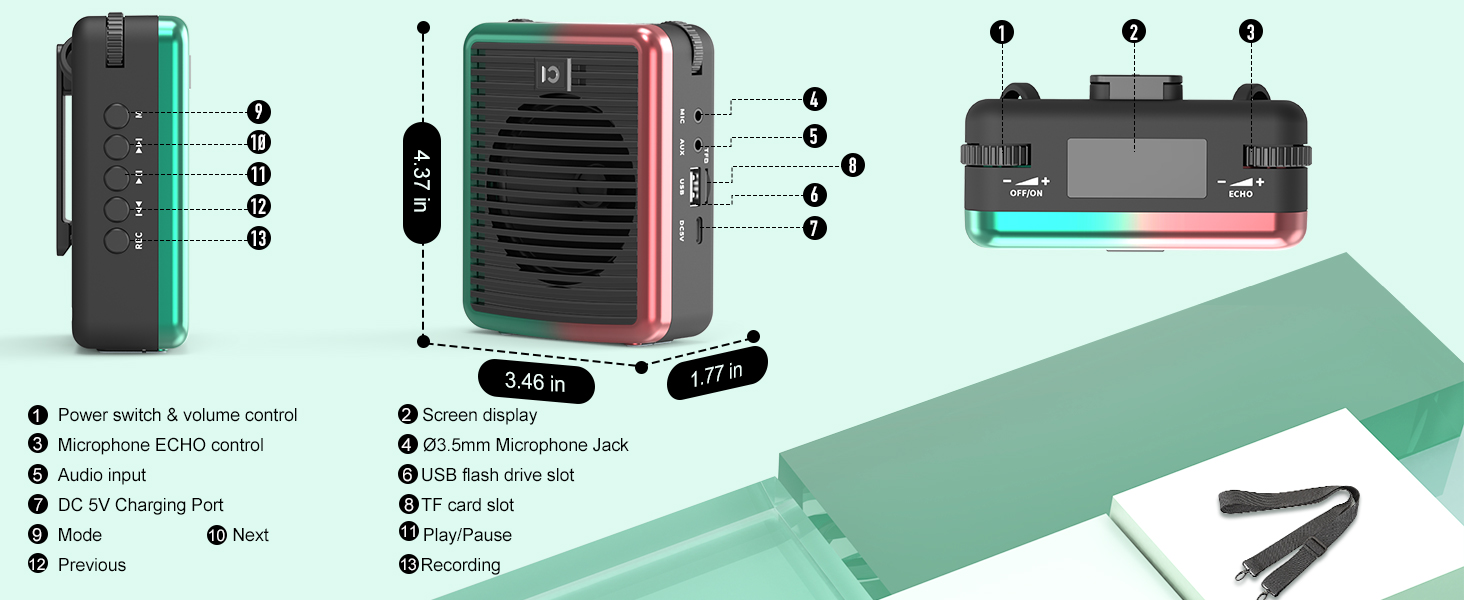
- Power Switch & Volume Control: Turn the device on/off and adjust the main volume.
- Pantaila bistaratzea: Shows battery life, mode, and other indicators.
- Microphone ECHO Control: Adjust the echo effect for the microphone.
- Audio sarrera (AUX): 3.5mm jack for external audio sources.
- DC 5V kargatzeko ataka: USB-C ataka kargatzeko ampbiziagoa.
- TF txartelaren zirrikitua: Sartu TF (MicroSD) txartel bat musika erreproduzitzeko.
- USB Flash Drive zirrikitua: Sartu USB unitate bat musika erreproduzitzeko.
- Mikrofonoa: 3.5mm jack for wired microphone input.
- Modu (M) botoia: Short press to switch between modes (Bluetooth, TF, USB, AUX). Long press for microphone pairing.
- Erreproduzitu/Pausatu botoia: Audioaren erreprodukzioa erreproduzitu edo pausatu.
- Aurreko/Hurrengo pistaren botoiak: Navigate through audio tracks.
- REC botoia: Initiate recording (requires TF card or USB drive).
Konfigurazioa
1. Gailua kargatzea
Lehenengo aldiz erabili aurretik, kargatu guztiz ahots-babesleak amplifijadorea eta haririk gabeko mikrofonoa.
- Connect the provided USB-C charging cable to the DC 5V port on the amplifier and a USB power adapter (not included).
- Connect the same USB-C cable to the microphone's charging port.
- Bateriaren adierazlea amplifier's screen will show charging status. The microphone's LED will indicate charging.
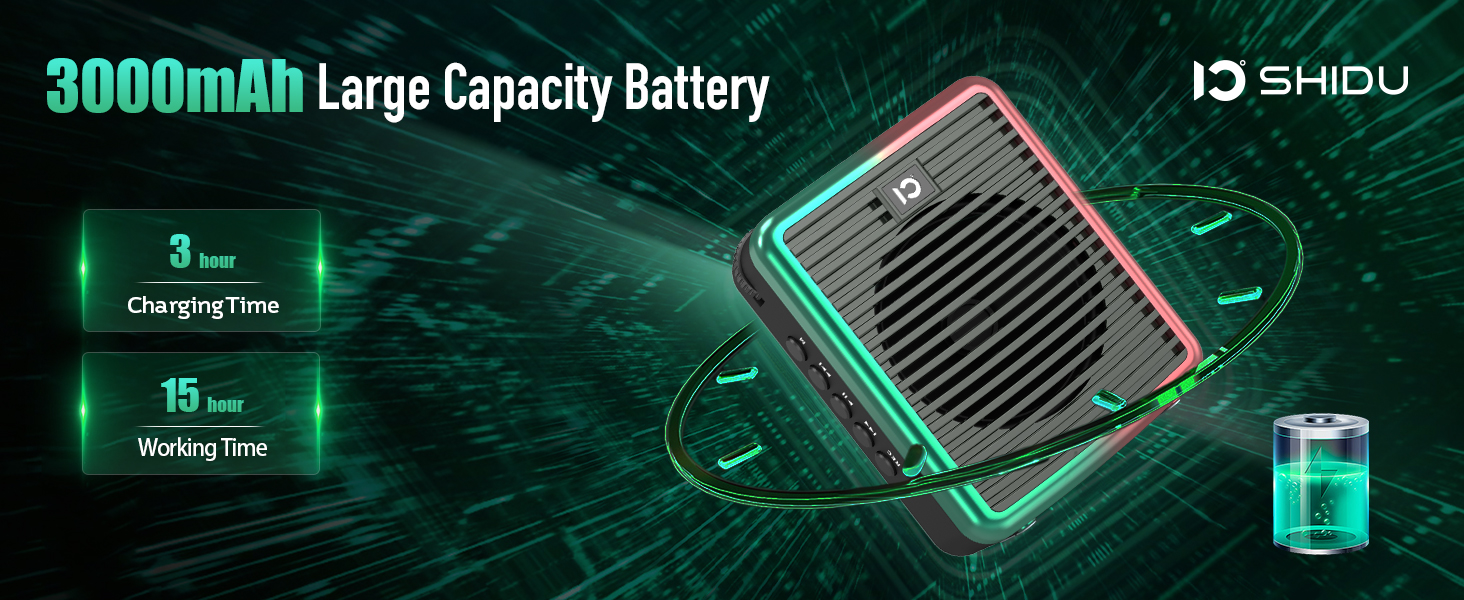
- Charging Time: Approximately 3 hours for the amplifier, 1.5 hours for the microphone.
- Working Time (fully charged): Up to 15 hours for the amplifier, 12 hours for the microphone.
2. Piztu/Itzaltzea
- Pizteko amplifier: Rotate the Power Switch & Volume Control knob clockwise until the screen lights up.
- Pizteko amplifier: Rotate the Power Switch & Volume Control knob counter-clockwise until the screen turns off.
- To power on the microphone: Long press the power button on the microphone until the LED indicator lights up.
- To power off the microphone: Long press the power button on the microphone until the LED indicator turns off.
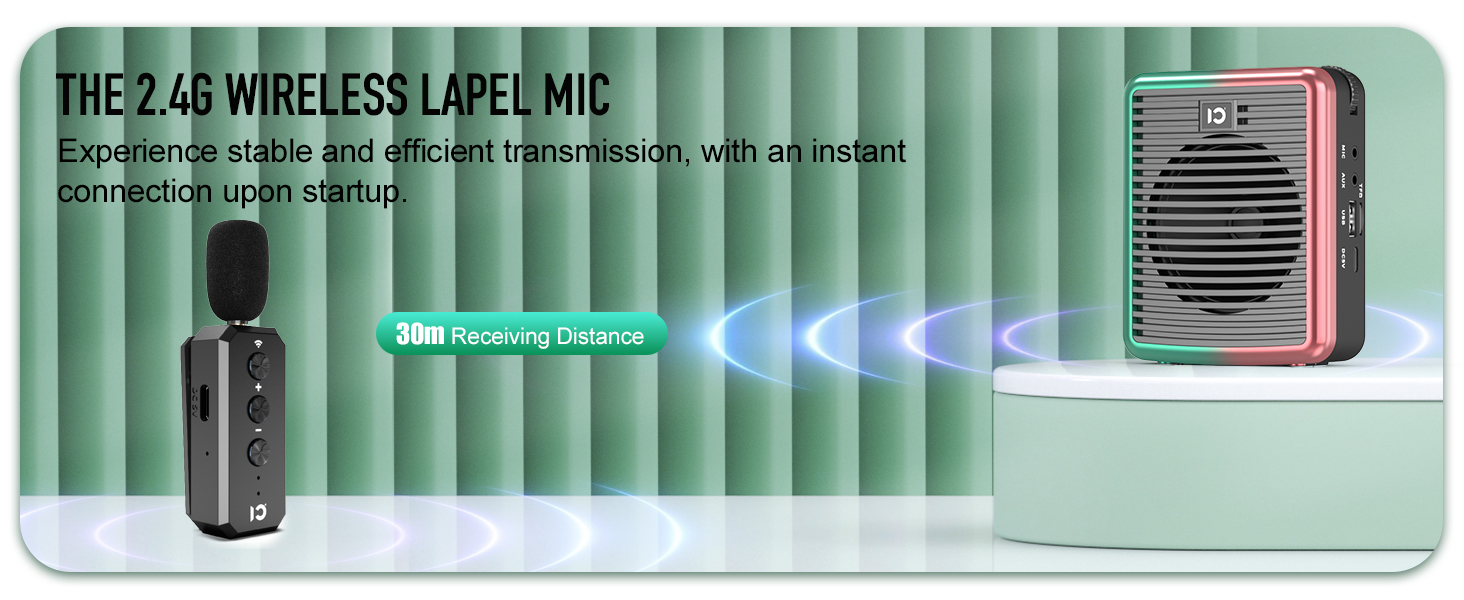
3. Wireless Microphone Pairing
To use the wireless lavalier microphone with the ampbiziagoa:
- Ziurtatu biak ampargitzailea eta mikrofonoa piztuta daude.
- On amplifier, long press the 'M' (Mode) button until the screen indicates pairing mode.
- On the wireless microphone, long press the wireless button (usually indicated by a Wi-Fi-like icon) at the top.
- The LED lights on both devices will become solid blue once successfully paired.
4. Bluetooth konexioa
To connect your smartphone or other Bluetooth-enabled device for music playback:
- Piztu ampbiziagoa.
- Short press the 'M' (Mode) button on the amplifier until the screen displays "Bluetooth" or a Bluetooth icon. The icon will flash, indicating it's in pairing mode.
- Zure telefonoan, joan Bluetooth ezarpenetara eta bilatu eskuragarri dauden gailuak.
- Select "M2" (or similar device name) from the list to connect.
- Once connected, the Bluetooth icon on the amplifier's screen will stop flashing.

Funtzionamendu-argibideak
1. Ahotsa Amplifikazioa
- Ensure the wireless microphone is paired with the ampbiziagoa.
- Hitz egin argi mikrofonoan.
- Adjust the main volume using the Power Switch & Volume Control knob on the ampbiziagoa.
- Adjust the microphone volume using the +/- buttons on the microphone itself.
- Use the Microphone ECHO Control knob on the amplifier to add or reduce echo effect.

2. Music Playback (TF Card / USB / AUX / Bluetooth)
- TF txartela/USB erreprodukzioa: Insert a TF card or USB flash drive into the respective slot. The amplifier will automatically switch to the corresponding mode and begin playback. Use the Play/Pause, Previous, and Next buttons to control music.
- Erreprodukzio AUX: Connect an external audio device (e.g., MP3 player) to the AUX input using a 3.5mm audio cable (not included). Short press the 'M' button to switch to AUX mode.
- Bluetooth erreprodukzioa: After successful Bluetooth pairing (as described in Setup), play music from your connected device. Use the amplifier's Play/Pause, Previous, and Next buttons, or control directly from your device.
3. Grabaketa funtzioa
To record audio (requires TF card or USB drive inserted):
- Ensure a TF card or USB drive is inserted.
- Press the 'REC' button to start recording.
- Press 'REC' again to stop recording.
- Recordings are saved to the inserted storage device.
4. Wearing the Ampbiziagoa
The amplifier is lightweight and designed for portability:
- Attach the adjustable shoulder strap to the clips on the amplifier for hands-free use around your neck or over your shoulder.
- Alternatively, use the clip on the back of the amplifier to attach it to your belt or waistband.
Mantentzea
- Garbiketa: Garbitu gailua zapi leun eta lehor batekin. Ez erabili garbitzaile edo disolbatzaile urratzailerik.
- Biltegiratzea: Gorde ampGorde igorgailua eta mikrofonoa leku fresko eta lehor batean, eguzki-argitik eta muturreko tenperaturetatik urrun.
- Bateria zaintzea: Bateriaren iraupena luzatzeko, saihestu gailua maiz erabat deskargatzea. Kargatu aldizka, denbora luzez erabiltzen ez baduzu ere.
- Uraren erresistentzia: Gailua ez da iragazgaitza. Saihestu uraren edo hezetasun handiaren eraginpean jartzea.
Arazoak konpontzea
| Arazoa | Kausa posiblea | Irtenbidea |
|---|---|---|
| Ez dago soinurik ampbiziagoa. | Device is off, low battery, volume too low, microphone not paired/connected. | Ensure device is on and charged. Increase volume. Re-pair/reconnect microphone. |
| Mikrofonoa ez da parekatzen. | Microphone off, low battery, incorrect pairing procedure. | Ensure microphone is on and charged. Follow pairing steps carefully (long press 'M' on amplifier, long press wireless button on mic). |
| Distortion/Feedback. | Mikrofonoa oso gertu amplifier, volume too high, echo too high. | Increase distance between mic and amplifier. Reduce volume. Adjust echo control. |
| Bluetooth konexioa ezegonkorra. | Gailua urrunegi dago amplifier, interference. | Ensure connected device is within 30 meters (100 feet) range. Minimize interference from other wireless devices. |
Zehaztapenak
| Ezaugarri | Xehetasuna |
|---|---|
| Modelo zenbakia | SHIDU-M2-U66 |
| Irteera Potentzia | 30 Watt |
| Estaldura Eremua | Gutxi gorabehera 21,000 oin karratu (2000 ㎡) |
| AmpBateria bizigarria | 3000mAh Lithium Ion (up to 15 hours working time) |
| Mikrofonoaren bateria | Rechargeable (up to 12 hours working time) |
| Wireless Range | Gehienez 30 metro (100 oin) |
| Konektibitatea | Bluetooth 5.0, TF Card, USB, AUX, MIC |
| Elementuaren pisua | 15.2 ontza |
| Produktuaren neurriak | 3.66 x 1.89 x 4.37 hazbete |
Bermea eta Laguntza
Bermearen informazioa
SHIDU provides a 30-day return and refund policy without reason, along with a 36-month warranty for this product. This warranty covers manufacturing defects and ensures reliable performance.
Bezeroarentzako Arreta
For any questions, technical assistance, or warranty claims, please do not hesitate to contact SHIDU customer support. We offer lifetime technical support to ensure your satisfaction.
You can visit the official SHIDU store on Amazon for more information and contact options: SHIDU Store
Produktuaren bideo ofiziala
Watch this official product video from SHIDU for a visual guide on the voice amplifier's features and usage.


