1. Sarrera
Thank you for choosing the havit OWS915 Open Ear Headphones. These headphones are designed to provide a comfortable and secure listening experience while maintaining awareness of your surroundings. Featuring Bluetooth 5.4 connectivity, 64 hours of total playtime with the charging case, IPX5 water resistance, and Environmental Noise Cancellation (ENC) for clear calls, the OWS915 is suitable for various activities.
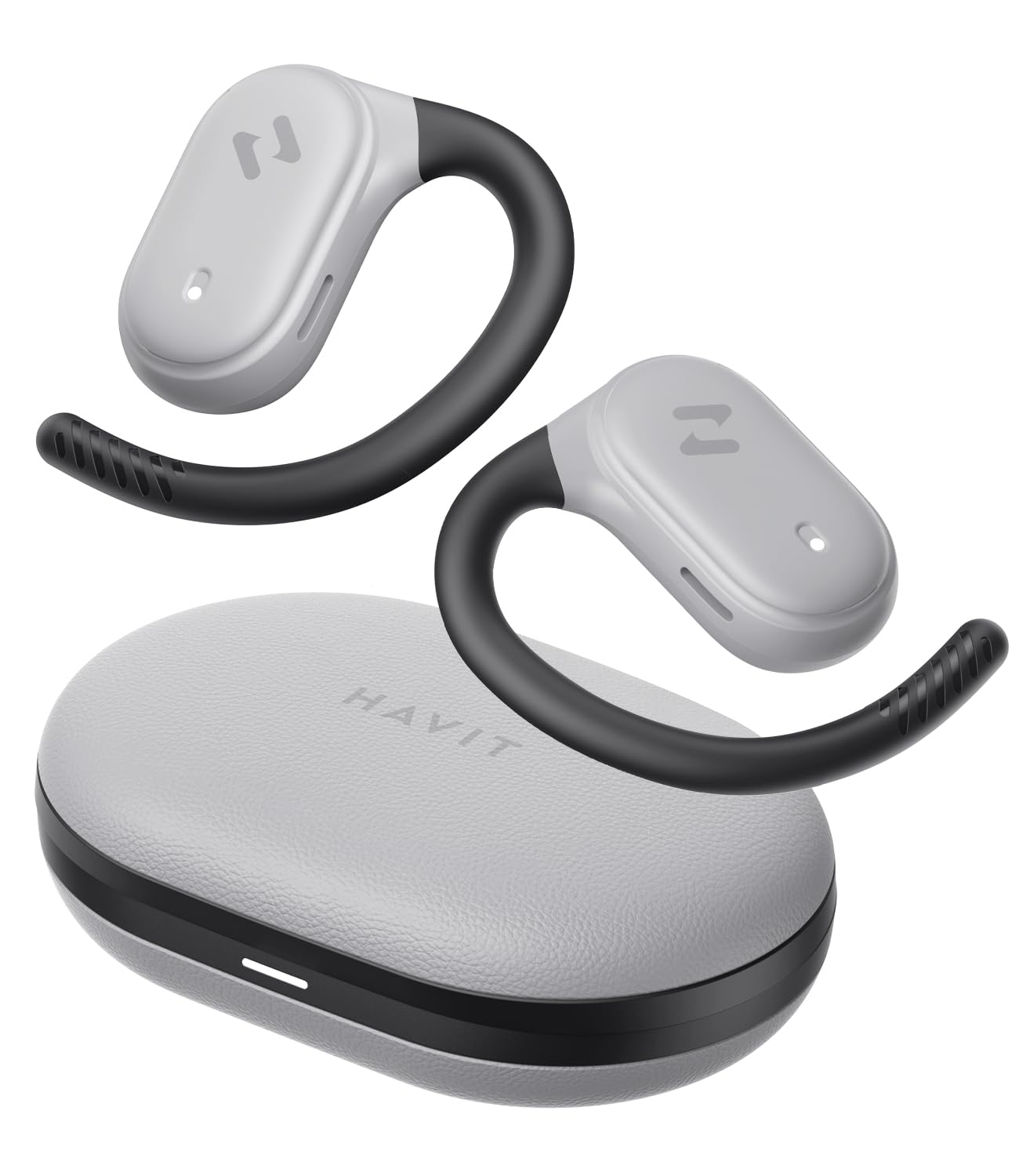
Image: havit OWS915 Open Ear Headphones and their charging case, showcasinproduktuaren diseinua g.
2. Zer dago kutxan
- havit OWS915 Open Ear Headphones (Left and Right)
- Kargatzeko kaxa
- USB-C kargatzeko kablea
- Erabiltzailearen eskuliburua

Image: A visual representation of all items included in the havit OWS915 product packaging.
3. Janzteko argibideak
For optimal comfort and sound quality, ensure the headphones are worn correctly.
- Ireki kargatzeko maleta eta kendu entzungailuak.
- Place the earhook over the top of your ear.
- Adjust the earbud so that the speaker rests comfortably outside your ear canal, directing sound towards your ear.

Image: A three-step visual guide demonstrating the proper way to position the open-ear headphones on the ear.
4. Konfigurazioa
4.1 Hasierako parekatzea
- Ziurtatu entzungailuak kargatuta daudela.
- Open the charging case. The earbuds will automatically enter pairing mode, indicated by a flashing LED light.
- Zure gailuan (telefono adimenduna, tableta, ordenagailua), gaitu Bluetooth eta bilatu eskuragarri dauden gailuak.
- Select "havit OWS915" from the list of devices.
- Behin konektatuta, entzungailuetako LED adierazleak keinu egiteari utziko dio.
4.2 Entzungailuak eta zorroa kargatzea
The headphones provide up to 8.5 hours of playtime on a single charge, with the charging case extending this to a total of 64 hours.
- Entzungailuak kargatzea: Jarri entzungailuak kargatzeko zorroan. Automatikoki kargatzen hasiko dira. Entzungailuetako adierazle-argiek kargatze-egoera erakutsiko dute.
- Kargatzeko kaxa: Connect the provided USB-C cable to the charging port on the case and to a power source. The indicator light on the case will show charging progress.

Image: The havit OWS915 headphones in their charging case, highlighting the 8.5 hours of playtime per charge and 64 hours total with the case.
5. Funtzionamendu-argibideak
5.1 Ukitu Kontrolak
The havit OWS915 headphones feature intuitive touch controls on each earbud.
| Funtzioa | Ekintza |
|---|---|
| Erreproduzitu/Pausatu | Sakatu bi entzungailu bitan |
| Aurreko Abestia | Touch and hold left earbud for 1 second |
| Hurrengo Abestia | Touch and hold right earbud for 1 second |
| Erantzun/Amaitu deia | Sakatu bi entzungailu bitan |
| Deia baztertu | Touch and hold either earbud for 1 second |
| Ahots Laguntzailea | Sakatu hiru aldiz ezkerreko aurikularra |
| Joko modua/Musika modua | Sakatu hiru aldiz eskuineko aurikularra |

Image: A visual guide detailing the various touch control functions on the havit OWS915 earbuds.
5.2 HAVIT LIFE APP
Enhance your listening experience by downloading the HAVIT LIFE APP. The app allows you to:
- Customize EQ settings to match your audio preferences.
- Ukipen-kontrolaren funtzioak doitu.
- Monitor headphone battery levels.
- Switch between game and music modes.

Image: Screenshots of the HAVIT LIFE APP, demonstrating options for equalizer settings and other customizations.
6. Ezaugarriak eta Teknologia
6.1 Open-Ear Design and Comfort
The OWS915 headphones feature an open-ear design with lightweight (7.9 grams) and soft TPU materials, ensuring a comfortable and secure fit for extended wear without fatigue. This design allows you to remain aware of your surroundings.

Image: A person wearing the havit OWS915 headphones, illustrating the comfortable and secure open-ear design.
6.2 Powerful Sound Performance
Equipped with advanced 14.2mm dynamic drivers and bass enhancement technology, these headphones deliver rich bass and vibrant 3D surround sound for an immersive audio experience.

Image: An illustration of the 14.2mm dynamic drivers, highlighting their role in delivering powerful bass.
6.3 Crystal Clear Calls with 4-Microphone ENC
The integrated 4-microphone Environmental Noise Cancellation (ENC) technology ensures your voice is transmitted clearly during calls, even in noisy environments.
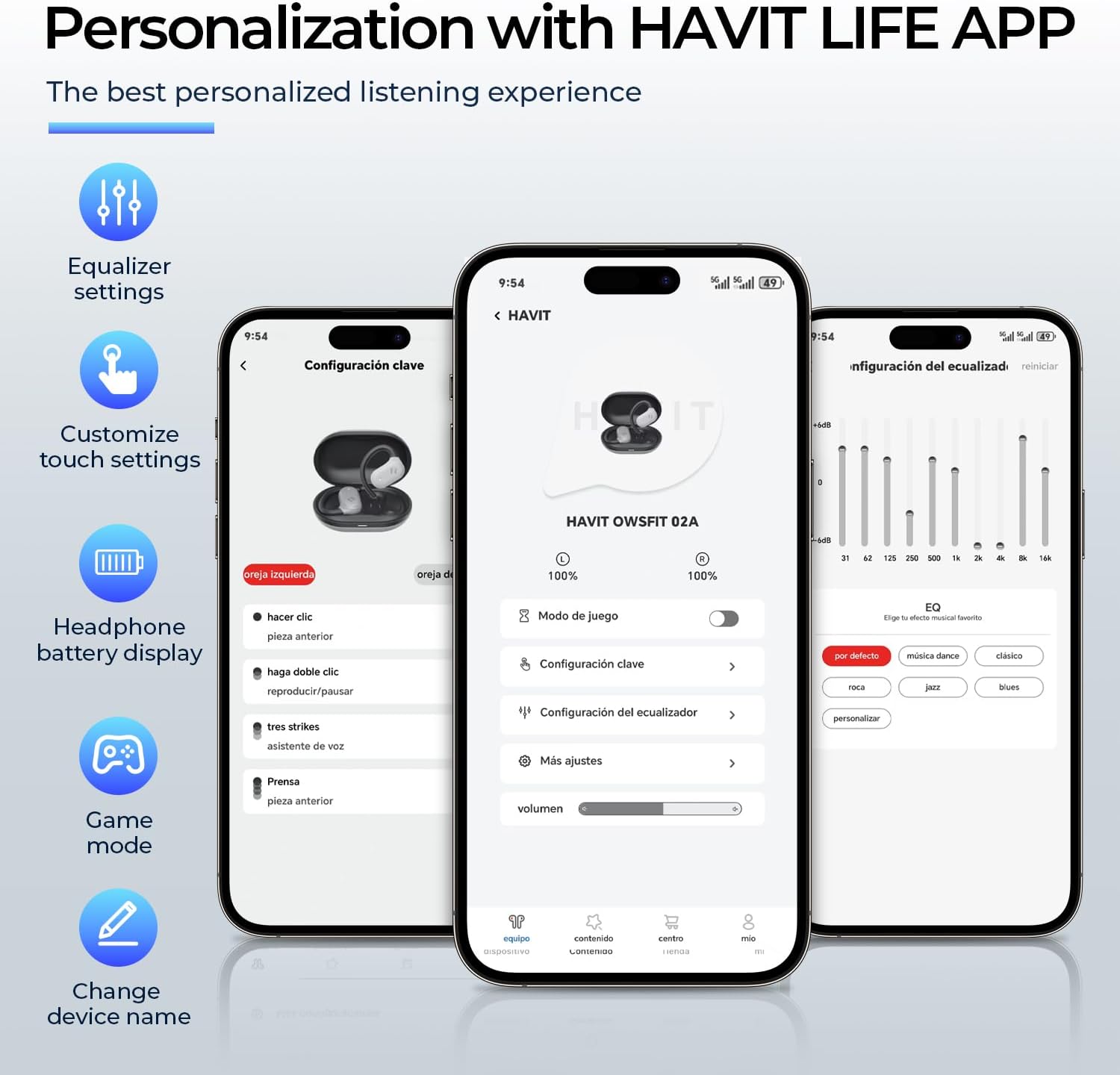
Image: A person using the havit OWS915 headphones for a call, illustrating the clear communication provided by 4-microphone ENC technology.
6.4 Cutting-Edge Directional Audio Technology
Innovative directional audio technology provides precise sound placement, minimizing sound leakage while improving bass quality. This allows you to enjoy your audio without disturbing others and without compromising your awareness.

Image: A visual representation of the directional audio technology, showing sound waves directed towards the ear with minimal leakage.
6.5 IPX5 Urarekiko Erresistentzia
With an IPX5 rating, the OWS915 headphones are resistant to sweat and splashes, making them suitable for workouts, outdoor activities, and light rain.
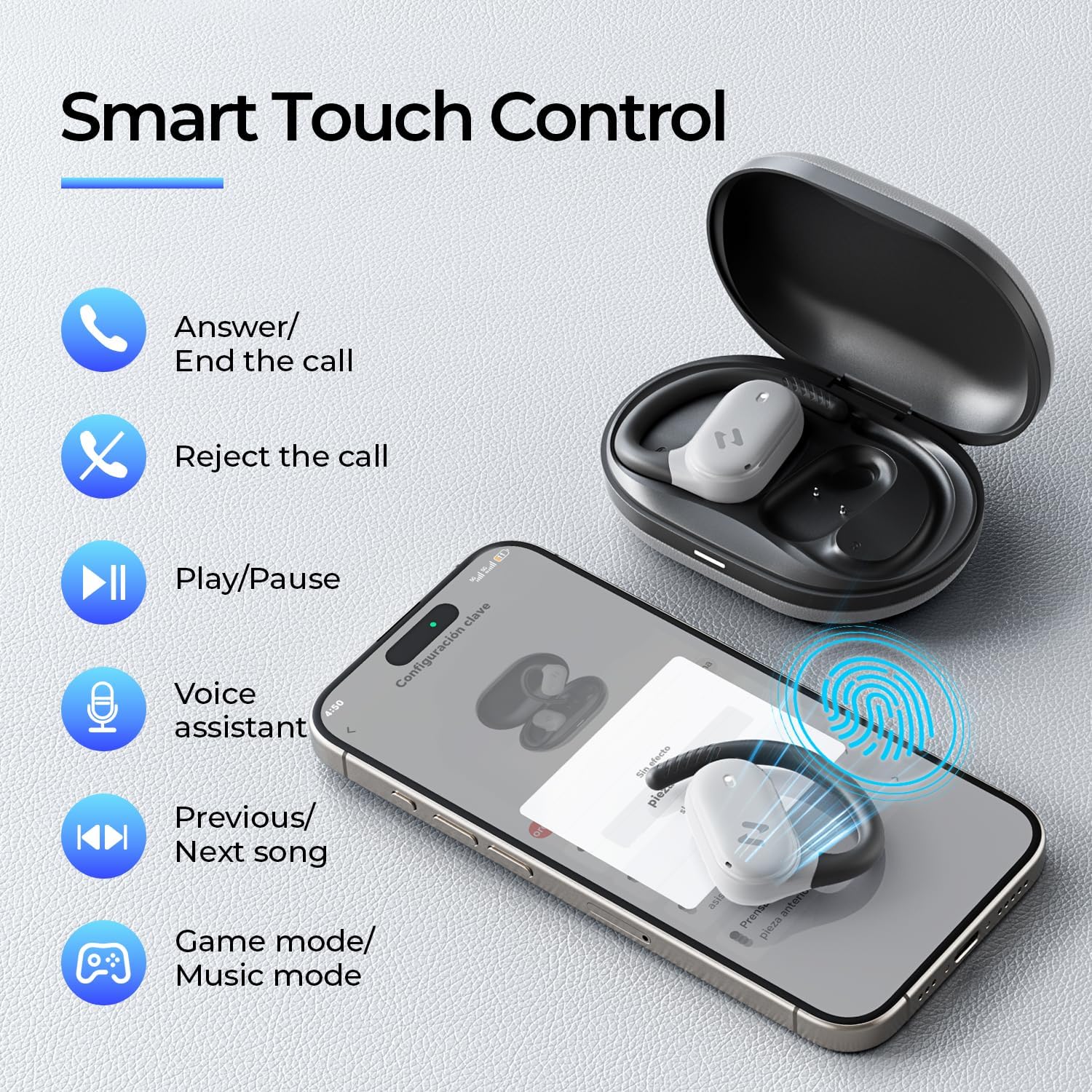
Image: The havit OWS915 headphones partially submerged in water, demonstrating their IPX5 water and sweat resistance.
7. Mantentzea
- Garbiketa: Garbitu entzungailuak eta kargatzeko zorroa oihal leun eta lehor batekin aldizka. Saihestu material urratzaileak edo produktu kimiko gogorrak erabiltzea.
- Uraren esposizioa: While IPX5 rated, avoid submerging the headphones in water. If exposed to sweat or splashes, wipe them dry before placing them back in the charging case.
- Biltegiratzea: Gorde entzungailuak kargatzeko zorroan erabiltzen ez dituzunean, babesteko eta kargatuta jarraitzen dutela ziurtatzeko.
- Bateria zaintzea: To prolong battery life, avoid fully discharging the headphones or charging case frequently. Charge them regularly.
8. Arazoak
- Potentziarik gabe: Ziurtatu entzungailuak eta kargatzeko zorroa guztiz kargatuta daudela.
- Parekatze huts egitea:
- Ziurtatu Bluetootha gaituta dagoela zure gailuan.
- Ensure the earbuds are in pairing mode (flashing LED).
- Desaktibatu Bluetooth-a konektatzen saiatzen ari diren inguruko beste gailuetan.
- Try resetting the earbuds (refer to the full manual for specific reset instructions if needed).
- Soinurik ez:
- Egiaztatu zure gailuaren eta entzungailuen bolumen-maila.
- Ziurtatu entzungailuak behar bezala konektatuta daudela zure gailura.
- Saiatu audioa beste aplikazio edo iturri batetik erreproduzitzen.
- Deien kalitate eskasa:
- Ziurtatu mikrofonoak ez daudela oztopatzen.
- Mugitu atzeko planoan zarata gutxiago dagoen leku batera.
- Egiaztatu zure gailuaren sareko konexioa.
9. Zehaztapenak
| Ezaugarri | Zehaztapena |
|---|---|
| Ereduaren izena | OWS915 |
| Konektibitate Teknologia | Haririk gabekoa (Bluetooth 5.4) |
| Bluetooth barrutia | 10 metro |
| Bateriaren iraupena (entzungailuak) | 8.5 ordu (karga bakarra) |
| Jolas-denbora osoa (zorroarekin) | 64 ordu |
| Uraren Erresistentzia Maila | IPX5 (iragazgaitza) |
| Audio kontrolatzailearen tamaina | 14.2 milimetro |
| Kontrol-metodoa | Aplikazioa, ukitu |
| Dakarten osagaiak | Mikrofonoa |
| Elementuaren pisua (entzungailuak) | 7.9 gramo (bakoitza) |
| Eramateko zorroaren pisua | 77.8 gramo |
| Materiala | PC+ABS+TPU |
| Maiztasun Erantzuna | 20 KHz |
| Sentikortasuna | 118 dB |
| Inpedantzia | 32 ohmio |
10. Bideo-gida
Ikusi bideo ofizial hau ikuspegi orokorra lortzekoview of the havit OWS915 Open Ear Headphones.
Video: An official product video from HAVIT Direct showcasing the havit OWS915 Open Ear Headphones, including their design and features.
11. Bermea eta Laguntza
havit products come with a standard warranty. For detailed warranty information, technical support, or customer service inquiries, please refer to the warranty card included in your product packaging or visit the official havit webgunea. Saltzailearekin zuzenean ere harremanetan jar zaitezke laguntza eskatzeko.
Lineako laguntza: www.havit.com/support


