1. Sarrera
This manual provides essential information for the proper use and maintenance of your Logic B10L 4G Bar Phone. Please read it carefully to ensure optimal performance and longevity of your device. The Logic B10L is designed for reliable communication with modern 4G connectivity, a user-friendly interface, and essential features.
2. Paketearen edukia
Egiaztatu elementu guztiak zure produktuaren paketean daudela:
- Logic B10L 4G Bar Phone
- 1800mAh Li-ioi Bateria
- Elikatze-moldagailua
- Erabiltzailearen eskuliburua (dokumentu hau)
3. Phone Layout and Components
Familiarize yourself with the physical components of your Logic B10L phone.

3.1. irudia: Aurretik eta atzetik view of the Logic B10L 4G Bar Phone. The front displays the 2.4-inch LCD screen and alphanumeric keypad. The back shows the VGA camera with flash and the Logic B10L branding.
- 2.4-inch Curved LCD Display: Main screen for viewinformazioa ematea.
- Teklatu alfanumerikoa: Zenbakiak markatzeko eta testua idazteko.
- Navigation Key (D-pad): Menu nabigaziorako.
- Deitzeko/amaiera teklak: To initiate and end calls.
- VGA Camera with Flash: Located on the rear for capturing photos.
- Mikro USB ataka: Kargatzeko eta datuak transferitzeko.
- 3.5 mm-ko audio-konexioa: Aurikularretarako.
- Torchlight: Integrated flashlight, accessible via a dedicated key.
4. Konfigurazioa
4.1. Bateriaren instalazioa
- Kendu telefonoaren atzeko estalkia astiro-astiro egindako palanka adierazitako koskatik.
- Align the 1800mAh Li-ion battery with the contacts inside the battery compartment.
- Press the battery down until it is securely in place.
- Jarri berriro atzeko estalkia, bere lekuan klik egiten duela ziurtatuz.
4.2. SIM txartelaren instalazioa
The Logic B10L supports Dual Nano SIM cards.
- With the back cover and battery removed, locate the SIM card slots.
- Insert your Nano SIM card(s) into the designated slot(s) with the gold contacts facing down, following the orientation indicated on the phone.
- Ziurtatu SIM txartela(k) ondo sartuta daudela.
4.3. MicroSD txartelaren instalazioa (aukerakoa)
You can expand the phone's storage up to 32GB using a MicroSD card.
- With the back cover and battery removed, locate the MicroSD card slot.
- Insert the MicroSD card into the slot with the gold contacts facing down, following the indicated orientation.
- Gently push until it clicks into place.
4.4. Bateria kargatzea
- Connect the Micro USB end of the power adapter to the Micro USB port on your phone.
- Entxufatu korronte-egokigailuaren beste muturra hormako entxufe batera.
- Pantailan dagoen bateriaren adierazleak kargatze-egoera erakutsiko du.
- Guztiz kargatuta dagoenean, deskonektatu kargagailua.
5. Funtzionamendu-argibideak
5.1. Piztu/Itzali
- Pizteko: Eduki sakatuta Deia amaitu/Piztu tekla pantaila piztu arte.
- Itzaltzeko: Eduki sakatuta Deia amaitu/Piztu key until the power-off options appear, then select 'Power Off'.
5.2. Oinarrizko nabigazioa
Use the navigation key (D-pad) to move through menus and options. The center key typically acts as a selection button.
5.3. Deiak egitea
- From the home screen, use the keypad to dial the desired phone number.
- Sakatu Deitu tekla deia hasteko.
- Dei bat amaitzeko, sakatu Amaitu deia giltza.
5.4. Mezuak bidaltzea
- Joan 'Mezuak' menura.
- Select 'New Message' or 'Create Message'.
- Sartu hartzailearen zenbakia edo aukeratu kontaktuetatik.
- Idatzi zure mezua teklatu alfanumerikoa erabiliz.
- Sakatu 'Bidali'.
5.5. Kameraren erabilera
The Logic B10L features a VGA camera with flash for capturing photos.
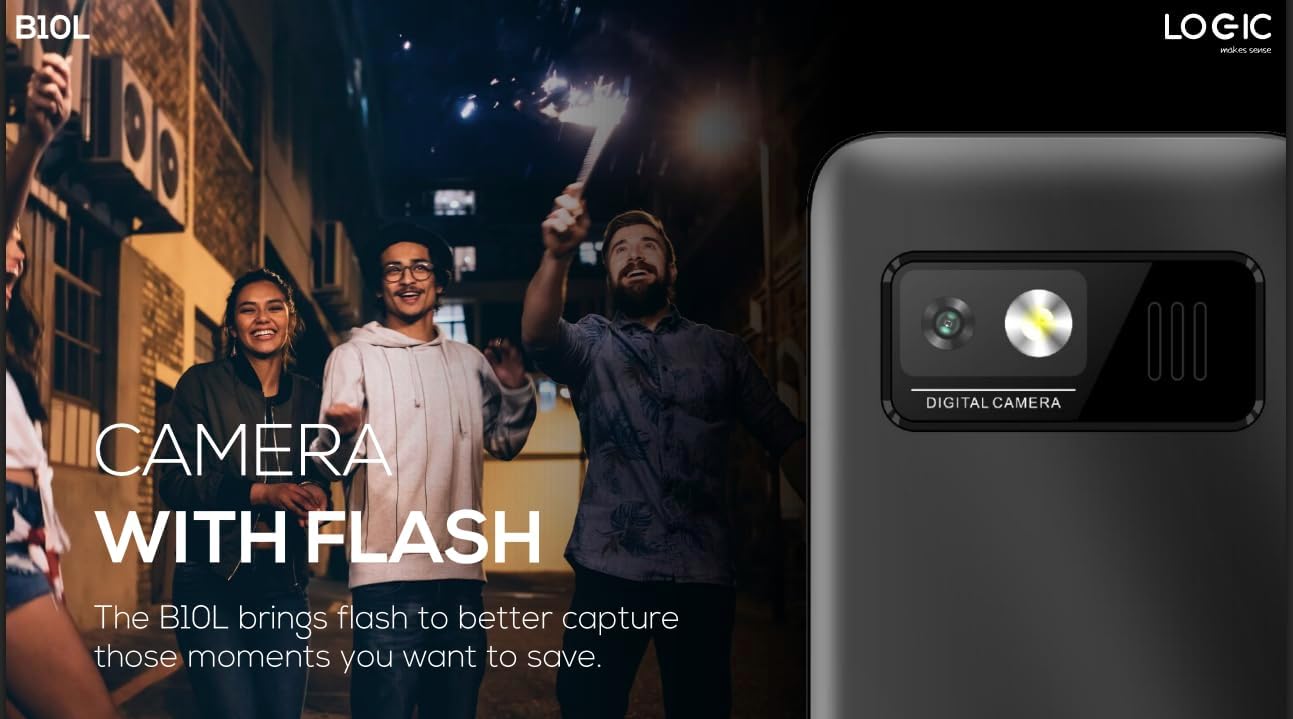
5.1. irudia: Atzekoa view of the Logic B10L phone, highlighting the VGA camera and flash module. This feature allows for capturing images even in low-light conditions.
- Navigate to the 'Camera' application from the main menu.
- Markatu zure argazkia pantaila gisa erabiliz viewbilatzailea.
- Press the designated 'Capture' or 'OK' key to take a photo.
- Photos are saved to the phone's memory or MicroSD card.
5.6. Wireless FM Radio
Enjoy your favorite radio stations without needing headphones.
- Go to the 'FM Radio' application in the menu.
- Erabili nabigazio teklak eskuragarri dauden irrati-kateak bilatzeko.
- Select a station to listen.
5.7. Zuzi-argia
The phone includes a direct access key for the torchlight function.

5.2. irudia: Aldeko profile of the Logic B10L phone, illustrating the dedicated direct access key for activating the built-in torchlight. This provides quick illumination.
- Press the dedicated torchlight key on the side of the phone to turn the flashlight on or off.
5.8. Bluetooth konexioa
Connect your phone to other Bluetooth-enabled devices.
- Go to 'Settings' and then 'Bluetooth'.
- Piztu Bluetooth-a.
- Bilatu available devices and select the one you wish to pair with.
- Sartu pasahitza eskatzen bazaizu.
5.9. 4G LTE and VoLTE
The Logic B10L supports 4G LTE for faster data speeds and VoLTE for clearer voice calls.

5.3. irudia: The Logic B10L phone screen showing the 'VoLTE' logo, indicating support for Voice over LTE for enhanced call quality and simultaneous voice and data usage.
- Ensure your SIM card and network provider support 4G LTE and VoLTE services.
- These features are typically enabled by default when available.
5.10. Curved LCD Display
The phone features a 2.4-inch curved LCD screen for clear visuals.
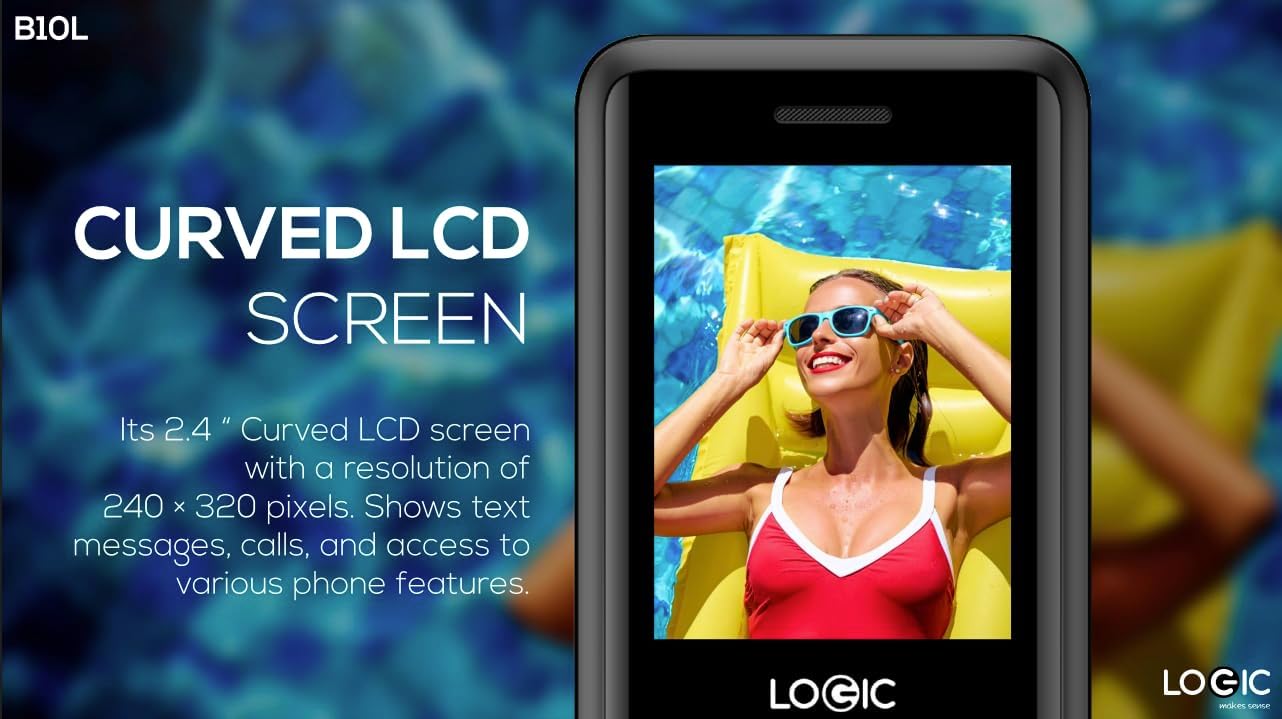
5.4. irudia: Close-up of the Logic B10L's 2.4-inch curved LCD screen, displaying a colorful image. The curved design enhances viewing comfort and aesthetics.
6. Mantentzea
6.1. Telefonoa garbitzea
- Use a soft, dry, lint-free cloth to clean the phone's screen and body.
- Saihestu produktu kimiko gogorrak, garbiketa-disolbatzaileak edo material urratzaileak erabiltzea.
6.2. Bateria zaintzea
- Ez jarri bateria muturreko tenperaturetara.
- Saihestu bateria maiz erabat deskargatzea.
- Telefonoa denbora luzez erabiliko ez baduzu, kargatu bateria % 50era arte gorde aurretik.
6.3. Biltegiratzea
- Store the phone in a cool, dry place away from direct sunlight and moisture.
- Mantendu haurren eta maskoten eskura.
7. Arazoak
This section addresses common issues you might encounter with your Logic B10L phone.
| Arazoa | Irtenbide posiblea |
|---|---|
| Telefonoa ez da pizten | Ziurtatu bateria behar bezala instalatuta eta kargatuta dagoela. Konektatu kargagailua eta saiatu berriro. |
| Ezin ditut deiak egin edo jaso | Check if the SIM card is properly inserted. Verify network signal strength. Contact your service provider. |
| Bateria ez da kargatzen | Ensure the charger is correctly connected to the phone and a working power outlet. Try a different charger or cable if available. |
| Deien kalitate eskasa | Move to an area with better network coverage. Check for obstructions around the phone's antenna. |
| MicroSD card not detected | Ensure the MicroSD card is correctly inserted. Try reinserting it or using a different card to check for card malfunction. |
8. Zehaztapenak
Detailed technical specifications for the Logic B10L 4G Bar Phone.
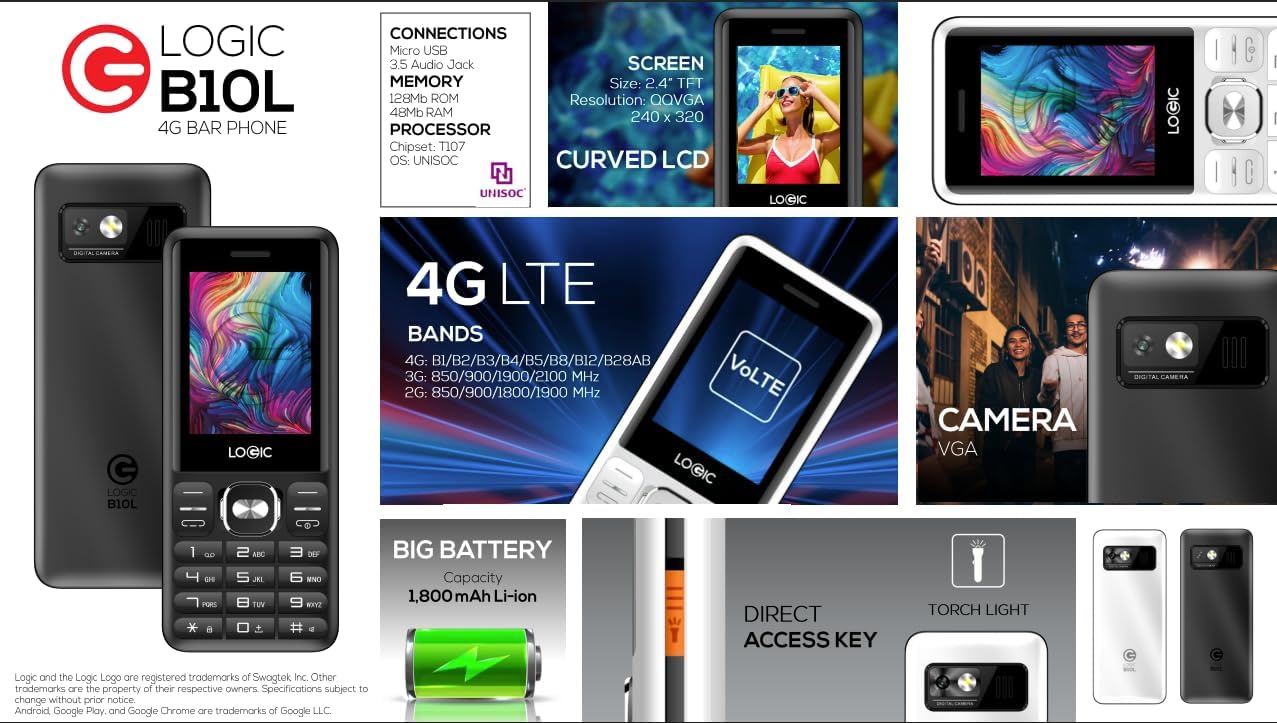
8.1. irudia: A visual summary of the Logic B10L's key features and specifications, including screen size, memory, processor, 4G LTE bands, battery capacity, and direct access torchlight.
- Ereduaren izena: B10L
- Elementuaren eredu-zenbakia: LO-27B10L90-C
- Sistema eragilea: Nucleus OS
- Teknologia zelularra: 4G LTE, VoLTE
- Haririk gabeko garraiolaria: Desblokeatua
- Pantaila: 2.4-inch Curved LCD (240x320 resolution)
- Kamera: VGA Rear Camera with Flash
- Bateria: 1800mAh Li-ion (3.7 Volts)
- RAM memoria: 48 MB
- Barne biltegiratzea: 0.13 GB (expandable up to 32GB via MicroSD)
- SIM txartelen euskarria: Nano SIM bikoitza
- Konektibitatea: Bluetooth, Micro USB, 3.5mm Audio Jack
- Ezaugarri bereziak: Wireless FM Radio, Direct Access Torchlight
- Forma-faktorea: Tabernako telefonoa
- Elementuaren pisua: 7 ontza
- Paketearen neurriak: 5.67 x 2.8 x 2.44 hazbete
9. Bermea eta Laguntza
For warranty information and technical support, please refer to the warranty card included in your package or visit the official Logic webgunea. Gorde erosketa-agiria erosketaren frogagiri gisa.
If you encounter issues not covered in this manual, please contact Logic customer support for assistance.


