1. Sarrera
This manual provides essential information for the setup, operation, and maintenance of your iFFALCON 55-Inch Class U85 Series QD-Mini LED 4K UHD Google Smart TV. Please read this manual thoroughly before using your television to ensure proper and safe operation. Keep this manual for future reference.
The iFFALCON U85 Series TV features advanced display technologies including QD-Mini LED for precise lighting, QLED for vibrant colors, 4K UHD resolution, HDR 1000 nits peak brightness, and a 144Hz native refresh rate. It integrates Google TV for smart entertainment and offers enhanced audio with Dolby Atmos and DTS Virtual X. Gaming is optimized with features like 240Hz DLG and FreeSync Premium Pro.
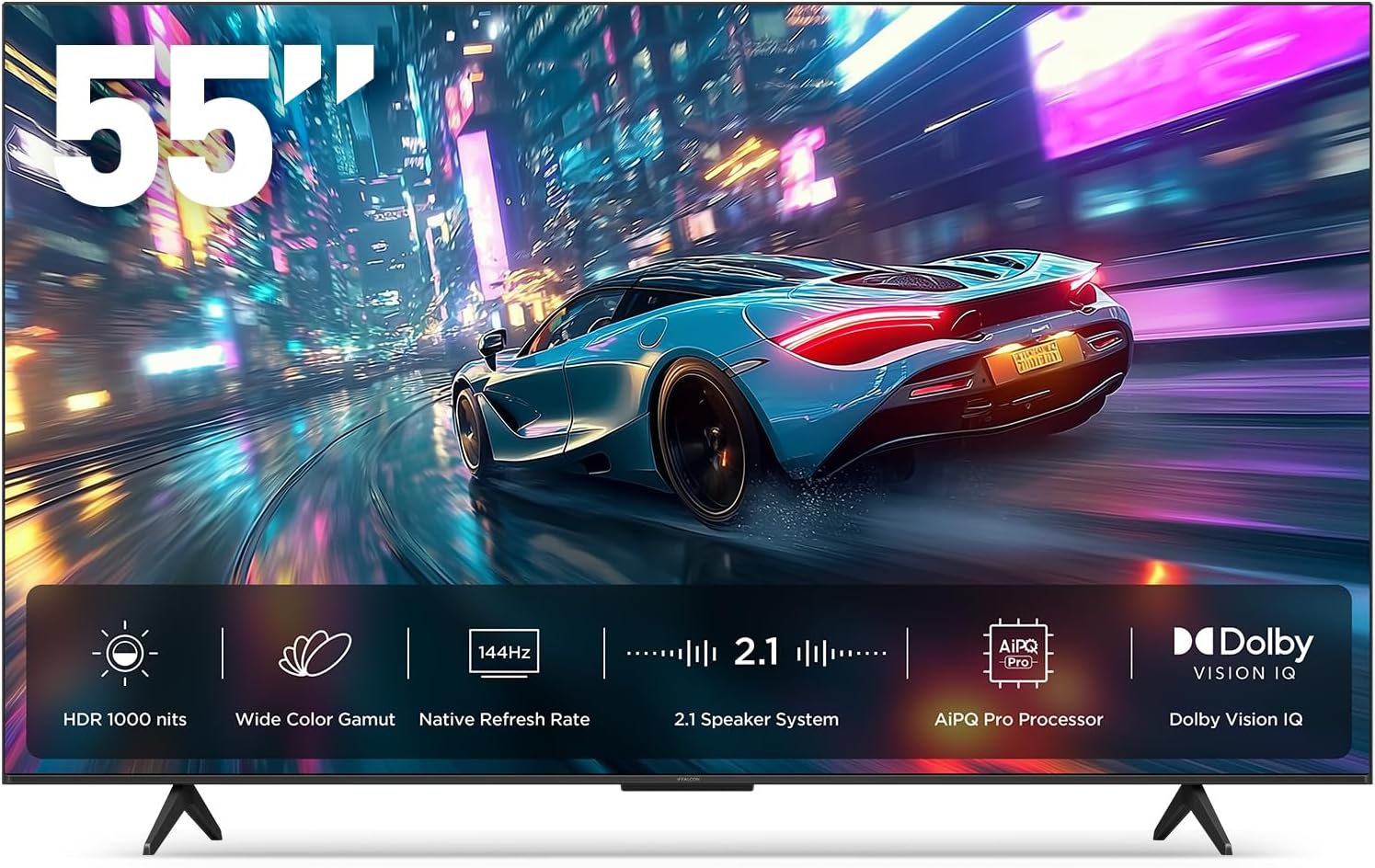
1.1. irudia: Aurrealdea view of the iFFALCON 55-Inch U85 Series TV, showcasing its display with a vibrant image of a car on a city street.
2. Zer dago kutxan
Carefully unpack your television and ensure all items are present. If any items are missing or damaged, contact your retailer.
- Mini LED telebista
- Elikatze kablea
- 2 x AAA bateria urrutikorako
- 6 x Stand torloju
- Mahai-euskarriak (2 pieza)
- 5 x Kable-klipak
- Hasierako gida azkarra
- Telebistako urrunekoa
3. Konfigurazioa
3.1 Konfigurazio fisikoa
Before proceeding, ensure the TV is placed on a stable, flat surface or securely mounted to a wall. Refer to the Quick Start Guide for detailed instructions on attaching the table stands or mounting the TV to a wall bracket (wall mount sold separately).
3.2 Periferikoak konektatzea
Connect your external devices such as cable boxes, gaming consoles, or Blu-ray players to the TV's HDMI ports. Ensure the power cable is securely connected to the TV and a power outlet.
3.3 Hasierako piztea eta Google TV konfigurazioa
- Sartu korronte kablea entxufe batera.
- Sakatu urrutiko agintean edo telebistan pizteko botoia.
- Follow the on-screen instructions to complete the initial setup, including network connection, Google account sign-in, and channel scanning.
4. Telebistaren funtzionamendua
4.1 Urruneko kontrolaren funtzioak
The included remote control allows you to navigate menus, adjust volume, change channels, and access smart features. Familiarize yourself with the button layout for optimal use.
4.2 Smart Features: Google TV, Google Assistant, and Alexa
Your iFFALCON U85 TV is equipped with Google TV, providing access to a wide range of streaming services and apps. Use the built-in Google Assistant or connect to an Alexa-enabled device for hands-free voice control.
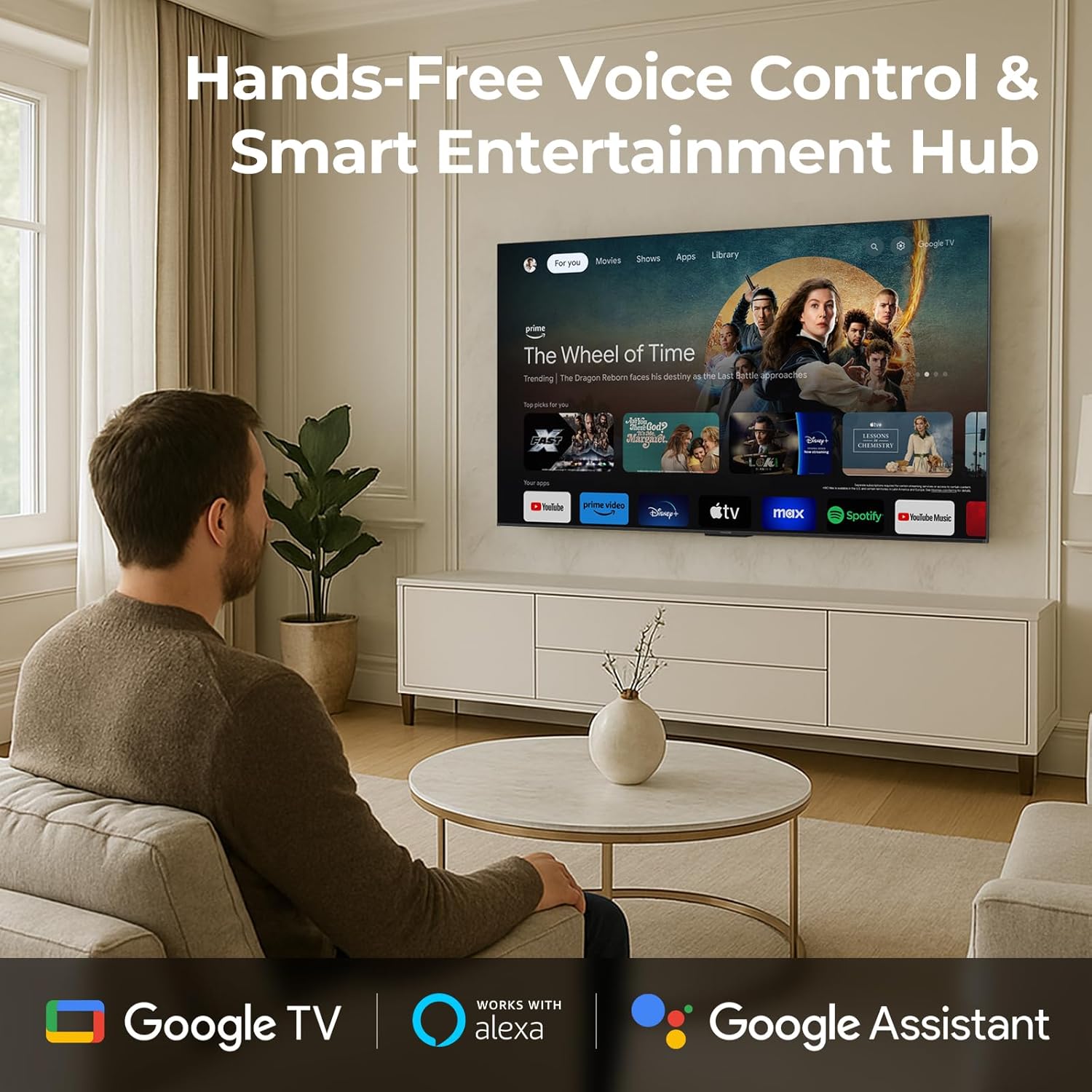
Image 4.1: A man interacting with the iFFALCON TV using voice commands, demonstrating the hands-free control feature.
4.3 Irudiaren ezarpenak eta kalitatea
The U85 Series TV offers exceptional picture quality through several advanced technologies:
- QD-Mini LEDa: Provides precise lighting control with up to 144 local dimming zones and 1000 nits peak brightness for bright highlights and deep blacks.
- QLED Kolore Zabala: Quantum Dot technology delivers a 93% DCI-P3 wide color gamut for true-to-life images.
- AiPQ Pro prozesadorea: Optimizes brightness, contrast, and detail in real-time for enhanced visual performance.
- Dolby Vision IQ: Automatically adjusts HDR brightness based on ambient light conditions.
- 6000:1 Kontraste-erlazioa: Achieves deep blacks and vibrant colors with enhanced contrast.

Image 4.2: Visual comparison illustrating how Mini-LED technology enhances bright highlights and deep blacks compared to conventional TVs.
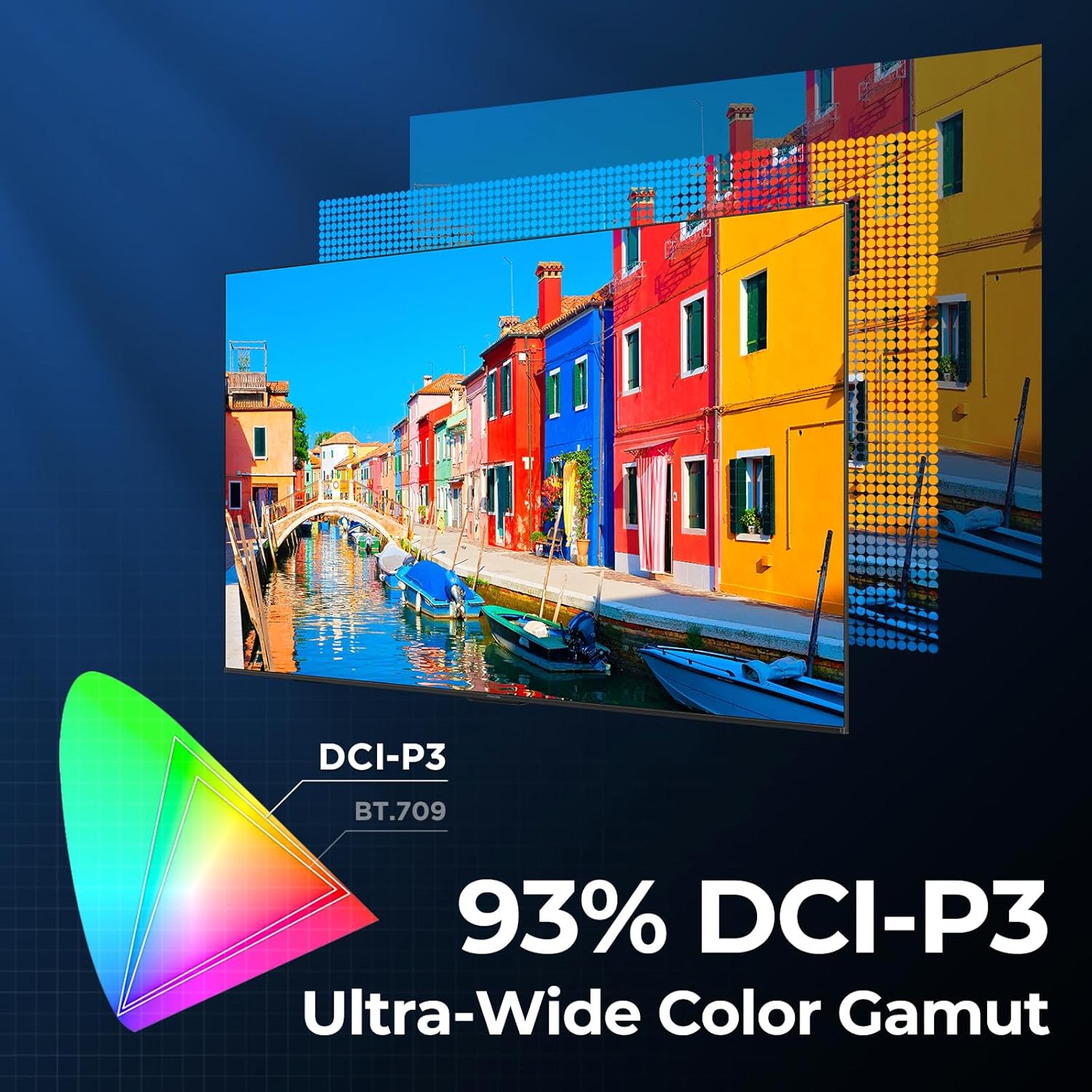
Image 4.3: Diagram showing the 93% DCI-P3 ultra-wide color gamut, indicating the TV's ability to display a broad spectrum of colors.
4.4 Audio Settings and Quality
Experience immersive sound with the TV's integrated audio features:
- 2.1-channel 50W Sound System: Delivers powerful stereo sound with deep bass.
- Dolby Atmos: Provides multi-dimensional audio that flows around and above you.
- DTS X Birtuala: Creates expansive, room-filling sound with virtual height and surround effects.
- IMAX hobetua: Optimizes audio and visual performance for a cinematic experience.

Image 4.4: A couple enjoying a movie on the iFFALCON TV, illustrating the immersive audio experience with sound waves emanating from the screen.
4.5 Jokoen Ezaugarriak
The iFFALCON U85 TV is designed for an optimal gaming experience:
- 4K 144Hz Panel with VRR: Ensures smooth, crystal-clear motion and reduces screen tearing.
- 240Hz DLG azelerazioa: Boosts refresh rates for ultra-smooth action.
- FreeSync Premium Pro: Provides tear-free, low-latency HDR gaming.
- Game Mode & Game Bar: Dedicated settings and on-screen overlay for quick adjustments during gameplay.
- ALLM (Automatikoki latentzia baxuko modua): Automatikoki latentzia baxuko modura aldatzen da jokatzeko erantzun-erantzuna lortzeko.

Image 4.5: A gaming console connected to the iFFALCON TV, highlighting the 144Hz refresh rate and other gaming features.
4.6 Begien erosotasunerako ezaugarriak
Luzatua izateko. viewing comfort, the TV incorporates multiple eye-care technologies:
- Argi urdin baxua: Argi urdinaren emisio kaltegarriak murrizten ditu.
- Flicker Reduction: Minimizes screen flicker for a more comfortable viewesperientzia.
5. Mantentzea
To ensure the longevity and optimal performance of your iFFALCON U85 TV, follow these maintenance guidelines:
- Pantaila garbitzea: Garbitu pantaila astiro-astiro zapi leun, lehor eta pelusik gabeko batekin. Orba egoskorrak izanez gero, garbitu astiro-astiro.ampGarbitu zapi bat urarekin edo pantaila-garbitzaile espezializatu batekin. Saihestu produktu kimiko gogorrak edo material urratzaileak.
- Markoa garbitzea: Erabili zapi leun eta lehor bat telebistaren markoa eta euskarria garbitzeko.
- Aireztapena: Ziurtatu telebistaren inguruan aireztapen egokia dagoela. Ez blokeatu aireztapen-irekidurak.
- Elikatze kablea: Aldian-aldian egiaztatu kable elektrikoa kalterik dagoen. Kaltetuta badago, utzi erabiltzeari eta jarri harremanetan bezeroarentzako arreta-zerbitzuarekin.
- Eguzkiaren argia saihestu: Do not expose the TV to direct sunlight or excessive heat.
6. Arazoak
Telebistarekin arazoak badituzu, jo ezazu honako ohiko irtenbide hauetara. Arazoak jarraitzen badu, jarri harremanetan bezeroarentzako arreta-zerbitzuarekin.
| Arazoa | Kausa posiblea | Irtenbidea |
|---|---|---|
| Botererik ez | Kable elektrikoa ez dago konektatuta; Entxufea ez dabil | Ziurtatu kablea ondo konektatuta dagoela; probatu entxufea beste gailu batekin |
| Ez dago irudirik, baina soinua badago | Sarrera-iturri okerra; HDMI kablea soltea | Select correct input source; Reconnect HDMI cable securely |
| Soinurik ez, baina irudia badago | Volume muted or too low; External audio device issue | Unmute or increase volume; Check connections to external audio devices |
| Urruneko kontrola ez dabil | Bateriak agortuta; Oztopoa urrutiko agintearen eta telebistaren artean | Replace batteries; Remove any obstructions |
| Sareko konexio arazoak | Wi-Fi signal weak; Router issue | Move TV closer to router or use Ethernet; Restart router |
7. Zehaztapenak
| Ezaugarri | Xehetasuna |
|---|---|
| Marka | iFFALCON |
| Modelo zenbakia | 55U85 |
| Pantailaren tamaina | 55 hazbete |
| Bistaratzeko Teknologia | LED txikia, QLED |
| Ebazpena | 4K UHD |
| Freskatze tasa | 120 Hz (Native), 144Hz Game Mode Pro, 240Hz DLG |
| Distira gailurra | 1000 nit |
| Kontraste-erlazioa | 6000:1 |
| Iluntzeko tokiko guneak | 144 |
| Ezaugarri bereziak | Dynamic Contrast Enhancer, Eye Comfort Mode, Game Mode, Intelligent Voice Recognition, Local Dimming, Dolby Vision IQ, Dolby Atmos, DTS Virtual X, IMAX Enhanced, Google TV, Google Assistant, Alexa Compatibility, FreeSync Premium Pro, ALLM |
| Konektibitate Teknologia | Bluetooth konexioa, Wi-Fi |
| Produktuaren neurriak (L x W x H) | 10.8" x 48.3" x 30.2" |
| Elementuaren pisua | 27.3 kilo |
| Beharrezko bateriak | 2 AAA pila (urrutiko agintearentzat) |
8. Bermea eta Laguntza
Your iFFALCON 55-Inch Class U85 Series QD-Mini LED 4K UHD Google Smart TV is covered by a manufacturer's warranty. For specific warranty details and duration, please refer to the warranty card included with your product or visit the official iFFALCON support webgunea.
For technical assistance, troubleshooting beyond this manual, or to inquire about warranty service, please contact iFFALCON customer support. Contact information can typically be found on the manufacturer's webgunea edo Hasiera Azkarreko Gidan.
Mesedez, gorde zure erosketa-froga berme-erreklamazioetarako.


