1. Sarrera eta Overview
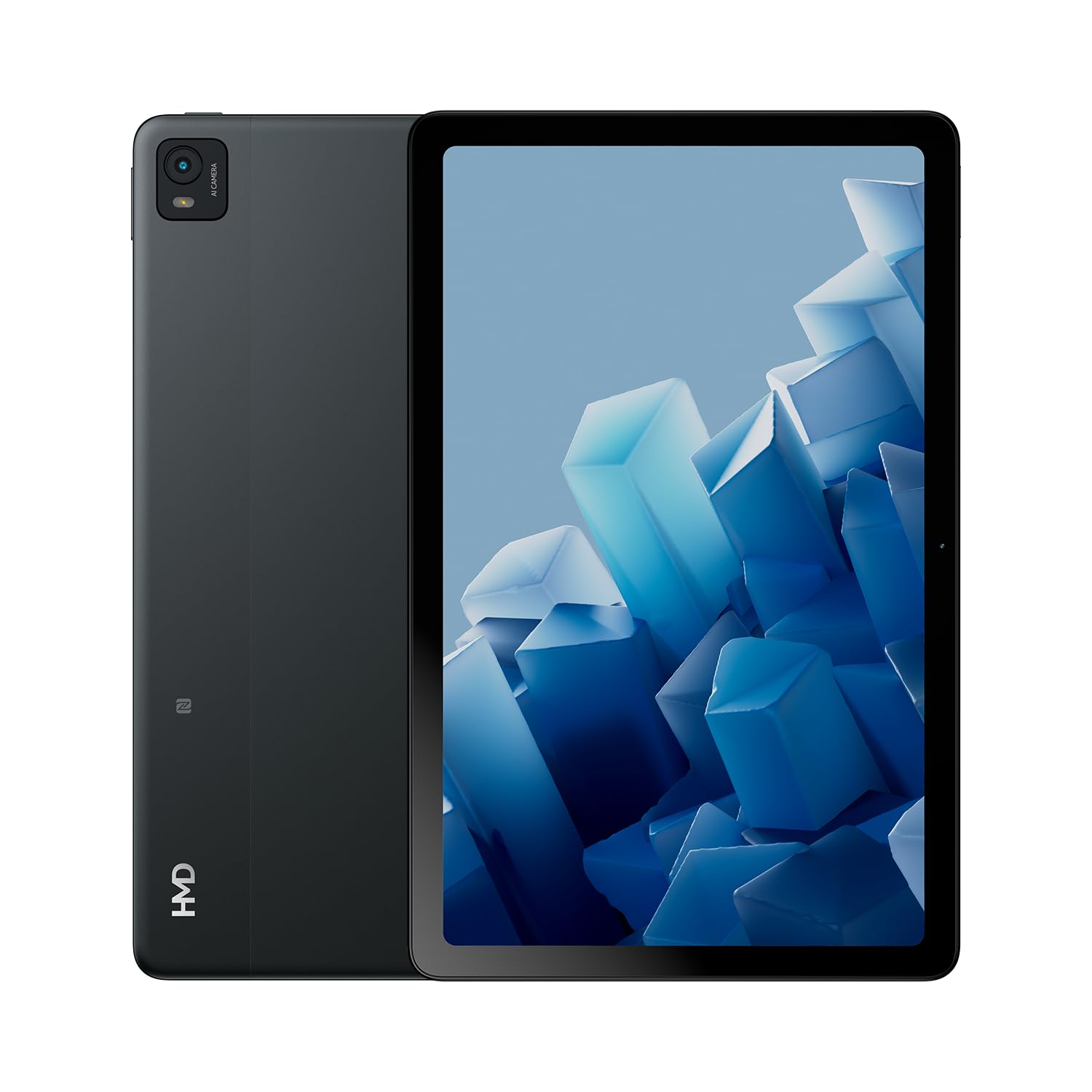
The HMD T21 tablet is designed for entertainment and productivity, featuring a clear 10.36-inch HD display and immersive audio. It supports an active pen for creative tasks and offers extended screen real estate for computer integration. Enjoy long-lasting battery performance with monthly security updates until summer 2027.
- Fortress of Security: Bank, surf, and shop online fearlessly with monthly security updates until the summer of 2027.
- Murgiltze-entretenimendua: Dive deep into entertainment on the clear 10.36-inch cover glass display with immersive audio.
- Bateriaren iraupen hedatua: Stay powered up with an 8200 mAh battery, offering up to 3 days of usage and 18W fast charge support with 800 full charging cycles.
- Creative and Productive: Unleash your creativity with active pen support and enhance productivity by using the tablet as additional screen real estate for your computer.
- Crystal Clear Audio-Visuals: Enjoy HD video for calls and streaming, complemented by stereo speakers with OZO playback.

2. Zer dago kutxan
Your HMD T21 package includes the following items:
- HMD T21 Tablet
- USB kablea
- Elikatze-moldagailua
- Sim Pina
- Erabiltzailearen Gida
- Hasierako gida azkarra
- Segurtasun Liburuxka

3. Konfigurazioa
3.1 Hasierako piztea
- Press and hold the Power button (located on the side) until the HMD logo appears on the screen.
- Jarraitu pantailan agertzen diren argibideei zure hizkuntza hautatzeko, Wi-Fi sare batera konektatzeko eta zure Google kontua konfiguratzeko.
3.2 Gailua kargatzea
Before first use, it is recommended to fully charge your HMD T21 tablet.
- Konektatu USB kablea tabletaren USB-C atakara.
- Konektatu USB kablearen beste muturra korronte-egokigailura.
- Entxufatu korronte-egokigailua hormako entxufe batera.
- The battery icon on the screen will indicate charging status. The tablet supports 18W fast charging.
3.3 Inserting a SIM Card (if applicable)
If your model supports cellular connectivity, follow these steps:
- Bilatu SIM txartelaren erretilua tabletaren alboan.
- Insert the provided SIM pin into the small hole on the tray to eject it.
- Jarri Nano-SIM txartela(k) eta/edo microSD txartela erretiluan, urre-koloreko kontaktuak behera begira dituela.
- Kontu handiz sartu erretilua tabletan berriro.
4. Funtzionamendu-argibideak
4.1 Pantailaren nabigazioa
The HMD T21 features a 10.36-inch HD display. Navigate the interface using touch gestures:
- Sakatu: Hautatu elementu bat edo ireki aplikazio bat.
- Pasatu hatza: Pantailetan edo zerrendetan zehar joan.
- Zoom egiteko apur bat egin: Argazkiak handitu edo txikitu eta web orrialdeak.
- Prentsa luzea: Sartu testuinguru-menuetara edo mugitu aplikazioen ikonoak.

4.2 Kameraren erabilera
The tablet is equipped with an 8MP rear camera and an 8MP front camera for photos and video calls.
- Open the Camera app from the home screen.
- Sakatu obturadorearen botoia argazkia ateratzeko.
- Aldatu aurreko eta atzeko kameren artean kameraren txandakatze-ikonoa erabiliz.
- Hautatu bideo modua bideoak grabatzeko.
4.3 Audioa eta konektibitatea
Enjoy clear audio through the stereo speakers with OZO playback. Connect to the internet via Wi-Fi (802.11a/b/g/n/ac) or cellular data (if supported by your model).
- Wi-Fi: Joan Ezarpenak > Sarea eta internet > Wi-Fi atalera eskuragarri dauden sareetara konektatzeko.
- Bluetootha: Joan Ezarpenak > Konektatutako gailuak > Bluetooth atalera Bluetooth osagarriekin parekatzeko.
- Aurikularrak Jack: Use the 3.5mm audio jack for wired headphones.
5. Mantentzea
5.1 Bateria zaintzea
Bateriaren iraupena eta iraupena maximizatzeko:
- Saihestu muturreko tenperaturak.
- Erabili emandako kargagailua kargatze optimoa lortzeko.
- Periodically allow the battery to discharge below 20% before recharging.
5.2 Software eguneraketak
HMD provides monthly security updates until summer 2027 to keep your device secure and up-to-date.
- Go to Settings > System > System update to check for and install available updates.
5.3 Gailua garbitzea
Erabili zapi leun eta lihorik gabeko bat tabletaren pantaila eta gorputza garbitzeko. Saihestu produktu kimiko gogorrak edo material urratzaileak.
6. Arazoak
If you encounter issues with your HMD T21, try the following basic troubleshooting steps:
- Berrabiarazi gailua: Eduki sakatuta Pizteko botoia eta, ondoren, sakatu Berrabiarazi.
- Egiaztatu softwarearen eguneraketak: Ziurtatu zure gailuak softwarearen azken bertsioa exekutatzen duela.
- Garbitu aplikazioaren cachea: If an app is misbehaving, go to Settings > Apps > [App Name] > Storage & cache > Clear cache.
- Fabrika berrezartzea (azken aukera): If problems persist, you may need to perform a factory reset. Back up your data first. Go to Settings > System > Reset options > Erase all data (factory reset).
7. Zehaztapenak
| Ezaugarri | Zehaztapena |
|---|---|
| Ereduaren izena | T21 (TA-1597) |
| Sistema eragilea | Android 13 |
| Pantailaren tamaina | 10.36 hazbete |
| Pantailaren bereizmena | 2000x1200 pixel |
| Prozesadorea | 1.8 GHz Unisoc |
| Memoria (RAM) | 4 GB |
| Biltegiratze Ahalmena | 64 GB (microSD bidez zabaldu daiteke) |
| Atzekoa Webkamaren ebazpena | 8 MP |
| Aurrealdeko kameraren bereizmena | 8 MP |
| Bateriaren iraupena (batez bestekoa) | 24 Hours (up to 3 days with typical usage) |
| Fast Charge Support | 18W |
| Haririk gabeko mota | 802.11a, 802.11ac, 802.11b, 802.11g, 802.11n |
| Elementuaren pisua | 1.04 kilo |
| Produktuaren neurriak | 6.19 x 9.75 x 0.3 hazbete |
| Kolorea | Altzairu Beltza |

8. Bermea eta Laguntza
Your HMD T21 tablet comes with a manufacturer's warranty. Please refer to the warranty card included in your package for specific terms and conditions.
For technical support, troubleshooting assistance, or warranty claims, please visit the official HMD support website or contact customer service through the details provided in your product documentation.


