1. Sarrera
This manual provides detailed instructions for the setup, operation, and maintenance of your RSHTECH 11-in-1 USB C Docking Station Dual Monitor (Model RSH-T11H). Please read this manual thoroughly before using the product to ensure optimal performance and safety.
2. Produktuaren ezaugarriak
- 11-in-1 Konexioa: Expands a single USB-C port into 2x HDMI, 3x USB 3.2 Gen 2 (2C+1A), 2x USB 3.0, 100W Power Delivery, Gigabit Ethernet, and SD/TF card slots.
- Monitore bikoitzeko laguntza: Connects to two external displays via HDMI, supporting resolutions up to 4K@60Hz for dual displays or 8K@30Hz for a single display.
- Ultra-Fast Data Transfer: Features USB 3.2 Gen 2 ports with speeds up to 10Gbps and USB 3.0 ports with speeds up to 5Gbps for efficient data transfer.
- 100W potentzia-ematea: Provides up to 85W pass-through charging to your host laptop (100W input minus 15W for hub operation).
- Gigabit-Ethernet: Ensures stable and reliable wired network connectivity at speeds up to 1000Mbps.
- SD/TF txartelaren irakurgailua: Integrated card slots for convenient photo and video transfers.
- Diseinu iraunkorra: High-quality aluminum alloy housing for excellent heat dissipation and durability.
3. Paketearen edukia
- RSHTECH 11-in-1 USB C Docking Station (Model RSH-T11H)
- Argibide eskuliburua
- Berme Txartela
4. Produktua amaitu daview (Ports and Indicators)
Familiarize yourself with the various ports and their functions on your docking station:
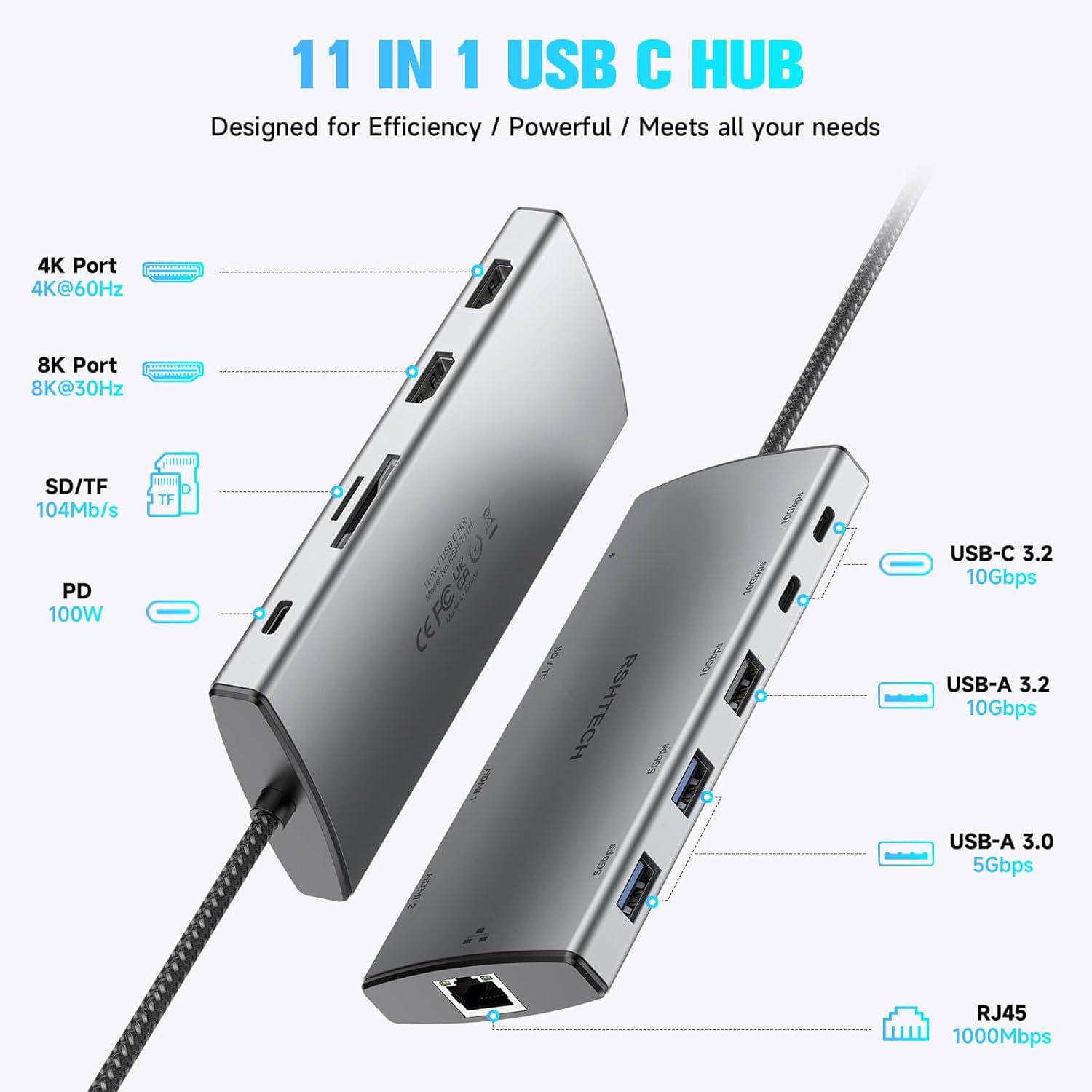
Figure 1: RSHTECH 11-in-1 USB C Hub with port labels.
This image displays the RSHTECH 11-in-1 USB C Hub from an angled perspective, highlighting its various ports. Labels indicate: 4K Port (4K@60Hz), 8K Port (8K@30Hz), SD/TF Card Reader (104MB/s), PD 100W (Power Delivery), USB-C 3.2 (10Gbps), USB-A 3.2 (10Gbps), USB-A 3.0 (5Gbps), and RJ45 (1000Mbps Gigabit Ethernet).
- USB-C Host Connector: Connects to your laptop's USB-C port.
- HDMI 1 (8K@30Hz): Connects to an external display for video output.
- HDMI 2 (4K@60Hz): Connects to a second external display for video output.
- USB-C 3.2 Gen 2 (10Gbps) x2: For high-speed data transfer with USB-C devices.
- USB-A 3.2 Gen 2 (10Gbps) x1: For high-speed data transfer with USB-A devices.
- USB-A 3.0 (5Gbps) x2: For standard data transfer with USB-A devices.
- PD (Power Delivery) USB-C (100W): Connect your laptop's USB-C power adapter here to charge your laptop and power the hub.
- RJ45 Gigabit Ethernet: Konektatu Ethernet kable bat kable bidezko sarera sartzeko.
- SD txartelaren zirrikitua: For reading SD, SDHC, SDXC cards.
- TF txartelaren zirrikitua: For reading Micro SD, Micro SDHC, Micro SDXC cards.
5. Konfiguratzeko argibideak
5.1 Connecting to Your Host Device
- Connect the integrated USB-C cable from the RSHTECH docking station to an available USB-C port on your laptop or host device. Ensure the USB-C port on your host device supports video output (DisplayPort Alternate Mode) and Power Delivery for full functionality.
5.2 Energia-banaketa
- For optimal performance and to charge your laptop, connect your laptop's original USB-C power adapter to the PD USB-C port on the docking station. The hub will reserve approximately 15W for its own operation, delivering up to 85W to your host device.
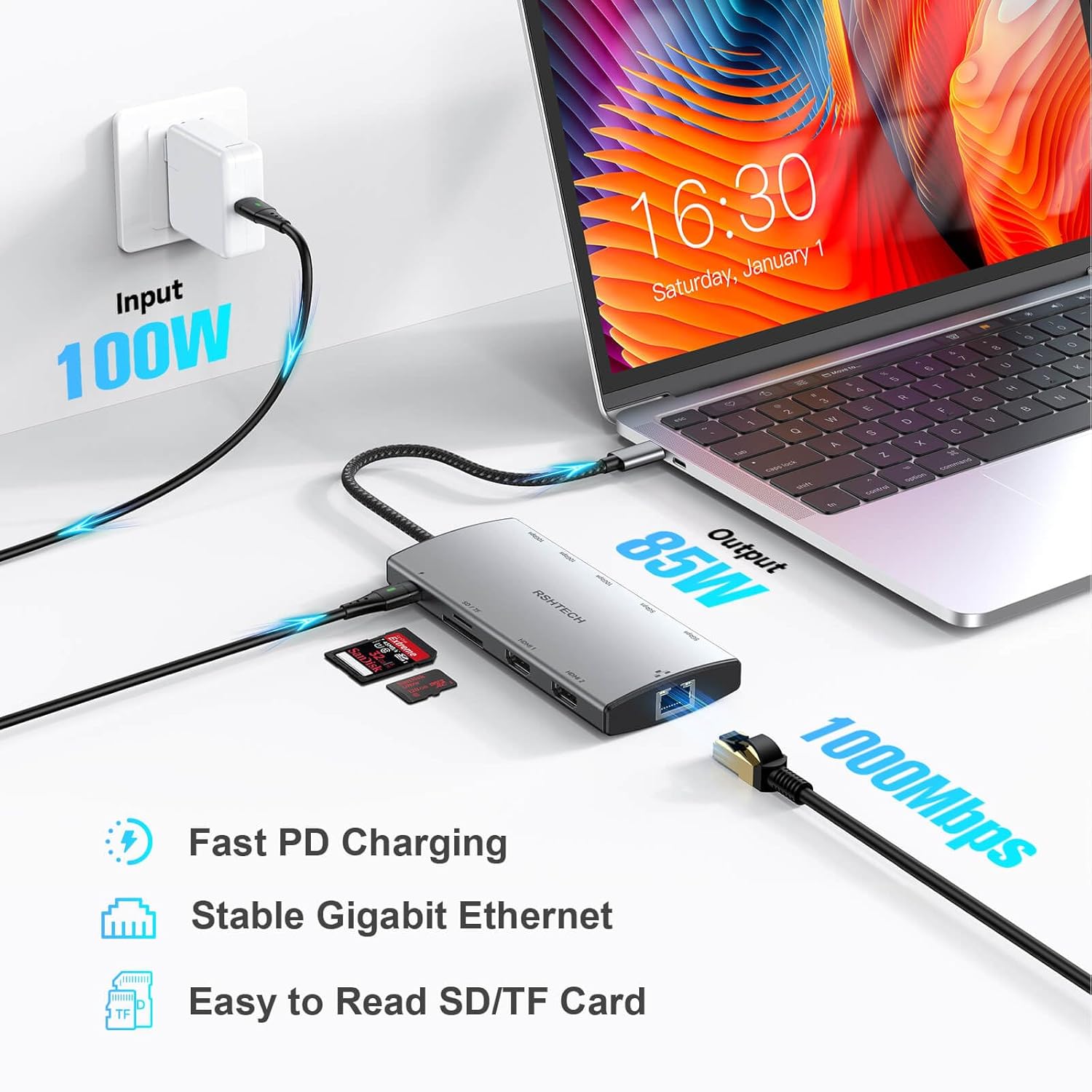
Figure 2: Power Delivery and Connectivity.
This image illustrates the power delivery capabilities of the hub, showing a 100W input from a power adapter, with 85W output to a connected laptop. It also depicts connections for Gigabit Ethernet and SD/TF card readers, emphasizing fast PD charging, stable Ethernet, and easy card access.
5.3 Display Connections (HDMI)
Connect your external monitors to the HDMI ports on the docking station using high-quality HDMI cables.
- Pantaila bakarra: Use either HDMI 1 (up to 8K@30Hz) or HDMI 2 (up to 4K@60Hz).
- Pantaila bikoitza: Use both HDMI 1 and HDMI 2. The maximum resolution for dual displays is 4K@60Hz.

Figure 3: Ultra HD Visual Experience.
This image demonstrates the hub's capability to deliver an Ultra HD visual experience, with a laptop connected to a large external monitor displaying high-resolution graphics. It highlights support for single display mode up to 8K@30Hz and dual display mode up to 4K@60Hz.
Display Resolution Table:
| Sistemak | Host Device DP Version | Irteerako portua | Single Display Max Resolution | Dual Display Max Resolution |
|---|---|---|---|---|
| Leihoak | HDMI 2.0 | 4K HDMI / 4K DP | 4K@30Hz | 1080@60Hz |
| HDMI 2.1 | 4K HDMI / 4K DP | 8K@30Hz | 4K@60Hz | |
| Mac OS | HDMI 2.0 | 4K HDMI / 4K DP | 4K@30Hz | 4K@30Hz |
| HDMI 2.1 | 8KHDMI | 8K@30Hz | 4K@30Hz |
Note: Display capabilities depend on your host device's USB-C port specifications (DisplayPort Alt Mode version) and operating system.
5.4 Data Ports (USB, SD/TF)
- Connect your USB devices (flash drives, external hard drives, keyboards, mice, etc.) to the appropriate USB-A or USB-C data ports.
- Insert SD or TF cards into their respective slots for data access.
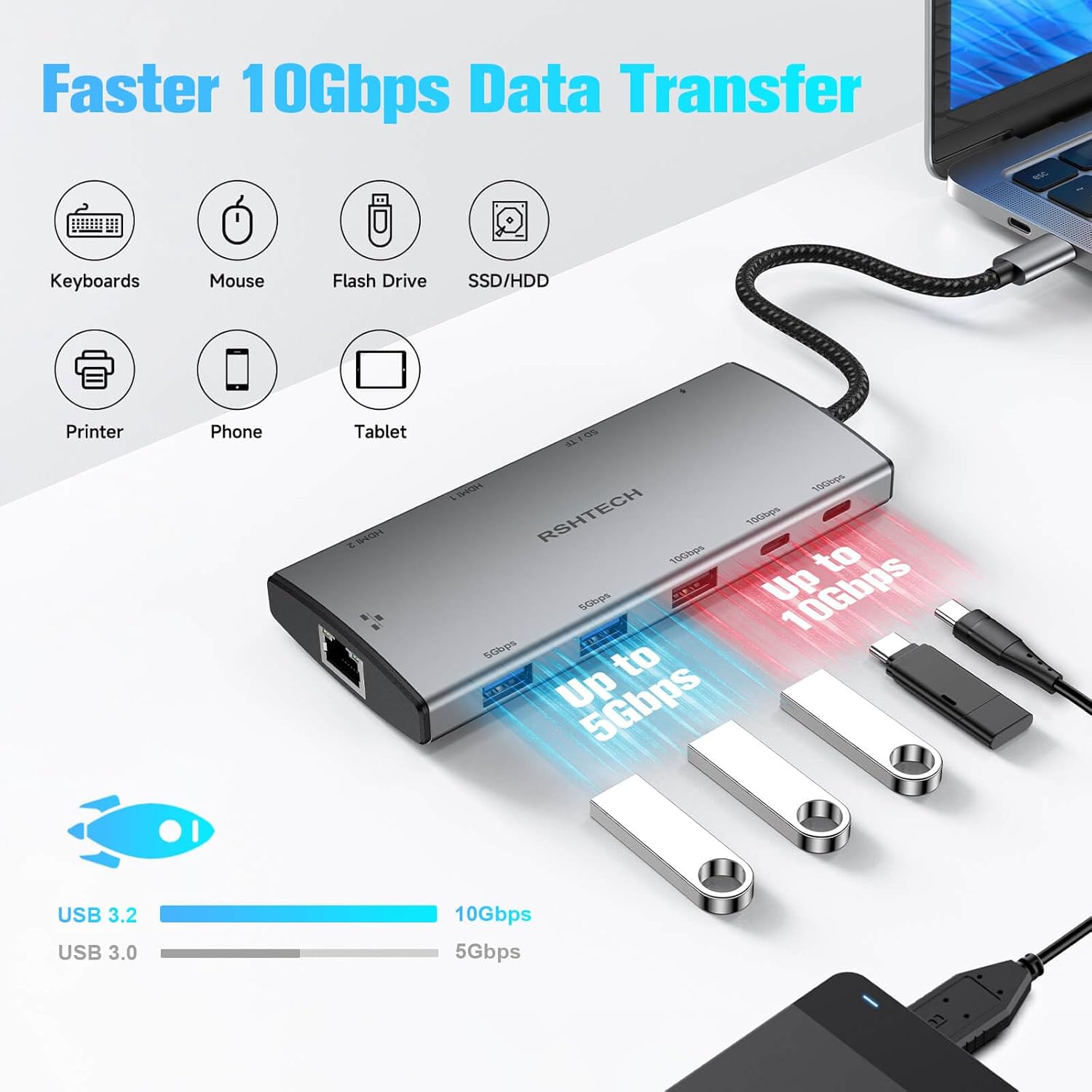
Figure 4: High-Speed Data Transfer.
This image shows the RSHTECH hub connected to a laptop, with multiple USB devices such as keyboards, mice, flash drives, SSD/HDDs, printers, phones, and tablets plugged into its various USB ports. It visually emphasizes the faster 10Gbps data transfer speeds of USB 3.2 ports and 5Gbps for USB 3.0 ports.
5.5 Gigabit Ethernet
- Konektatu Ethernet kable bat zure bideratzailetik edo sare-etengailutik kargatzeko estazioaren RJ45 atakara kable bidezko Interneteko konexio egonkor bat lortzeko.
6. Funtzionamendu-argibideak
- Plug and Play: The RSHTECH docking station is designed for plug-and-play operation. No additional drivers are typically required for most operating systems.
- Deskonexio segurua: Always safely eject any connected storage devices (USB drives, SD/TF cards) from your operating system before physically disconnecting them from the hub to prevent data corruption.
- Beroa xahutzea: Aluminiozko aleazioa casing is designed to dissipate heat. It is normal for the hub to feel warm during extended use, especially when multiple high-power devices or displays are connected.
7. Display Configuration (Windows/Mac OS)
After connecting your external displays, you may need to configure display settings in your operating system.
7.1 Windows OS
- Right-click on your desktop and select "Display settings."
- Here you can detect displays, arrange them, and choose display modes (Extend, Duplicate, Second screen only).
7.2 Mac OS
- Go to "System Settings" (or "System Preferences") > "Displays."
- You can arrange displays, set resolutions, and choose between "Extend" or "Mirror" modes.
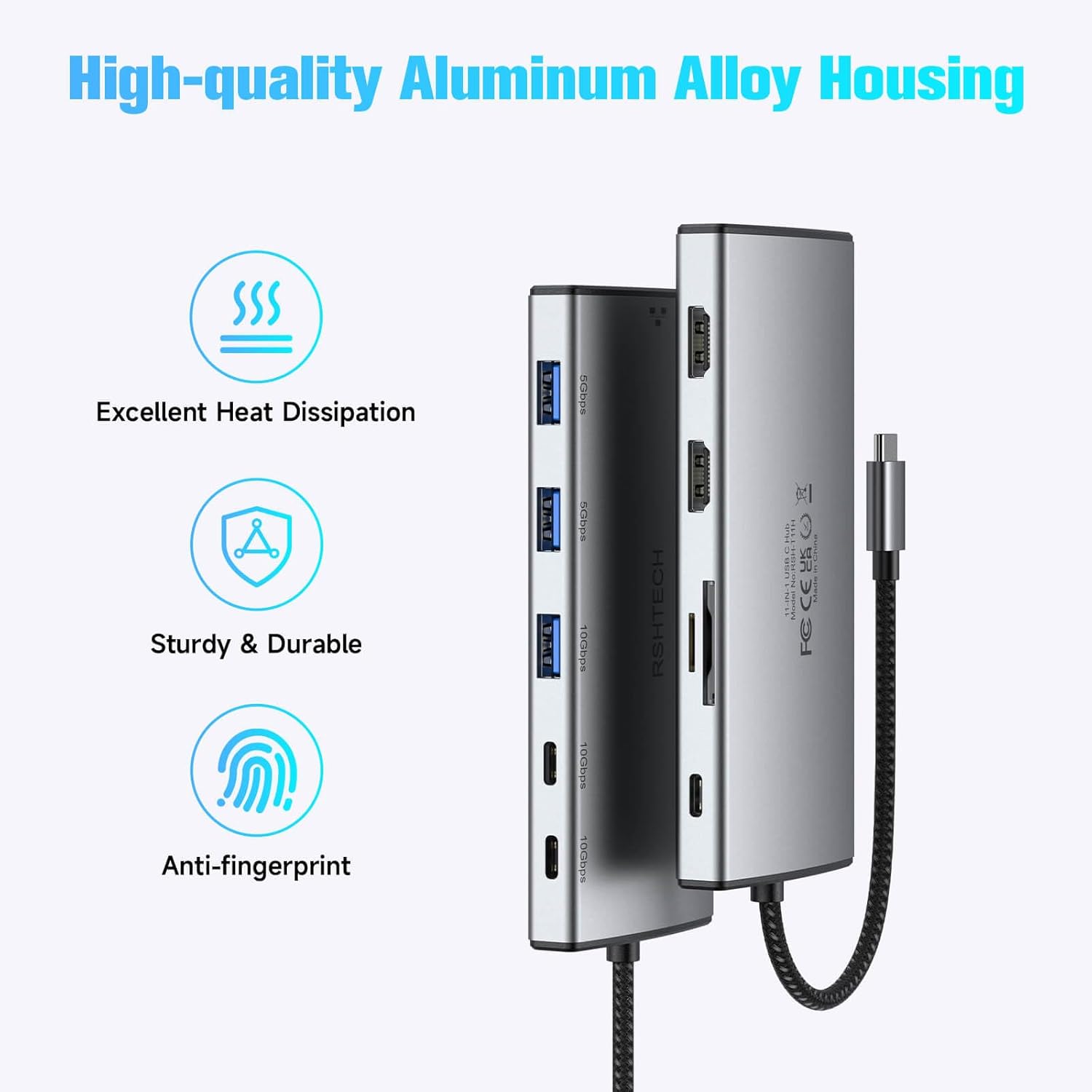
Figure 5: Multiple Display Modes.
This image illustrates various multi-display configurations for both Windows and Mac OS. For Windows, it shows options like extended desktop (A, B, C) and mirrored displays (A, A). For Mac OS, it shows extended desktop (A, B) and mirrored displays (A, A), demonstrating how the hub supports different display setups with a laptop and two external monitors.
8. Arazoak
- Ez dago pantaila-irteerarik:
- Ensure your host device's USB-C port supports DisplayPort Alternate Mode.
- Check all cable connections (USB-C to host, HDMI to monitors).
- Verify monitor input sources are correctly selected.
- Saiatu zure ostalari gailua berrabiarazten.
- Reduce display resolution if experiencing instability, especially with older HDMI cables or host devices.
- Energia-banaketa/kargatzerik ez:
- Ensure your laptop's power adapter is connected to the PD USB-C port on the hub.
- Egiaztatu zure ordenagailu eramangarriaren USB-C atakak Power Delivery onartzen duela.
- Egiaztatu korronte-moldagailua behar bezala funtzionatzen duen.
- Ez dira ezagutzen USB gailuak:
- Konektatu berriro USB gailua.
- Saiatu gailua hub-eko beste USB ataka batera konektatzen.
- Ensure the device is functioning when connected directly to your host device.
- Ethernet-ak ez du funtzionatzen:
- Check the Ethernet cable connection to both the hub and your router/switch.
- Egiaztatu sareko ezarpenak zure ostalari gailuan.
- Ensure your router/switch is functioning correctly.
- Hub Feels Warm:
- It is normal for the hub to generate some heat during operation, especially under heavy load (e.g., multiple displays, fast charging, high-speed data transfer). The aluminum casing is designed for heat dissipation. If it becomes excessively hot to touch, disconnect it and contact support.
- Screen Flickering/Instability:
- Ensure all cables are securely connected and not being moved or jostled.
- Try using different, high-quality HDMI cables.
- Murriztu pantailaren bereizmena edo freskatze-tasa arazoa jarraitzen duen ikusteko.
9. Zehaztapenak
| Ezaugarri | Zehaztapena |
|---|---|
| Modelo zenbakia | RSH-T11H |
| Neurriak | 6.85 x 3.19 x 0.91 hazbete |
| Elementuaren pisua | 5.3 ontza |
| Kolorea | Grisa |
| Ostalariaren interfazea | USB C motakoa |
| Bideo Irteera | 2 x HDMI (1x 8K@30Hz, 1x 4K@60Hz) |
| USB datu-ataka | 2 x USB-C 3.2 Gen 2 (10Gbps), 1 x USB-A 3.2 Gen 2 (10Gbps), 2 x USB-A 3.0 (5Gbps) |
| Potentzia Entrega | Up to 100W input, 85W pass-through to host |
| Ethernet | Gigabit Ethernet (RJ45, 10/100/1000Mbps) |
| Txartel irakurgailua | SD and TF (Micro SD) |
| Gailu bateragarriak | Desktops, Digital Cameras, Gaming Consoles, Laptops, Monitors |
| Fabrikatzailea | Shenzhen Rong Sheng Hui Electronics Co., Ltd |
10. Mantentzea
- Mantendu kargatzeko estazioa garbi eta hautsik gabe. Erabili zapi leun eta lehor bat garbitzeko.
- Saihestu gailua muturreko tenperatura, hezetasun edo eguzki-argia zuzenaren eraginpean jartzea.
- Do not attempt to disassemble or repair the device yourself. This may void your warranty.
- Handle with care to prevent physical damage.
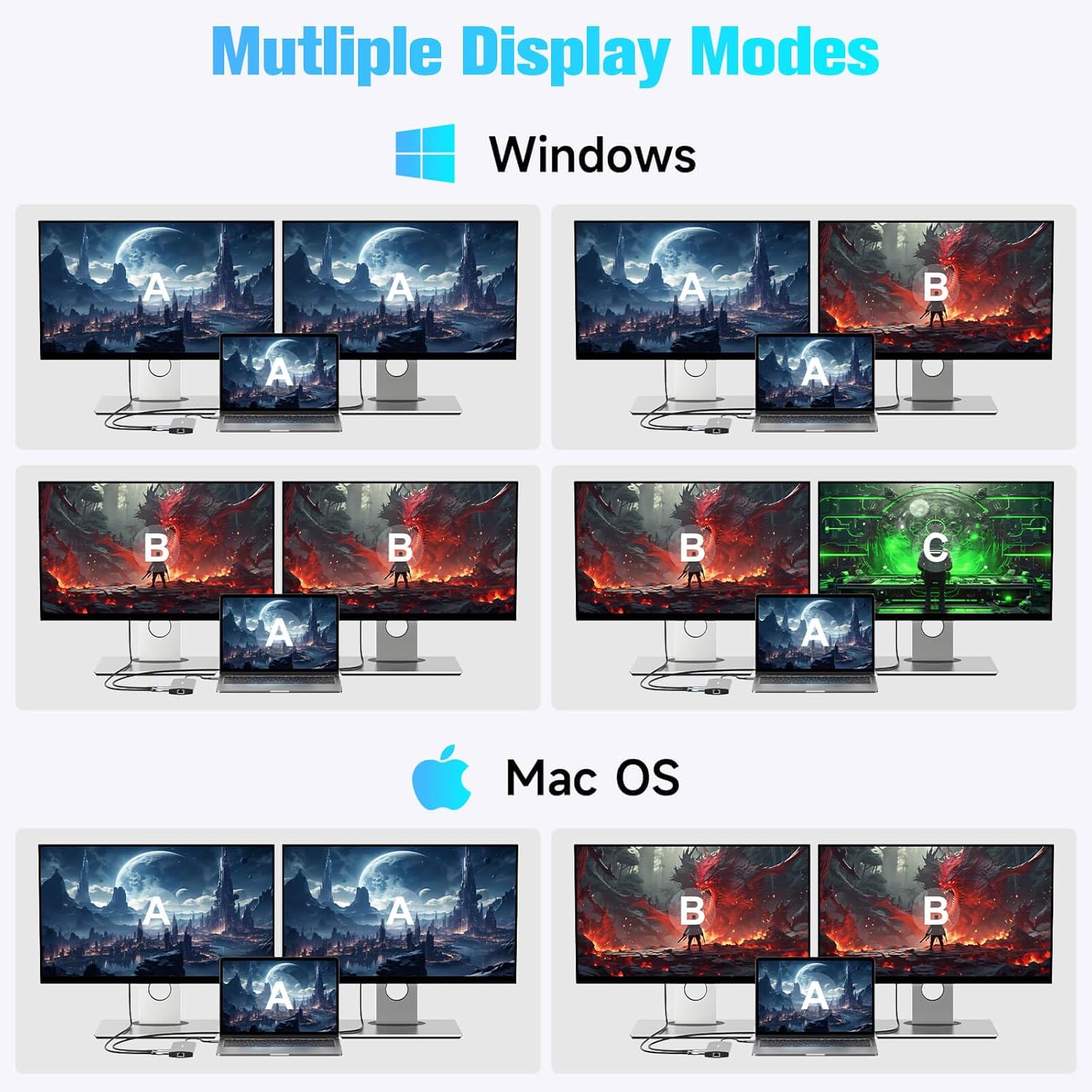
Figure 6: High-Quality Aluminum Alloy Housing.
This image showcases the robust design of the RSHTECH hub, featuring its high-quality aluminum alloy housing. Icons and text indicate key benefits such as excellent heat dissipation, sturdy and durable construction, and an anti-fingerprint finish, contributing to the product's longevity and performance.
11. Bermea eta Laguntza
Your RSHTECH 11-in-1 USB C Docking Station comes with a warranty. Please refer to the included warranty card for specific terms and conditions. For technical support or warranty claims, please contact RSHTECH customer service through the vendor's official channels or the platform where the product was purchased.
Babes-plan gehigarriak eros daitezke:
- 3 Urteko Babes Plana
- 4 Urteko Babes Plana
- Babes osoa (hileko harpidetza hainbat erosketa egoki estaltzen dituena)


