Sarrera
Thank you for choosing the W-KING T8II Portable Bluetooth Speaker. This manual will guide you through the features and functions of your new speaker, ensuring optimal performance and longevity. Please read these instructions carefully before using the product.
Paketearen edukia
- 1 x W-KING T8II Portable Loud Speaker
- 1 x 3.5 mm-ko audio-kablea
- 1 x C motako kargatzeko kablea
- 1 x Erabiltzailearen eskuliburua
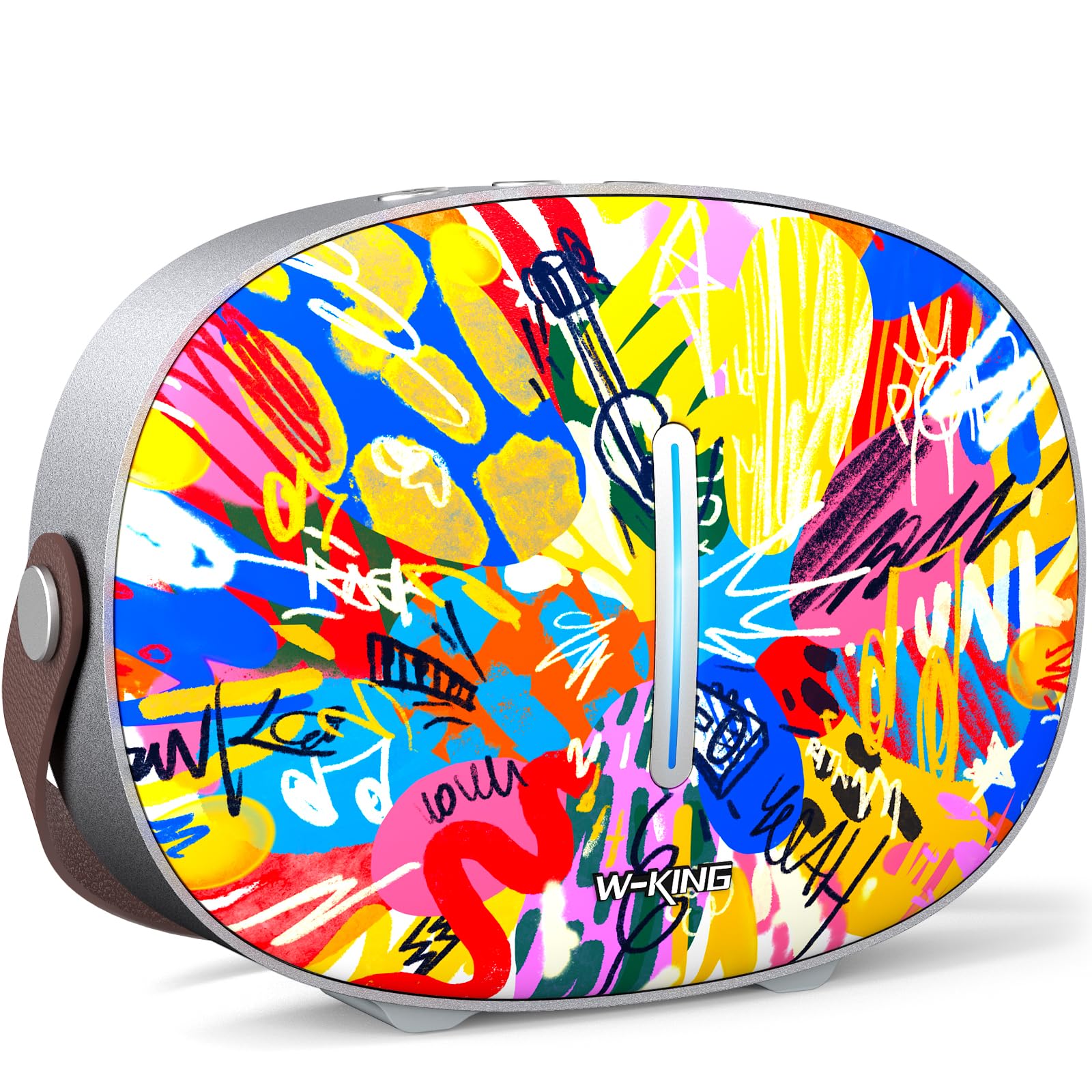
The package includes the W-KING T8II speaker, a 3.5mm audio cable for auxiliary connections, a Type-C charging cable, and this user manual.
Konfigurazioa
Hasierako karga
Before first use, fully charge your W-KING T8II speaker. Connect the provided Type-C charging cable to the speaker's Type-C port and a compatible power source. The speaker supports up to 30W fast charging. The indicator lights on the back will show the charging status.

Piztu/Itzali
- To power on: Press and hold the power button located on the back of the speaker for a few seconds until the indicator light illuminates.
- To power off: Press and hold the power button again for a few seconds until the indicator light turns off.

Bluetooth parekatzea
- Ensure the speaker is powered on and in Bluetooth pairing mode (the indicator light will flash).
- Zure gailuan (smartphone-an, tabletan, etab.), gaitu Bluetooth-a eta bilatu eskuragarri dauden gailuak.
- Select "W-KING T8II" from the list of devices.
- Once connected, the indicator light will become solid, and you will hear an audible confirmation.

The W-KING T8II uses Bluetooth 5.4 for a stable and efficient wireless connection.
Kutxa ireki eta amaituview Bideoa
Bideoa: Kutxa ireki eta gehiagoview of the W-KING T8II Portable Bluetooth Speaker, demonstrating its contents and initial setup.
Funtzionamendu-argibideak
Kontrol-botoiak
The top panel of the speaker features intuitive control buttons for easy operation:
- M (Modu botoia): Sakatu Bluetooth, AUX eta USB erreprodukzio moduen artean aldatzeko.
- - (Volume Down / Previous Track): Sakatu labur bolumena jaisteko. Sakatu luze aurreko abestira joateko.
- Erreproduzitu/Pausatu botoia: Sakatu audioa erreproduzitzeko edo eteteko.
- + (Volume Up / Next Track): Sakatu labur bolumena igotzeko. Sakatu luze hurrengo abestira joateko.

Erreprodukzio moduak
- Bluetooth modua: Konektatu haririk gabe zure gailura Konfigurazio atalean azaltzen den bezala.
- AUX modua: Connect an external audio device using the provided 3.5mm audio cable to the AUX port on the back of the speaker. Press the 'M' button to switch to AUX mode.
- USB erreprodukzio modua: Insert a USB flash drive into the USB-A port on the back of the speaker. The speaker will automatically switch to USB mode and begin playing compatible audio files.

True Wireless Stereo (TWS) parekatzea
For an enhanced audio experience, two W-KING T8II speakers can be paired together to create a true stereo sound system:
- Ensure both T8II speakers are powered on and in Bluetooth pairing mode (not connected to any device).
- On one of the speakers, press and hold the Bluetooth pairing button (usually indicated by a Bluetooth icon) until you hear a confirmation tone.
- Bi bozgorailuak automatikoki konektatuko dira elkarri. Behin konektatuta, bozgorailu batek maisu gisa jardungo du (ezkerreko kanala) eta besteak esklabo gisa (eskuineko kanala).
- Connect your device to the master speaker via Bluetooth.

Kanpoko gailuak kargatzea
The W-KING T8II speaker can function as a power bank to charge your mobile devices. Connect your device to the speaker's USB-A output port using a compatible charging cable. The USB-A to Type-C output supports up to 18W charging.

Mantentzea
Zaintza Orokorra
- Mantendu bozgorailua muturreko tenperaturetatik, eguzki-argitik eta hezetasunetik urrun.
- Saihestu bozgorailua kolpe gogorrak erortzea edo jasaten.
- Do not disassemble or attempt to repair the speaker yourself, as this will void the warranty.
Bateria zaintzea
To maximize battery life, avoid fully discharging the speaker frequently. Recharge the battery regularly, even if the speaker is not in use for extended periods.
Garbiketa
Garbitu bozgorailua zapi leun eta lehor batekin. Ez erabili garbitzaile edo disolbatzaile urratzailerik.
Uraren Erresistentzia
Oharra: The W-KING T8II speaker is EZ iragazgaitza. Avoid exposure to water or other liquids to prevent damage.
Arazoak konpontzea
| Arazoa | Irtenbidea |
|---|---|
| Bozgorailuak ez du pizten. | Ziurtatu bateria kargatuta dagoela. Konektatu bozgorailua energia-iturri batera C motako kablea erabiliz. |
| Ezin da Bluetooth bidez parekatu. |
|
| Soinurik ez. |
|
| Soinuaren distortsioa bolumen handian. | Reduce the volume on the speaker or your connected device. Ensure audio source quality is high. |
| Bozgorailuak ez du kanpoko gailua kargatzen. | Ensure the speaker has sufficient battery charge. Use a compatible USB-A cable. |
Zehaztapenak
| Ereduaren izena | T8II |
| Marka | W-ERREGEA |
| Hizlari mota | Kanpoko haririk gabeko bozgorailu eramangarria |
| Konektibitate Teknologia | Laguntzailea, Bluetooth, USB |
| Bluetooth bertsioa | 5.4 |
| Bozgorailuaren irteera-potentzia maximoa | 96 Watt |
| Audio irteera modua | Surround Stereoa |
| Maiztasun Erantzuna | 20 Hz (Lower bound, full range not specified) |
| Seinaleen eta zarataren arteko erlazioa | 85 dB |
| Wooferaren diametroa | 3 hazbete |
| Tweeter Diametroa | 1 hazbete |
| Energia iturria | Bateriaz elikatzen da (12V-ko bateria 1 behar da) |
| Produktuaren neurriak | 10.91" L x 7.73" W x 3.9" H |
| Elementuaren pisua | 5.5 libra (2.5 kilogramo) |
| Materiala | Plastikoa, Metala |
| Iragazgaitza | Ez |
| Ezaugarri bereziak | Bass Boost, Bluetooth 5.4, True Wireless Stereo Pairing, Portable, Shockproof, Type-C Fast Charging, Type-C output, USB PLAYBACK/AUX, Personalised Trendy Design |
Bermearen informazioa
The W-KING T8II Portable Bluetooth Speaker comes with a Limited Warranty. Please refer to the product packaging or contact W-KING customer support for specific warranty terms and conditions.
Laguntza
For further assistance, technical support, or inquiries regarding your W-KING T8II speaker, please visit the official W-KING website or contact their customer service department. The user manual included in the package also contains detailed information.
W-KING Store: Visit the W-KING Store on Amazon


