1. Sarrera
This manual provides essential information for the proper use and maintenance of your Picun F5 Active Noise Cancelling Headphones. Please read it thoroughly before operating the device.
2. Paketearen edukia
Egiaztatu elementu guztiak zure paketean daudela:
- 1 x Picun F5 Headphone
- 1 x 3.5 mm-ko audio-kablea
- 1 x USB kargatzeko kablea
- 1 x Erabiltzailearen eskuliburua

3. Produktuaren ezaugarriak
- Zarata ezabatze aktiboa (ANC): Advanced technology to reduce ambient noise for an immersive audio experience.
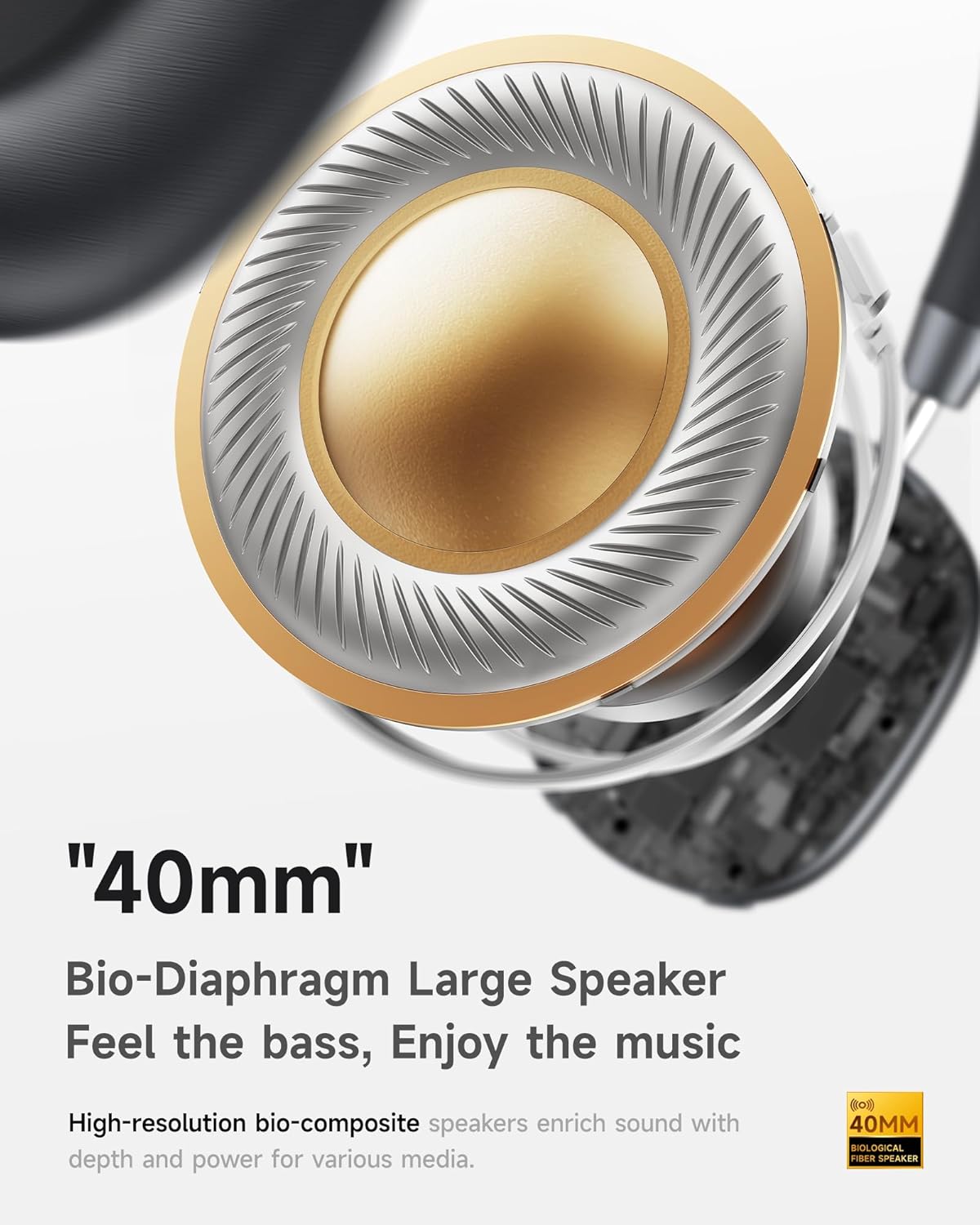
- Hi-Fi Audio with Deep Bass: Delivers clear sound with enhanced bass.
- App-Controlled EQ: Customize audio settings via a dedicated companion application.
- Mikrofono integratua: Ensures clear voice calls.
- Puntu anitzeko konexioa: Allows seamless switching between two connected Bluetooth devices.
- Diseinu ergonomikoa: Lightweight build with soft memory-foam earcups for extended comfort.
- Long Playtime & Fast Charging: Up to 30 hours of playback on a single charge, with quick recharge capabilities.



4. Konfigurazioa
4.1 Entzungailuak kargatzea
Before first use, fully charge your Picun F5 headphones. Connect the provided USB charging cable to the headphone's charging port and a compatible USB power source. The charging indicator light will show the charging status.
4.2 Bluetooth parekatzea
- Ziurtatu entzungailuak itzalita daudela.
- Sakatu eta eutsi pizteko botoia adierazle-argia keinuka hasi arte, parekatze-modua adieraziz.
- Zure gailuan (telefono adimenduna, tableta, ordenagailua), gaitu Bluetooth eta bilatu eskuragarri dauden gailuak.
- Select "Picun F5" from the list of devices to connect.
- Behin konektatuta, adierazle-argia urdin finko bihurtuko da edo itzali egingo da, modeloaren arabera.
4.3 Puntu anitzeko konexioa
The Picun F5 supports connecting to two Bluetooth devices simultaneously. After pairing with the first device, disable Bluetooth on that device. Pair the headphones with the second device. Then, re-enable Bluetooth on the first device. The headphones should now be connected to both devices, allowing seamless audio switching.

5. Funtzionamendua
5.1 Oinarrizko kontrolak
Entzungailuek kontrol intuitiboak dituzte audioa eta deiak kudeatzeko:
- Piztu/Itzali: Eduki sakatuta pizteko botoia.
- Bolumenaren doikuntza: Use the dedicated volume knob/buttons on the earcup.
- Erreproduzitu/Pausatu: Sakatu behin funtzio anitzeko botoia.
- Hurrengo ibilbidea: Sakatu bi aldiz funtzio anitzeko botoia.
- Aurreko pista: Sakatu hiru aldiz funtzio anitzeko botoia.
- Deia erantzun/amaitu: Single press the Multi-function button during an incoming call.
- Deia baztertu: Sakatu eta eutsi funtzio anitzeko botoia sarrerako dei batean.
5.2 Active Noise Cancelling (ANC) Modes
The ANC feature can be toggled or adjusted using a dedicated button on the headphones. Refer to the specific button layout on your device for exact functionality. Some models may offer different ANC levels or transparency modes.
5.3 App Control and Custom EQ
Download the companion app for your Picun F5 headphones to unlock personalized features. The app allows you to:
- Customize Equalizer (EQ) settings to match your audio preferences.
- Adjust ANC levels or switch between different noise control modes.
- Access additional smart features and settings.


6. Mantentzea
To ensure the longevity and optimal performance of your Picun F5 headphones, follow these maintenance guidelines:
- Garbiketa: Erabili zapi leun eta lehor bat entzungailuak eta buruko zinta garbitzeko. Saihestu produktu kimiko gogorrak edo material urratzaileak erabiltzea.
- Biltegiratzea: Store the headphones in a cool, dry place, away from direct sunlight and extreme temperatures. When not in use, consider storing them in a protective case.
- Saihestu hezetasuna: Ez jarri entzungailuak uretan edo gehiegizko hezetasunean.
- Kontuz maneiatu: Saihestu entzungailuak erortzea edo kolpe gogorren eraginpean jartzea.

7. Arazoak
If you encounter issues with your Picun F5 headphones, refer to the following common solutions:
- Potentziarik gabe: Ziurtatu entzungailuak guztiz kargatuta daudela. Konektatu itzazu energia-iturri batera eta egiaztatu kargatzeko adierazlea.
- Ezin da parekatu: Make sure the headphones are in pairing mode (indicator flashing). Disable and re-enable Bluetooth on your device, then try pairing again. Ensure the headphones are not already connected to another device.
- Soinurik ez: Check the volume levels on both the headphones and your connected device. Ensure the headphones are properly paired. If using a wired connection, ensure the 3.5mm audio cable is securely plugged in.
- Soinu kalitate eskasa: Move closer to your connected device to avoid interference. Check for any obstructions between the headphones and the device. Ensure the audio source is of good quality.
- ANC ez dabil: Ensure the ANC feature is activated. Check for any physical obstructions around the microphones.
If the issue persists, try resetting the headphones (refer to the full user manual for specific reset instructions) or contact customer support.
8. Zehaztapenak
| Marka | Picun |
| Ereduaren izena | F5 |
| Konektibitate Teknologia | Haririk gabekoa (Bluetooth 4.0) |
| Zarata Kontrola | Sound Isolation (Active Noise Cancelling) |
| Maiztasun Erantzuna | 20 KHz |
| Sentikortasuna | 42 dB |
| Aurikularretarako Jack | 3.5 mm Jack |
| Bateriaren iraupena | 30 ordu |
| Audio kontrolatzaile mota | Gidari dinamikoa |
| Entzungailuaren forma | Biribila |
| Inpedantzia | 32 Ohm |
| Elementuaren pisua | 14 ontza (0.4 kilogramo) |
| Materiala | Akrilonitrilo Butadieno Estirenoa (ABS) |
9. Bermea eta Laguntza
Picun products are designed for reliability and performance. For warranty information, product support, or technical assistance, please refer to the warranty card included in your package or visit the official Picun webgunea. Gorde erosketa-agiria berme-erreklamazioetarako.


