1. Sarrera
The NYXI Warrior Wireless Switch Controller is a versatile gaming peripheral designed for enhanced gameplay across multiple platforms. It features advanced technologies such as Hall Effect Joysticks and Triggers for precision and longevity, micro mechanical switch buttons for rapid response, HD Rumble for immersive feedback, and a 6-axis gyroscope for motion sensing. This controller is compatible with Nintendo Switch, Nintendo GameCube (NGC), Wii, and PC.

Image: NYXI Warrior controllers in various colors, highlighting the product line.
2. Paketearen edukia
- NYXI Warrior Wireless Switch Controller
- USB Haririk gabeko Hargailua
- USB-C kargatzeko kablea
- Erabiltzailearen eskuliburua (dokumentu hau)

Image: The NYXI Warrior controller and its wireless receiver.
3. Konfigurazio gida
3.1 Kontrolagailua kargatzea
Before first use, fully charge the controller. Connect the supplied USB-C charging cable to the controller's USB-C port and the other end to a USB power source (e.g., console, PC, or USB wall adapter). The indicator lights on the controller will show charging status and turn off when fully charged. A full charge typically takes approximately 2-3 hours.
3.2 Gailuetara konektatzea
3.2.1 Nintendo Switch konexioa
- Turn on your Nintendo Switch console.
- HOME Menuan, hautatu Kontrolatzaileak, orduan Aldatu heldulekua/ordena.
- Eduki sakatuta Parekatzeko botoia on the top of the NYXI Warrior controller for 3 seconds until the indicator lights begin to flash rapidly.
- Once connected, the corresponding player indicator light(s) on the controller will remain solid.
3.2.2 PC/NGC/Wii Connection (via USB Wireless Receiver)
- Insert the USB Wireless Receiver into an available USB port on your PC, NGC, or Wii console.
- Ensure the NYXI Warrior controller is powered on.
- The controller should automatically connect to the receiver. The indicator light on the receiver and controller will become solid once a connection is established.
- For PC, additional driver installation may be required depending on the operating system. Refer to your PC's documentation for USB device setup.

Image: The NYXI Warrior controller connected to a laptop via its USB receiver, demonstrating PC compatibility.

Image: The NYXI Warrior controller with a Nintendo Wii console, illustrating Wii compatibility.
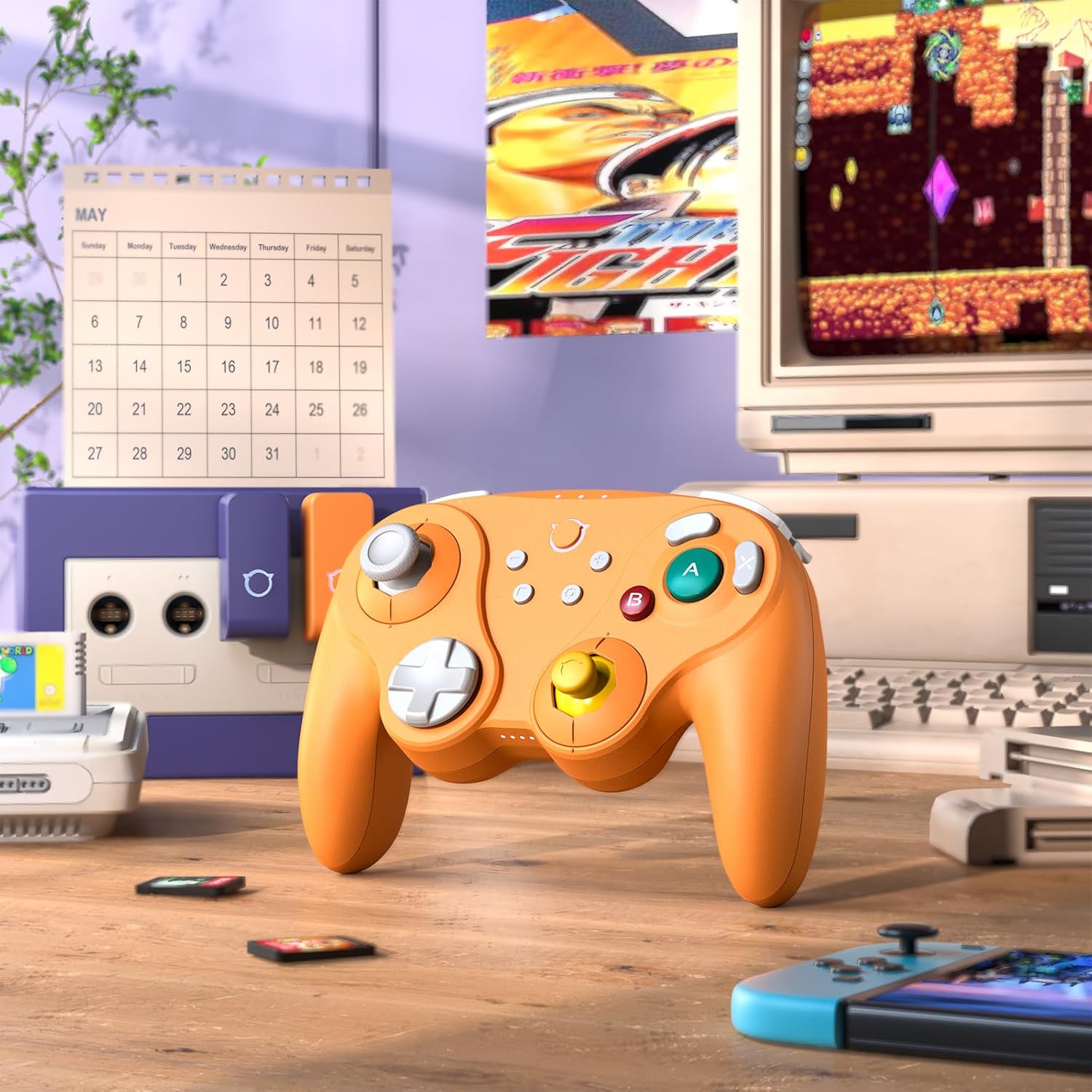
Image: The NYXI Warrior controller with a retro gaming setup, illustrating GameCube compatibility.
4. Funtzionamendu-argibideak
4.1 Botoien diseinua eta funtzioak
The NYXI Warrior controller features a comprehensive button layout for various gaming needs:
- Ezkerreko analogiko joysticka: Mugimendurako eta kamera kontrolatzeko.
- D-Pad: Norabideko sarrera.
- Eskuineko analogiko joysticka: Kamera kontrolatzeko edo joko barruko ekintza zehatzetarako.
- A/B/X/Y botoiak: Action buttons with micro mechanical switches for precise and rapid input.
- Ezker/Eskuineko botoiak: Sorbaldako botoiak.
- ZL/ZR abiarazleak: Hall Effect analog triggers for precise input, adjustable for different gameplay styles.
- +/- Botoiak: Start/Select or Menu functions.
- Hasierako botoia: Returns to the console's home screen.
- Pantaila-argazkiaren botoia: Pantaila-argazkiak ateratzen ditu.
- Programmable Back Paddles (M1/M2): Located on the underside, these can be assigned to various button functions.

Irudia: Aurrealdea view of the NYXI Warrior controller, illustrating its button layout.

Irudia: Atzealdea view of the NYXI Warrior controller, highlighting the programmable back paddles.

Irudia: Goiko aurrealdea view of the NYXI Warrior controller, showing triggers and charging port.

Image: Two users playing with NYXI Warrior controllers, demonstrating in-game use.
4.2 Ezaugarri aurreratuak
4.2.1 Hall efektuko joystickak eta abiarazleak
The controller utilizes Hall Effect technology for its joysticks and triggers. This magnetic sensing technology prevents stick drift and ensures precise, long-lasting input. The triggers are also adjustable, allowing users to fine-tune their activation distance based on personal preference or game requirements.

Image: Illustration of the Hall Effect Joystick technology.

Image: Adjustable Hall Sensing Triggers feature.
4.2.2 Micro Mechanical Switch Buttons
The A/B/X/Y buttons and D-pad utilize micro mechanical switches, offering a short travel distance of approximately 0.3mm and a response speed of 0.2ms. This design provides tactile feedback and minimal latency, crucial for competitive gaming.

Image: Microswitches for A/B/X/Y buttons and D-pad.
4.2.3 6-Axis Gyroscope
The integrated 6-axis gyroscope supports motion sensing, particularly useful for games on the Nintendo Switch that utilize tilt or motion controls.

Image: 6-Axis Gyroscope feature illustration.
4.2.4 HD Rumble
The controller features HD Rumble, providing enhanced vibration feedback that can convey a wider range of sensations, from subtle tremors to powerful impacts, enriching the gaming experience.

Image: HD Rumble feature illustration.
4.2.5 Programmable Back Paddles and Turbo Function
The interchangeable back paddles (M1 and M2) can be programmed to replicate other button inputs, offering additional customization and ergonomic advantages. The controller also supports a turbo function for rapid, repeated button presses. Refer to the specific programming instructions provided with the controller for detailed steps on assigning functions to the back paddles and activating turbo mode.

Image: Interchangeable Back Paddle Design.
5. Mantentzea
- Garbiketa: Use a soft, dry cloth to clean the controller's surface. For stubborn dirt, slightly dampGarbitu oihalak urarekin. Saihestu produktu kimiko gogorrak edo material urratzaileak erabiltzea.
- Biltegiratzea: Gorde kontrolatzailea leku fresko eta lehor batean, eguzki-argitik eta muturreko tenperaturetatik babestuta.
- Bateria zaintzea: Bateriaren iraupena luzatzeko, saihestu kontrolagailua maiz erabat deskargatzea. Denbora luzez gordetzen baduzu, kargatu bateria % 50 inguru hilabete batzuk behin.
- Manipulazioa: Saihestu kontrolatzailea erortzea edo kolpe gogorren eraginpean jartzea, barneko osagaiak kaltetu baititzake.
6. Arazoak
6.1 Kontrolatzailea ez da konektatzen
- Ziurtatu kontrolatzailea behar bezala kargatuta dagoela.
- Verify the USB Wireless Receiver is securely plugged into the console/PC.
- For Switch, ensure you are in the "Change Grip/Order" menu.
- Try re-pairing the controller by pressing the pairing button.
- Restart your console/PC and the controller.
6.2 Input Lag or Unresponsive Buttons
- Ensure there are no strong wireless interference sources nearby (e.g., Wi-Fi routers, other wireless devices).
- Move closer to the console/PC.
- Check if the controller's battery is low.
- Perform a controller reset (refer to manufacturer's specific reset procedure if available, typically a small pinhole button).
6.3 Joystick Calibration
While Hall Effect joysticks are designed to prevent drift, if you experience any unusual behavior, you may need to recalibrate them through your console's system settings (e.g., Nintendo Switch System Settings > Controllers and Sensors > Calibrate Control Sticks).
7. Zehaztapenak
| Modelo zenbakia | Gerlaria |
| ASIN | B0FB9577L9 |
| Paketearen neurriak | 7.64 x 7.52 x 3.58 hazbete |
| Elementuaren pisua | 1.54 kilo |
| Pilak | 1 litio ioizko bateria (barne) |
| Eskuragarri dagoen lehen data | 24ko martxoaren 2025a |
8. Bermea eta Laguntza
For information regarding warranty coverage, technical support, or replacement parts, please refer to the official NYXI webwebgunera joan edo produktua erosi zenion saltzailearekin harremanetan jarri. Gorde erosketaren frogagiria bermearen erreklamazioetarako.
Official NYXI Store: NYXI Store on Amazon


