Sarrera
This manual provides detailed instructions for the MageGee GK960 Wireless Gaming Keyboard. Please read this manual thoroughly before using the product to ensure proper operation and to maximize your user experience. The GK960 offers versatile connectivity, customizable RGB lighting, and an ergonomic design for extended use.

Image: The MageGee GK960 Wireless Gaming Keyboard, showcasing its full layout and RGB backlighting.
Paketearen edukia
Egiaztatu behean zerrendatutako elementu guztiak zure paketean sartuta daudela:
- MageGee GK960 Wireless Gaming Keyboard
- USB-C kargatzeko kablea
- 2.4G USB hargailua
- Erabiltzailearen eskuliburua
- Erabiltzailearen Gida
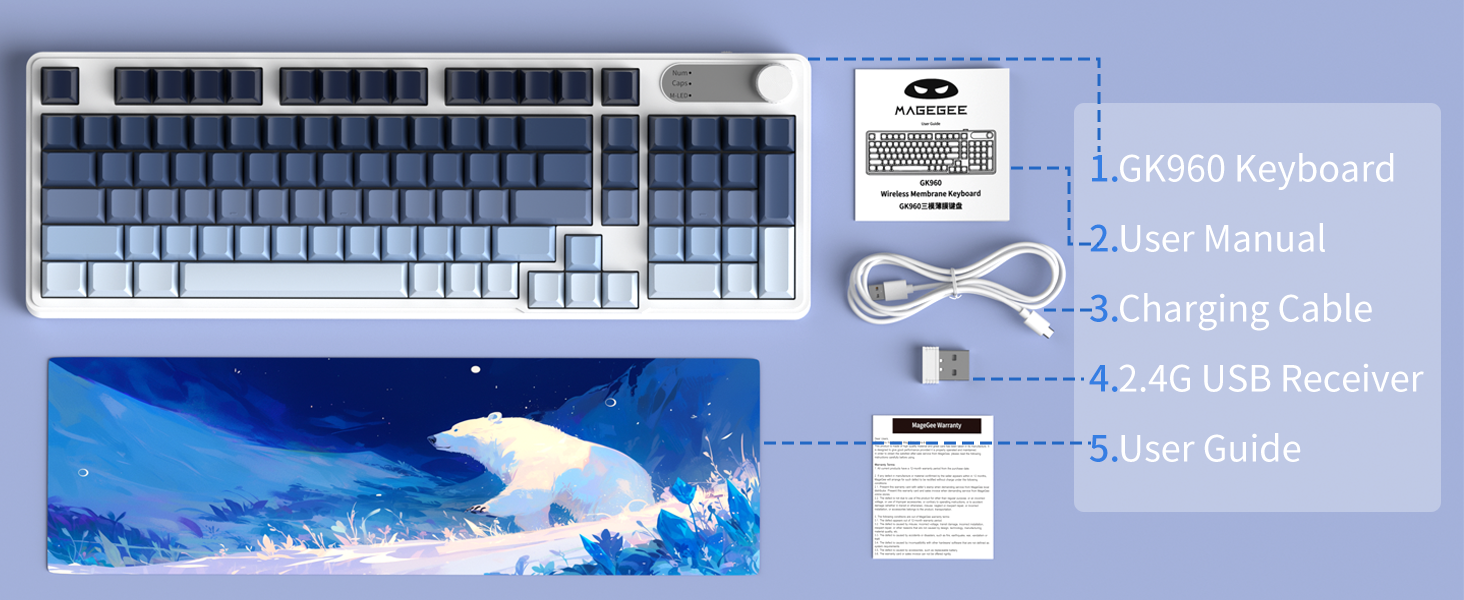
Image: An illustration showing the MageGee GK960 keyboard and its included accessories: USB-C cable, 2.4G receiver, user manual, and user guide.
Konfigurazioa eta Konektibitatea
The GK960 keyboard supports three connection modes: Wired (USB-C), 2.4GHz Wireless, and Bluetooth.
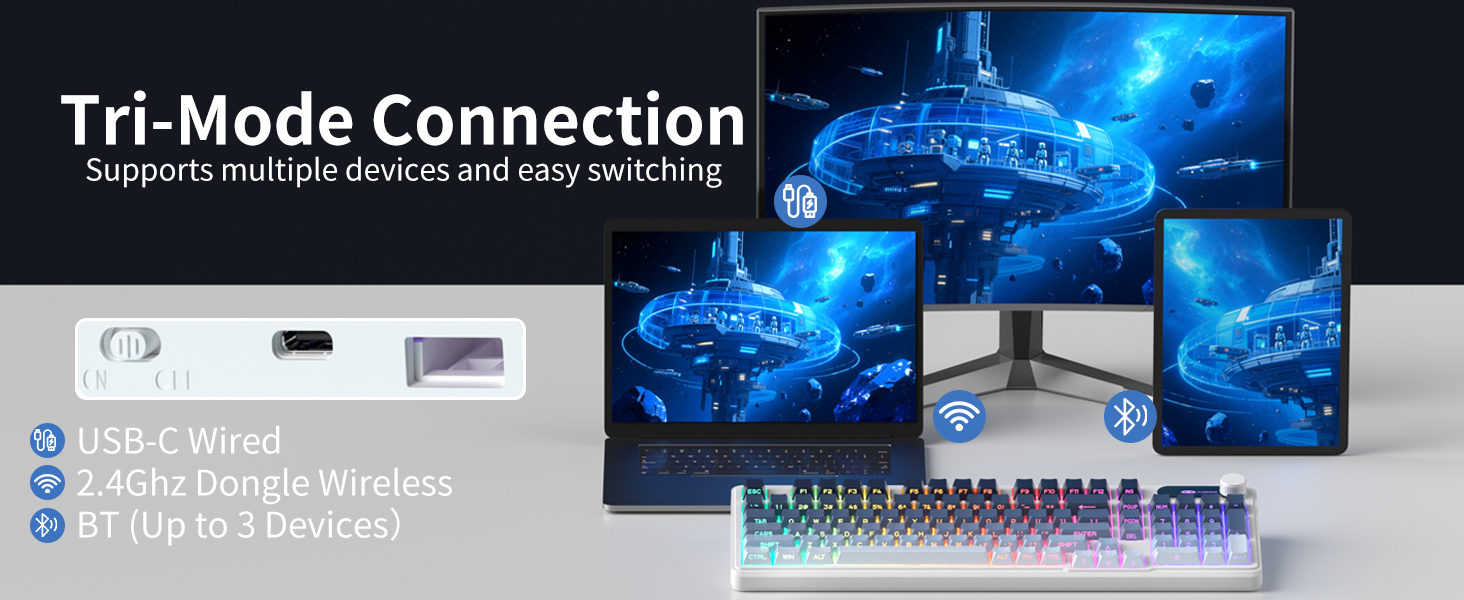
Image: A visual representation of the keyboard connecting to multiple devices (laptop, monitor, tablet) via USB-C, 2.4G dongle, and Bluetooth.
1. Kable bidezko konexioa (USB-C)
- Konektatu emandako USB-C kablea teklatuaren USB-C atakara.
- Konektatu USB-C kablearen beste muturra zure ordenagailuko USB ataka libre batera.
- Teklatua automatikoki ezagutuko da eta erabiltzeko prest egongo da.
2. 2.4 GHz-ko haririk gabeko konexioa
- Bilatu 2.4G USB hargailua paketean.
- Konektatu 2.4G USB hargailua ordenagailuko USB ataka libre batean.
- On the keyboard, switch the mode selector to the '2.4G' position.
- The keyboard will connect wirelessly to your device.
3. Bluetooth konexioa
The GK960 supports up to three Bluetooth devices (BT1, BT2, BT3).
- On the keyboard, switch the mode selector to the 'BT' position.
- Luze sakatu FN + 1 (BT1erako), FN + 2 (BT2rako), edo FN + 3 (BT3rako) 3-5 segundoz, adierazle-argia azkar keinuka hasi arte, parekatze-modua adieraziz.
- Zure gailuan (ordenagailuan, tabletan, telefonoan), gaitu Bluetooth-a eta bilatu gailu berriak.
- Select 'GK960' from the list of available devices to pair.
- Behin parekatuta, adierazle-argiak keinu egiteari utziko dio.
Modu artean aldatzea
Use the mode selector switch on the keyboard to easily switch between Wired, 2.4G, and Bluetooth modes. For Bluetooth, press FN + 1/2/3 parekatutako Bluetooth gailuen artean aldatzeko.
Funtzionamendu-argibideak
RGB atzeko argiztapenaren kontrola
The GK960 features vibrant RGB backlighting with adjustable effects, brightness, and speed.
- FN + INS: Switch between different light modes.
- FN + Backspace: Turn the backlight on/off.
- FN + -/_: Adjust light speed (slower).
- FN + =/+: Adjust light speed (faster).
- FN + PgUp: Increase light brightness.
- FN + PgDn: Decrease light brightness.
- FN + P: Toggle logo color.
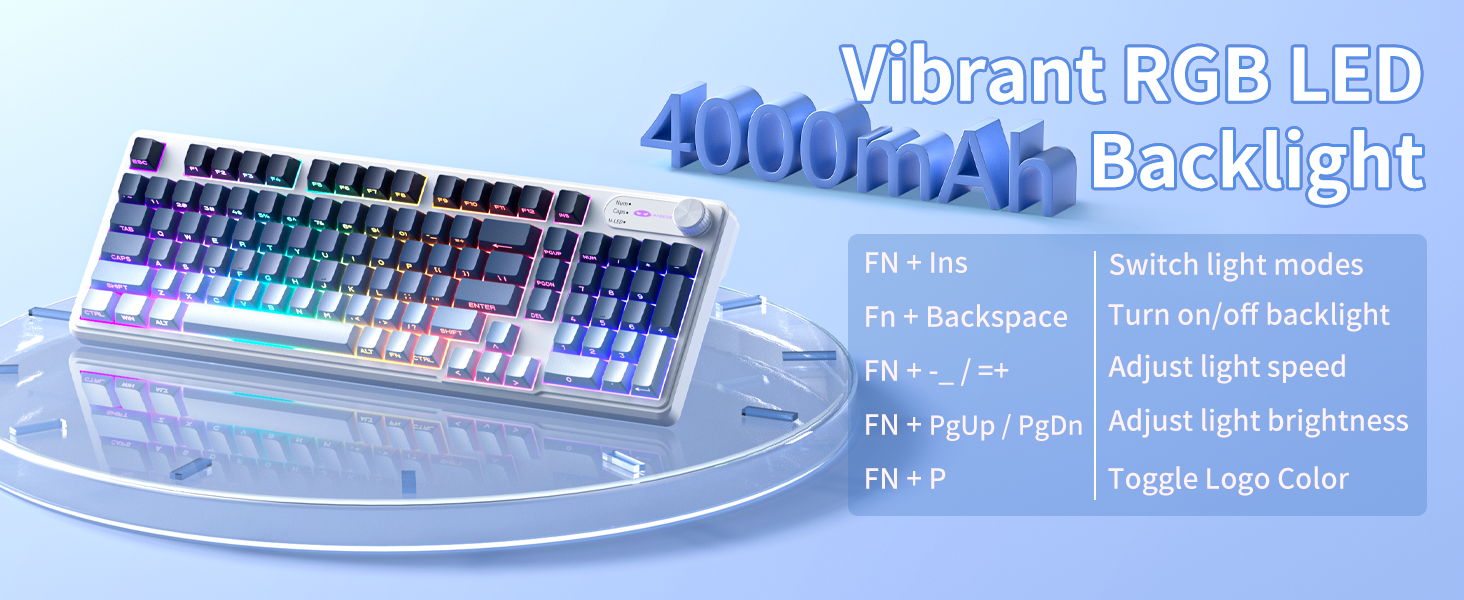
Image: A diagram illustrating the FN key combinations for controlling the RGB backlight modes, speed, brightness, and logo color.
Dual-Mode Rotary Knob
The multi-functional knob allows quick adjustments for volume and lighting.
- Aldatu modua: Long-press FN + Eskutokia for 5 seconds to switch between Volume Mode and Light Mode.
- Bolumen modua: Rotate the knob to adjust volume. Press down on the knob to mute/unmute.
- Argi modua: Rotate the knob to adjust backlight brightness. Press down on the knob to cycle through lighting effects.
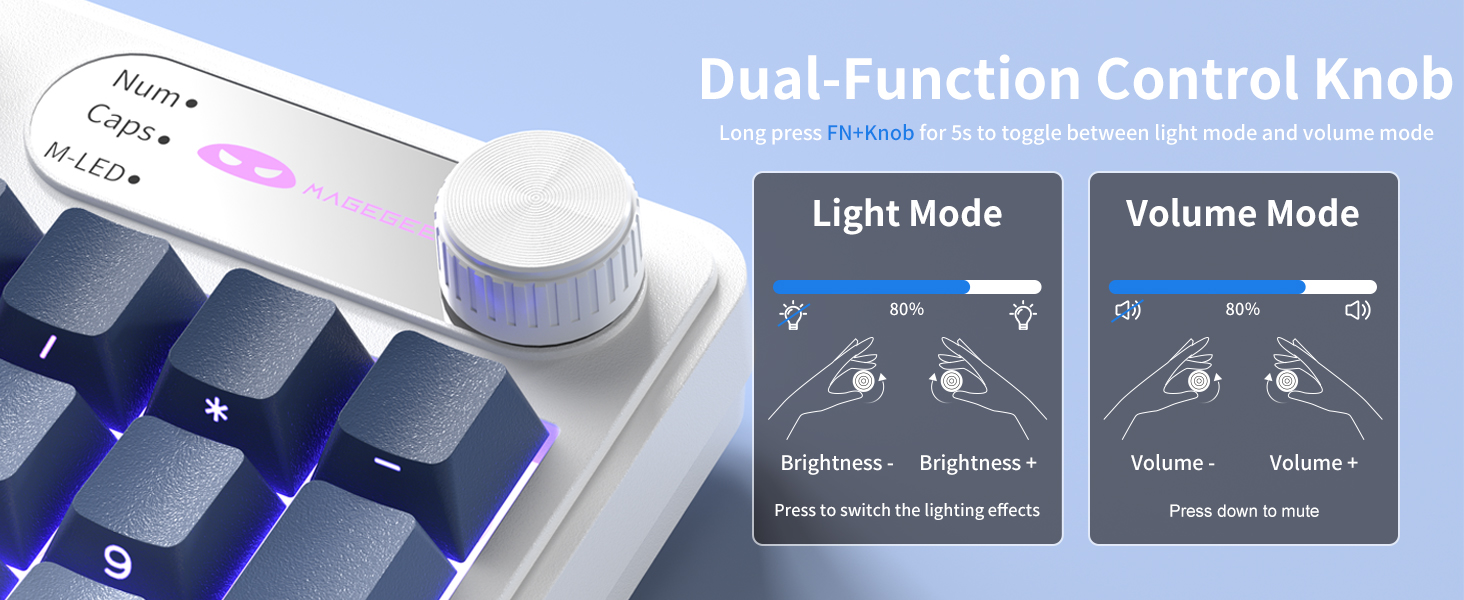
Image: A close-up of the multi-functional knob, detailing its operation for both volume and lighting adjustments, including the FN+Knob long-press for mode switching.
Side-Printed Keycaps
The GK960 features double-shot injection molded keycaps with side-printed legends. This design allows the backlight to shine through the letters, enhancing visibility and durability, preventing fading from prolonged use.

Irudia: Gertutik view of the keyboard's side-printed keycaps, highlighting how the backlight illuminates the legends.
19 teklako anti-ghosting-a
The GK960 keyboard is equipped with 19-key anti-ghosting technology. This ensures that every keystroke registers accurately, even when multiple keys are pressed simultaneously during fast-paced gaming or typing. This prevents missed inputs and enhances performance.
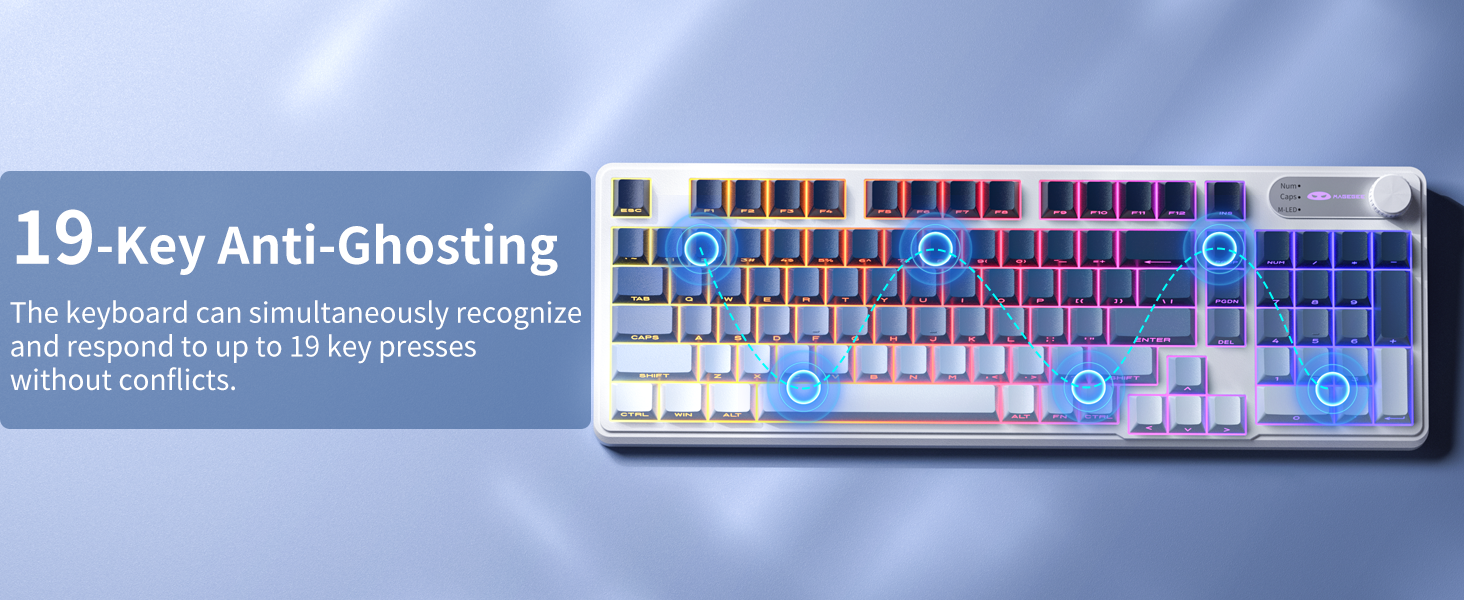
Image: A visual diagram illustrating the 19-key anti-ghosting feature, showing multiple simultaneous key presses being registered without conflict.
Sistemaren bateragarritasuna
The keyboard supports both Windows and Mac operating systems. You can switch between them using a simple key combination (refer to specific key combinations if provided on the keyboard or in a quick start guide).
Baterien kudeaketa
The GK960 is equipped with a 4000mAh high-capacity battery for extended usage.
- Kargatzen: Connect the keyboard using the provided USB-C cable to a power source. The keyboard can be used in wired mode while charging.
- Bateriaren iraupena: Approximately 22 hours with backlight on, and up to 200 hours with backlight off.
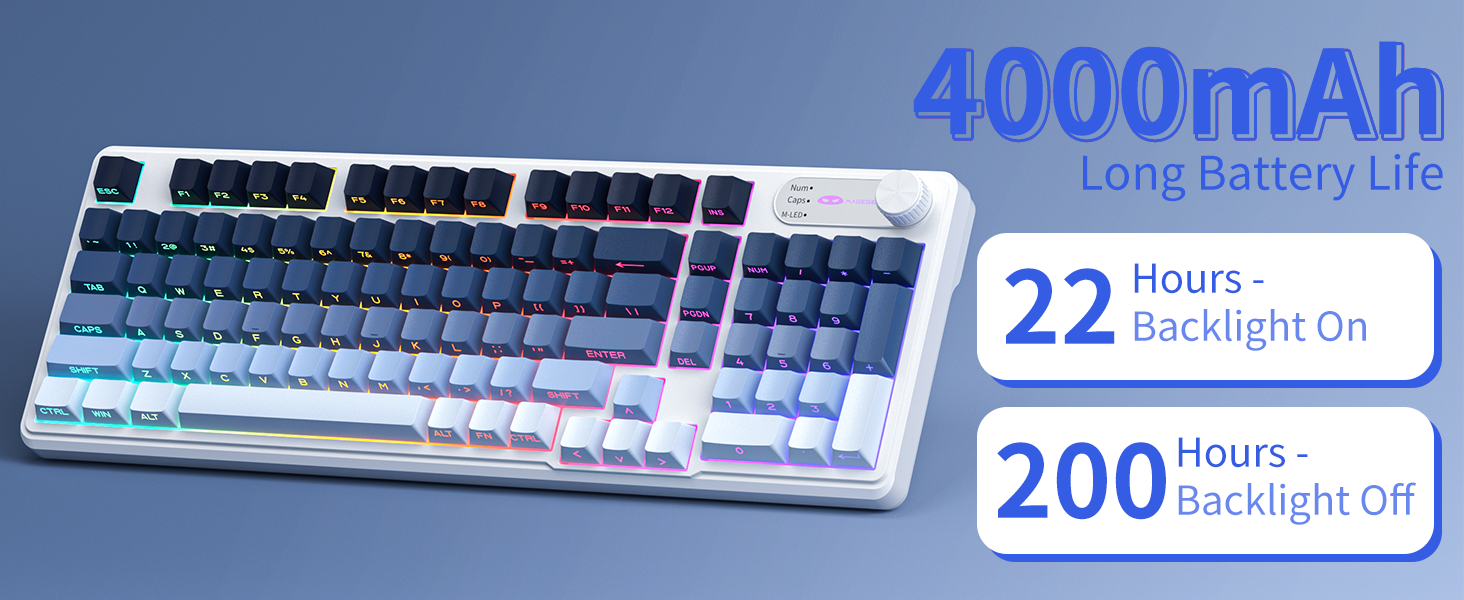
Image: A graphic displaying the 4000mAh battery capacity and estimated usage times: 22 hours with backlight on and 200 hours with backlight off.
Diseinu Ergonomikoa
The GK960 features a stepped keycap structure and adjustable stands to promote a comfortable typing posture. This design helps reduce wrist fatigue during long periods of use.
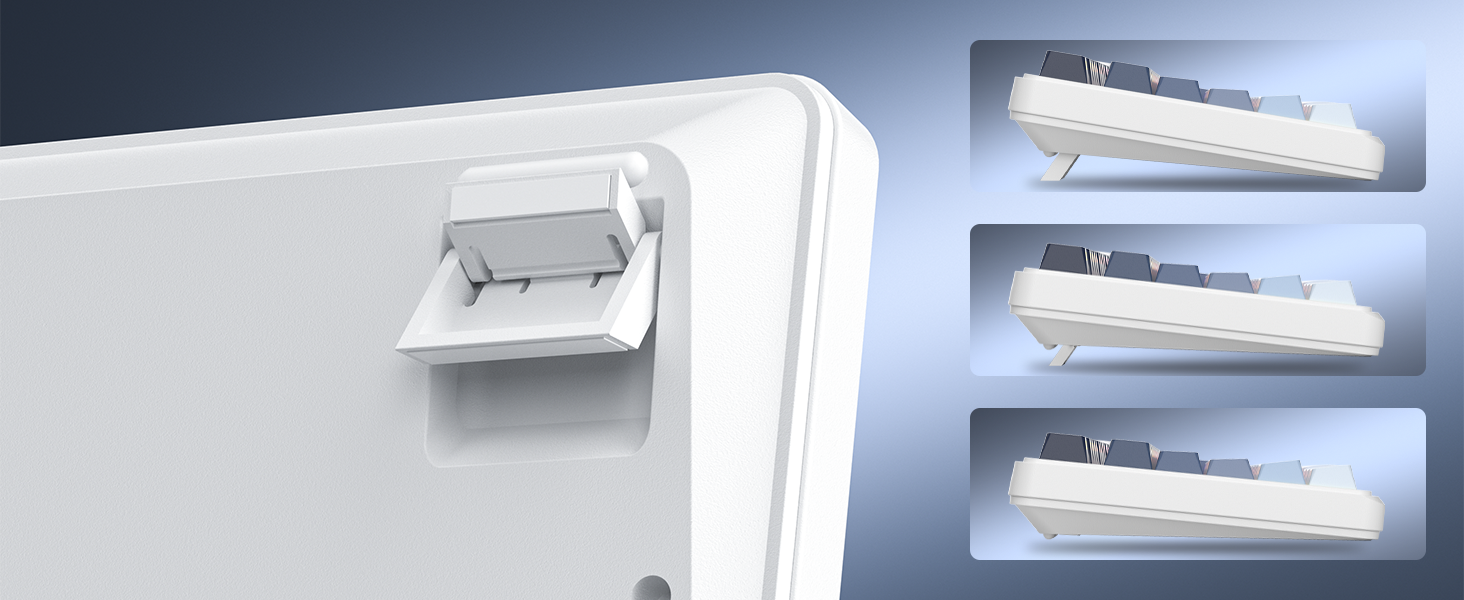
Image: A depiction of the keyboard's adjustable feet and stepped keycap profile, illustrating its ergonomic features for comfortable typing angles.
Mantentzea
- Garbiketa: Use a soft, dry cloth to wipe the keyboard surface. For deeper cleaning, use compressed air to remove dust and debris from between keycaps. Avoid using harsh chemicals or abrasive materials.
- BiltegiratzeaGorde teklatua leku fresko eta lehor batean, eguzki-argitik eta muturreko tenperaturetatik urrun.
- Likidoaren Esposizioa: Avoid spilling liquids on the keyboard. If liquid exposure occurs, immediately disconnect the keyboard and allow it to dry completely before reconnecting.
Arazoak konpontzea
- Teklatuak ez du erantzuten: Ensure the keyboard is charged. Check the connection mode (Wired, 2.4G, BT) and ensure it matches your device's connection. For 2.4G, ensure the USB receiver is properly inserted. For Bluetooth, re-pair the device if necessary.
- Atzeko argiak ez du funtzionatzen: Sakatu FN + Backspace to toggle the backlight. Ensure brightness is not set to minimum (FN + PgUp).
- Etengabeko konexioa: Ensure the keyboard is within range of the receiver/device. Avoid sources of strong electromagnetic interference.
- Giltzak ez dira erregistratzen: Clean under the keycaps to remove any obstructions. Ensure the keyboard is fully charged.
Zehaztapenak
| Ezaugarri | Zehaztapena |
|---|---|
| Ereduaren izena | GK960 |
| Konektibitate Teknologia | Kable bidezkoa (USB-C), 2.4G haririk gabekoa, Bluetooth |
| Bateria Edukiera | 4000mAh |
| Atzeko argiztapena | RGB |
| Ghostingaren aurkakoa | 19-Giltza |
| Teklatu mota | Side-Printed, Double-Shot Injection |
| Gailu bateragarriak | Ordenagailu eramangarria, ordenagailua, telefono adimenduna, tableta |
| Elementuaren pisua | 1.88 kilo |
| Paketearen neurriak | 17.56 x 7.17 x 2.05 hazbete |

Image: A diagram illustrating the physical dimensions of the MageGee GK960 keyboard.
Bermea eta Laguntza
MageGee products are designed for reliability and performance. For warranty information or technical support, please refer to the warranty card included in your package or visit the official MageGee webgunea. Gorde erosketa-agiria berme-erreklamazioetarako.


