CAMECHO 9-inch Android 13 Car Stereo User Manual
For BMW 1 Series (E81, E82, E87, E88)
1. Sarrera eta Overview
This manual provides comprehensive instructions for the CAMECHO 9-inch Android 13 Car Stereo. This unit is specifically designed for BMW 1 Series models E81, E82, E87, and E88. It integrates advanced features such as an 8-core processor, 6GB RAM, 128GB internal storage, and a high-resolution 1280x720 IPS touchscreen. Key functionalities include wireless CarPlay, Android Auto, integrated GPS navigation, Bluetooth 5.0 connectivity, Digital Sound Processor (DSP), FM/RDS radio, and support for a rear view camera. Please read this manual thoroughly to ensure proper installation and optimal use of your new car stereo system.
2. Bateragarritasuna
This CAMECHO car stereo is compatible with the following BMW 1 Series models:
- BMW 1 Series E81
- BMW 1 Series E82
- BMW 1 Series E87
- BMW 1 Series E88
Bateragarritasunari buruzko ohar garrantzitsua: This product is designed for vehicles with a left-hand drive configuration. Large screens are not supported for right-hand drive vehicles. Before purchasing or installing, please verify your car's central control panel matches the 'Option A' configuration shown below. If you are unsure about compatibility, please send a photo of your car's central control unit and the back of the original CD player to the seller for assistance.

3. Ezaugarriak
The CAMECHO car stereo offers a range of features to enhance your driving experience:
- Sistema eragilea: Android 13
- Prozesadorea: 8-core CPU for smooth performance
- Memoria eta biltegiratzea: 6 GB RAM + 128 GB ROM
- Pantaila: 9-inch IPS touchscreen with 1280x720 resolution
- Konektibitatea: Built-in Bluetooth 5.0, Wi-Fi, and GPS
- Smartphone integrazioa: Wireless and wired Apple CarPlay & Android Auto, Mirror Link (wireless and wired)
- Audioa: Digital Sound Processor (DSP) with 32-band equalizer for customizable sound, FM/RDS radio tuner
- Multiataza: Split-screen function to run multiple applications simultaneously
- Ahots kontrola: Smart Voice Assistant support
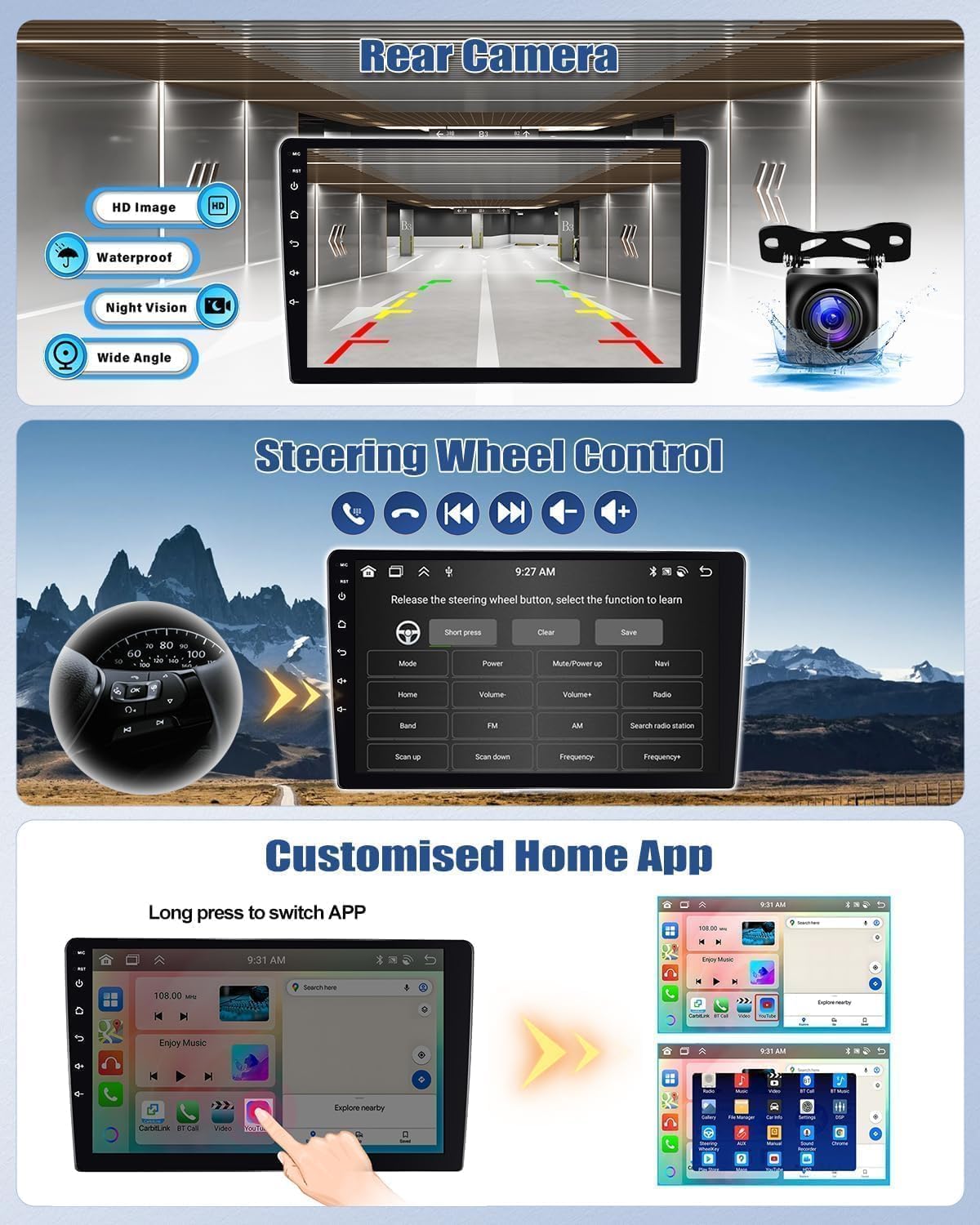
- Kameraren laguntza: Atzekoa view camera input (AHD/CVBS)
- Bolantearen kontrola: Supports original steering wheel controls
- Pertsonalizazioa: Multiple UI desktop themes and customizable home screen apps
- Funtzio gehigarriak: Global weather display, network radio, video output, dual USB interfaces.

4. Konfigurazioa eta instalazioa
This section outlines the general installation process. Professional installation is recommended.
4.1 Paketearen edukia
Egiaztatu osagai guztiak paketean daudela:
- Main Unit (9-inch display)
- Elikatze-kablea
- RCA Kablea
- USB Cables (2 interfaces)
- GPS antena
- Irrati egokitzailea
- Mikrofonoa
- Canbus deskodetzailea
- Instalazio tresna
- Erabiltzailearen eskuliburua
- AHD Rear Camera (optional purchase)
- Accessories (mounting brackets, screws)

4.2 Instalazioaren aurreko egiaztapena
Before beginning installation, ensure your vehicle is compatible (refer to Section 2). Disconnect the car battery's negative terminal to prevent electrical shorts.
4.3 Instalazio Urratsak (Orokorra)
- Carefully remove the original car stereo and trim panels. Refer to your vehicle's service manual for specific instructions.
- Connect the main power cable (1) to the car's wiring harness.
- Connect the RCA cables (2) for audio output and auxiliary input.
- Connect the USB cables (3) for external devices.
- Connect the camera input cable (4) if installing a rear view kamera.
- Connect the radio adapter (5) to the car's antenna.
- Connect the GPS antenna (6) and position it in a location with clear sky view (e.g., dashboard).
- Mount the new head unit into the dashboard opening using the provided brackets and screws.
- Berriro konektatu autoaren bateria.
- Turn on the car stereo and perform initial setup.
Oharra: The rear of the unit features clearly labeled ports for Power, RCA, USB, Camera Input, Radio Adapter, and GPS Antenna. Ensure all connections are secure.
5. Funtzionamendu-argibideak
5.1 Oinarrizko funtzionamendua
- Piztu/Itzali: Eduki sakatuta pizteko botoia.
- Bolumen kontrola: Use the volume knob or steering wheel controls.
- Ukipen-pantaila: Navigate menus and select functions by touching the screen.
5.2 Haririk gabeko CarPlay eta Android Auto
Connect your smartphone wirelessly or via USB to access Apple CarPlay or Android Auto. This allows you to use compatible apps like Spotify, Google Maps, Waze, and WhatsApp directly on the car stereo display.

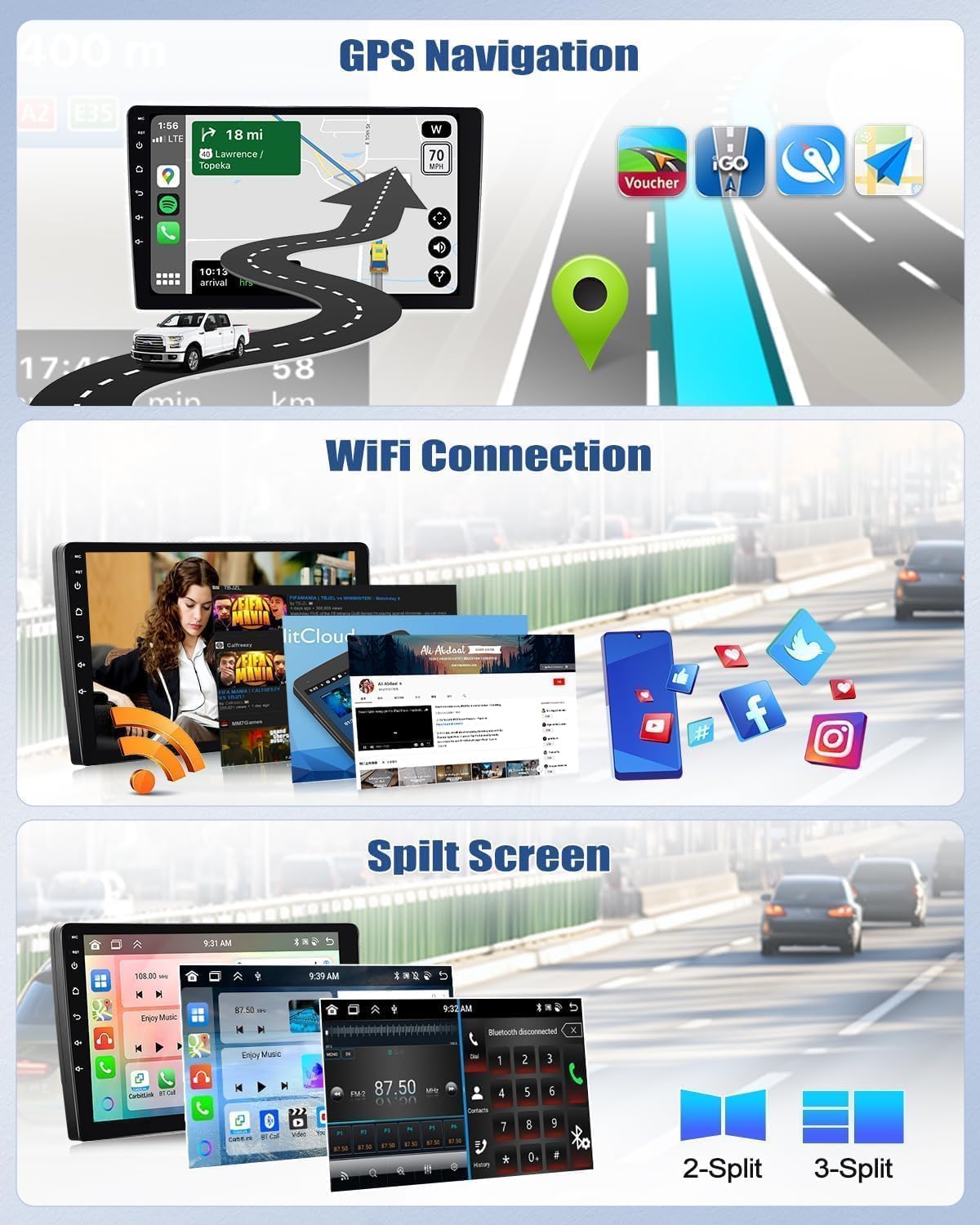
5.3 GPS nabigazioa
The unit has a built-in GPS module. You can use pre-installed offline maps (requires internet for initial download) or online navigation apps like Google Maps, Waze, etc., when connected to Wi-Fi.
5.4 Bluetooth 5.0
Pair your phone via Bluetooth for hands-free calling and audio streaming. The built-in microphone ensures clear communication.

5.5 FM/RDS irratia
Tune into your favorite FM radio stations. The RDS (Radio Data System) feature displays station information, traffic updates, and more.
5.6 Pantaila zatituaren funtzioa
Erabili pantaila zatituaren funtzioa bi aplikazio aldi berean exekutatzeko, hala nola nabigazioa eta musika erreproduzitzea.
5.7 Bolantearen kontrola (SWC)
The unit supports your car's original steering wheel controls. You can configure buttons to control volume, track changes, mode selection, and more directly from your steering wheel.
5.8 Ahots laguntzailea
Activate the smart voice assistant for hands-free control of navigation, music, and other functions.

6. Mantentzea
To ensure the longevity and optimal performance of your car stereo, follow these maintenance guidelines:
- Garbiketa: Erabili zapi leun eta lehor bat pantaila eta unitatea garbitzeko. Saihestu garbitzaile edo disolbatzaile urratzaileak.
- Tenperatura: Operate the unit within the specified temperature range (-20°C to 75°C). Extreme temperatures can affect performance.
- Software eguneraketak: Periodically check for and install software updates to ensure the system runs efficiently and securely.
- Kable konexioak: Ziurtatu kable guztiak ondo konektatuta daudela eta kalterik gabe daudela.
7. Arazoak
If you encounter issues with your car stereo, refer to the following common troubleshooting tips:
- Potentziarik gabe: Check all power connections and the car's fuse box. Ensure the car battery is properly connected.
- Soinurik ez: Verify speaker connections, volume settings, and audio source selection. Check if the mute function is active.
- GPS seinalearen galera: Ziurtatu GPS antena behar bezala instalatuta dagoela eta argia duela. view zeruko.
- Bluetooth konexio-arazoak: Ensure Bluetooth is enabled on both the stereo and your phone. Try unpairing and re-pairing the devices.
- Ukipen-pantailak ez du erantzuten: Saiatu unitatea berrabiarazten. Arazoak jarraitzen badu, fabrikako ezarpenak berrezarri behar izatea gerta daiteke (oharra: honek erabiltzaile-datu guztiak ezabatuko ditu).
- CarPlay/Android Auto-k ez du funtzionatzen: Ensure your phone's operating system is up to date. Try connecting with a different USB cable or restarting your phone.
Arazo iraunkorretarako, jarri harremanetan bezeroarentzako arreta-zerbitzuarekin.
8. Zehaztapenak
| Ezaugarri | Zehaztapena |
|---|---|
| Sistema | Android 13 |
| Chipset | 8257 (8-core) |
| Pantailaren tamaina | 9 hazbetekoa |
| Memoria (RAM) | 6 GB |
| Biltegiratzea (ROM) | 128 GB |
| Pantailaren bereizmena | 1280x720 |
| Irrati Txipa | 8035 |
| Irteera Potentzia | 4 x 45W |
| Bluetooth bertsioa | 5.0 |
| Funtzionamendu-tenperatura | -20°C eta 75°C artean |
| External Microphone Support | Bai |
| Irrati Banda | FM/RDS |
| Bideo Irteera | Laguntza |
| Alderantzizko sarrera | AHD/CVBS |
| Wi-Fi / Split Screen | Laguntza |
| Mapak | Built-in offline maps (requires internet for data download) |
| USB Interfazeak | USB bikoitza |
| Audio formatuaren euskarria | APE/FLAC/WAV/MP3/WMA |
| Bideo formatuen euskarria | MKV/RMVB/AVI/MP4/MDV |
| Irudi formatuen euskarria | PNG/JPEG/JPG/GIF/WBMP/BNP |
| Bluetooth parekatzeko kodea | 0000 |
| Onartutako hizkuntzak | Spanish, German, English, French, Italian, Portuguese, Russian, Turkish, Vietnamese, Hebrew, Polish, Chinese, Arabic |
9. Bermea eta Laguntza
For warranty information, please refer to the documentation provided with your purchase or contact the seller directly. If you require technical assistance or have questions not covered in this manual, please reach out to CAMECHO customer support. Provide your product model number and a detailed description of the issue for efficient service.


