Sarrera
Thank you for choosing the ProtoArc KM310 Dual Mode Mechanical Keyboard and Mouse Kit. This kit provides a versatile and efficient solution for your computing needs, offering both 2.4G wireless and Bluetooth connectivity. The mechanical keyboard features a UK QWERTY layout with responsive red switches, while the ergonomic mouse offers adjustable DPI and quiet clicks. This manual will guide you through the setup, operation, and maintenance of your new device.
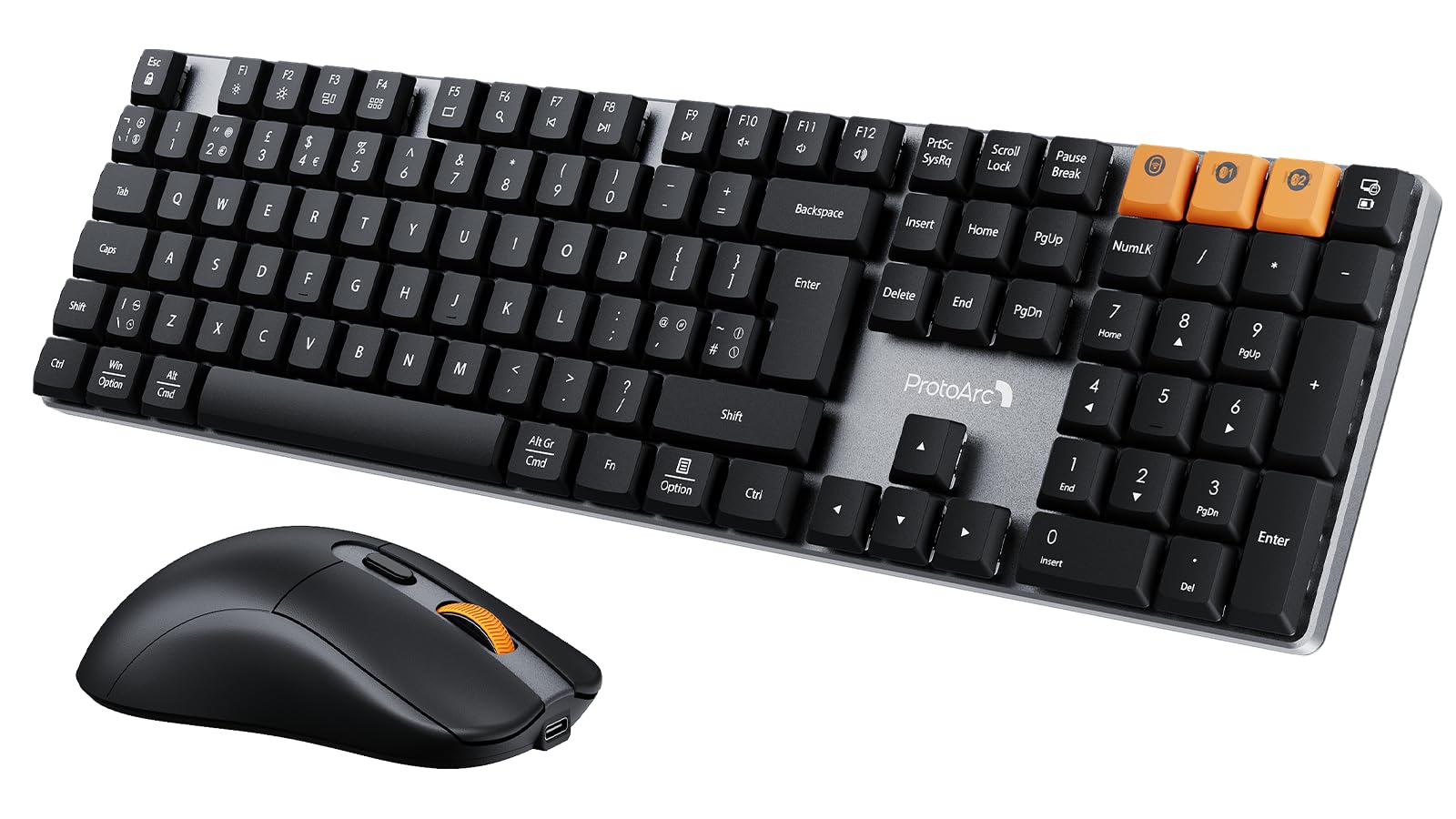
Image: The ProtoArc KM310 keyboard and mouse kit, showcasing its sleek design on a modern desk setup.
Paketearen edukia
- ProtoArc KM310 Mechanical Keyboard
- ProtoArc Haririk gabeko Sagua
- USB 2.4G Receiver (stored in the mouse battery compartment)
- USB-C kargatzeko kablea
- Erabiltzailearen eskuliburua
Konfigurazio Argibideak
Teklatuaren konfigurazioa
The keyboard supports both 2.4G wireless and Bluetooth connectivity. You can connect up to three devices simultaneously (one via 2.4G, two via Bluetooth).
2.4G Haririk gabeko konexioa:
- Locate the USB 2.4G receiver, typically stored in the mouse's battery compartment.
- Konektatu USB hargailua zure ordenagailuko USB ataka erabilgarri batean.
- Turn on the keyboard using the power switch located on the side or back.
- Sakatu fn+4 to switch the keyboard to 2.4G mode. The indicator light will flash briefly, then remain solid when connected.
Bluetooth konexioa (BT1 / BT2):
- Piztu teklatua etengailua erabiliz.
- Sakatu Fn + Q (BT1erako) edo Fn + W (for BT2) to select a Bluetooth channel. The indicator light will flash slowly.
- Parekatzeko moduan sartzeko, luze sakatu Fn + Q or Fn + W for 3-5 seconds until the indicator light flashes rapidly.
- On your device (computer, laptop, tablet), enable Bluetooth and search for "ProtoArc KM310".
- Select "ProtoArc KM310" to pair. The indicator light will stop flashing and remain solid when connected.
- Repeat for a second Bluetooth device using Fn + W.
Saguaren konfigurazioa
The mouse also supports both 2.4G wireless and Bluetooth connectivity.
2.4G Haririk gabeko konexioa:
- Ensure the USB 2.4G receiver is plugged into your computer.
- Piztu sagua azpialdean dagoen etengailua erabiliz.
- Press the mode switch button on the underside of the mouse until the indicator light shows 2.4G mode (usually green). The mouse should connect automatically.
Bluetooth konexioa:
- Piztu sagua pizteko etengailua erabiliz.
- Press the mode switch button on the underside of the mouse to cycle through Bluetooth modes (BT1 or BT2, usually blue).
- Press and hold the mode switch button for 3-5 seconds until the indicator light flashes rapidly.
- On your device, enable Bluetooth and search for "ProtoArc Mouse".
- Select "ProtoArc Mouse" to pair. The indicator light will stop flashing and remain solid when connected.

Image: The ProtoArc KM310 keyboard and mouse connected to multiple devices (desktop, laptop, tablet) via 2.4G and Bluetooth.
Funtzionamendu-argibideak
Teklatuaren funtzioak
- Giltza mekanikoak: Teklatuak pro baxuko ezaugarriak ditufile mechanical red switches for a smooth and responsive typing experience with low sound.
- UK QWERTY Layout: Standard UK QWERTY layout with a full numeric keypad.
- Multimedia teklak: Erabili Fn key in combination with the F-keys (F1-F12) for various multimedia and shortcut functions (e.g., volume control, media playback, brightness adjustment). Refer to the keycap legends for specific functions.
- Hanka inklinatu erregulagarriak: The keyboard includes adjustable tilt legs on the underside, allowing you to set it at a 6° or 9° angle for improved ergonomic comfort during long typing sessions.

Irudia: Gertutik view of the ProtoArc KM310 mechanical keyboard, highlighting the low-profile red switches and keycap design.

Image: The ProtoArc KM310 keyboard from a side angle, demonstrating the adjustable tilt legs set at a 9-degree angle.
Saguaren funtzioak
- DPI erregulagarria: The mouse offers three adjustable DPI levels: 1000, 1600, and 2400. Press the DPI button (usually located behind the scroll wheel) to cycle through these settings and adjust cursor sensitivity.
- Klik isila: Designed for quiet operation, reducing click noise by up to 90%.
- Diseinu ergonomikoa: The mouse features an ergonomic grip for comfortable use, reducing hand fatigue during extended periods.
- Ultra-Arinak: Weighing approximately 63g, the mouse is designed to be ultra-light, contributing to efficient work and reduced fatigue.

Image: The ProtoArc wireless mouse illustrating its adjustable DPI settings (1000, 1600, 2400) and quiet click feature.

Image: A hand demonstrating the natural and ergonomic grip of the ProtoArc wireless mouse.

Image: A comparison showing the ProtoArc wireless mouse's ultra-lightweight design (63g) compared to a traditional mouse (100g), emphasizing reduced fatigue.
Kargatzeko jarraibideak
Both the keyboard and mouse are equipped with built-in rechargeable batteries and use a USB-C charging port.
- Kargatzen: Connect the provided USB-C cable to the charging port on the keyboard/mouse and the other end to a USB power source (e.g., computer USB port, wall adapter).
- Kargatzeko adierazlea: An indicator light will typically show red during charging and turn off or change color when fully charged.
- Kargatzeko denbora: Karga oso batek normalean 2-3 ordu behar ditu.
- Egonean denbora: The devices offer a standby time of 150-200 days on a full charge.
- Kargatzen ari den bitartean erabilera: Both devices can be used while charging.
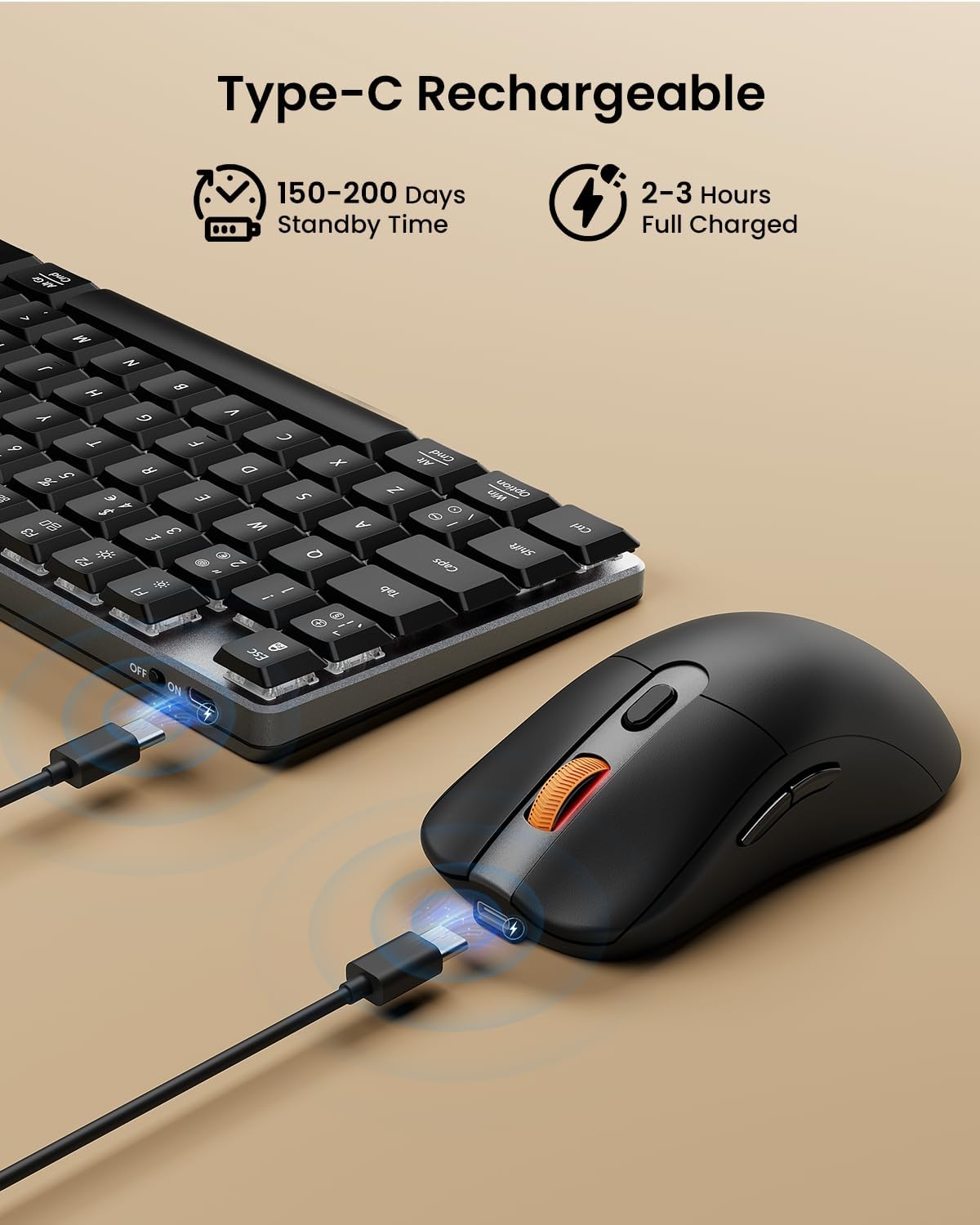
Image: The ProtoArc keyboard and mouse being charged simultaneously via USB-C cables, illustrating the charging ports and cables.
Mantentzea
- Garbiketa: Use a soft, dry cloth to clean the surfaces of the keyboard and mouse. For deeper cleaning, especially between keys, use compressed air. Avoid using harsh chemicals or abrasive materials.
- Biltegiratzea: When not in use for extended periods, turn off the devices to conserve battery life. Store them in a cool, dry place.
- Bateria zaintzea: Avoid fully discharging the battery frequently. Charge the devices regularly to maintain optimal battery health.
Arazoak konpontzea
Teklatuak/Saguak ez du erantzuten:
- Ensure the devices are turned on.
- Egiaztatu bateriaren mailak eta kargatu behar izanez gero.
- 2.4G konexiorako, ziurtatu USB hargailua ondo konektatuta dagoela funtzionatzen duen USB ataka batera. Saiatu beste USB ataka batekin.
- For Bluetooth connection, ensure Bluetooth is enabled on your device and the correct channel (BT1/BT2) is selected on the keyboard/mouse. Try re-pairing the device.
- Move the devices closer to the receiver/device to rule out interference.
Atzerapena edo deskonexioak:
- Ensure there are no strong sources of interference (e.g., Wi-Fi routers, other wireless devices) nearby.
- Try connecting via the other mode (e.g., if using 2.4G, try Bluetooth, or vice-versa).
- Update your computer's Bluetooth drivers if connecting via Bluetooth.
Keys Not Working Correctly:
- Check for any debris under the keycaps.
- Ensure the keyboard is not in a special mode that might alter key functions.
Zehaztapenak
| Marka | ProtoArc |
| Modelo zenbakia | KM310 |
| Kolorea | Beltza |
| Konektibitate Teknologia | Bluetooth, 2.4G USB haririk gabekoa |
| Sistema eragileen bateragarritasuna | Windows, macOS, Linux |
| Ezaugarri bereziak (teklatua) | Rechargeable mechanical keyboard, UK QWERTY layout, Red switches, Numeric keypad, Shortcut and multimedia keys, Adjustable tilt legs |
| Special Features (Mouse) | Adjustable DPI (1000/1600/2400), Silent click, Ergonomic grip, Ultra-lightweight (approx. 63g) |
| Gailu bateragarriak | Ordenagailu pertsonala, ordenagailu eramangarria, tableta |
| Teklatuaren deskribapena | Mekanikoa |
| Mugimendua detektatzeko teknologia | Optikoa |
| Energia iturria | Bateriaz elikatua (USB-C bidez kargagarria) |
| Bateriaren egonean denbora | 150-200 egun |
| Karga osoa denbora | 2-3 ordu |
Bermea eta Laguntza
ProtoArc products are designed for reliability and performance. For any questions, technical support, or warranty claims, please contact ProtoArc customer service. Details can typically be found on the official ProtoArc webgunea edo zure erosketa plataformaren bidez.
Gorde erosketaren egiaztagiria bermearen ondorioetarako.


