1. Produktua amaitu daview
The KAMRUI AM21 is a high-performance mini gaming PC designed for demanding tasks, including gaming, content creation, and multitasking. It features an AMD Ryzen 7 8745HS processor, integrated Radeon 780M graphics, 32GB DDR5 RAM, and a 1TB M.2 NVMe PCIe 4.0x4 SSD. This compact desktop computer supports quad 4K displays and offers extensive connectivity options.
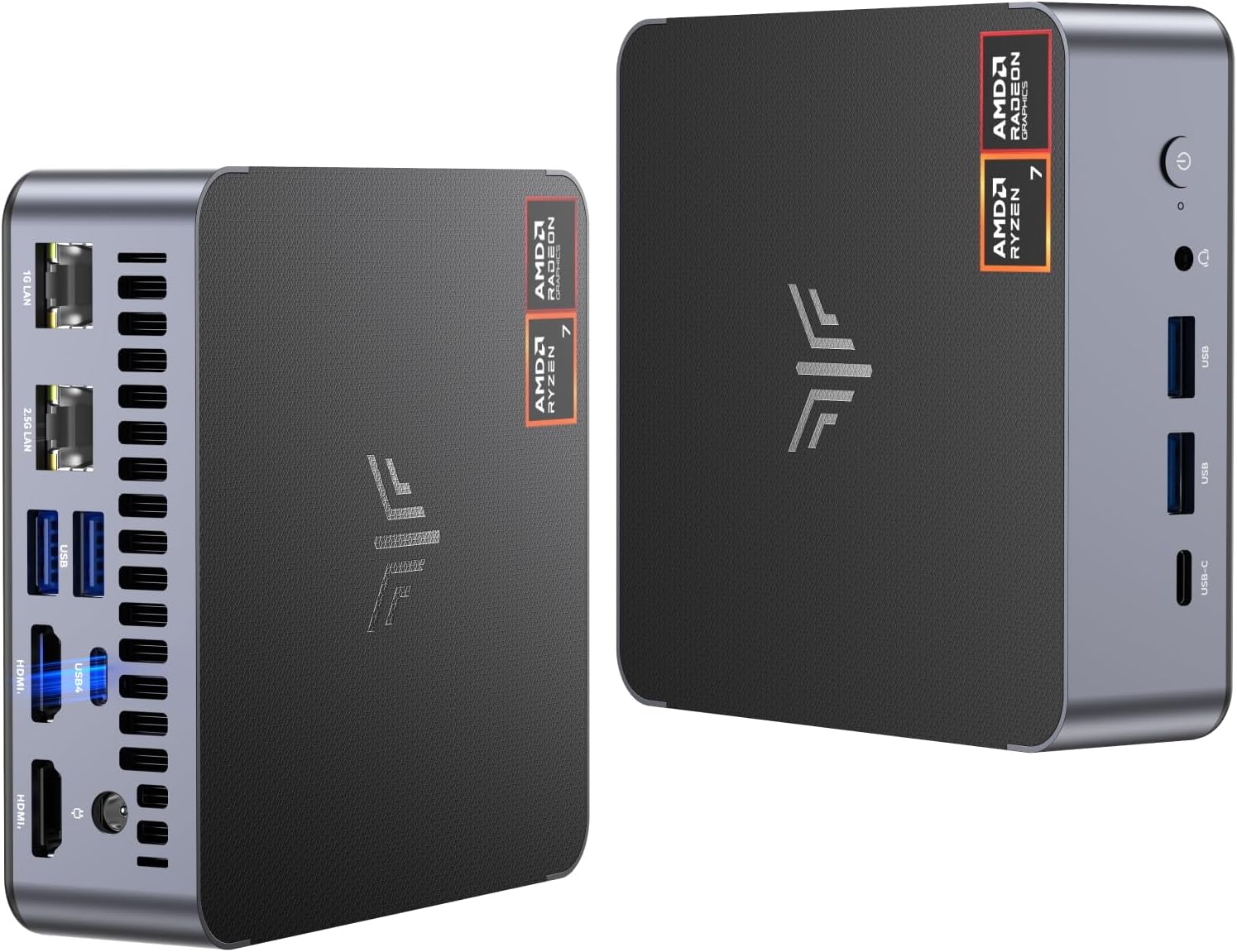
Irudia: Aurrealdea eta atzealdea view of the KAMRUI AM21 Mini PC, showcasinbere diseinu trinkoa eta hainbat portu direla eta.
2. Zer dago kutxan
Egiaztatu elementu guztiak paketean daudela:
- KAMRUI AM21 Mini Computer AMD Ryzen 7 8745HS
- 1 x HDMI kablea
- 1 x VESA euskarria
- 1 x korronte egokitzailea
- 1 x Erabiltzailearen eskuliburua
3. Konfigurazioa eta instalazioa
3.1 VESA Mount Installation
The KAMRUI AM21 Mini PC can be mounted to the back of a compatible display using the included VESA mount. This allows for a clutter-free workspace.
Video: This video demonstrates the process of installing the KAMRUI AM21 Mini PC using the VESA mount to attach it to the back of a monitor. It covers preparing tools, attaching the bracket to the display, and securing the mini PC to the bracket.
3.2 Sistema eragilearen instalazioa
To install an operating system, you will need a USB flash drive with the desired OS image. Follow these steps:
- Deskargatu ISO irudia file of the required operating system and place it in the root directory of the USB flash drive.
- Insert the USB flash drive into the mini PC.
- Press the power-on button and simultaneously press F7 to enter the boot interface.
- Select the USB flash drive device from the boot menu.
- Follow the on-screen instructions to complete the OS installation.
- After confirming that the settings are correct, click the "Start" or "Write" button and wait for the completion of the making process.
- Unplug the USB flash drive and wait for the computer to enter the user interface.
Video: This video guides you through the process of installing an operating system on the KAMRUI AM21 Mini PC using a USB flash drive, including accessing the boot menu and initiating the installation.
4. Operating the Mini PC
4.1 Multi-Screen Display Configuration
The KAMRUI AM21 supports up to four 4K displays simultaneously, enhancing productivity and entertainment experiences. Connect your monitors using the available USB 4, USB 3.2 Type-C, and HDMI 2.1 ports.

Image: The KAMRUI AM21 Mini PC connected to four monitors, demonstrating its quad 4K display capability for enhanced productivity.
Video: This video illustrates the multi-screen 4K display capabilities of the KAMRUI AM21 Mini PC, showing various content across multiple connected monitors.
4.2 Konektibitatea
The mini PC offers robust connectivity options:
- Haririk gabekoa: Equipped with WiFi 6 for high-speed internet and Bluetooth 5.2 for connecting peripherals.
- Sare: Features 2x Ethernet ports (1x 2.5Gbps, 1x 1Gbps) for stable network connections.
- USB atakak: Includes 2x USB Type-C (USB 4 with 40Gbps transfer/DP1.4/PD output, and USB3.2 Gen2 Type-C with 10Gbps transfer/DP1.4/PD output) and 4x USB3.2 Type-A ports.
- Bistaratzeko atakak: 2x HDMI 2.1 ports for high-resolution display output.
- Audioa: 1x 3.5mm Audio Jack.
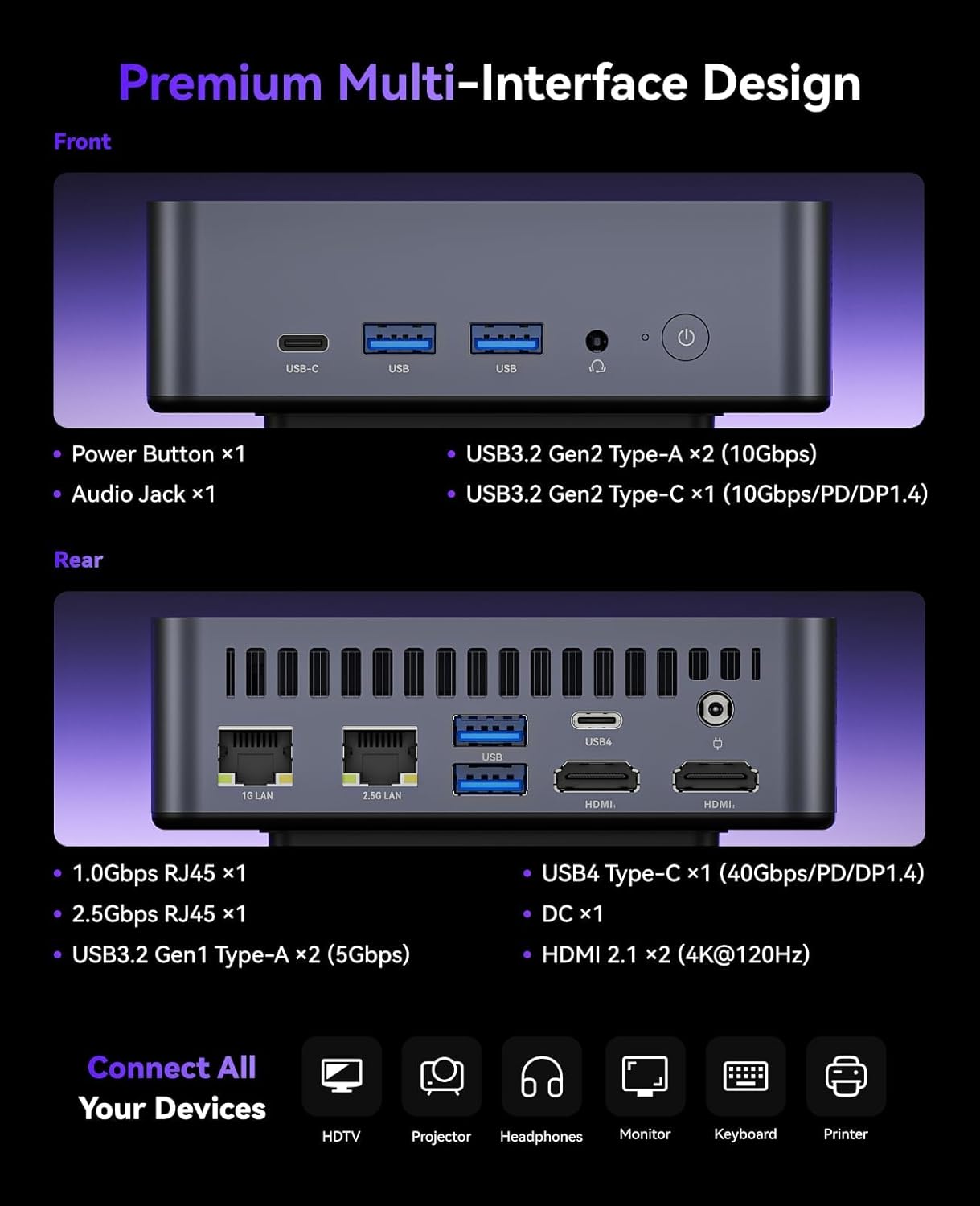
Irudia: Xehetasun handikoa view of the front and rear ports of the KAMRUI AM21 Mini PC, highlighting USB, HDMI, Ethernet, and audio connections.

Image: Illustration of USB4 capabilities, emphasizing 40Gbps transfer speed and expansion possibilities with the KAMRUI AM21 Mini PC.

Image: Visual representation of the Dual LAN and WiFi 6 features, highlighting high-speed wired and wireless connectivity for the KAMRUI AM21 Mini PC.
5. Hardware Upgrades and Maintenance
5.1 SSD and DDR Memory Replacement
The KAMRUI AM21 Mini PC supports expansion of its storage and memory. It comes with 32GB DDR5 5600MHz RAM (up to 96GB supported) and a 1TB M.2 2280 NVMe PCIe SSD (up to 4TB supported). Note that M.2 SATA SSDs are not supported.
Video: This video demonstrates how to replace or upgrade the SSD and DDR memory in the KAMRUI AM21 Mini PC, showing the steps for opening the device and installing new components.
5.2 Hozte-sistema
The mini PC features a premium cooling system with a 4500 RPM high-speed silent fan and an all-metal cooling design with dual air inlets. This ensures stable operation and prevents overheating during intensive use.

Irudia: Leherketa bat view of the KAMRUI AM21 Mini PC, illustrating its internal components and the efficient heat dissipation design with dual air intakes.
6. Zehaztapenak
| Ezaugarri | Xehetasuna |
|---|---|
| Prozesadorea | AMD Ryzen 7 8745HS (up to 4.9 GHz, 8 Cores, 16 Threads) |
| Koprozesadore grafikoa | AMD Radeon 780M (2600MHz, 12 units, RDNA3 architecture) |
| RAM | 32GB DDR5 5600MHz (2x16GB Dual Channel, supports up to 96GB) |
| Biltegiratzea | 1TB M.2 2280 NVMe PCIe 4.0x4 SSD (2 slots, supports up to 4TB NVMe PCIe 3.0/4.0 SSD, M.2 SATA SSD not supported) |
| Sistema eragilea | OS PRO |
| Bistaratzeko euskarria | Quad 4K Display (2x HDMI 2.1, 1x USB 4, 1x USB3.2 Gen2 Type-C) |
| Haririk gabeko konexioa | WiFi 6 (802.11ax), Bluetooth 5.2 |
| Kable bidezko konektibitatea | 1x 2.5Gbps Ethernet, 1x 1Gbps Ethernet |
| USB atakak | 1x USB 4 (40Gbps/DP1.4/PD), 1x USB3.2 Gen2 Type-C (10Gbps/DP1.4/PD), 4x USB3.2 Type-A |
| Audioa | 1x 3.5 mm-ko audio-konexioa |
| Elementuaren pisua | 2.7 kilo |
| Paketearen neurriak | 6.97 x 6.89 x 3.94 hazbete |
7. Arazoak
If you encounter any issues with your KAMRUI AM21 Mini PC, please refer to the following general troubleshooting steps:
- Potentziarik gabe: Ensure the power adapter is securely connected to both the mini PC and a working power outlet.
- Ez dago pantailarik: Verify that the HDMI or USB-C display cables are correctly connected to both the mini PC and the monitor. Check that the monitor is powered on and set to the correct input source.
- Periferikoa ez da detektatu: Try connecting the peripheral to a different USB port. Ensure drivers are installed if required by the peripheral.
- Errendimendu motela: Check for background applications consuming resources. Ensure sufficient free storage space. Consider updating drivers or performing a system scan for malware.
- Gehiegizko berotzea: Ensure the mini PC's vents are not obstructed and it is placed in a well-ventilated area.
Laguntza gehiago behar baduzu, jarri harremanetan bezeroarentzako arreta-zerbitzuarekin.
8. Bermea eta Laguntza
The KAMRUI AM21 Mini PC comes with a 12-month warranty. For any technical support or warranty claims, please contact KAMRUI customer service.
- Bezeroarentzako laguntza: 24 orduko bezeroarentzako arreta
- Posta elektronikoa: support@kamrui.com


