Sarrera
This manual provides comprehensive instructions for the setup, operation, and maintenance of your memzuoix WM125B Wireless Mouse. Designed for comfort and precision, this 2.4GHz wireless mouse offers adjustable DPI settings and broad compatibility for various computing needs.
Ezaugarri nagusiak:
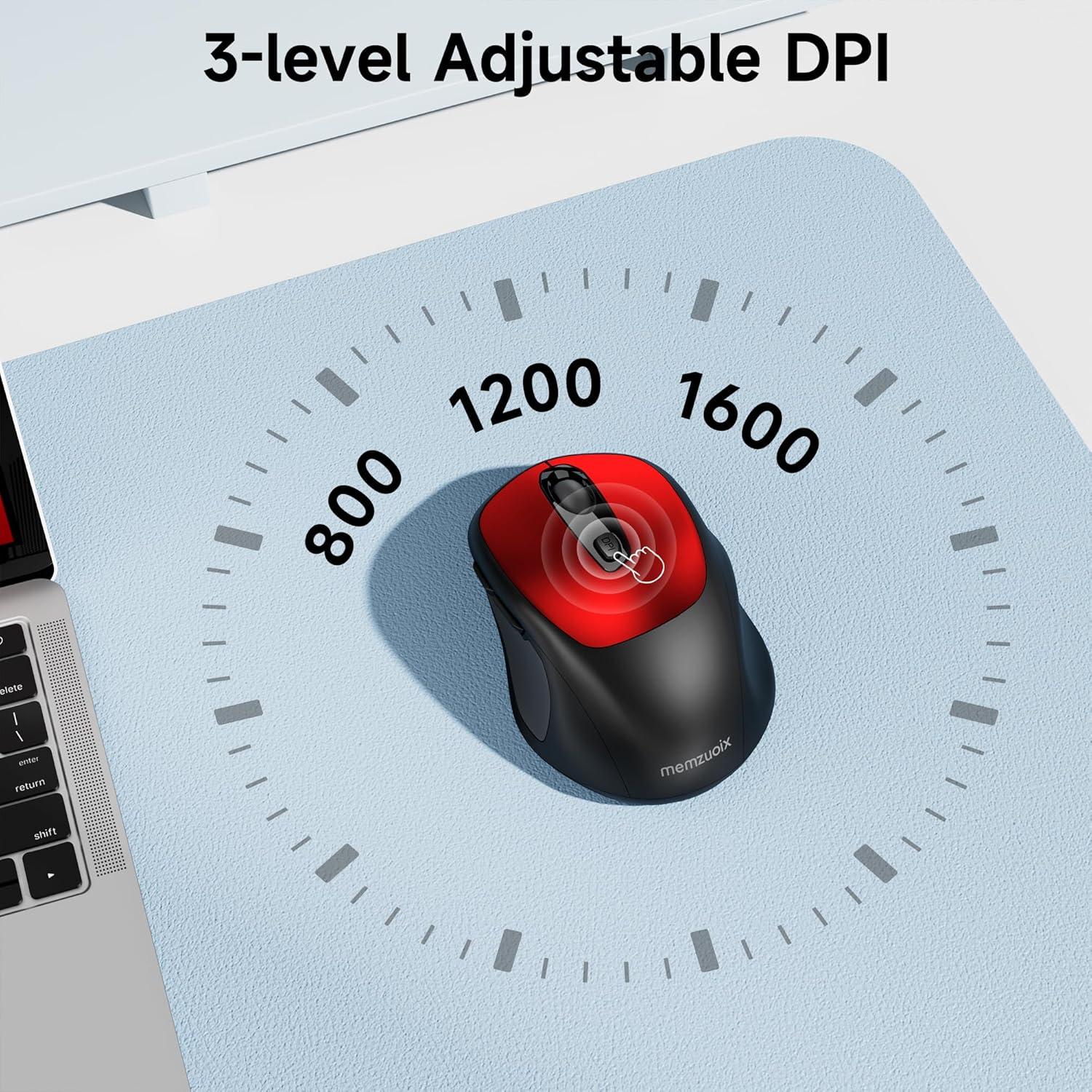
- 3 DPI maila erregulagarri: Easily switch between 800, 1200, and 1600 DPI for optimal control.
- Ergonomic & Ambidextrous Design: Contoured shape with rubberized side grips for comfortable use by both left and right-handed users.
- Plug & Play 2.4GHz Nano Receiver: Instant connectivity without software installation, offering a reliable 33ft range.
- Eraikuntza iraunkorra: Buttons and scroll wheel tested for 10 million clicks, ensuring long-term reliability.
- Bateragarritasun Unibertsala: Works seamlessly with Windows, macOS, Linux, and ChromeOS devices.
- Diseinu eramangarria: Lightweight and compact, ideal for travel and on-the-go use.
Konfigurazio Gida
1. Instalatu bateriak
- Bilatu bateriaren konpartimentuaren estalkia saguaren azpialdean.
- Irristatu edo altxatu estalkia astiro-astiro konpartimentua irekitzeko.
- Sartu bi AAA pila, polaritate zuzena ziurtatuz (+/-).
- Jarri bateriaren konpartimentuaren estalkia ondo sartu arte klik egin arte.

2. Konektatu USB hargailua
- Locate the nano USB receiver, typically stored within the battery compartment of the mouse.
- Plug the USB receiver into an available USB port on your computer (PC, Mac, laptop, etc.).
- Ordenagailuak automatikoki detektatu eta instalatu beharko lituzke beharrezko kontrolatzaileak. Ez da software gehigarririk instalatu behar.

Funtzionamendu-argibideak
1. Piztu/Itzali
Locate the ON/OFF switch on the underside of the mouse. Slide the switch to the 'ON' position to activate the mouse. Slide it to 'OFF' when not in use to conserve battery life.
2. Botoiaren funtzioak
- Ezkerreko botoia: Klik egiteko funtzio nagusia.
- Eskuineko botoia: Bigarren mailako klik funtzioa (testuinguru menua).
- Korritzeko gurpila: Joan gora/behera dokumentuak eta web orriak. Erdiko botoiaren funtzionaltasuna lortzeko ere klik egin daiteke.
- DPI botoia: Cycles through DPI settings (800/1200/1600).
- Aurrera egiteko botoia: Aurrera nabigatzen du web nabigatzaileak edo file esploratzaileak.
- Atzera botoia: Atzeraka nabigatzen du web nabigatzaileak edo file esploratzaileak.
3. DPI sentikortasuna doitzea
Sakatu DPI botoia located below the scroll wheel to cycle through the available sensitivity settings: 800 DPI (for precise control), 1200 DPI (standard use), and 1600 DPI (for faster cursor movement). The mouse will indicate the change, often with a brief LED flash.
Mantentzea
1. Garbiketa
To maintain optimal performance, regularly clean your mouse. Use a soft, lint-free cloth slightly dampened with water or a mild cleaning solution. Avoid harsh chemicals or abrasive materials. Ensure no liquid enters the mouse's internal components.
2. Bateria ordezkatzea
When the mouse's performance degrades or it stops responding, it may be time to replace the batteries. Follow the steps in the 'Install Batteries' section of this manual to replace the two AAA batteries. Dispose of old batteries responsibly according to local regulations.
Arazoak konpontzea
- Saguak ez du erantzuten:
- Ensure the mouse is switched 'ON' using the power switch on the underside.
- Egiaztatu bateriak behar bezala instalatuta dauden eta nahikoa karga duten. Beharrezkoa bada, ordezkatu itzazu.
- Egiaztatu USB hargailua ondo konektatuta dagoela ordenagailuko USB ataka funtzional batean. Saiatu beste USB ataka batekin.
- Berrabiarazi ordenagailua.
- Kurtsorearen mugimendua irregularra edo zehaztugabea da:
- Ensure the mouse is used on a clean, non-reflective surface. Avoid glass or highly reflective surfaces.
- Garbitu saguaren azpialdeko sentsore optikoa zapi leun batekin.
- Saiatu DPI ezarpena doitzen DPI botoia erabiliz.
- Connection issues or frequent disconnections:
- Ensure the mouse is within the effective operating range (approximately 33 feet) of the USB receiver.
- Avoid using the mouse near strong electromagnetic interference sources (e.g., other wireless devices, large metal objects).
- Re-pair the mouse with the receiver if possible (refer to manufacturer's website for specific pairing instructions if needed, as this model is typically plug-and-play).
Zehaztapenak
| Ezaugarri | Xehetasuna |
|---|---|
| Marka | memzuoix |
| Modelo zenbakia | WM125B |
| Konektibitate Teknologia | 2.4 GHz haririk gabekoa (USB nano hargailua) |
| DPI mailak | 800/1200/1600 |
| Botoi kopurua | 6 (Ezkerra, Eskuina, Gurpila, DPI, Aurrera, Atzera) |
| Mugimenduak detektatzeko teknologia | Optikoa |
| Energia iturria | 2 x AAA bateria (ez daude barne) |
| Elementuaren pisua | 3.2 ontza |
| Paketearen neurriak | 4.8 x 3.23 x 1.85 hazbete |
| Kolorea | Gorria |
| Bateragarritasuna | PC, Mac, Laptop (Windows, macOS, Linux, ChromeOS) |
Bermea eta Laguntza
The memzuoix WM125B Wireless Mouse comes with a standard manufacturer's warranty. For specific warranty details, return policies, or technical support, please refer to the product packaging or contact memzuoix customer service directly through their official webproduktua erosi zen gunea edo dendaria.
Laguntza gehiago behar baduzu, bisitatu memzuoix Store on Amazon.
