1. Produktua amaitu daview
The VOOPOO Argus Klyc Kit is a compact and stylish pod system designed for both Mouth-to-Lung (MTL) and Restricted Direct-to-Lung (RDL) vaping. It features a built-in 1350mAh battery, offering up to 30W of adjustable power output. The device incorporates precise airflow adjustment and adaptive power for a customized vaping experience. Equipped with iCOSM CODE 2.0 flavor technology, it ensures a clean and consistent taste. A magnetic protective cap is included to maintain hygiene and prevent dust intrusion.
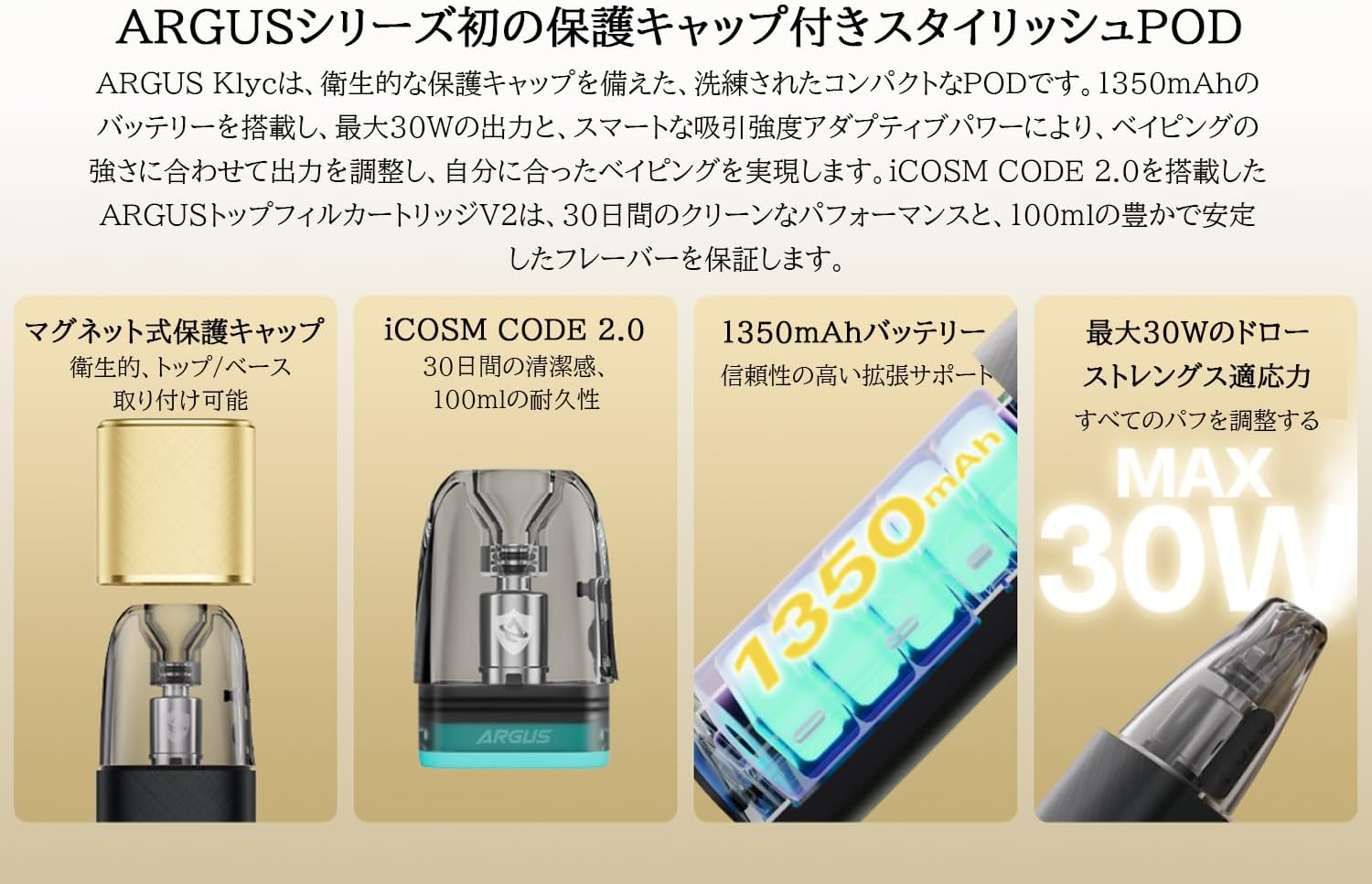
Image: The VOOPOO Argus Klyc Kit, showcasing its sleek design and magnetic protective cap.
Ezaugarri nagusiak:
- Magnetic Protective Cap: Ensures hygiene and prevents dust from entering the mouthpiece.
- Aire-fluxu erregulagarria: Customize your draw from loose to tight for various vaping preferences.
- 1350mAh-ko bateria integratua: Provides long-lasting vaping sessions with approximately 40-minute Type-C fast charging.
- 5-30W Variable Output: Supports both MTL and RDL vaping styles, compatible with all Argus replaceable pods.
- iCOSM CODE 2.0 Flavor Technology: Delivers a clean and stable flavor experience over extended use.
- RGB adierazle-argia: Clearly displays battery level (Red ≤20%, White >20%) and device status.
Bideoa: Amaiera batview of the iCOSM CODE 2.0 technology, highlighting its flavor and performance benefits.
2. Zer dago kutxan
Upon unboxing your VOOPOO Argus Klyc Kit, you will find the following components:
- 1 x ARGUS Klyc Device
- 1 x ARGUS Top Fill Cartridge V2 0.7Ω (3mL capacity)
- 1 x C motako USB kablea
- 1 x Erabiltzailearen eskuliburua
- 1 x ARGUS Pod Family Compatibility Guide

Image: All items included in the VOOPOO Argus Klyc Kit package.
Video: Unboxing the VOOPOO Argus Klyc Kit, showing the device, pod, cable, and documentation.
3. Konfigurazioa
3.1. Install the Pod
- Remove the magnetic protective cap from the device.
- Insert the ARGUS Top Fill Cartridge V2 into the device. It will securely attach magnetically.

Image: The Argus Klyc device with the pod cartridge securely installed.
3.2. Fill with E-liquid
- Locate the top-fill port on the ARGUS Top Fill Cartridge V2.
- Ireki silikonazko tapoia.
- Carefully fill the pod with your desired e-liquid through the filling port. Avoid overfilling.
- Close the silicone plug firmly to prevent leaks.
- After filling, wait at least 5-10 minutes before first use to allow the coil to saturate with e-liquid. This prevents dry hits and extends coil life.
Video: Demonstrates how to fill the ARGUS Top Fill Cartridge V2 with e-liquid.
3.3. Gailua kargatzea
- Connect the provided Type-C USB cable to the charging port on the device.
- Connect the other end of the cable to a suitable USB power source (e.g., wall adapter, computer USB port).
- The RGB indicator light will show the charging status. A full charge typically takes approximately 40 minutes.
Video: Shows the process of connecting the Type-C cable to charge the Argus Klyc device.
4. Funtzionamendu-argibideak
4.1. Piztu/Itzali
The Argus Klyc Kit is an auto-draw device, meaning it activates automatically when you inhale. There is no manual power button for turning the device on or off.
4.2. Vaping
Simply inhale from the mouthpiece to activate the device and begin vaping. The device will automatically adjust the power output based on the pod's resistance and your draw strength.
Video: A user demonstrating the auto-draw vaping function of the Argus Klyc.
4.3. Aire-fluxuaren doikuntza
The device features a side-mounted airflow adjustment slider. Move the slider to increase or decrease the airflow to achieve your preferred draw tightness.
Video: Illustrates how to adjust the airflow slider on the Argus Klyc device.
4.4. Indicator Light Meanings
The RGB indicator light provides visual feedback on the device's status:
- Argi zuria: Bateriaren maila %20tik gora dago.
- Argi gorria: Battery level is 20% or below, indicating a need for charging.
- Kargatzen: The light will indicate charging status and turn off when fully charged.
- Pod Insertion: Light may briefly illuminate upon successful pod insertion.
- Vaping: The light will illuminate during a puff, with color variations indicating power output levels (Low, Mid, High).
Image: The Argus Klyc device showing the indicator light during operation.
5. Mantentzea
5.1. Gailua garbitzea
- Regularly wipe the device with a soft, dry cloth to remove dust and fingerprints.
- Clean the pod connection area on the device and the bottom of the pod with a cotton swab to ensure good contact.
- Use the magnetic protective cap when not in use to keep the mouthpiece clean.
5.2. Replacing the Pod
The ARGUS Top Fill Cartridge V2 has a built-in coil. When the e-liquid flavor diminishes or a burnt taste occurs, it indicates that the coil needs replacement. Replace the entire pod cartridge with a new one.
- Kendu pod zaharra gailutik.
- Bota kapsula zaharra arduraz.
- Insert a new, filled ARGUS Top Fill Cartridge V2 into the device.
6. Arazoak
- Lurrun-ekoizpenik gabe:
- Egiaztatu bateria kargatuta dagoen.
- Ensure the pod is correctly inserted and making contact.
- Verify the pod contains e-liquid.
- Replace the pod if the coil is burnt or old.
- Isurketa:
- Ensure the silicone plug on the top-fill port is securely closed.
- Avoid overfilling the pod.
- Check for condensation in the pod connection area and clean if necessary.
- If leaking persists, replace the pod.
- Gailua ez da kargatzen:
- Ziurtatu C motako kablea behar bezala konektatuta dagoela bai gailura bai elikatze-iturrira.
- Saiatu beste kargatzeko kable edo korronte egokitzaile batekin.
- Clean the charging port on the device.
7. Zehaztapenak
| Ezaugarri | Xehetasuna |
|---|---|
| Gailuaren neurriak | 100.6 x 29.7 x 17.2 mm |
| Device Material | Aluminiozko aleazioa |
| Irteera Potentzia | 5-30W |
| Irteera boltage | 3.2-4.2V |
| Erresistentzia sorta | 0.3Ω-3.0Ω |
| Bateria Edukiera | 1350 mAh (Barnekoa) |
| Kargatzen | Type-C 5V/1.2A (Approx. 40 minutes) |
| Pod Edukiera | 3 ml |
| Pod Material | PCTG |
| Pod Resistance (Included) | 0.7Ω |
| Filling Method | Top-fill System |
| Ezaugarri bereziak | Magnetic Protective Cap, Adjustable Airflow, iCOSM CODE 2.0, RGB Indicator Light |

Image: Visual representation of the Argus Klyc Kit's dimensions and pod specifications.
8. Bermea eta Laguntza
For warranty information and customer support, please refer to the official VOOPOO webwebgunera edo jarri harremanetan zure saltzailearekin. Gorde erosketa-agiria erosketaren frogagiri gisa, berme-erreklamazioetarako.


