1. Segurtasun informazio garrantzitsua
Proiektorea erabili aurretik, irakurri segurtasun-argibide guztiak. Gorde eskuliburu hau etorkizunean erreferentzia gisa.
- Ez blokeatu aireztapen-irekidurak. Ziurtatu proiektorearen inguruan nahikoa leku aire-fluxu egokia izan dadin.
- Saihestu proiektorearen lentearen argiaren eraginpean zuzenean jartzea.
- Ez jarri proiektorea bero-iturrien ondoan edo eguzki-argiaren eraginpean zuzenean.
- Erabili gailuarekin hornitutako korronte-egokigailua soilik.
- Ez saiatu proiektorea zeuk irekitzen edo konpontzen. Mantendu konponketa guztiak langile kualifikatuen esku.
- Mantendu proiektorea uretatik edo beste likido batzuetatik urrun.
2. Paketearen edukia
Egiaztatu elementu guztiak paketean daudela:
- Aurzen Roku TV Smart Projector (D1R Cube)
- Elikatze kablea
- Remote Control (2 AAA Batteries Required, not included)
- Erabiltzailearen eskuliburua (dokumentu hau)
3. Produktua amaitu daview
The Aurzen D1R Cube is a compact smart projector featuring built-in Roku TV for integrated streaming. It offers 1080P Full HD resolution, Dolby Audio, and a sealed optical engine for enhanced durability and clarity.
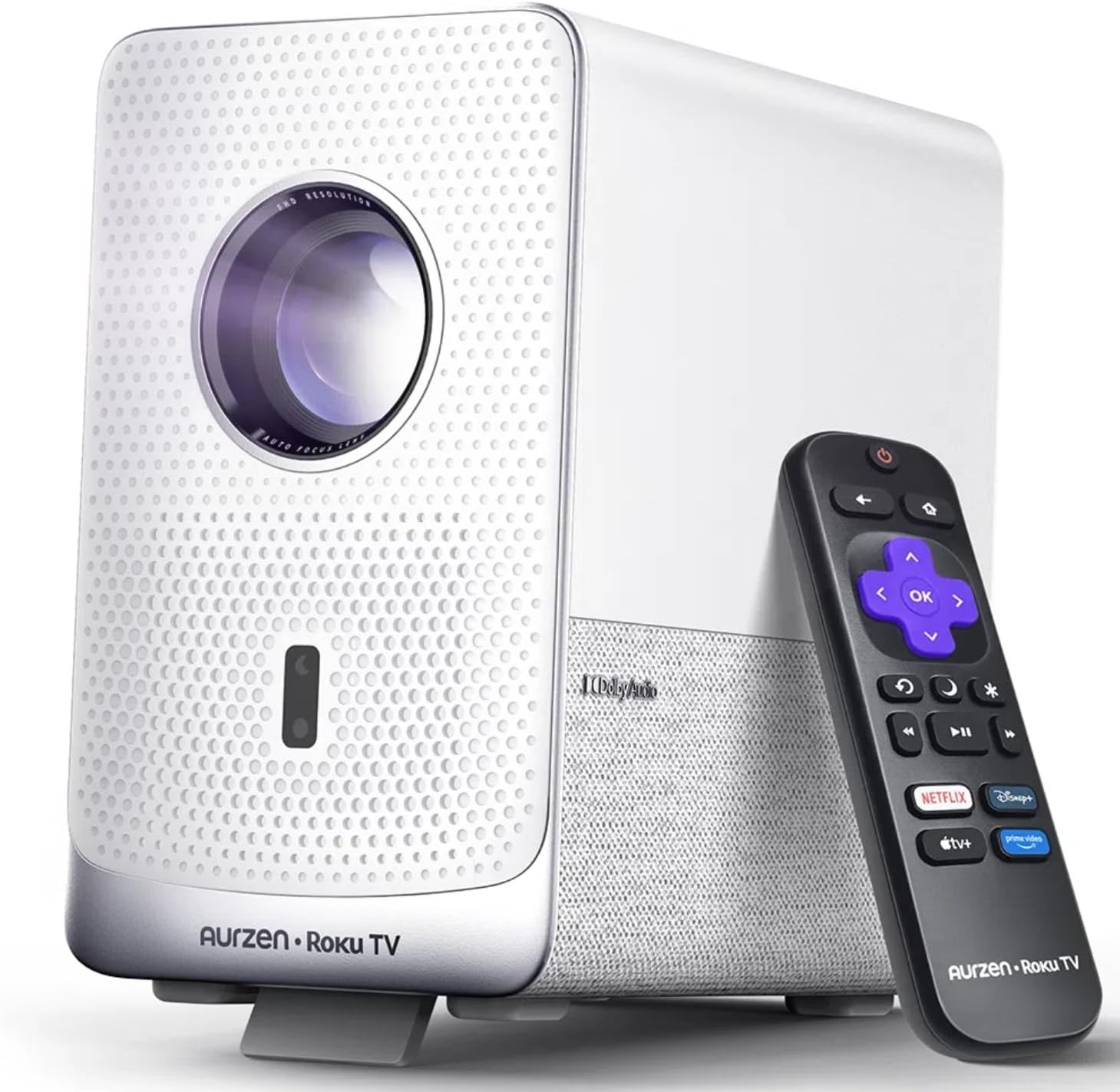
Image: The Aurzen D1R Cube Smart Projector shown with its remote control. The projector is white with a textured front panel and a visible lens.
Ezaugarri nagusiak:
- Roku TV Built-in: Access popular streaming services directly.
- Zigilatutako motor optikoa: Protects against dust, maintaining image quality and extending lifespan.
- 1080P FHD Resolution: Delivers crisp and clear visuals.
- Dolby Audio: Provides enhanced sound experience.
- Auto Focus & Keystone Correction: Automatic image adjustment for quick setup.
- Dual-band WiFi & Bluetooth 5.2: For seamless connectivity.
- Apple AirPlay: Effortless content sharing from Apple devices.
- Etxe adimendunaren bateragarritasuna: Works with Apple HomeKit, Siri, Alexa, and Google Assistant.

Image: An internal diagram illustrating the sealed optical engine of the Aurzen D1R Cube projector, highlighting its dust-proof design.
4. Konfigurazioa
4.1 Hasierako kokapena
Jarri proiektorea gainazal egonkor eta lau batean. Optimizazio optimoa lortzeko viewing, position it directly in front of your projection surface (wall or screen). The projector features automatic focus and keystone correction to adjust the image, but a relatively straight angle is recommended.

Image: A visual representation of the projector's auto-focus and auto-keystone correction features, showing how the image automatically adjusts to create a perfect rectangular display.
4.2 Energia-konexioa
- Konektatu elikatze-kablea proiektorearen elikatze-sarrera atakara.
- Entxufatu kablearen beste muturra entxufe elektriko egoki batera.
- The projector will power on automatically or can be turned on using the power button on the device or remote.
4.3 Urruneko kontrolaren konfigurazioa
Insert two AAA batteries (not included) into the remote control. Ensure correct polarity. The remote is pre-paired with the projector.
4.4 Hasierako Roku telebistaren konfigurazioa
Upon first power-on, follow the on-screen instructions to set up your Roku TV. This includes:
- Zure hizkuntza hautatzea.
- Connecting to a Wi-Fi network (a stable internet connection is required).
- Activating your Roku account. If you do not have one, you will be prompted to create a free account.
- Installing desired streaming channels.
5. Funtzionamendu-argibideak
5.1 Piztu/Itzaltzea
Sakatu proiektorearen edo urrutiko agintearen pizteko botoia gailua pizteko edo itzaltzeko.
5.2 Roku hasierako pantailaren nabigazioa
Use the directional pad and OK button on the remote to navigate the Roku home screen. Access streaming channels, search for content, and adjust settings.

Image: A screenshot of the Roku TV home screen, displaying various streaming app icons and navigation options.
5.3 Streaming aplikazioak
The Roku TV platform provides access to a wide range of streaming applications such as Netflix, Prime Video, Disney+, Hulu, YouTube, and more. Select an app from the home screen to begin streaming.

Irudia: Erakustaldi grafiko batasing various popular streaming service logos available on the Roku TV platform, including Netflix, Disney+, and Hulu.
5.4 Kanpoko gailuak konektatzea
The projector includes HDMI and USB ports for connecting external devices.
- HDMI: Connect gaming consoles, Blu-ray players, or other HDMI-enabled devices. Select the corresponding HDMI input from the Roku TV menu.
- USBa: Erreproduzitu multimedia filefitxategiak (argazkiak, bideoak, musika) USB biltegiratze gailu batetik.
5.5 Bluetooth konexioa
Connect Bluetooth headphones or speakers for an enhanced audio experience.
- Go to the Roku TV settings menu.
- Select 'Remotes & devices' then 'Bluetooth devices'.
- Jarri zure Bluetooth gailua parekatze moduan.
- Select your device from the list on the projector screen to pair.

Image: A diagram illustrating the Bluetooth connectivity of the Aurzen D1R Cube projector, showing it connecting to various external audio devices.
5.6 Apple AirPlay
Effortlessly share content from your Apple devices (iPhone, iPad, Mac) to the projector using Apple AirPlay.
- Ensure your Apple device and the projector are connected to the same Wi-Fi network.
- On your Apple device, open the content you wish to share (e.g., photos, videos).
- Sakatu AirPlay ikonoa (usually a rectangle with an upward-pointing arrow).
- Select your Aurzen D1R Cube projector from the list of available devices.

Image: A family watching content projected from an Apple device onto a large screen via Apple AirPlay using the Aurzen D1R Cube projector.
5.7 Ahots-kontrola eta etxe adimendunaren integrazioa
The projector supports voice control via the Roku mobile app and is compatible with Apple HomeKit, Siri, Alexa, and Google Assistant for broader smart home integration.
- Roku mugikorretarako aplikazioa: Download the Roku mobile app to use voice commands, type easily, and control your projector from your smartphone.
- Smart Home Assistants: Link your Roku account to your preferred smart home ecosystem (Apple Home, Amazon Alexa, Google Home) to control the projector with voice commands.
6. Mantentzea
6.1 Sealed Optical Engine
The Aurzen D1R Cube features a sealed optical engine designed to prevent dust accumulation on internal components. This reduces the need for routine internal cleaning and helps maintain consistent image quality over time.

Image: A side-by-side comparison showing the difference in dust accumulation between a sealed optical engine (left) and an open optical engine (right) after a period of use.
6.2 Garbiketa orokorra
- Kanpoaldea: Garbitu proiektorearen kanpoaldea oihal leun eta lehor batekin. Ez erabili garbitzaile edo disolbatzaile urratzailerik.
- Lentea: Gently clean the projector lens with a lens cleaning cloth or specialized lens cleaning solution. Avoid touching the lens with your fingers.
- Aireztapena: Ensure ventilation openings are clear of dust and debris. Use a soft brush or compressed air to gently clean them if necessary.
6.3 Biltegiratzea
When not in use for extended periods, store the projector in a cool, dry place, away from direct sunlight and extreme temperatures. Consider using a protective cover or case to prevent dust accumulation.
7. Arazoak
If you encounter issues with your Aurzen D1R Cube projector, refer to the following common solutions:
| Arazoa | Irtenbide posiblea |
|---|---|
| Botererik ez | Ziurtatu kablea ondo konektatuta dagoela proiektoreari eta entxufe elektrikoari. Probatu entxufea beste gailu batekin. |
| Irudirik ez | Check if the projector is powered on. Verify the input source (HDMI, USB) is correctly selected. Ensure the lens cap is removed. |
| Irudi lausoa | The projector has auto-focus. If the image remains blurry, try repositioning the projector or restarting it to trigger auto-focus again. Ensure the lens is clean. |
| Soinurik ez | Check the volume level on the projector and any connected external audio devices. Ensure Bluetooth audio is correctly paired or external speakers are properly connected. |
| Wi-Fi konexio arazoak | Ensure your Wi-Fi router is working. Restart the projector and your router. Verify the Wi-Fi password is correct in the Roku TV settings. |
| Urrunekoa ez du erantzuten | Replace the AAA batteries in the remote control. Ensure there are no obstructions between the remote and the projector. |
For further assistance, please refer to the online support resources or contact Aurzen customer service.
8. Zehaztapenak
Detailed technical specifications for the Aurzen D1R Cube Smart Projector:
| Ezaugarri | Zehaztapena |
|---|---|
| Marka | Aurzen |
| Eredua | D1R Cube |
| Bistaratzeko Gehienezko bereizmena | 1920 x 1080 (1080P FHD) |
| Konektibitate Teknologia | WiFi (Dual-band 2.4G/5G), Bluetooth 5.2, HDMI, USB, Audio |
| Ezaugarri bereziak | Roku TV Smart Projector, Sealed Optical Engine, Dolby Audio, Apple AirPlay, Smart Home Compatibility |
| Elementuaren pisua | 5.68 kilo |
| Produktuaren neurriak | 7.42 x 7 x 7.83 hazbete |
| Kolorea | Zuria |
9. Bermea eta Laguntza
9.1 Produktuaren bermea
Aurzen products are covered by a manufacturer's warranty. Please refer to the warranty card included with your product or visit the official Aurzen webwebgunean bermearen baldintza eta zehaztapen zehatzak ikusteko.
9.2 Bezeroarentzako laguntza
For technical support, troubleshooting assistance, or warranty claims, please contact Aurzen customer service through their official channels. You can find more information and contact options on the Aurzen Brand Store on Amazon.


