1. Sarrera
This manual provides essential instructions for the safe and efficient operation of your Hisense R632 3.1 Channel 380W Soundbar with Wireless Subwoofer and Dolby Atmos. Please read this manual thoroughly before using the product and retain it for future reference.

Image 1.1: The Hisense R632 Soundbar and its accompanying wireless subwoofer, designed to deliver immersive audio.
2. Segurtasun informazioa
Jarraitu segurtasun neurri hauek deskarga elektrikoak, suteak edo unitateari kalteak saihesteko:
- Ez jarri aparatu hau euri edo hezetasunera.
- Ez blokeatu aireztapen-zulorik.
- Ziurtatu konexio elektriko guztien lurreratze egokia dagoela.
- Erabili fabrikatzaileak zehaztutako eranskinak/osagarriak soilik.
- Deskonektatu aparatua tximista-ekaitzetan edo denbora luzez erabiltzen ez duzunean.
- Jarri zerbitzu-zerbitzu guztiak zerbitzu-pertsonal kualifikatuari.
3. Paketearen edukia
Egiaztatu behean zerrendatutako elementu guztiak zure paketean sartuta daudela:
- Soinu barra
- Haririk gabeko subwoofer
- HDMI kablea
- Kable Optikoa
- Remote Control with Batteries (2 AAA batteries required)
- AC Power Cables (for Soundbar and Subwoofer)
- Horma-papera
- Erabiltzailearen gida (dokumentu hau)
4. Konfigurazioa
4.1 Jartzea
Place the soundbar on a stable, flat surface directly in front of your television. The wireless subwoofer can be placed anywhere in the room, ideally within 30 feet of the soundbar, for optimal bass distribution.
4.2 Konexioak
Konektatu soinu-barra telebistara edo beste audio-iturri batzuetara metodo hauetako bat erabiliz:
- HDMI eARC (Gomendatua): Connect one end of the HDMI cable to the HDMI eARC port on the soundbar and the other end to the HDMI eARC/ARC port on your television. This connection supports the highest quality audio formats, including Dolby Atmos.
- Optikoa: Connect one end of the optical cable to the OPTICAL port on the soundbar and the other end to the optical digital output port on your television.
- Bluetootha: For wireless audio streaming from mobile devices, refer to Section 5.2 for Bluetooth pairing instructions.
- AUX/USB: For other devices, use the AUX or USB ports as appropriate.

4.1. irudia: Atzekoa view of the soundbar showing HDMI eARC, Optical, AUX, and USB input ports for various connectivity options.
4.3 Energia-konexioa
Connect the AC power cables to the soundbar and the wireless subwoofer, then plug them into a wall outlet. The soundbar will enter standby mode.
4.4 Haririk gabeko subwoofer parekatzea
The wireless subwoofer should automatically pair with the soundbar upon power-up. If the subwoofer does not connect, refer to the troubleshooting section or the full user manual for manual pairing instructions.
5. Funtzionamendu-argibideak
5.1 Oinarrizko kontrolak
Use the included remote control to manage your soundbar. Functions include:
- Potentzia: Turn the soundbar On/Off.
- Sarrera hautatzea: Switch between HDMI eARC, Optical, Bluetooth, AUX, and USB inputs.
- Bolumen kontrola: Adjust master volume levels.
- Baxu/Agudoen kontrola: Fine-tune bass and treble levels.
- EQ moduak: Select from various audio enhancement modes.

Image 5.1: The remote control for the Hisense R632 Soundbar, enabling easy adjustment of settings and input sources.
5.2 Bluetooth parekatzea
- Press the Bluetooth button on the remote control or soundbar. The soundbar display will show "BT" and begin flashing.
- Enable Bluetooth on your mobile device and search for "Hisense R632".
- Select "Hisense R632" to pair. Once connected, the "BT" indicator will stop flashing.
5.3 Audio Enhancement Modes
The soundbar features 7 tailored sound modes to optimize your listening experience:
- AI EQ Mode
- Musika modua
- Gaueko modua
- Joko modua
- Film modua
- Albiste modua
- Kirol modua
Select the appropriate mode using the remote control to match your content or preference.
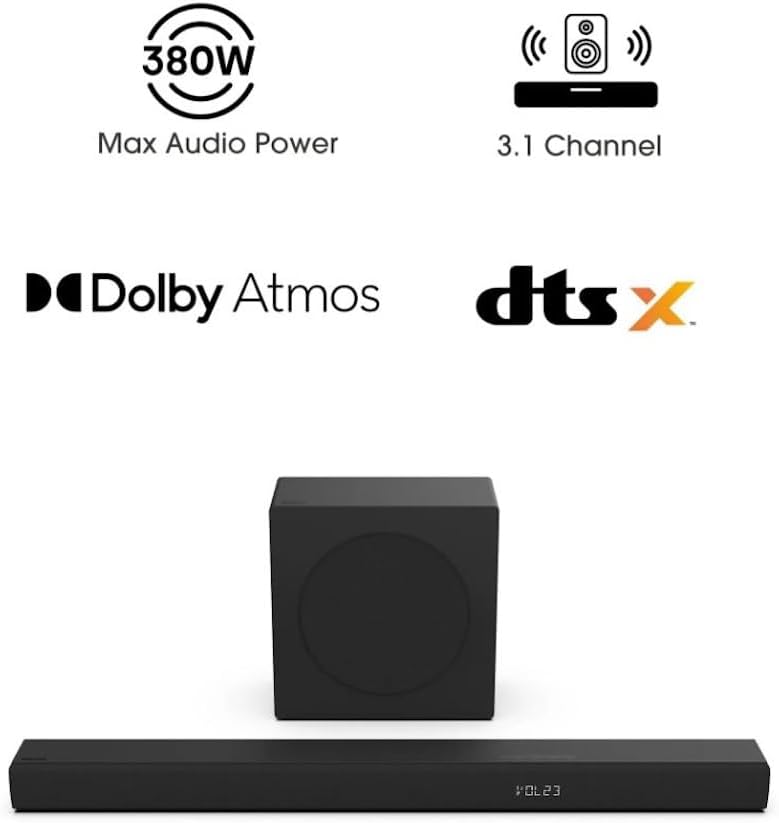
Image 5.2: Visual representation of the 7 tailored sound modes available on the Hisense R632 Soundbar, including AI EQ, Music, Night, Game, Movie, News, and Sport modes.
5.4 Dolby Atmos and DTS:X
The Hisense R632 soundbar supports Dolby Atmos and DTS:X, providing a spatial sound experience that immerses you in the audio. Ensure your source content and connected device (e.g., TV, streaming box) also support these formats for the full effect.

Image 5.3: Depiction of the immersive audio experience provided by Dolby Atmos and DTS:X technologies, with sound appearing to come from all directions.

Image 5.4: The 6.5-inch wireless subwoofer, illustrating its role in delivering deep and impactful bass frequencies to enhance the audio experience.
6. Mantentzea
Soinu-barraren iraupena eta errendimendu optimoa bermatzeko:
- Garbiketa: Erabili zapi leun eta lehor bat soinu-barraren eta subwooferraren gainazalak garbitzeko. Ez erabili garbitzaile likidorik edo material urratzailerik.
- Aireztapena: Ziurtatu aireztapen-zuloak ez daudela blokeatuta, gehiegi berotzea ekiditeko.
- Biltegiratzea: Unitatea denbora luzez gordetzen baduzu, deskonektatu korrontetik eta gorde leku fresko eta lehor batean.
7. Arazoak
Soinu-barrarekin arazoak badituzu, jo ezazu honako arazo eta irtenbide ohikoenei:
- Potentziarik gabe:
- Ensure both the soundbar and subwoofer are properly plugged into a working power outlet.
- Check if the power indicator lights are on.
- Soinurik ez:
- Egiaztatu sarrera-iturri zuzena hautatuta dagoela soinu-barran.
- Check the volume level on both the soundbar and your television/source device.
- Ziurtatu kableak (HDMI, optikoa) ondo konektatuta daudela.
- If using Bluetooth, ensure the device is paired and within range.
- Subwooferra ez da konektatzen:
- Ensure the subwoofer is powered on.
- If automatic pairing fails, consult the full user manual for manual pairing instructions (usually involves pressing a pair button on both units).
- Urruneko kontrola ez dabil:
- Check and replace the AAA batteries (2 required).
- Ziurtatu ez dagoela oztoporik urrutiko agintearen eta soinu-barraren sentsorearen artean.
8. Zehaztapenak
| Ezaugarri | Xehetasuna |
|---|---|
| Ereduaren izena | R632 |
| Hizlari mota | Soinu barra haririk gabeko subwooferarekin |
| Inguruko soinu-kanalaren konfigurazioa | 3.1 |
| Bozgorailuaren irteera-potentzia maximoa | 380 Watt |
| Ezaugarri bereziak | Dolby Atmos & DTS:X, 5-Speaker Array, Wireless Subwoofer |
| Konektibitate Teknologia | Bluetooth, HDMI eARC, Optical |
| Haririk gabeko Komunikazio Teknologia | Bluetootha |
| Subwoofer Konektibitate Teknologia | Haririk gabekoa |
| Produktuaren neurriak (soinu-barra) | 2.4" L x 36.2" W x 3.5" H |
| Elementuaren pisua | 17 libera (guztira) |
| Sarrera boltage | 120 Volt |
| Kontrol-metodoa | Urrunekoa |
| UPC | 888143019710 |
9. Bermearen informazioa
This Hisense R632 Soundbar is covered by a Berme mugatua. For specific terms and conditions, including duration and coverage details, please refer to the warranty card included in your product packaging or visit the official Hisense webgunea.
10. Bezeroarentzako arreta
For technical assistance, troubleshooting beyond this manual, or warranty inquiries, please contact Hisense customer support:
- Webgunea: Visit the official Hisense support webMaiz egiten diren galderen, deskargen eta harremanetarako informazioaren gunea.
- Telefonoa: Refer to your product packaging or the Hisense website for regional support telephone numbers.


