1. Sarrera
This manual provides detailed instructions for the operation and maintenance of your KEPLUG MX9 Sunrise Alarm Clock. This device combines a digital alarm clock, a sunrise simulation wake-up light, a dimmable bedside night light, and a white noise machine with 30 soothing sounds. Please read this manual thoroughly before use to ensure proper functionality and safety.
2. Segurtasun informazioa
- Ziurtatu gailua gainazal egonkor eta lau batean dagoela.
- Ez jarri gailua uraren edo gehiegizko hezetasunaren eraginpean.
- Erabili emandako korronte-egokitzailea eta kablea soilik.
- Mantendu haurren eta maskoten eskura.
- Ez saiatu gailua zeuk desmuntatzen edo konpontzen. Jarri harremanetan langile kualifikatuekin zerbitzua jasotzeko.
- Deskonektatu gailua tximista-ekaitzetan edo denbora luzez erabiltzen ez duzunean.
3. Paketearen edukia
Egiaztatu elementu guztiak paketean daudela:
- KEPLUG MX9 Sunrise Alarm Clock
- Elikatze-moldagailua
- Elikatze-kablea
- Erabiltzailearen eskuliburua (dokumentu hau)
4. Produktua amaitu daview
Familiarize yourself with the main components and control buttons of your KEPLUG MX9 Sunrise Alarm Clock.

1. irudia: Aurrealdea view of the KEPLUG MX9 Sunrise Alarm Clock, showing the main light dome, digital time display, and control buttons at the base.
The device features a large light dome, a digital time display, and several touch-sensitive buttons for control:
- Alarma botoia: Used to set and activate alarms.
- Denbora botoia: Used to set the current time and 12/24-hour format.
- Errepikatu/Argi botoia: Activates snooze during an alarm, or turns on/off and adjusts the night light.
- Plus (+) botoia: Increases values (time, volume, brightness) or navigates options.
- Minus (-) botoia: Decreases values (time, volume, brightness) or navigates options.
- Musika-nota botoia: Selects soothing sounds or white noise.
5. Konfigurazioa
5.1 Energia-konexioa
- Connect the power cable to the DC input port on the back of the alarm clock.
- Entxufatu korronte-egokigailua entxufe elektriko estandar batean.
- Pantaila digitala piztuko da, gailua piztuta dagoela adieraziz.
5.2 Uneko ordua ezartzea
- Eduki sakatuta Denbora botoia for 3 seconds to enter time setting mode. The hour digits will flash.
- Erabili Gehiago (+) or Minus (-) Buttons ordua egokitzeko.
- Sakatu Denbora botoia berriro ordua berresteko eta minutuen ezarpenera joateko. Minutuen digituak keinuka hasiko dira.
- Erabili Gehiago (+) or Minus (-) Buttons minutua doitzeko.
- Sakatu Denbora botoia a third time to confirm the minutes and select 12-hour or 24-hour format.
- Erabili Gehiago (+) or Minus (-) Buttons nahiago duzun ordu-formatua hautatzeko.
- Sakatu Denbora botoia one last time to exit time setting mode.
6. Funtzionamendu-argibideak
6.1 Setting an Alarm (Sunrise Simulation & Sound)
The KEPLUG MX9 allows you to set multiple alarms with customizable sunrise simulation and sound options.

Image 2: Illustration of the sunrise simulation feature, where the light gradually brightens over a set period, mimicking a natural sunrise.
- Sakatu Alarma botoia to select an alarm slot (e.g., Alarm 1, Alarm 2).
- Eduki sakatuta Alarma botoia for 3 seconds to enter alarm setting mode. The alarm hour digits will flash.
- Erabili Gehiago (+) or Minus (-) Buttons nahi duzun alarma-ordua ezartzeko.
- Sakatu Alarma botoia to confirm the hour and set the minutes.
- Erabili Gehiago (+) or Minus (-) Buttons nahi duzun alarma minutua ezartzeko.
- Sakatu Alarma botoia to confirm minutes and set the sunrise duration (15-120 minutes). This is the time before the alarm sound when the light will gradually brighten.
- Erabili Gehiago (+) or Minus (-) Buttons to select the sunrise duration.
- Sakatu Alarma botoia to confirm duration and select the wake-up sound.
- Erabili Gehiago (+) or Minus (-) Buttons to cycle through the available wake-up sounds (e.g., nature sounds, melodies).
- Sakatu Alarma botoia to confirm the sound and set the alarm volume.
- Erabili Gehiago (+) or Minus (-) Buttons to adjust the alarm volume (7 levels).
- Sakatu Alarma botoia one last time to save the alarm settings and activate the alarm. An alarm icon will appear on the display.
6.2 Snooze funtzioa
Alarma jotzen duenean, sakatu Errepikatu/Argi botoia to activate the snooze function. The alarm will pause for 9 minutes and then sound again. You can snooze multiple times.
6.3 Turning Off an Alarm
To turn off a sounding alarm, press any button other than the Errepikatu/Argi botoia. To deactivate an alarm completely, press the Alarma botoia until the alarm icon disappears from the display.
6.4 Night Light / Bedside Lamp Funtzioa
The device can function as a dimmable night light with various colors.

Image 3: The alarm clock used as a bedside lamp, displaying various solid colors and mood lighting options.
- Sakatu Errepikatu/Argi botoia once to turn on the light.
- Sakatu Errepikatu/Argi botoia repeatedly to cycle through different solid colors (8 options) and RGB mood lights (4 options).
- To adjust the brightness of the selected light, press and hold the Errepikatu/Argi botoia, gero erabili Gehiago (+) or Minus (-) Buttons to increase or decrease brightness. Release the Errepikatu/Argi botoia amaitutakoan.
- Eduki sakatuta Errepikatu/Argi botoia berriro argia itzaltzeko.
6.5 White Noise Machine & Soothing Sounds
The device offers 30 soothing sounds for relaxation or sleep aid.

Image 4: Visual representation of the 30 smooth sounds for sleep, including white noise, nature sounds, and lullabies.
- Sakatu Music Note Button to turn on the sound machine. It will start playing the last selected sound.
- Sakatu Music Note Button repeatedly to cycle through the 30 available sounds.
- Erabili Gehiago (+) or Minus (-) Buttons soinuaren bolumena doitzeko.
- To set a timer for the sound playback, press and hold the Music Note Button. The timer options (e.g., 15 min, 30 min, 60 min, continuous) will appear. Use the Gehiago (+) or Minus (-) Buttons to select a duration. The sound will automatically turn off after the selected time.
- Eduki sakatuta Music Note Button berriro soinu-makina itzaltzeko.
6.6 Sunset Simulation (Sleep Aid)
The sunset simulation feature gradually dims the light and can play soothing sounds to help you fall asleep.
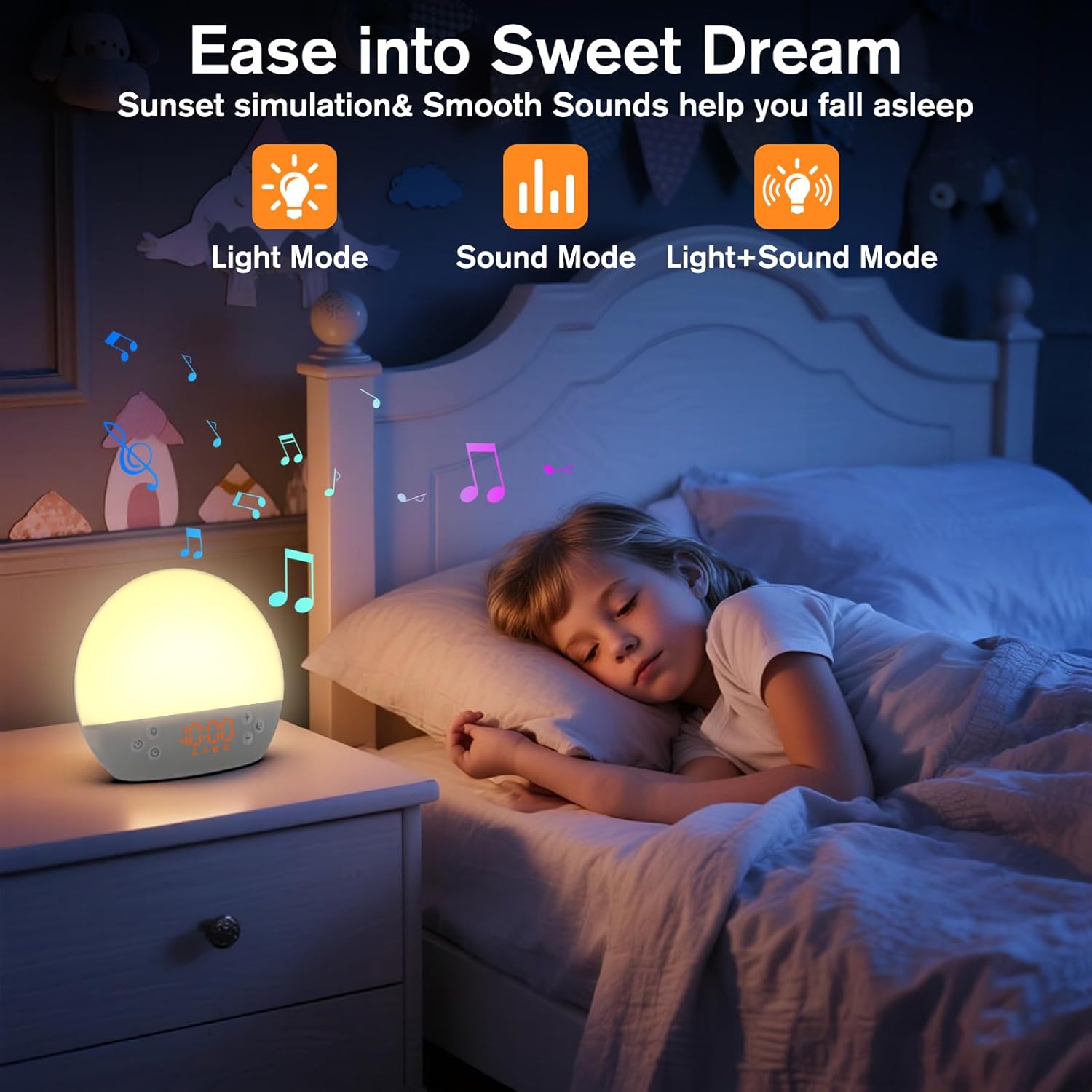
Image 5: The alarm clock in sunset simulation mode, providing a calming light and sound environment to aid sleep.
- To activate sunset simulation, press and hold the Denbora botoia until the sunset icon appears.
- Erabili Gehiago (+) or Minus (-) Buttons to set the duration of the sunset simulation (e.g., 15, 30, 60 minutes).
- Sakatu Denbora botoia to confirm the duration. You can then choose to have light only, sound only, or both light and sound.
- Erabili Gehiago (+) or Minus (-) Buttons to select the desired mode (Light Mode, Sound Mode, Light+Sound Mode).
- If Light+Sound Mode is selected, you can choose a specific soothing sound and adjust its volume.
- Sakatu Denbora botoia again to start the sunset simulation. The light will gradually dim, and sounds will fade out over the set duration.
6.7 Pantailaren distira doitzea
The brightness of the digital time display can be adjusted to your preference.
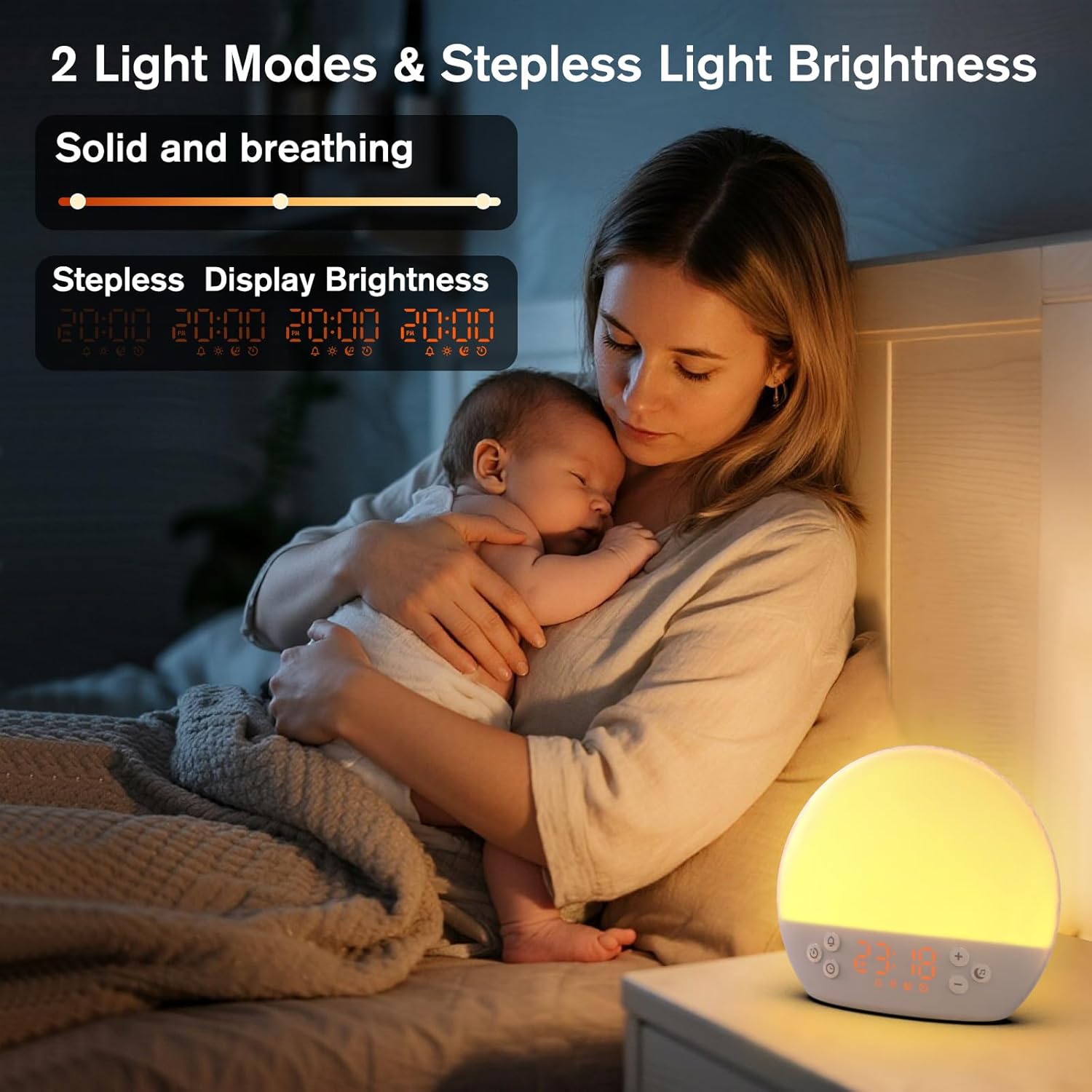
Image 6: The alarm clock demonstrating stepless display brightness adjustment, from very dim to bright.
Pantailaren distira doitzeko, sakatu labur Denbora botoia (do not hold). Each press will cycle through different brightness levels (e.g., bright, medium, dim, off). Select the level that suits your environment.
7. Mantentzea
- Garbiketa: Unplug the device before cleaning. Use a soft, dry cloth to wipe the surface. Do not use abrasive cleaners or solvents.
- Biltegiratzea: If not in use for an extended period, unplug the device and store it in a cool, dry place.
8. Arazoak
| Arazoa | Kausa posiblea | Irtenbidea |
|---|---|---|
| Gailua ez da pizten. | Power cable not connected properly or power outlet is faulty. | Egiaztatu kablearen konexioa. Saiatu beste entxufe batekin. |
| Alarmak ez du jotzen. | Alarm not activated or volume is too low. | Ensure the alarm icon is visible on the display. Increase alarm volume during setup. |
| Argia ez da pizten. | Light function is off or brightness is set to minimum. | Sakatu Errepikatu/Argi botoia to turn on. Adjust brightness using Gehiago (+) or Minus (-) Buttons while holding the Errepikatu/Argi botoia. |
| Sounds are not playing. | Sound machine is off or volume is too low. | Sakatu Music Note Button to turn on. Increase volume using Gehiago (+) Botoia. |
| Time display is too bright/dim. | Display brightness setting needs adjustment. | Sakatu labur Denbora botoia to cycle through display brightness levels. |
9. Zehaztapenak
| Ezaugarri | Xehetasuna |
|---|---|
| Ereduaren izena | MX9 |
| Marka | KEPLUG |
| Materiala | Plastikoa |
| Kolorea | Zuria |
| Energia iturria | Kable elektrikoa |
| Elementuaren pisua | 258 gramo (9.1 ontza) |
| Produktuaren neurriak | 2.36 x 5.59 x 6.3 hazbete (6 x 14.2 x 16 cm) |
| Argi-iturri kopurua | 2 |
| Ezaugarri Berezia | Erregulagarria Bolumen |
| Sunrise Simulation Duration | 15-120 minutu |
| Soinu lasaigarriak | 30 aukera |
| Alarma-bolumen mailak | 7 maila |
10. Bermea eta Laguntza
Your KEPLUG MX9 Sunrise Alarm Clock is covered by a standard manufacturer's warranty. For specific warranty details, please refer to the product packaging or contact KEPLUG customer support. If you encounter any issues not covered in the troubleshooting section, or require further assistance, please reach out to our customer service team through the retailer where you purchased the product or visit the official KEPLUG weblaguntza-harremanetarako informazioa lortzeko gunea.


