Sarrera
This manual provides detailed instructions for the setup, operation, and maintenance of your HANNspree HT240CUA 23.8-inch Multitouch Monitor. Please read this manual thoroughly before using the product to ensure proper functionality and to prevent damage.
Paketearen edukia
Verify that all items listed below are included in your product package. If any items are missing or damaged, please contact your retailer.
- HANNspree HT240CUA Multitouch Monitor
- Elikatze Hornidura
- Elikatze kablea (1.5 m)
- HDMI kablea
- USB AC kablea
- Berme Txartela
- Hasierako gida azkarra
Produktua amaituview
The HANNspree HT240CUA is a 23.8-inch multitouch monitor designed for versatile use in various environments. It features PCAP touch technology with 10 touch points, Full HD resolution, optical bonding, and a durable 7H tempered glass surface.
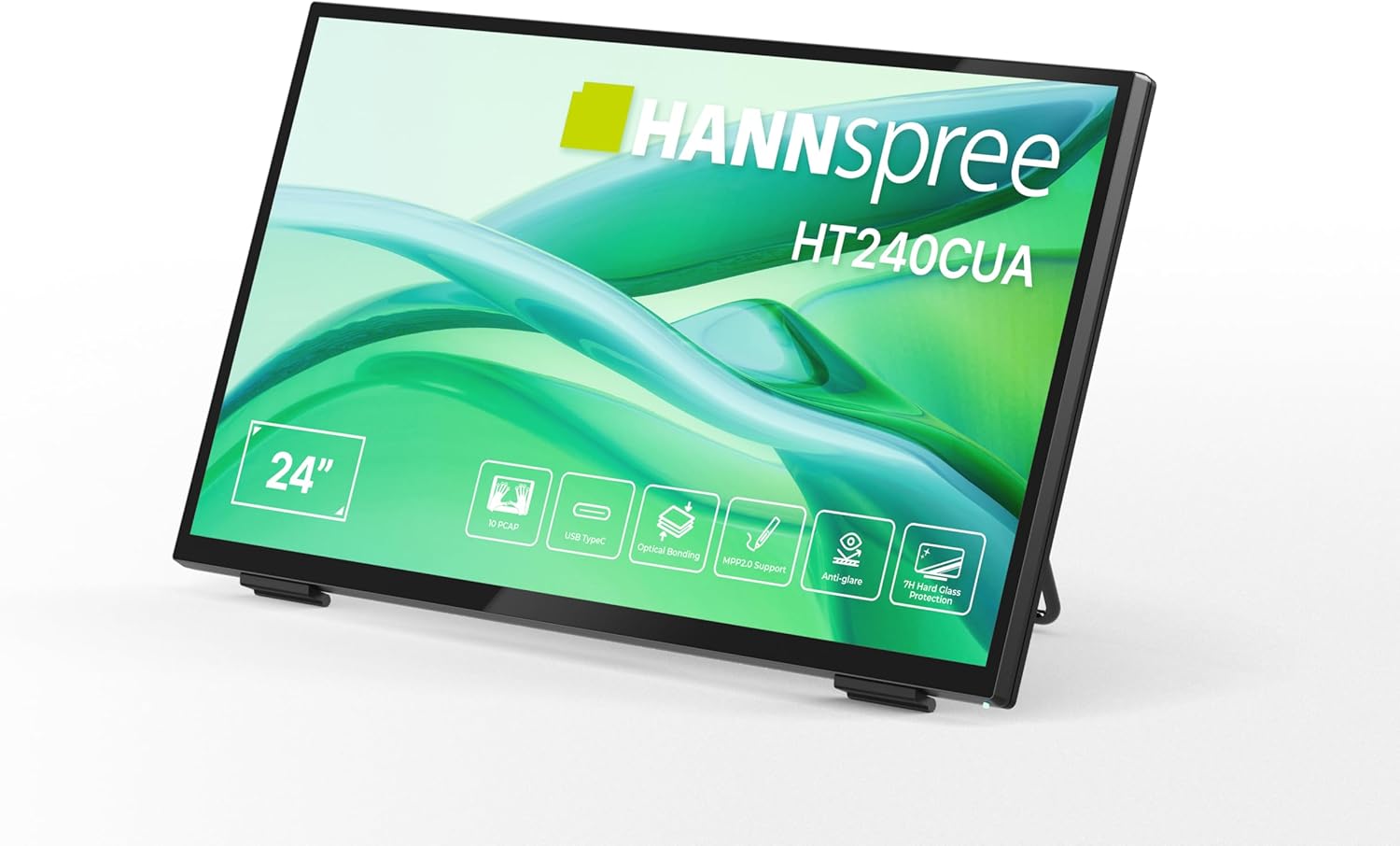
Aurrealdea view of the HANNspree HT240CUA monitor, showcasinbere diseinu dotorea eta 24 hazbeteko pantaila.

Atzekoa view of the HANNspree HT240CUA monitor, highlighting the various input/output ports including USB Type-C, HDMI, and DisplayPort.
Konfigurazioa
- Unpacking the Monitor: Kontu handiz atera monitore eta osagarri guztiak paketetik. Jarri monitore gainazal egonkor eta lau batean.
- Potentzia konektatzea:
- Konektatu elikadura-kablea elikadura-iturrira.
- Plug the power supply into the DC IN port on the back of the monitor.
- Entxufatu kablearen beste muturra lurrera konektatutako entxufe elektriko batera.
- Ordenagailu batera konektatzea:
- USB C motako konexioa: For video, audio, and touch functionality with a single cable, connect the supplied USB A-C cable to the USB Type-C port on the monitor and to a compatible USB Type-C port on your computer.
- HDMI konexioa: Connect one end of the HDMI cable to the HDMI port on the monitor and the other end to the HDMI output port on your computer.
- DisplayPort konexioa: Connect a DisplayPort cable (not included) to the DP port on the monitor and to the DisplayPort output on your computer.
- VGA konexioa: Connect a VGA cable (not included) to the VGA port on the monitor and to the VGA output on your computer.

Diagram illustrating the versatile connectivity options available on the HANNspree HT240CUA monitor, including USB-C, DisplayPort, HDMI, and VGA.
- Euskarria doitzea: The monitor features an ergonomically adjustable stand with a tilt angle of 15-70 degrees. Adjust the stand to your preferred viewangelua.
- VESA muntaketa (aukerakoa): The monitor supports VESA mount 100 x 100 mm for alternative mounting solutions, such as wall mounts or mini PC attachments.
Funtzionamendu-argibideak
Piztu/Itzali
Press the power button located on the side of the monitor to turn it on or off.
Using the Multitouch Functionality
The HT240CUA supports 10-point PCAP multitouch. Ensure your operating system is configured for touch input.

Image showing the HANNspree HT240CUA monitor in use with 10-point multitouch functionality, allowing for smooth and precise interactions.
MPP 2.0 Stylus Support
The monitor supports MPP 2.0 compatible styluses (pen not included) for a pen-like writing and drawing experience with precise accuracy and low latency.
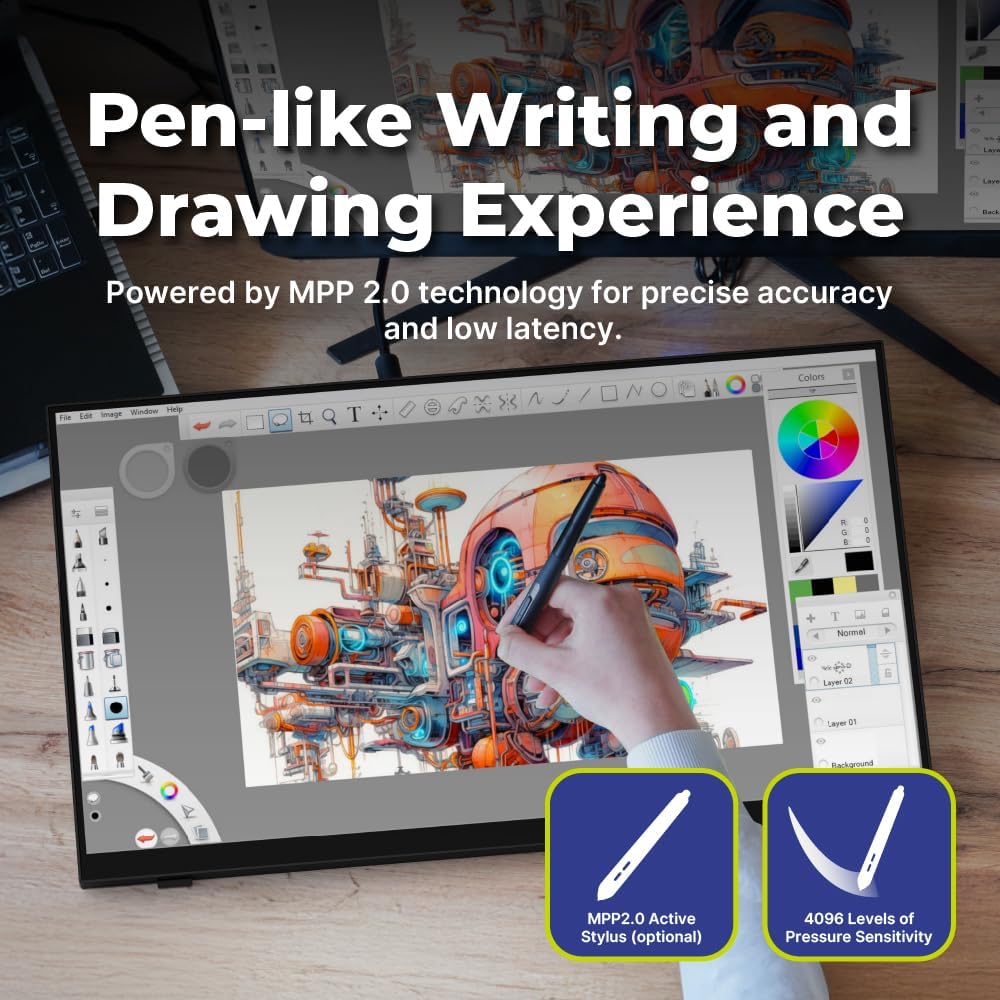
Illustration of the HANNspree HT240CUA monitor's support for MPP 2.0 styluses, enabling a natural writing and drawing experience.
Pantailako pantailan (OSD) menua
Use the buttons on the side of the monitor to navigate and adjust settings in the OSD menu. Common settings include brightness, contrast, input source selection, and color temperature.
- MENU botoia: OSD menua irekitzen du.
- GORA/BEHERA botoiak: Nabigatu menuko aukeretan.
- ENTER botoia: Aukera bat hautatzen edo ezarpen bat berresten du.
- IRTEN botoia: Exits the current menu or the OSD.
Mantentzea
Monitorea garbitzea
Monitorearen pantaila eta c garbitzekoasing:
- Itzali monitorearen entxufea eta deskonektatu kablea.
- Erabili lipurrik gabeko zapi leun bat dampUrarekin edo pantaila-garbitzaile ez-urratzaile batekin garbitu.
- Garbitu pantaila astiro-astiro eta casing. Avoid applying excessive pressure.
- Do not use alcohol, benzene, thinners, or other harsh chemicals, as these may damage the screen surface or casing.
Biltegiratzea
When storing the monitor for an extended period, ensure it is powered off, unplugged, and stored in a cool, dry place away from direct sunlight and extreme temperatures.
Arazoak konpontzea
Monitorearekin arazoak badituzu, jo ezazu honako arazo eta irtenbide ohikoenei.
Botererik ez
- Ensure the power cable is securely connected to the monitor and the electrical outlet.
- Egiaztatu entxufea behar bezala funtzionatzen duela beste gailu bat konektatuz.
- Egiaztatu korronte-egokitzailea kalterik dagoen ikusteko.
Ez dago irudirik pantailan
- Confirm that the monitor is powered on.
- Check the video cable (HDMI, DisplayPort, USB-C, VGA) connections at both the monitor and the computer.
- Ziurtatu sarrera-iturri zuzena hautatuta dagoela monitorearen OSD menuan.
- Test the monitor with another computer or video source if possible.
Touch Functionality Not Working
- For USB Type-C connections, ensure the cable supports data transfer for touch.
- If using HDMI/DP/VGA, ensure a separate USB cable is connected from the monitor's USB upstream port to your computer for touch data.
- Check your computer's operating system settings for touch screen calibration or driver issues.
- Restart both the monitor and the computer.
Irudiaren Kalitate Arazoak
- Doitu distira, kontrastea eta kolore ezarpenak OSD menuaren bidez.
- Ziurtatu ordenagailuaren pantailaren bereizmena monitorearen jatorrizko bereizmenera ezarrita dagoela (1920 x 1080).
- Check for any physical damage to the screen or cables.
Zehaztapenak
| Ezaugarri | Zehaztapena |
|---|---|
| Pantailaren tamaina | 23.8 hazbete |
| Ebazpena | 1920 x 1080 (HD osoa) |
| Aspektu-erlazioa | 16:9 |
| Ukitu teknologia | PCAP, 10-point multitouch |
| Gainazaleko gogortasuna | 7H beira tenplatua |
| Distira | 270 cd/m² |
| Konektibitatea | USB Type-C (Video/Audio/Touch), HDMI, DisplayPort, VGA, USB Hub 3.0 (2x) |
| Hizlariak | Integratua |
| Inklinazio angelua | 15-70 gradu |
| VESA mendia | 100 x 100 mm |
| Stylus euskarria | MPP 2.0 (pen not included) |
| Produktuaren neurriak (L x W x H) | 21.65 x 13.12 x 1.94 hazbete |
| Elementuaren pisua | 12.39 kilo |
Bermea eta Laguntza
For warranty information, please refer to the included Warranty Card in your package. For technical support or service inquiries, please visit the official HANNspree webwebgunean edo jarri harremanetan bere bezeroarentzako arreta zerbitzuarekin.
Keep your purchase receipt and product serial number (found on the back of the monitor) readily available when contacting support.


