1. Sarrera
This manual provides comprehensive instructions for the Inateck Nomad N0158 Foldable Keyboard and Mouse Set. It covers product features, setup procedures, operational guidelines, maintenance tips, and troubleshooting information to ensure optimal performance and user experience. This set is designed for multi-device connectivity, supporting up to three devices simultaneously across various operating systems including Windows, macOS, Android, and iOS.
2. Paketearen edukia
Egiaztatu behean zerrendatutako elementu guztiak zure paketean sartuta daudela:
- Inateck Nomad N0158 Foldable Keyboard
- Haririk gabeko sagua
- Accessory Bag (600D two-tone splash-proof RPET recycled material)
- Folding Stand (suitable for 4-13 inch iPads, smartphones, and tablets)
- USB-C kargatzeko kablea
- Erabiltzailearen eskuliburua
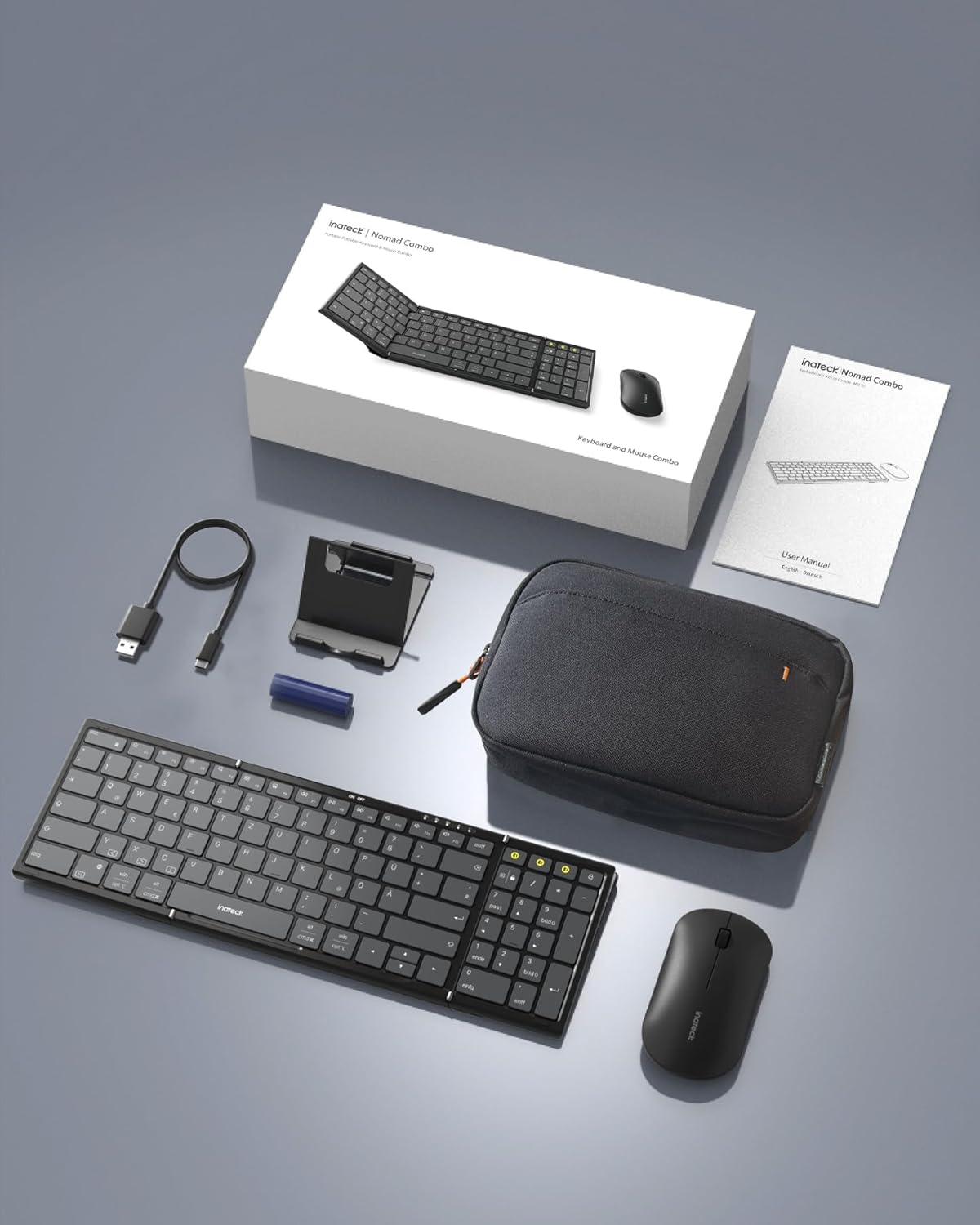
Image: All components included in the Inateck Nomad N0158 package: the foldable keyboard, wireless mouse, accessory bag, folding stand, and USB-C charging cable.
3. Produktua amaitu daview
3.1 Teklatuaren ezaugarriak
- Diseinu tolesgarria: Compact for portability.
- Tamaina osoko diseinua: 99 keys with a separate numeric keypad for efficient data entry and document editing.
- Gailu anitzeko konektibitatea: Connects to up to 3 devices via 2.4G, Bluetooth 1 (BT1), and Bluetooth 2 (BT2).
- Bateriaren iraupen luzea: Over 90 hours of continuous use, up to 180 days standby. Rechargeable via Type-C port.
- Stable Hinge: Features a seamless metal hinge with magnetic locking for stability when unfolded.

Image: The Inateck Nomad N0158 keyboard unfolded, showcasing its full-size layout with six rows of main keys and a dedicated numeric keypad.

Irudia: Xehetasun zehatza view of the keyboard's seamless metal hinge and magnetic locking system, designed for stability when the keyboard is open.
3.2 Saguaren ezaugarriak
- Haririk gabeko konektagarritasuna: Connects via 2.4G USB dongle and two Bluetooth channels (BT1, BT2).
- Bateriaren iraupen luzea: Over 50 hours of continuous operation, with extended standby time.
4. Konfigurazio gida
4.1 Teklatua kargatzea
- Bilatu USB-C kargatzeko ataka teklatuan.
- Konektatu emandako USB-C kablea teklatura eta energia-iturri batera (adibidez, ordenagailuko USB ataka, USB hormako egokitzailea).
- The charging indicator light will illuminate. Once fully charged, the light will change or turn off.
The mouse typically uses a replaceable battery (often pre-installed with a pull tab) or may be rechargeable. Refer to the mouse's specific instructions for charging or battery installation.
4.2 Pairing the Keyboard and Mouse
The keyboard and mouse support multiple connection methods: 2.4G wireless (for mouse only, via USB dongle) and Bluetooth (BT1, BT2 for both keyboard and mouse).
4.2.1 2.4G Wireless Connection (Mouse Only)
- Locate the 2.4G USB dongle, usually stored within the mouse or accessory bag.
- Sartu USB dongle-a ordenagailuko USB ataka libre batean.
- Turn on the mouse. It should automatically connect to the dongle.
4.2.2 Bluetooth Connection (Keyboard and Mouse)
The keyboard and mouse each have two Bluetooth channels (BT1 and BT2) for connecting to different devices.
- Gailua piztu: Ziurtatu teklatua eta sagua piztuta daudela.
- Hautatu Bluetooth kanal bat:
- For the keyboard, press the dedicated BT1 or BT2 button.
- For the mouse, switch to the desired Bluetooth mode (BT1 or BT2) using its mode switch.
- Aktibatu parekatzeko modua:
- For the keyboard, sakatu luzea the selected BT1 or BT2 button until the indicator light flashes, indicating pairing mode.
- For the mouse, long press its Bluetooth pairing button (refer to mouse-specific instructions if not obvious) until its indicator light flashes.
- Gaitu Bluetooth-a zure gailuan: On your computer, tablet, or smartphone, go to Bluetooth settings.
- Bilatu gailuak: Zure gailuak eskuragarri dauden Bluetooth gailuak bilatuko ditu.
- Hautatu eta konektatu: Choose "Inateck Keyboard" and/or "Inateck Mouse" from the list of found devices. Follow any on-screen prompts to complete the pairing.

Image: Illustration of the keyboard and mouse connected to multiple devices (laptop, tablet, smartphone) via 2.4G, BT1, and BT2 channels. Short press to switch channels, long press to activate pairing mode.
5. Funtzionamendu-argibideak
5.1 Konektatutako gailuen artean aldatzea
Behin hainbat gailurekin parekatuta, erraz alda dezakezu haien artean:
- Teklatua: Short press the BT1 or BT2 button to switch to the corresponding paired device.
- Sagua: Use the mode switch on the mouse to select between 2.4G, BT1, or BT2.
5.2 Using the Folding Stand
The included folding stand is designed to hold 4-13 inch iPads, smartphones, and tablets, providing an ergonomic viewing angle while using the keyboard. Ensure the stand is placed on a stable, flat surface.
5.3 Keyboard Usage Notes
- Azalera egonkorra: Always place the keyboard on a flat, stable surface. The folding hinge is not designed to lock, and typing on uneven surfaces may cause instability.
- Teklatuaren diseinua: The keyboard features a QWERTZ layout. Ensure your device's operating system is configured to match this layout for correct character input.
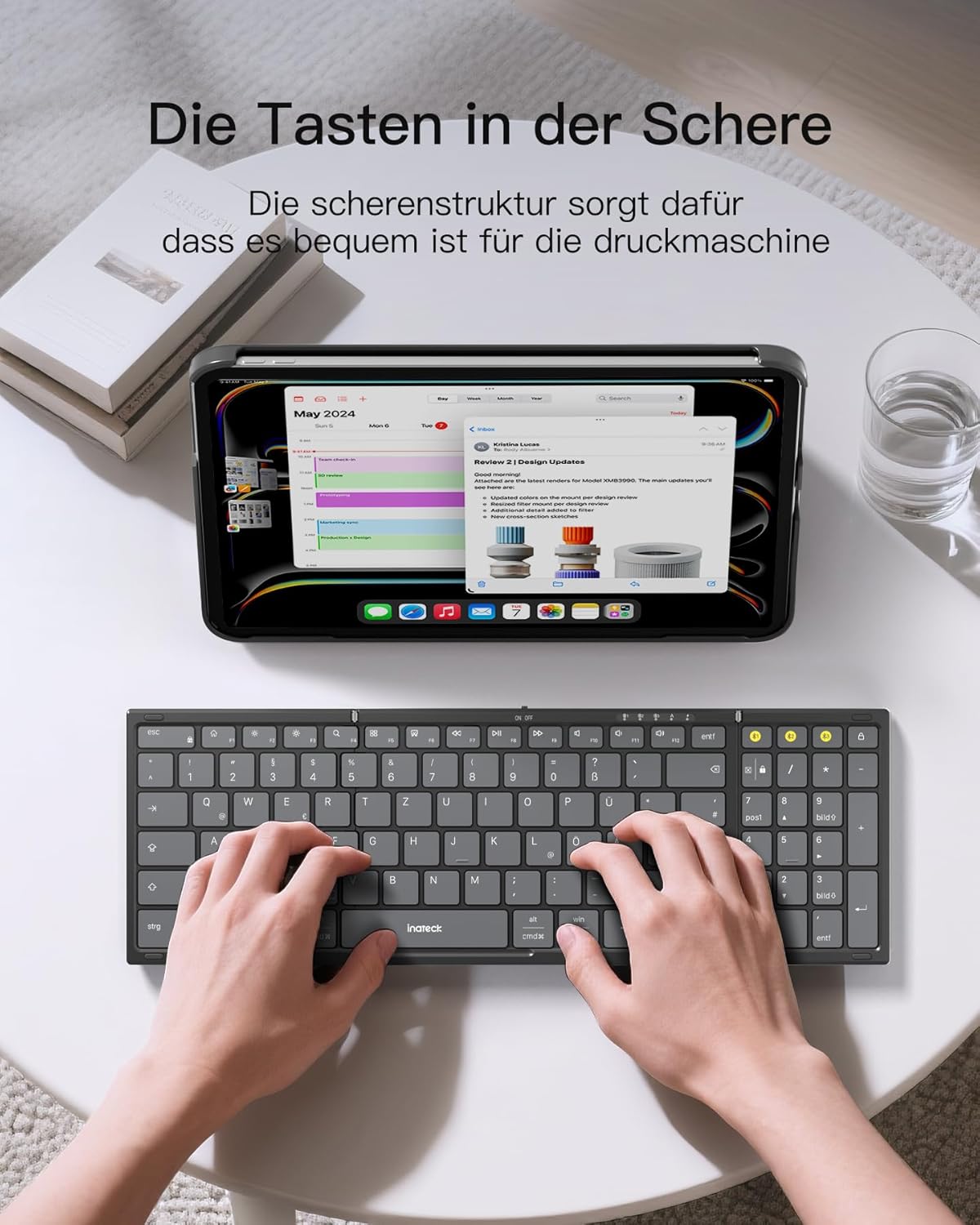
Image: A user demonstrating typing on the Inateck Nomad N0158 foldable keyboard, with a tablet positioned on the included stand for an optimal workspace setup.
6. Mantentzea
6.1 Garbiketa
- Use a soft, dry, lint-free cloth to clean the keyboard and mouse surfaces.
- Zikinkeria egoskorrerako, apur bat lehortuampGarbitu zapi bat urarekin edo garbitzaile leun eta ez-urratzaile batekin. Saihestu gehiegizko hezetasuna.
- Do not use harsh chemicals, solvents, or abrasive materials, as these can damage the product finish.
6.2 Biltegiratzea
- When not in use, fold the keyboard and store it along with the mouse and stand in the provided accessory bag.
- Gorde produktua leku fresko eta lehor batean, eguzki-argitik eta muturreko tenperaturatik urrun.
- The accessory bag is made from splash-proof material, offering protection during travel.
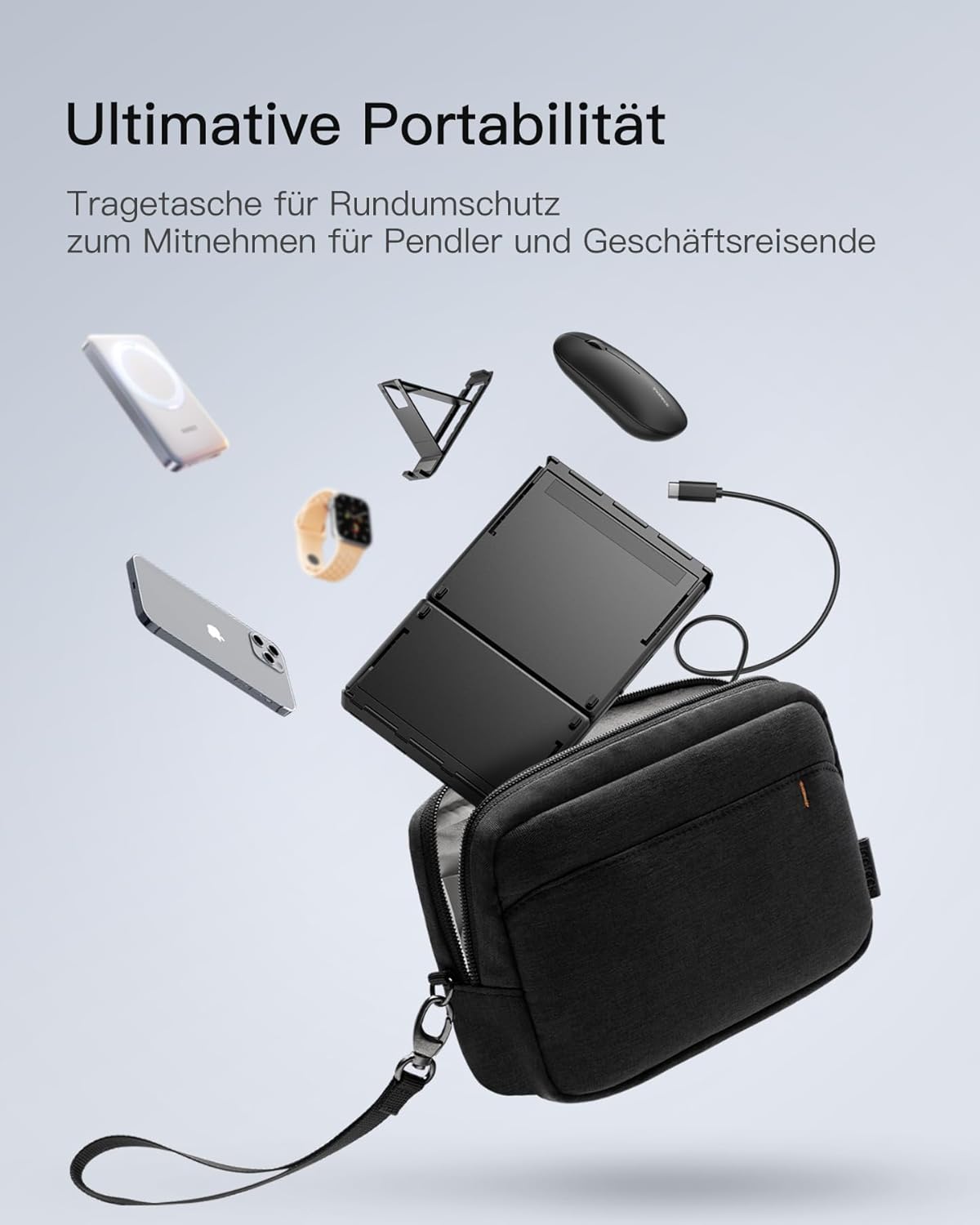
Image: The Inateck Nomad N0158 accessory bag, designed for ultimate portability and protection of the keyboard, mouse, and folding stand during transport.
6.3 Bateria zaintzea
- Recharge the keyboard regularly to maintain battery health, even if not used frequently.
- Saihestu bateria denbora luzez guztiz deskargatzea.
- If the mouse uses replaceable batteries, ensure they are inserted correctly and replace them when power is low.
7. Arazoak
7.1 Konexio arazoak
- Gailua ez da konektatzen:
- Ensure the keyboard/mouse is charged and powered on.
- Verify that the correct Bluetooth channel (BT1/BT2) is selected and in pairing mode (flashing indicator).
- On your device, turn Bluetooth off and then on again.
- Remove any previous pairings for the keyboard/mouse from your device's Bluetooth settings and attempt to pair again.
- For 2.4G mouse connection, ensure the USB dongle is securely inserted and the mouse is in 2.4G mode.
- Etengabeko konexioa:
- Ensure there are no obstructions between the keyboard/mouse and your device.
- Move closer to your device to rule out range issues.
- Egiaztatu beste hari gabeko gailu batzuen interferentziarik.
7.2 Incorrect Keyboard Output (e.g., 'Y' appears instead of 'Z')
This issue typically occurs when the device's operating system keyboard layout does not match the physical QWERTZ layout of the Inateck keyboard. To resolve this, adjust your device's keyboard language settings:
For Windows/Android/macOS/iOS:
- Go to your device's Ezarpenak.
- Nabigatu Hizkuntza eta sarrera or similar (e.g., "Other settings > Language and input methods" on Android).
- Aurkitu Teklatu fisikoa or Hardware teklatua ezarpenak.
- Select the "Nomad" or "Inateck Keyboard" entry.
- Set the keyboard layout to Alemana (QWERTZ).
7.3 Keyboard Instability
The keyboard's folding hinge does not lock. For stable typing, always ensure the keyboard is placed on a completely flat and firm surface. Avoid using it on uneven surfaces like a lap, bed, or soft cushions, as this can cause the keyboard to fold unexpectedly.
8. Zehaztapenak
| Marka | Inateck |
| Eredua | N0158 |
| Konektibitate Teknologia | Bluetooth, 2.4G Wireless (Mouse) |
| Ezaugarri bereziak | 3 Bluetooth Channels, Ergonomic (design) |
| Gailu bateragarriak | Laptop, Personal Computer, Smartphone (iPad, iPhone, Mac, Android, Windows) |
| Teklatuaren deskribapena | Foldable keyboard mouse set wireless |
| Produktuaren erabilera gomendatuak | Bulegoa, Bidaia |
| Teklatuaren diseinua | QWERTZ |
| Energia iturria | Battery Powered (Rechargeable via USB-C for keyboard) |
| Teklatuaren bateriaren iraupena | 90+ hours continuous use, 180 days standby |
| Saguaren bateriaren iraupena | 50+ hours continuous use, extended standby |
| Produktuaren neurriak (tolestuta) | 40.54 x 11.49 x 3 cm |
| Produktuaren pisua | 756 g |

Image: Visual representation of the Inateck Nomad N0158 keyboard's dimensions when folded (18.4 cm) and unfolded (34.2 cm x 11.5 cm), alongside a tablet (27.9 cm) and smartphone (14.6 cm) for scale.
9. Bermea eta Laguntza
Inateck products are designed for reliability and performance. For warranty information, technical support, or customer service inquiries, please refer to the official Inateck webwebgunera edo jarri harremanetan bezeroarentzako arreta-zerbitzuarekin zuzenean. Gorde erosketa-agiria berme-erreklamazioetarako.
Ofiziala Webgunea: www.inateck.com


