1. Sarrera
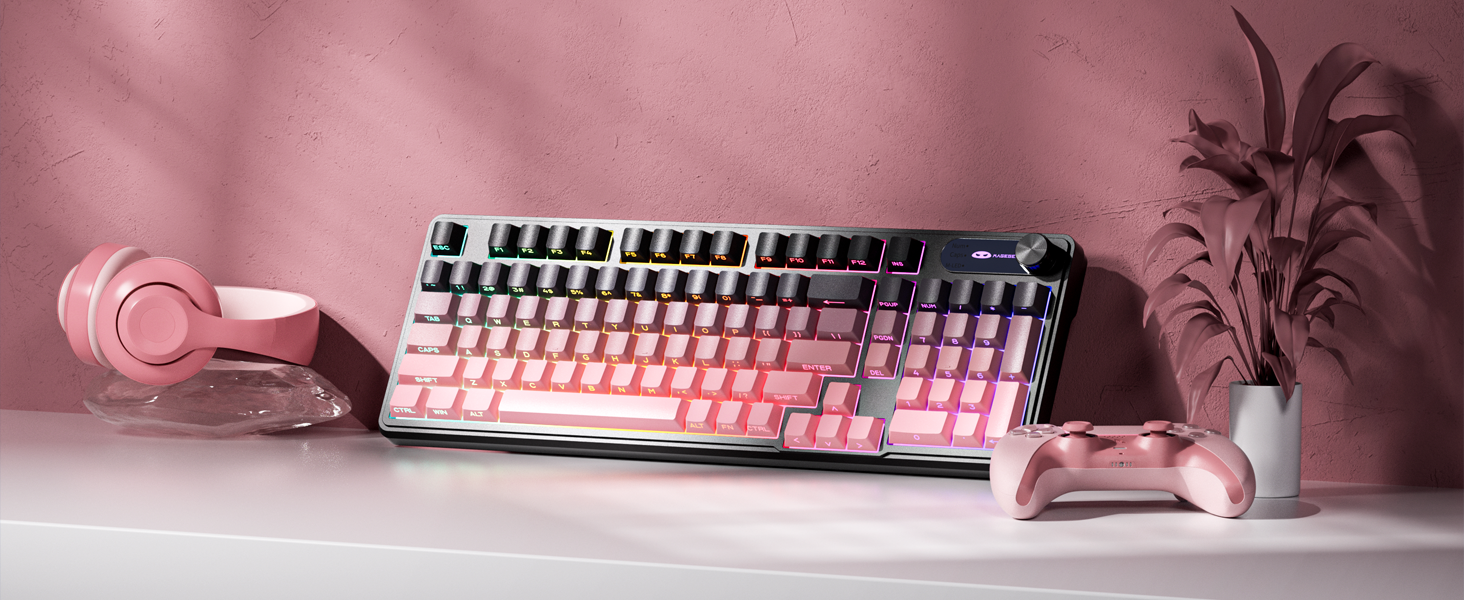
The MageGee GK960 is a versatile wireless gaming keyboard designed for optimal performance and user comfort. Featuring triple-mode connectivity (Wired USB-C, 2.4GHz Wireless, and Bluetooth), vibrant RGB backlighting, a multi-functional rotary knob, and a 98% layout with a number pad, this keyboard is suitable for various computing environments and tasks. Its ergonomic design and anti-ghosting capabilities enhance the typing and gaming experience.

Image 1.1: MageGee GK960 Wireless Gaming Keyboard highlighting key features such as Tri-Mode Connection, Side-Printed Keycaps, Knob Control, RGB Backlit, Win/Mac Support, and 19-Key Anti-Ghosting.
2. Paketearen edukia
Mesedez, egiaztatu behean zerrendatutako elementu guztiak zure paketean sartuta daudela:
- 1 x MageGee GK960 Wireless Gaming Keyboard
- 1 x Erabiltzailearen eskuliburua
- 1 x USB-C kargatzeko kablea
- 1 x 2.4G USB hargailua
- 1 x User Guide (Quick Start)
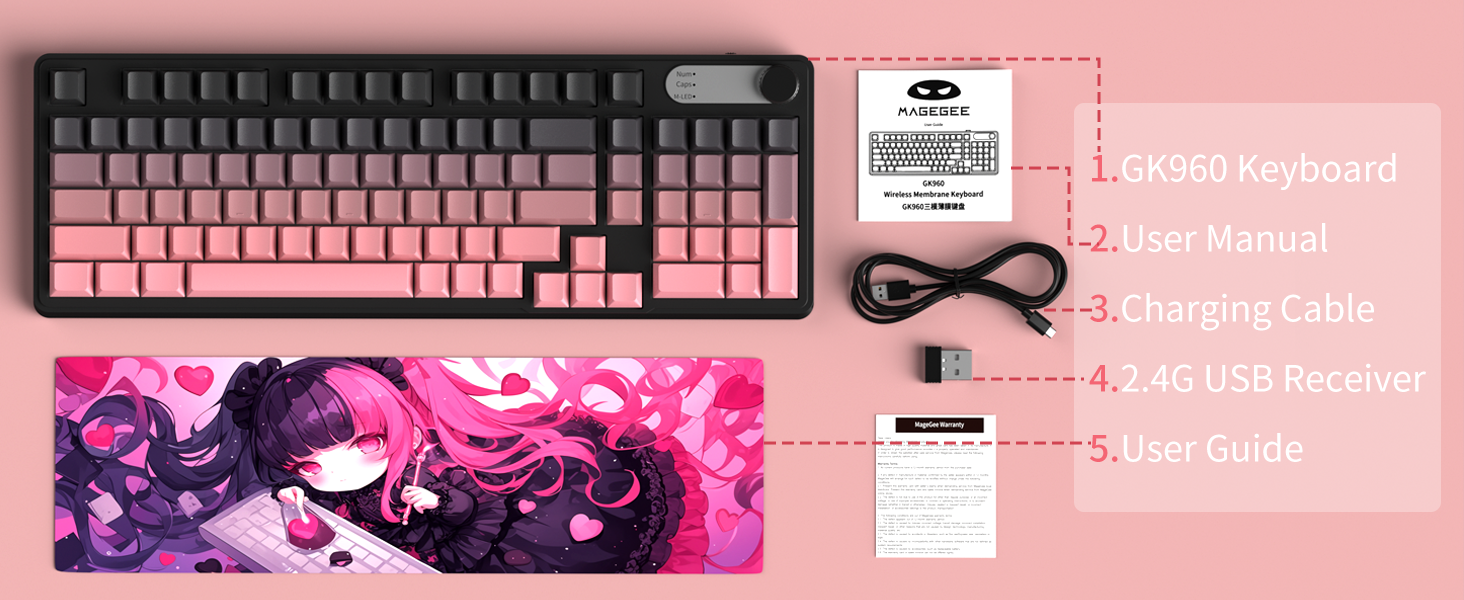
Image 2.1: Visual representation of the MageGee GK960 keyboard and its included accessories: user manual, charging cable, 2.4G USB receiver, and user guide.
3. Setup: Connectivity Modes
The GK960 keyboard offers three connectivity options: Wired USB-C, 2.4GHz Wireless, and Bluetooth. You can connect up to 5 devices simultaneously (1 wired, 1 via 2.4G, and up to 3 via Bluetooth).

Image 3.1: Diagram illustrating the three connection modes: Wired Type-C, 2.4GHz Wireless, and Bluetooth (BT FN+1/2/3).
3.1. USB-C konexio kableatua
- Bilatu USB-C ataka teklatuan.
- Konektatu emandako USB-C kablea teklatura eta beste muturra ordenagailuko USB ataka libre batera.
- Teklatua automatikoki ezagutuko da eta erabiltzeko prest egongo da.
3.2. 2.4 GHz-ko haririk gabeko konexioa
- Locate the 2.4G USB receiver (dongle) in the package.
- Konektatu 2.4G USB hargailua ordenagailuko USB ataka libre batean.
- Ensure the keyboard's mode switch (located on the back or side) is set to 2.4G mode.
- Teklatua automatikoki konektatu beharko litzateke.
3.3. Bluetooth konexioa
Teklatuak gehienez hiru Bluetooth gailu konektatzea onartzen du.
- Ziurtatu teklatuaren modu-etengailua Bluetooth moduan dagoela ezarrita.
- Gailu batekin parekatzeko, sakatu eta eutsi FN + 1, FN + 2, edo FN + 3 3-5 segundoz dagokion adierazle-argia azkar keinuka hasi arte. Horrek parekatze modua adierazten du.
- Zure gailuan (ordenagailua, tableta, telefonoa), ireki Bluetooth ezarpenak eta bilatu gailu berriak.
- Select "MageGee GK960" from the list of available devices to complete the pairing process. The indicator light will stop flashing once connected.
- Bluetooth gailu parekatutakoen artean aldatzeko, sakatu besterik ez duzu egin behar FN + 1, FN + 2, edo FN + 3 (sakatu laburki).
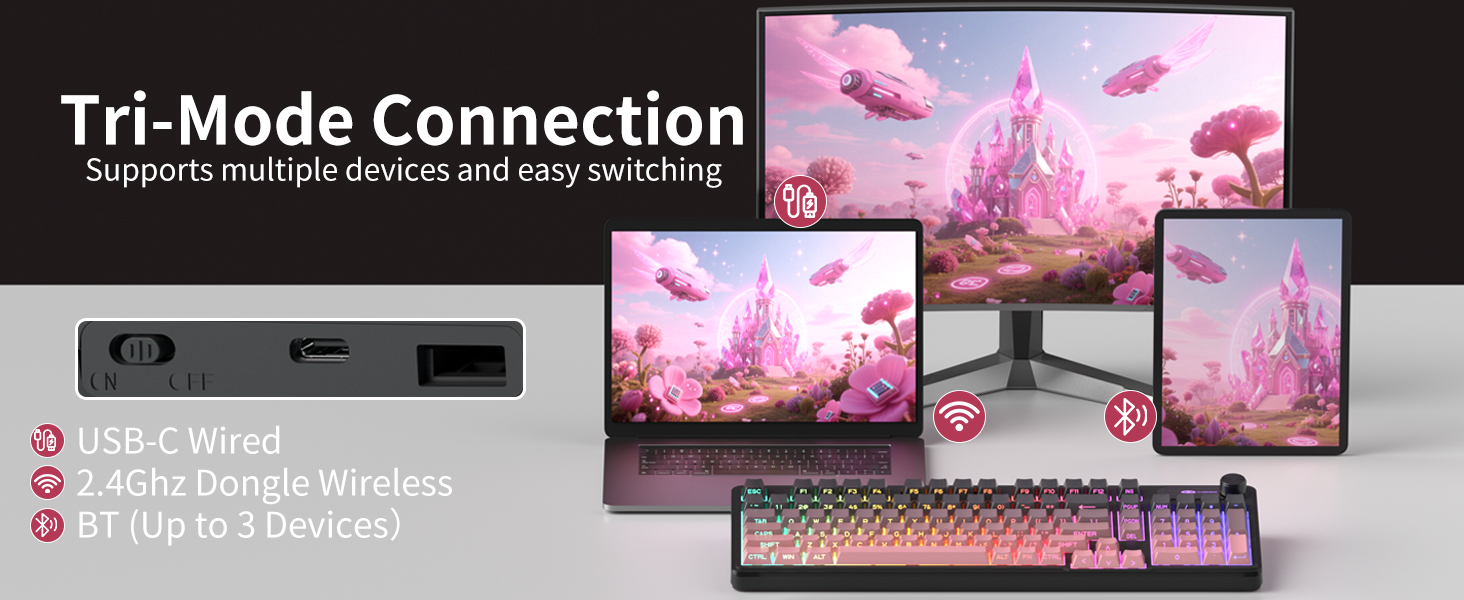
Image 3.2: The keyboard's connectivity switch, allowing selection between USB-C Wired, 2.4GHz Dongle Wireless, and Bluetooth modes.
4. Funtzionamendu-argibideak
4.1. Dual-Mode Rotary Knob
The multi-functional knob provides quick control over volume and lighting settings.
- Aldatu moduak: Prentsa luzea FN + Eskutokia for 5 seconds to switch between Volume Mode and Light Mode.
- Bolumen modua:
- Twist the knob clockwise to increase volume.
- Twist the knob counter-clockwise to decrease volume.
- Press down on the knob to mute/unmute audio.
- Argi modua:
- Twist the knob clockwise to increase backlight brightness.
- Twist the knob counter-clockwise to decrease backlight brightness.
- Press down on the knob to cycle through different lighting effects.
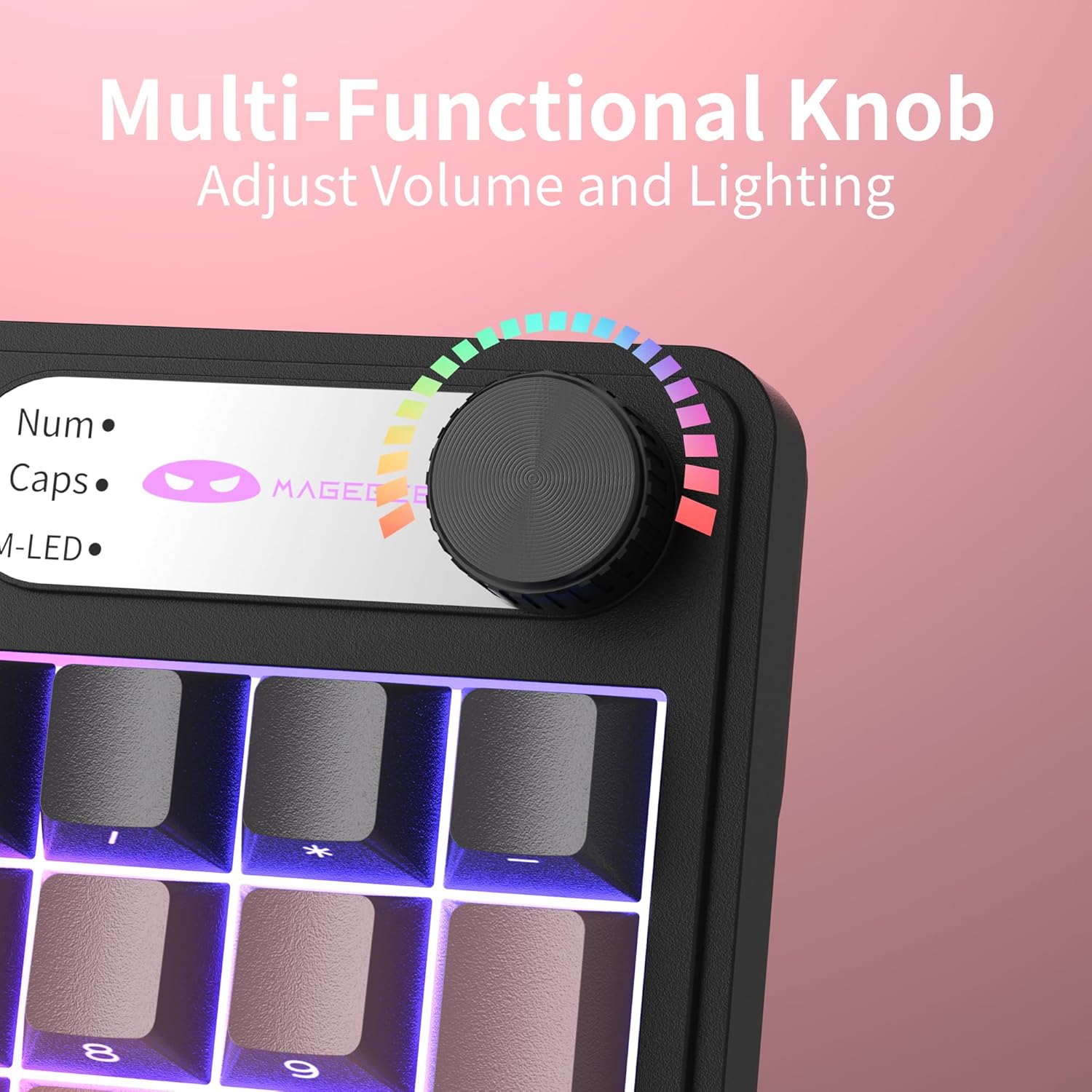
4.1 irudia: Gertuko planoa view of the multi-functional rotary knob, indicating its use for adjusting volume and lighting.
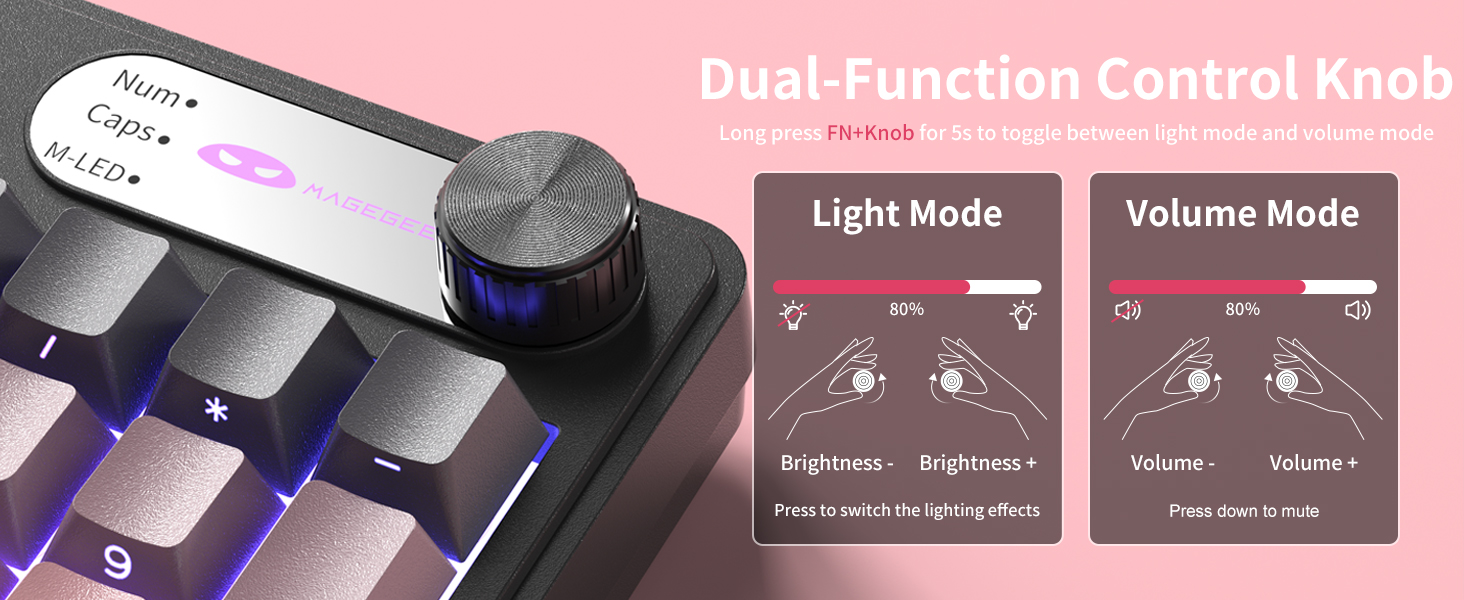
Image 4.2: Detailed illustration of the knob's functions in Light Mode (brightness adjustment, effect cycling) and Volume Mode (volume adjustment, mute).
4.2. RGB atzeko argiztapenaren kontrola
The GK960 features vibrant RGB backlighting with adjustable settings.
- FN + sarrerak: Aldatu argi modu desberdinen artean.
- FN + Atzera tekla: Piztu/itzali atzeko argia.
- FN + - / = +: Adjust light speed.
- FN + PgUp / PgDn: Adjust light brightness.
- FN + P: Toggle the logo color.
4.3. irudia: Amaituview of function key combinations for controlling the vibrant RGB LED backlight, including switching modes, adjusting speed and brightness, and toggling logo color.
4.3. System Switching (Windows/Mac)
The GK960 keyboard supports both Windows and Mac operating systems. You can switch between them using a simple key combination.
- To switch to Windows mode: Press FN + W.
- To switch to Mac mode: Press FN + M.
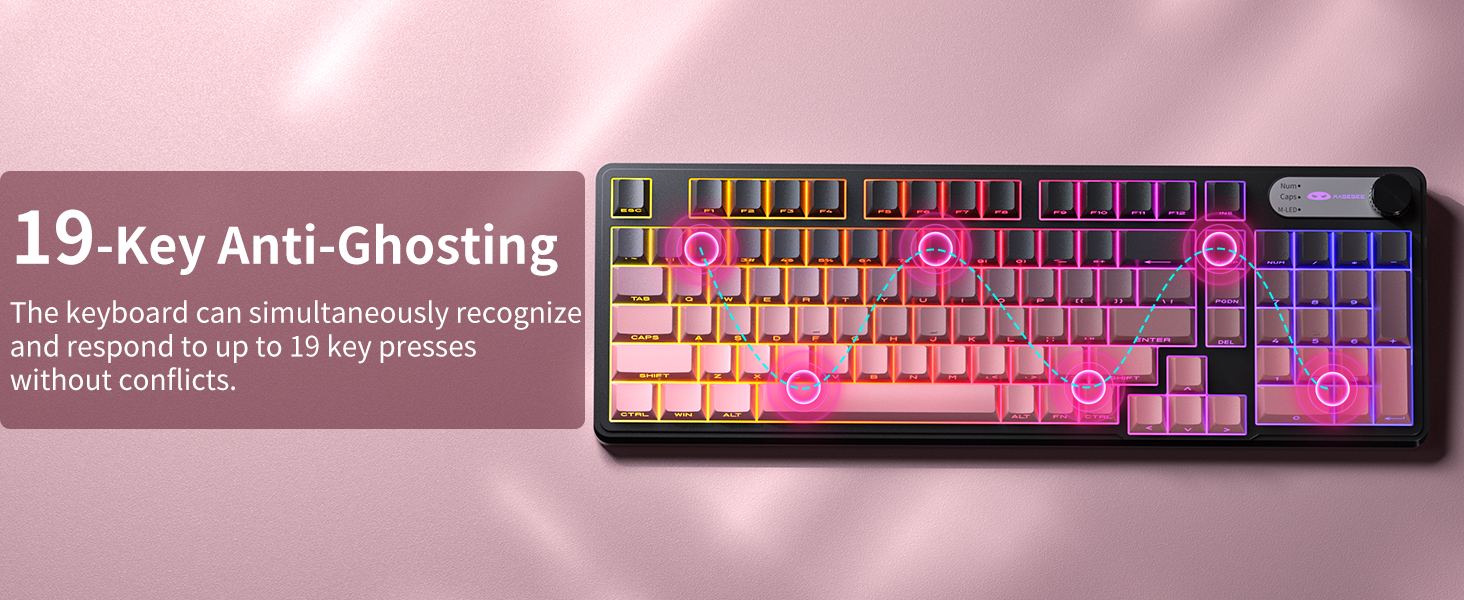
4.4. 19-Key Anti-Ghosting
The GK960 features 19-key anti-ghosting, ensuring that every keystroke is registered accurately, even during rapid, simultaneous key presses. This is particularly beneficial for gaming and fast typing, preventing missed inputs.
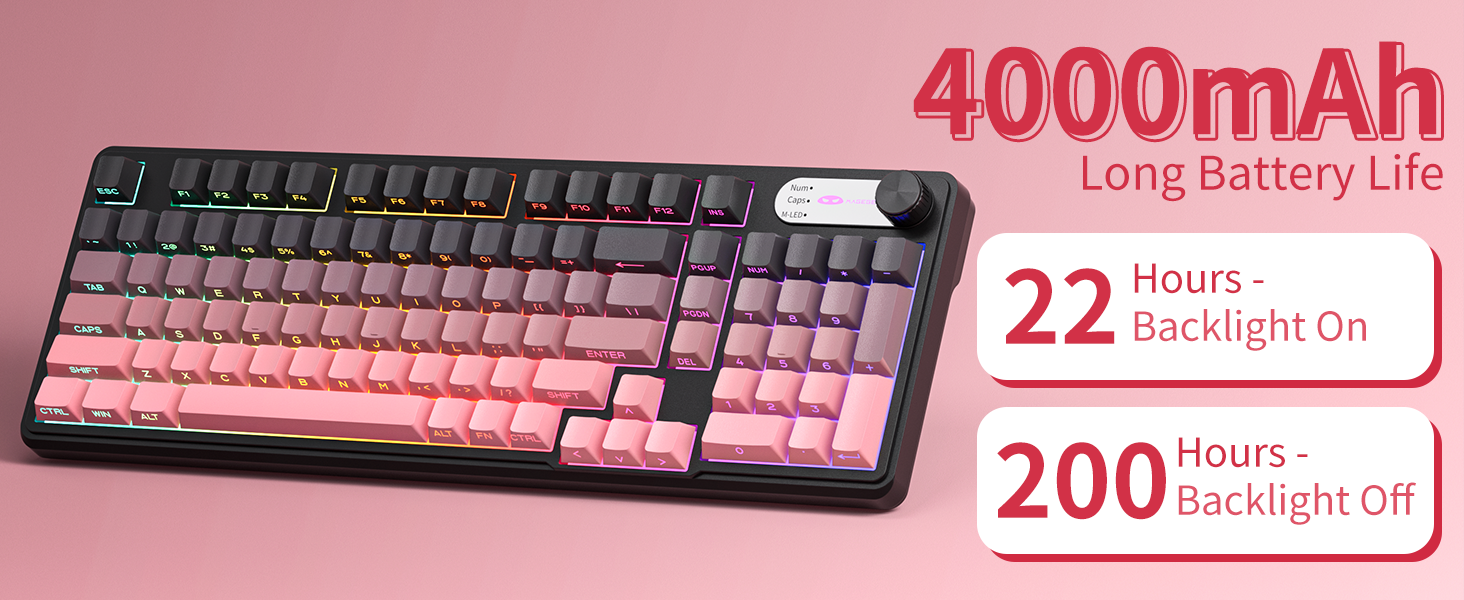
Image 4.4: Diagram illustrating the 19-key anti-ghosting feature, showing multiple simultaneous key presses being recognized.
4.5. Side-Printed Keycaps
The keycaps are crafted with double-shot injection molding, providing durability and clear legends that resist fading from prolonged use. The side-printed legends allow the backlight to shine through, enhancing visibility and aesthetics.

4.5 irudia: Gertuko planoa view of the side-printed keycaps, demonstrating how the backlight illuminates the legends.
5. Bateria eta kargatzea
The GK960 keyboard is equipped with a high-capacity 4000mAh battery, providing extended usage times.
- Bateriaren iraupena: Approximately 22 hours with backlight on, and up to 200 hours with backlight off.
- Kargatzen: Connect the provided USB-C cable to the keyboard and a power source (e.g., computer USB port, USB wall adapter). The keyboard can be used in wired mode while charging.
- Bateria baxuaren adierazlea: An indicator light will signal when the battery is low, prompting you to recharge.
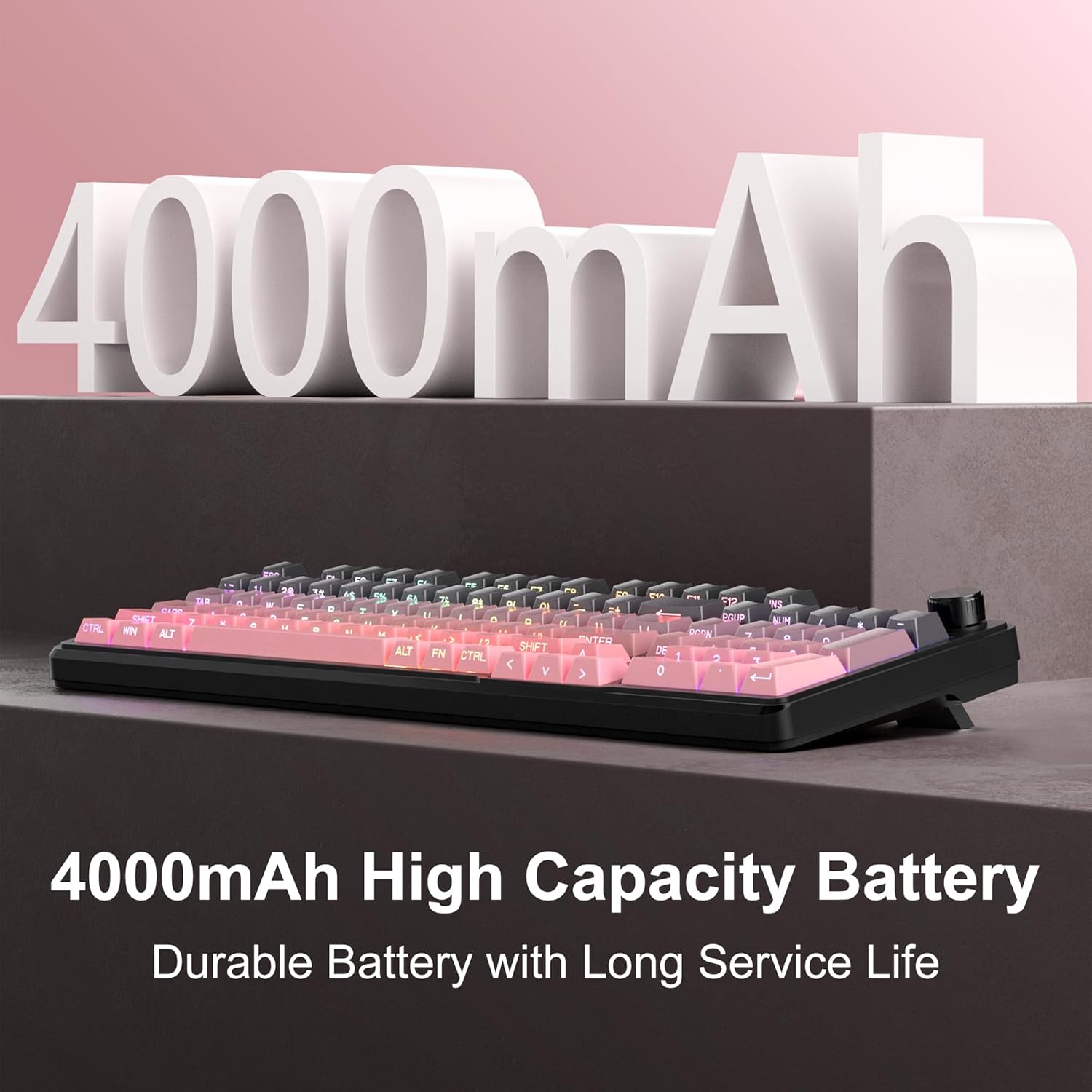
Image 5.1: Visual representation emphasizing the 4000mAh high-capacity battery for durable and long service life.
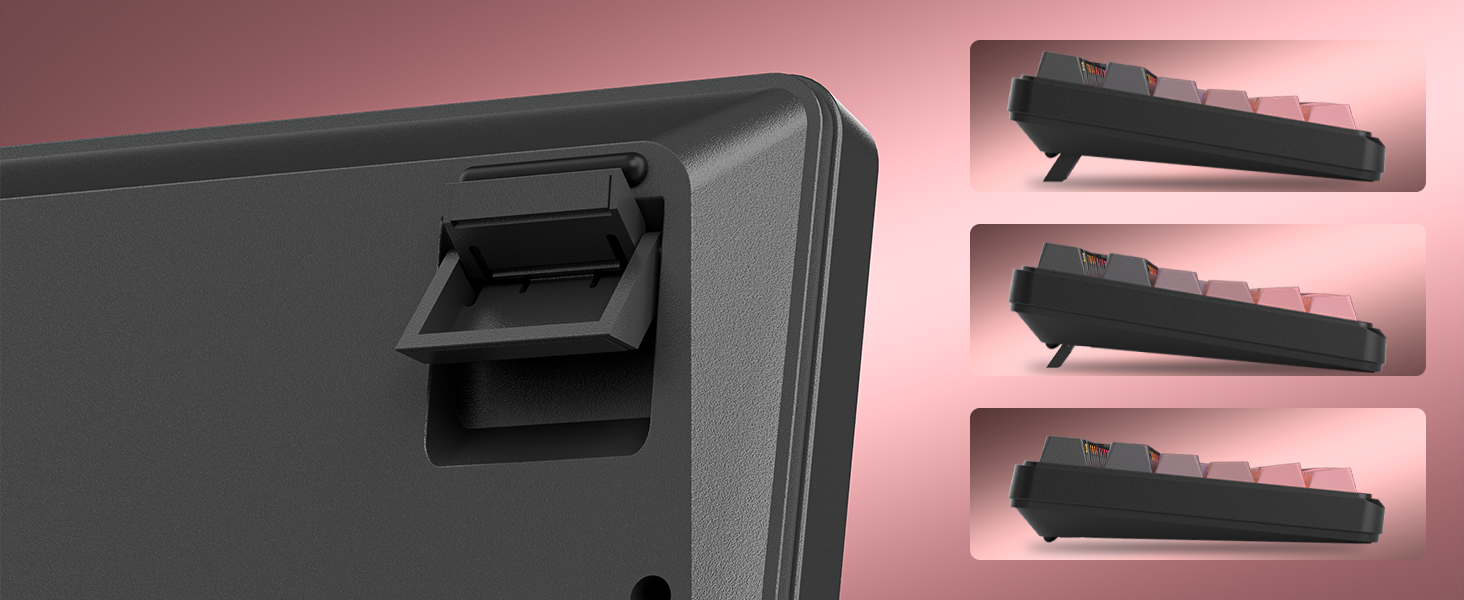
Image 5.2: Battery life estimates for the 4000mAh battery: 22 hours with backlight on and 200 hours with backlight off.
6. Mantentzea
Proper maintenance ensures the longevity and optimal performance of your MageGee GK960 keyboard.
- Garbiketa: Use a soft, dry cloth to wipe the surface of the keyboard. For deeper cleaning, you may use a can of compressed air to remove dust and debris from between the keycaps. Avoid using harsh chemicals or abrasive materials.
- Tekla-tapoia kentzea: If necessary, keycaps can be carefully removed using a keycap puller (not included) for thorough cleaning. Exercise caution to avoid damaging the switches.
- Biltegiratzea: Gorde teklatua leku fresko eta lehor batean, eguzki-argitik eta muturreko tenperaturetatik babestuta.
- Likidoaren esposizioa: Avoid spilling liquids on the keyboard. If a spill occurs, immediately disconnect the keyboard, turn it upside down to drain, and allow it to dry completely before reconnecting.
7. Arazoak
If you encounter issues with your GK960 keyboard, refer to the following common troubleshooting steps:
- Teklatuak ez du erantzuten:
- Ziurtatu teklatua kargatuta dagoela.
- Check the connectivity mode switch (Wired, 2.4G, BT) and ensure it matches your connection method.
- 2.4G-rako, ziurtatu USB hartzailea ondo konektatuta dagoela.
- Bluetooth-erako, ziurtatu teklatua behar bezala parekatuta dagoela eta zure gailuan hautatuta dagoela. Beharrezkoa bada, saiatu berriro parekatzen.
- Saiatu USB-C kable baten bidez konektatzen haririk gabeko arazoak baztertzeko.
- Giltzak ez dira erregistratzen edo mamuak agertzen dira:
- Ziurtatu teklatua garbi dagoela eta tekla-tapoien azpian hondakinik gabe.
- The GK960 features 19-key anti-ghosting, but excessive simultaneous presses beyond this limit may still lead to issues.
- Test the keyboard on another device to determine if the issue is with the keyboard or the computer.
- RGB backlight not working or incorrect:
- Ziurtatu atzeko argia piztuta dagoela erabiliz FN + Backspace.
- Doitu distira erabiliz FN + PgUp / PgDn.
- Cycle through modes using FN + Ins.
- Check if the knob is in Light Mode and adjust brightness/effects.
- Bluetooth konexioa ezegonkorra:
- Ensure the keyboard is within the effective range of your device.
- Gutxitu beste haririk gabeko gailuen interferentziak.
- Remove and re-pair the keyboard in your device's Bluetooth settings.
8. Zehaztapen Teknikoak
| Ezaugarri | Zehaztapena |
|---|---|
| Ereduaren izena | GK960 |
| Marka | MageGee |
| Konektibitate Teknologia | BT/2.4G/USB-C (Tri-Mode) |
| Teklatuaren diseinua | 98% Layout (with Number Pad) |
| Teklatu mota | Side-Printed, Double-Shot Injection Molding |
| Ghostingaren aurkakoa | 19 giltzak |
| Atzeko argiztapena | RGB |
| Bateria Edukiera | 4000mAh |
| Gailu bateragarriak | Ordenagailu eramangarria, ordenagailua, telefono adimenduna, tableta |
| Sistema eragilearen euskarria | Windows, Mac |
| Ezaugarri bereziak | Backlit, Hotkeys and Media Keys, Rechargeable, Volume Roller, Ergonomic Design |
| Elementuaren pisua | 1.88 kilo |
| Paketearen neurriak | 17.68 x 7.09 x 2.01 hazbete |

Image 8.1: Diagram showing the dimensions of the MageGee GK960 keyboard.
8.2 irudia: Gertuko planoa view of the adjustable stands on the underside of the keyboard, illustrating the different ergonomic angles.
9. Bermea eta Laguntza
Specific warranty details and direct support contact information are not provided in this manual. For warranty claims, technical support, or further inquiries, please refer to the official MageGee website or contact the retailer from whom you purchased the product. Please retain your proof of purchase for warranty purposes.


