1. Sarrera
This manual provides essential information for the proper setup, operation, and maintenance of your KOORUI G2721X 27-inch 1440p QHD Gaming Monitor. Please read this manual thoroughly before using the product to ensure optimal performance and safety. Keep this manual for future reference.

1.1. irudia: Aurrealdea view of the KOORUI G2721X monitor, showcasinbere marko meheak eta euskarria.
2. Paketearen edukia
Verify that all items are present in the package. If any items are missing or damaged, please contact your retailer or KOORUI customer support.
- KOORUI G2721X Monitor (x1)
- Monitor Base (x1)
- Argibide eskuliburua (x1)
- DisplayPort (DP) Cable (x1)
- Energia egokitzailea (x1)
3. Produktua amaitu daview
3.1 Ezaugarri nagusiak
- Pantaila: 27-inch QHD (2560x1440) resolution for crisp visuals.
- Freskatze-tasa: Up to 260Hz (supports 240Hz) for smooth gameplay.
- Erantzun denbora: 1ms (GTG) for minimal motion blur.
- Panel mota: Fast IPS for vibrant colors and wide viewangeluak.
- HDR euskarria: HDR400 for enhanced contrast and brightness.
- Sinkronizazio egokitzailea: Eliminates screen tearing and stuttering.
- Kolore gama: 99% sRGB and 90% DCI-P3 for accurate color reproduction.
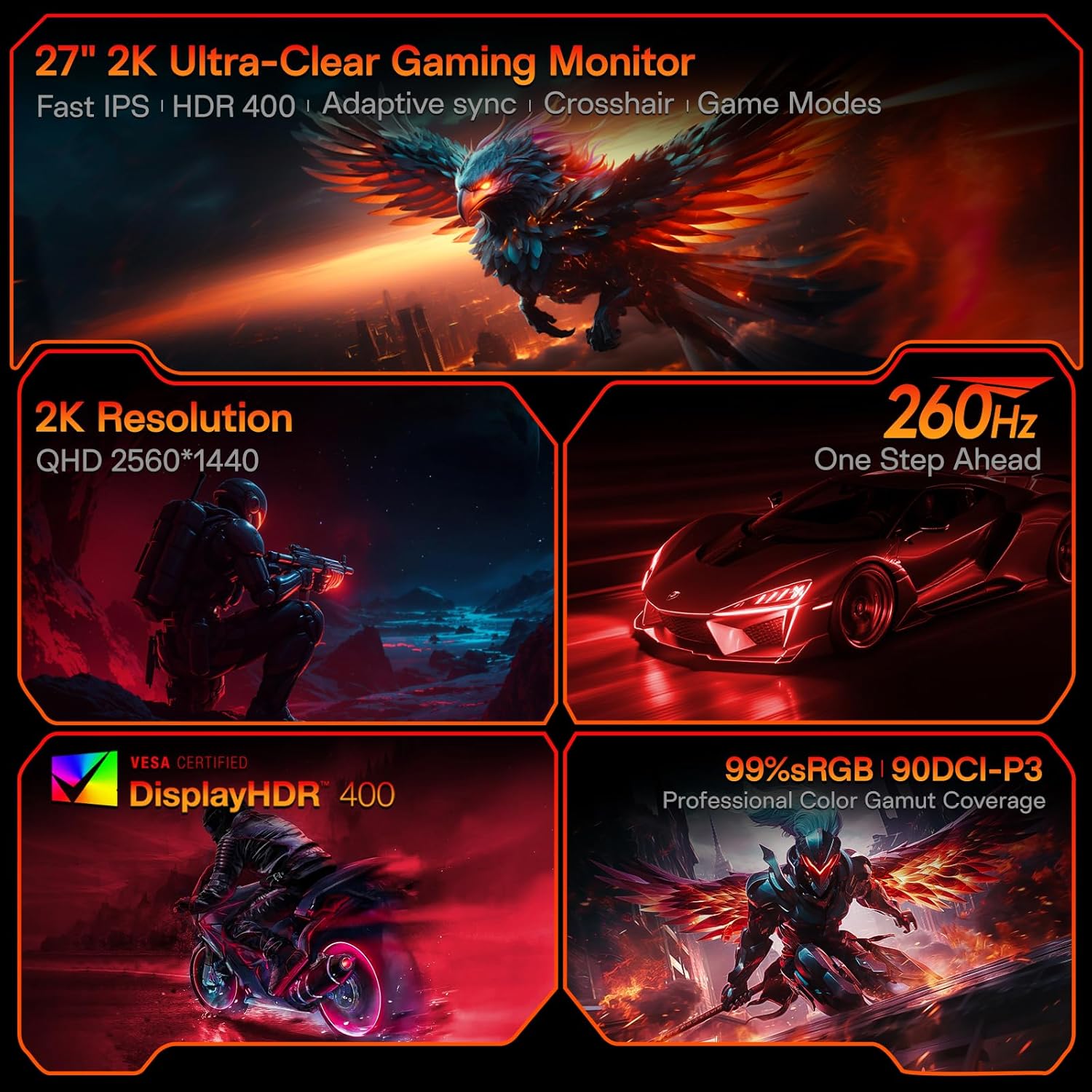
Figure 3.1: Visual representation of the monitor's core features.
3.2 Portuak eta kontrolak
The monitor features a variety of input and output ports for versatile connectivity, along with an intuitive control system.
- Bideo sarrerak: Two HDMI 2.0 ports, one DisplayPort 1.4 port.
- Audio irteera: One 3.5mm audio jack.
- Potentzia sarrera: One DC power port.
- Kontrola: A 5-way joystick located on the rear for On-Screen Display (OSD) navigation.
- Diseinua: Hawk-wing backplate with integrated cooling stripes for efficient heat dissipation.

3.2. Irudia: Atzealdea view of the monitor detailing port locations and physical adjustments.
4. Konfigurazioa
4.1 Standaren instalazioa
- Carefully remove the monitor and base from the packaging.
- Align the monitor stand with the slot on the back of the monitor.
- Gently push the stand into the slot until it clicks into place, indicating a secure connection.
- Jarri muntatutako monitorea gainazal egonkor eta lau batean.
4.2 Kableen konexioak
- Connect the provided DisplayPort (DP) cable from your computer's graphics card to the DP 1.4 port on the monitor. Alternatively, use an HDMI cable to connect to one of the HDMI 2.0 ports.
- Connect the power adapter to the DC power port on the monitor, then plug the other end into a power outlet.
- If using external speakers or headphones, connect them to the 3.5mm Audio Out port.
4.3 Video Guide: Installation and Features
Watch this video for a visual guide on installing the monitor stand and an overview bere ezaugarriak.
Video 4.1: A detailed demonstration of the KOORUI G2721X monitor's assembly and key functionalities. This video covers the physical setup, port connections, and highlights features such as the 260Hz refresh rate, QHD resolution, and Adaptive Sync technology.
5. Funtzionamendu-argibideak
5.1 Pantailan bistaratze (OSD) nabigazioa
The monitor's settings can be adjusted using the 5-way joystick located on the back of the display. Press the joystick to open the OSD menu, then move it up/down/left/right to navigate and select options.
5.2 Motion Performance
The G2721X offers an ultra-smooth 260Hz refresh rate, crucial for competitive gaming. It also features 3-level Overdrive settings to optimize response time:
- Normala: 5ms response time.
- Azkar: 3ms response time.
- Muturrekoa: 1ms response time.
Adjust these settings via the OSD menu to find the optimal balance for your gaming experience.

Figure 5.1: Illustrates the visual difference in motion clarity between 260Hz and 120Hz refresh rates.
5.3 Color Performance
The monitor covers 99% sRGB and 90% DCI-P3 color gamuts, displaying 16.7 million colors (8-bit). This wide color range enhances in-game visuals and provides accurate color reproduction for various applications.

Figure 5.2: Demonstrates the monitor's extensive color capabilities.
5.4 Sinkronizazio egokitzailea
Adaptive Sync technology synchronizes the monitor's refresh rate with your graphics card's frame rate, effectively eliminating screen tearing and stuttering during fast-paced action. Ensure Adaptive Sync is enabled in both the monitor's OSD and your graphics card's control panel for optimal performance.
5.5 HDR400 euskarria
With HDR400 support, the monitor delivers brighter colors, deeper blacks, and enhanced contrast, providing a more immersive visual experience in compatible content.
5.6 Joko modu
The G2721X includes dedicated game display modes to enhance your gaming experience:
- Gurutzea: Zehaztasuna hobetzeko pantailan gurutze bat eskaintzen du.
- Tenporizadorea: Displays an on-screen timer for managing game events.
- FPS: Optimized settings for First-Person Shooter games.
- RCG: Optimized settings for Racing games.
- RPG: Optimized settings for Role-Playing Games.

5.3. irudia: Adibamples of the monitor's dedicated game modes.
6. Zehaztapenak
| Ezaugarri | Zehaztapena |
|---|---|
| Modelo zenbakia | G2721X |
| Pantailaren tamaina | 27 hazbete |
| Panel mota | IPS azkarra |
| Ebazpena | 2560 x 1440 (QHD) |
| Freskatze tasa | 260Hz (supports 240Hz) |
| Erantzun Denbora | 1 ms (GTG) |
| Distira | 350 cd/m² (Nit) |
| HDR euskarria | HDR400 |
| Kolore gama | % 99 sRGB, % 90 DCI-P3 |
| Kolore-Sakonera | 16.7 milioi kolore (8 biteko) |
| Pixel-dentsitatea | 109 BPI |
| Aspektu-erlazioa | 16:9 |
| Konektibitatea | 2x HDMI 2.0, 1x DisplayPort 1.4, 1x Audio Out, 1x DC Power |
| VESA bateragarritasuna | 75x75mm |
| Inklinazioa doitzea | -5°-tik 20°-ra |
| Produktuaren neurriak (W x P x H) | 24 x 8.46 x 18.59 hazbete |
| Elementuaren pisua | 10.83 kilo |
7. Mantentzea
Mantentze egokiak zure monitorearen iraupena eta errendimendu optimoa bermatzen ditu.
- Pantaila garbitzea: Erabili lipurrik gabeko zapi leun bat dampened with water or a specialized screen cleaner. Do not use alcohol-based cleaners or abrasive materials.
- C garbiketaasing: Garbitu monitorearen casing with a soft, dry cloth. Avoid using strong detergents or solvents.
- Aireztapena: Ensure the monitor's ventilation slots are clear and not obstructed to prevent overheating.
- Itzali: Itzali beti monitoreak eta deskonektatu korronte-hartunetik garbitu aurretik edo denbora luzez erabiliko ez bada.
8. Arazoak
Monitorearekin arazoak badituzu, jarraitu arazoak konpontzeko ohiko urrats hauek:
- Potentziarik gabe:
- Ziurtatu elikatze-kablea ondo konektatuta dagoela bai monitorera bai entxufearekin.
- Egiaztatu entxufea behar bezala funtzionatzen duela beste gailu bat konektatuz.
- Seinalerik ez:
- Check that the video cable (DP or HDMI) is securely connected to both the monitor and your computer's graphics card.
- Ziurtatu sarrera-iturri zuzena hautatuta dagoela monitorearen OSD menuaren bidez.
- Probatu beste bideo-kable edo ataka batekin, baldin badago.
- Pantaila keinukaria:
- Egiaztatu bideo-kablea kaltetuta edo konexio solterik dagoen.
- Doitu freskatze-tasa ordenagailuaren pantailaren ezarpenetan.
- Disable Adaptive Sync temporarily to see if the issue persists.
- Image Quality Issues (Blurry, Distorted Colors):
- Ensure the monitor's resolution is set to its native 2560x1440 in your computer's display settings.
- Reset the monitor to factory settings via the OSD menu.
- Adjust color settings (brightness, contrast, color temperature) in the OSD.
9. Bermea eta Laguntza
Your KOORUI G2721X monitor is backed by a 1-year panel warranty eta 3-year accessory coverage. Please note that terms and conditions apply to the warranty. For detailed warranty information or technical assistance, please refer to the official KOORUI webgunera edo jarri harremanetan zuzenean bezeroarentzako arreta-zerbitzuarekin.
If you have any questions or require further assistance, please do not hesitate to reach out to KOORUI customer support.