Sarrera
This manual provides essential information for the safe and efficient use of your ASUS ROG Strix G18 G814 Gaming Laptop. Please read this guide thoroughly before operating your device to ensure proper setup, operation, and maintenance.
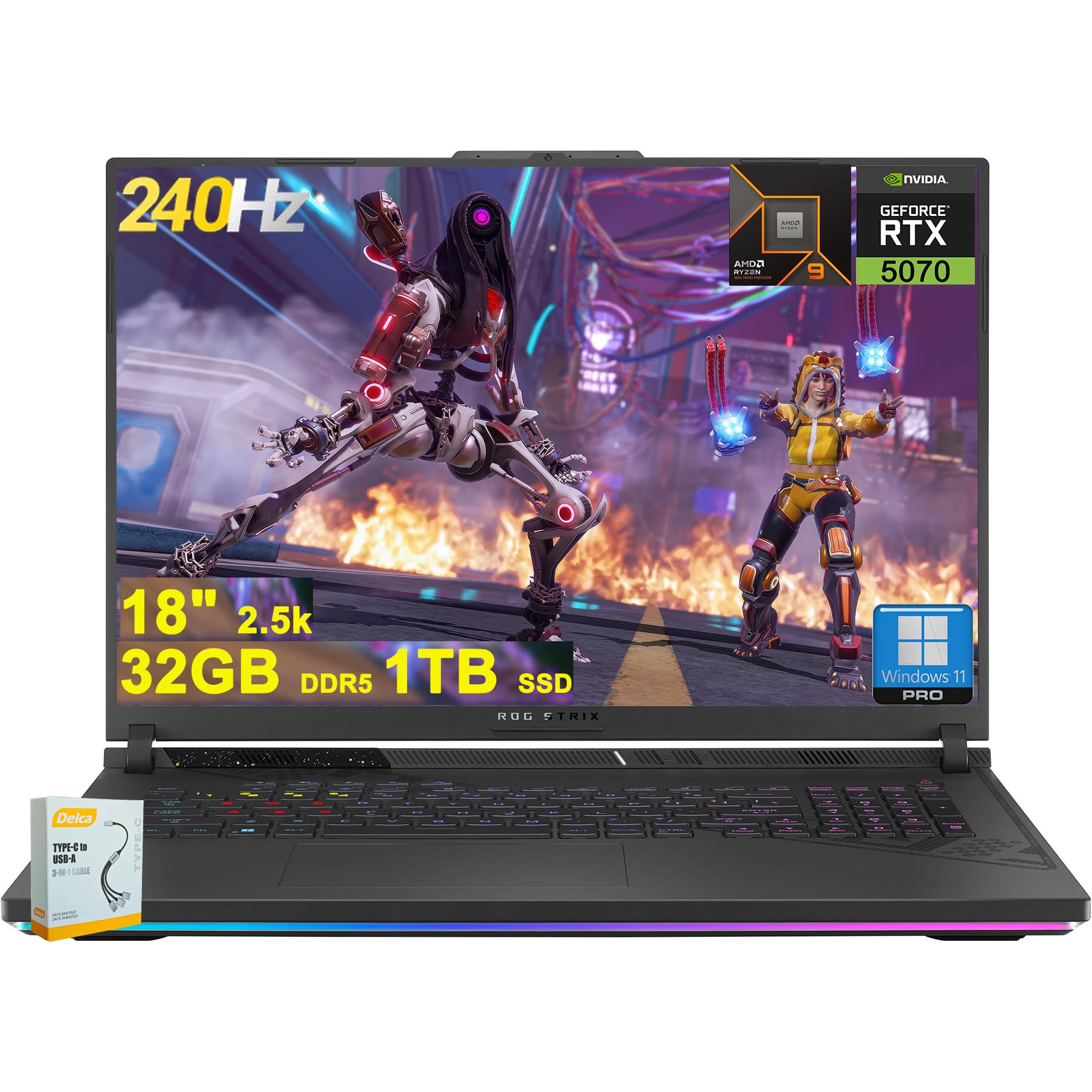
Figure 1: ASUS ROG Strix G18 G814 Gaming Laptop, front view with screen open.
Kutxan dagoena
Verify that all items are present and in good condition upon unboxing.
- ASUS ROG Strix G18 G814 Gaming Laptop
- Korronte egokitzailea/kargagailua

Figure 2: Contents of the ASUS ROG Strix G18 G814 package, including the laptop and power adapter.
Konfigurazioa
1. Hasierako piztea
- Konektatu korronte-moldagailua: Konektatu korronte-egokitzailea ordenagailu eramangarriaren sarrera-atakan eta gero hormako entxufe batean.
- Ireki ordenagailu eramangarria: Kontu handiz ireki ordenagailu eramangarriaren tapa.
- Piztu: Press the power button, typically located on the keyboard deck. The laptop will begin its initial boot sequence.
- Jarraitu pantailako argibideak: Complete the Windows 11 setup process, including language selection, network connection, and user account creation.
2. Periferikoak konektatzea
Connect external devices such as a mouse, keyboard, or external display to the available ports.

3. irudia: Aldea view of the ASUS ROG Strix G18 G814, illustrating the various input/output ports including USB-A, USB-C, HDMI, and RJ45 Ethernet.
- USB-A 3.2: For standard USB devices like mice, keyboards, and external drives. (2 ports)
- Type USB 4: For high-speed data transfer, display output, and power delivery. (1 port)
- HDMI 2.1 FRL: Kanpoko monitore edo telebistetara konektatzeko.
- RJ45 Ethernet: Kable bidezko sare konexiorako.
- Entzungailuen/mikrofonoaren konbinazio-jacka: Audio sarrera/irteerarako.
Funtzionamendu-argibideak
Potentzia kudeaketa
- Piztu: Sakatu pizteko botoia.
- Itzali: Egin klik Hasi botoian, ondoren Piztu botoian eta, azkenik, Itzali botoian.
- Lo egiteko modua: Close the lid or select Sleep from the Power menu.
Teklatua eta Touchpad
The laptop features a 4-zone RGB backlit keyboard and a precision touchpad for navigation.

4. irudia: hurbileko planoa view of the ASUS ROG Strix G18 G814's 4-zone RGB backlit keyboard and touchpad.
- Atzeko argiaren kontrola: Use the dedicated function keys (Fn + Fx) to adjust keyboard backlight brightness or effects.
- Touchpad keinuak: Ikusi Windows ezarpenak ukipen anitzeko keinu pertsonalizagarriak ikusteko.
Pantaila eta grafikoak
Your laptop is equipped with an 18-inch 2560x1600 IPS display with a 240Hz refresh rate and 100% DCI-P3 color gamut, powered by an NVIDIA GeForce RTX 5070 8GB graphics card.

Figure 5: Visual representation of the 18-inch IPS display with 2560x1600 resolution and 240Hz refresh rate.

Figure 6: Image highlighting the NVIDIA GeForce RTX 5070 graphics card, emphasizing its role in visual performance.
Audio Sistema
Experience enhanced audio with Smart Amp technology, Dolby Atmos support, and AI Noise-canceling for clear communication.

Figure 7: Visual depicting the audio features, including Dolby Atmos and AI Noise-Canceling Microphone.
Errendimendua eta Softwarea
The laptop is powered by an AMD 16-core Ryzen 9 9955HX processor and runs on Windows 11 Pro. It includes 32GB DDR5 RAM and a 1TB SSD for fast performance and storage.

Figure 8: Image illustrating the AMD Ryzen 9 9955HX processor, highlighting its 16-core architecture.
- Sistema eragilea: Windows 11 Pro provides a secure and efficient computing environment.
- Armategiko kutxa: Update Armoury Crate software for optimal system management and performance tuning.
Mantentzea
Ordenagailu eramangarria garbitzea
- Pantaila: Erabili lipurrik gabeko zapi leun bat dampUrarekin edo pantaila-garbitzaile batekin garbitu. Saihestu produktu kimiko gogorrak.
- Teklatua eta txasisa: Erabili zapi leun bat. Zikinkeria egoskorra bada, ukitu apur batamp cloth is acceptable. Ensure no liquid enters openings.
- Oihalak: Periodically clean dust from the ventilation grilles using compressed air to maintain optimal cooling performance.
Bateria zaintzea
- Saihestu muturreko tenperaturak.
- Ez deskargatu bateria guztiz maiz.
- Epe luzerako biltegiratzeko, kargatu bateria % 50-60ra gutxi gorabehera.
Arazoak konpontzea
| Arazoa | Irtenbide posiblea |
|---|---|
| Ordenagailu eramangarria ez da pizten. | Ziurtatu korronte-egokitzailea ondo konektatuta dagoela ordenagailu eramangarrira eta funtzionatzen duen entxufe batera. Egiaztatu entxufea funtzionatzen duen. |
| Screen remains black after power on. | Connect an external monitor to verify if the issue is with the laptop's display. Try pressing Fn + F6 (or the appropriate function key) to toggle display output. |
| Errendimendu motela. | Close unnecessary applications. Check for background processes consuming high resources. Ensure drivers are updated, especially graphics drivers. Verify sufficient free storage space on the SSD. |
| Wi-Fi konexio arazoak. | Restart the laptop and the wireless router. Check Wi-Fi settings in Windows. Ensure Wi-Fi drivers are up to date. |
| Long reboot time after BIOS updates. | This is normal behavior for some BIOS updates. Allow the system to complete the process, which may take several minutes. Do not interrupt the power. |
| Operating System discrepancy (e.g., Windows 11 Home instead of Pro). | Verify the installed OS version via System Information. If there is a discrepancy with the purchased specification, contact your retailer or ASUS support for clarification. |
Zehaztapenak
| Ereduaren izena | ASUS ROG Strix G18 G814 |
| Prozesadorea | AMD 16-core Ryzen 9 9955HX (3 GHz) |
| Grafikoak | NVIDIA GeForce RTX 5070 8GB Dedicated |
| Bistaratzea | 18-inch IPS, 2560x1600 resolution, 240Hz refresh rate, 100% DCI-P3 |
| RAM | 32 GB DDR5 SDRAM |
| Biltegiratzea | 1 TB SSD (egoera solidoko unitatea) |
| Sistema eragilea | Windows 11 Pro |
| Haririk gabeko konexioa | Wi-Fi 6E (802.11ax) |
| Portuak | 2x USB-A 3.2, 1x Type USB 4, 1x HDMI 2.1 FRL, 1x RJ45 Ethernet, Headphone/Mic Combo Jack |
| Teklatua | 4-zone RGB Backlit Keyboard |
| Audioa | Adimentsu Amp, Dolby Atmos, AI Noise-canceling |
| Webkamara | FHD kamera |
| Bateria | 90Wh |
| Neurriak (LxWxH) | 11.57 x 15.71 x 1.21 hazbete |
| Pisua | 6.63 kilo |
Bermea eta Laguntza
For warranty information, technical support, or service inquiries, please refer to the official ASUS support webwebgunean edo jarri harremanetan zure dendara.
ASUS laguntza Webgunea: https://www.asus.com/support/
Please have your product model number (ROG Strix G18 G814) and serial number ready when contacting support.


