Sarrera
This manual provides detailed instructions for the New Bee M53 Bluetooth Headset. Please read this manual carefully before using the product to ensure proper operation and to maximize its performance and lifespan. Keep this manual for future reference.
Paketearen edukia
Egiaztatu elementu guztiak paketean daudela:
- Bluetooth Earpiece (1 unit)
- 500mAh Charging Case (1 unit)
- Ear Tips (3 sizes: S/M/L)
- Type-C Cable (1 unit, AC adapter not included)
- Erabiltzailearen eskuliburua (unitate 1)
Produktua amaituview
The New Bee M53 Bluetooth Headset features an ergonomic design for comfortable wear and intuitive controls. Below is a general view of the headset and its charging case.
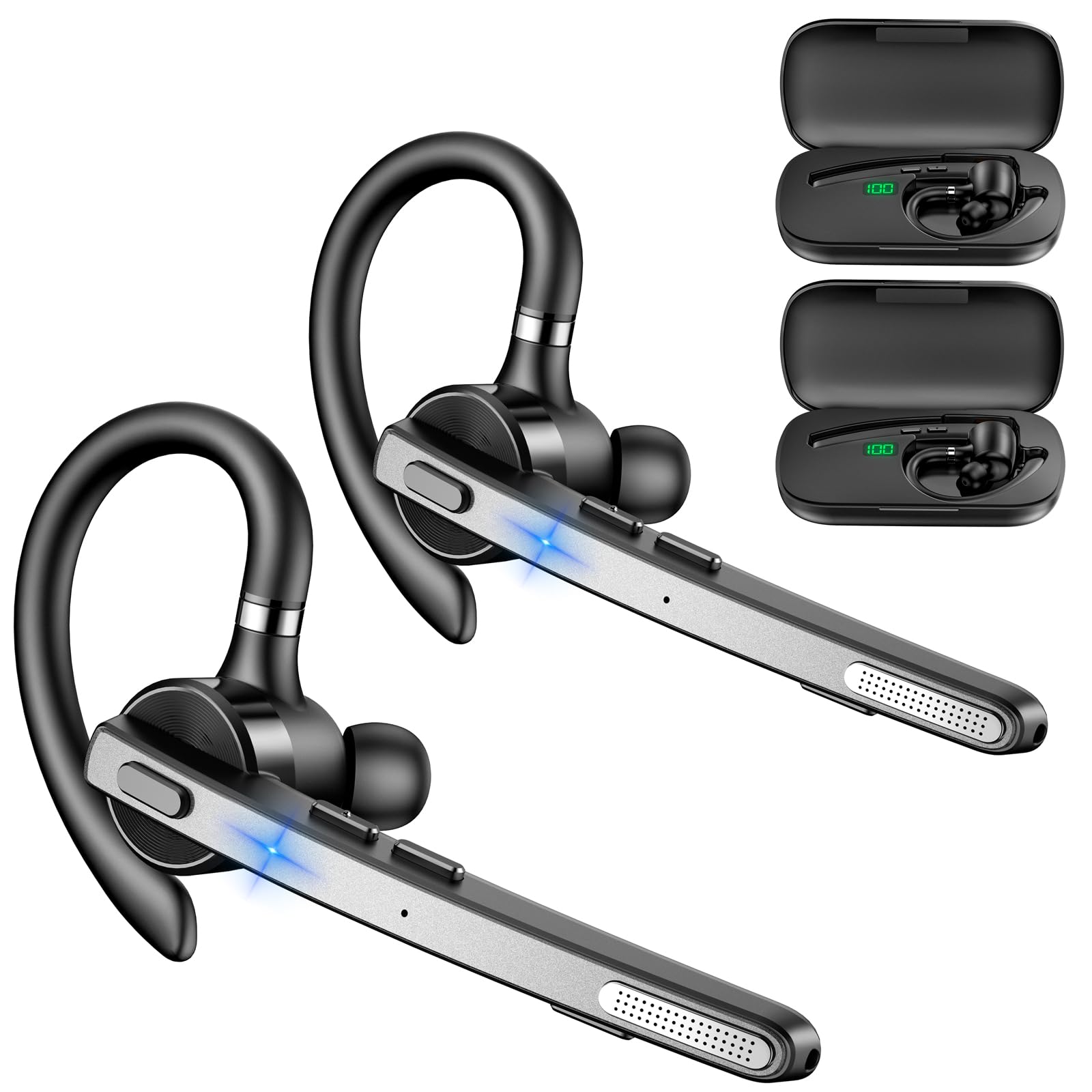
Image: New Bee M53 Bluetooth Headset with its charging case and included ear tips.

Image: Diagram illustrating the various buttons and their functions on the New Bee M53 Bluetooth Headset, including power, volume, call control, mute, and Type-C charging port.
Konfigurazioa
1. Entzungailuak eta zorroa kargatzea
Before first use, fully charge the headset and its charging case. The charging case has a digital display to indicate the remaining power.
- Connect the provided Type-C cable to the charging port on the case and to a USB power source (e.g., computer, wall adapter).
- Place the headset into the charging case.
- Karga osoak 2 ordu behar ditu gutxi gorabehera.
- The 500mAh charging case provides approximately 72 hours of total playtime for the headset.
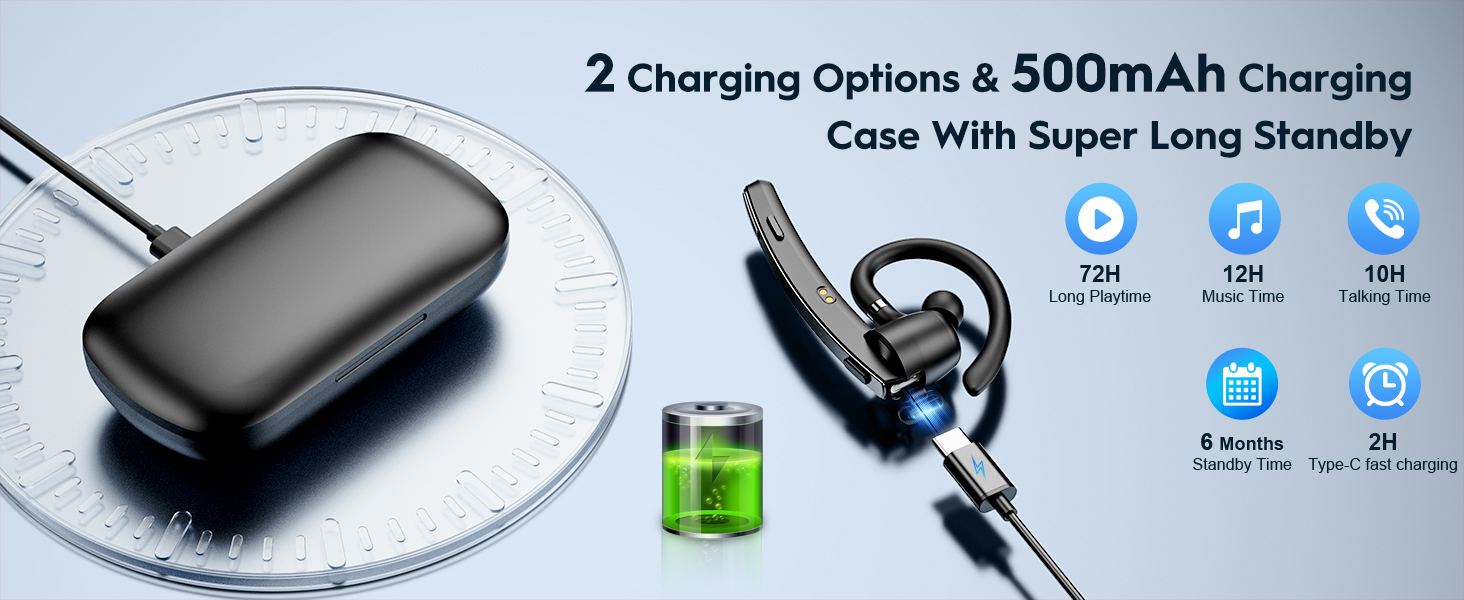
Image: The New Bee M53 charging case displaying battery level, with the headset inside, illustrating its long battery life capabilities.
2. Entzungailua janztea
The headset is designed for comfortable and secure fit. It can be worn on either the left or right ear.
- The flexible ear hook can be rotated 180° to fit either ear.
- The earphone arm can be rotated 270° to adjust the microphone position.
- Choose from the three included ear tip sizes (S, M, L) for the best fit and comfort.
- The headset weighs only 13.6 grams, ensuring comfort during extended wear.

Image: Illustration of the headset's adjustable ear hook for left/right ear use and the three available ear tip sizes (S, M, L).
3. Bluetooth parekatzea
The headset uses Bluetooth 5.1 technology for quick and stable connections.
- Ziurtatu entzungailuak kargatuta eta itzalita daudela.
- Press and hold the Power button for 3-5 seconds until the indicator light flashes blue and red, indicating pairing mode.
- Zure gailuan (smartphone-a, ordenagailu eramangarria, etab.), gaitu Bluetooth-a eta bilatu eskuragarri dauden gailuak.
- Select "M53" from the list of devices.
- Behin konektatuta, adierazle-argia poliki-poliki keinuka hasiko da urdinez.
The headset supports connecting to two devices simultaneously within a 15-meter (49 feet) range.

Image: The headset shown connecting to a mobile phone, demonstrating Bluetooth 5.1 quick connection and dual device capability.
Funtzionamendu-argibideak
Oinarrizko Funtzioak
- Piztu/Itzali: Press and hold the Power button for 3 seconds to power on, 5 seconds to power off.
- Erreproduzitu/Pausatu: Sakatu Erreproduzitu/Pausatu botoia behin.
- Bolumen kontrola: Erabili Bolumenaren +/- botoiak soinu-maila doitzeko.
- Hurrengo/Aurreko abestia: Press and hold Volume + for next song, Volume - for previous song (3 seconds).
Deien Kudeaketa
- Erantzun/Ezin egin deia: Press the Answer/Hang Up button once.
- Deia baztertu: Press and hold the Answer/Hang Up button for 2 seconds.
- Berriz markatu azken zenbakia: Double-press the Answer/Hang Up button.
- Mikrofonoa mutu: Press the Mic Mute button once during a call to mute/unmute the microphone.
The headset features dual-mic noise reduction and CVC8.0 technology for clear calls by reducing ambient noise and echo.

Image: Illustration of the headset's one-button call answering and mute features for hands-free communication.

Image: Visual representation of the dual-mic noise cancelling technology, showing how external background noise is reduced for clear calls.
Mantentzea
To ensure the longevity and optimal performance of your New Bee M53 Bluetooth Headset, follow these maintenance guidelines:
- Garbiketa: Use a soft, dry, lint-free cloth to clean the headset and charging case. Do not use abrasive cleaners, solvents, or aerosol sprays.
- Biltegiratzea: Store the headset in its charging case when not in use to protect it from dust and damage. Avoid extreme temperatures.
- Uraren esposizioa: Entzungailuak ez dira iragazgaitzak. Saihestu uraren, hezetasunaren edo gehiegizko hezetasunaren eraginpean jartzea.
- Kargatzen: Always use the provided Type-C cable for charging. Do not attempt to disassemble or modify the device.
Arazoak konpontzea
Aurikularrekin arazoak badituzu, jo ezazu ohiko irtenbide hauetara:
| Arazoa | Irtenbidea |
|---|---|
| Aurikularrak ez dira pizten. | Ensure the headset is fully charged. Place it in the charging case and connect the case to a power source. |
| Ezin da gailuarekin parekatu. |
|
| Soinurik ez edo bolumen baxua. |
|
| Deiaren kalitatea eskasa da. |
|
Zehaztapenak
| Ezaugarri | Xehetasuna |
|---|---|
| Ereduaren izena | M53 |
| Bluetooth bertsioa | 5.1 |
| Bluetooth barrutia | Gehienez 15 metro (49 oin) |
| Battery Life (Talktime/Music) | Karga bakoitzeko 12 ordu inguru |
| Kargatzeko zorroarekin jolasteko denbora osoa | Gehienez 72 ordu |
| Kargatzeko kasuaren edukiera | 500mAh |
| Kargatzeko Denbora | Approximately 2 hours (Type-C) |
| Pisua | 13.6 grams (earpiece) |
| Zarata Kontrola | Dual-Mic Noise Reduction, CVC8.0 |
| Bateragarritasuna | iOS, Android, Windows (Cellphones, Laptops, Desktops) |
| Kontrol mota | Botoien Kontrola |

Image: The headset demonstrating its wide compatibility with devices such as tablets, cellphones, laptops, PCs, and Kindles.
Bermea eta Laguntza
New Bee provides a 3-year customer support service for this product. If you encounter any issues or have questions, please contact our customer support team. Refer to the contact information provided with your purchase or visit the official New Bee weblaguntza eskatzeko gunea.
Bermearen erreklamazioetarako, gorde erosketaren egiaztagiria.


