1. Sarrera
This manual provides essential information for the safe and efficient use of your Xiaomi 80 cm (32 inches) A Pro QLED Series Smart TV, model L32MB-APIN. Please read this manual thoroughly before operating the television and retain it for future reference.
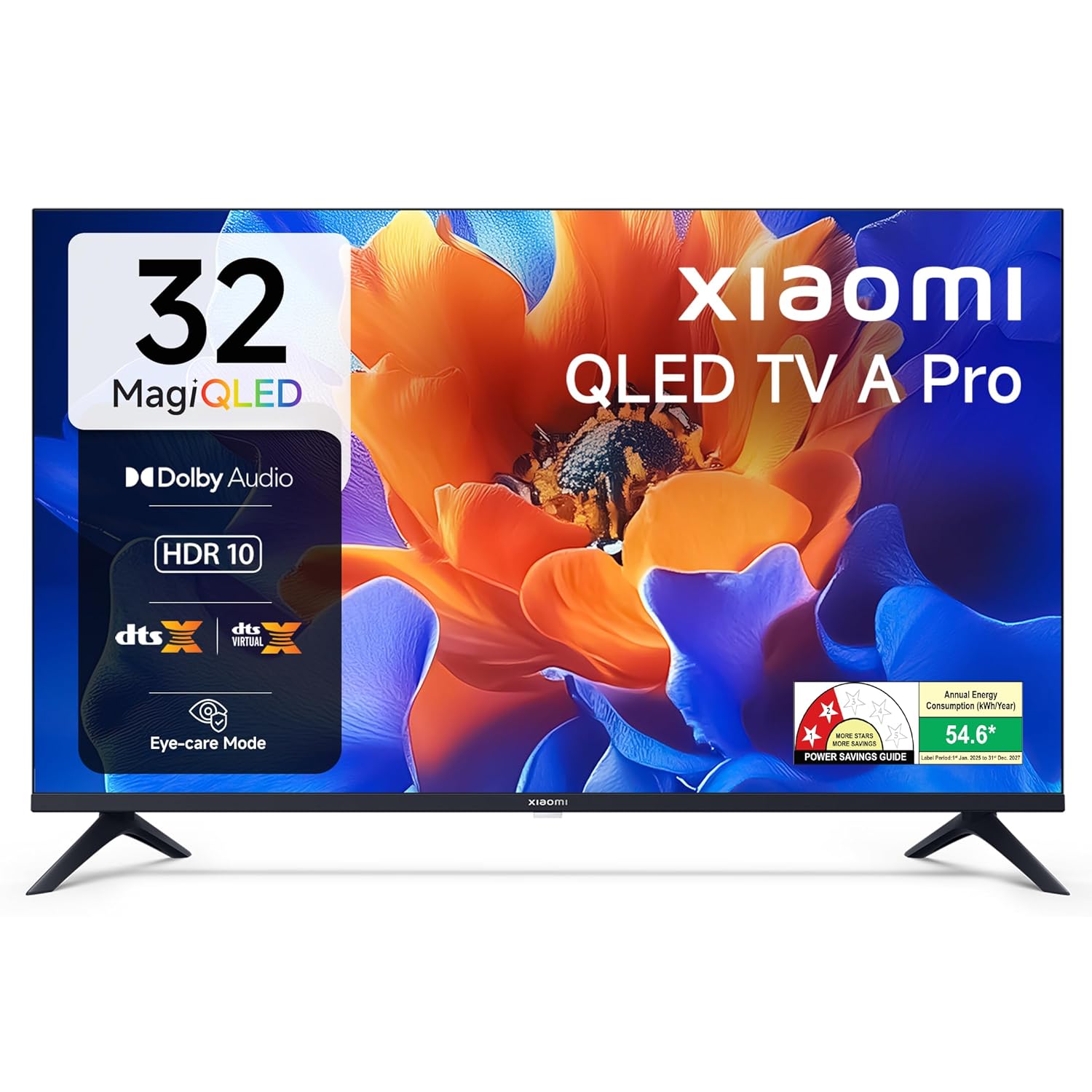
1.1. irudia: Aurrealdea view of the Xiaomi 32-inch A Pro QLED Smart TV.
2. Segurtasun informazioa
Jarraitu segurtasun neurri hauek suteak, deskarga elektrikoak edo lesioak saihesteko:
- Ez jarri telebista euri edo hezetasunera.
- Ez ireki telebistaren c.asing; bidali mantentze-lan guztiak langile kualifikatuen esku.
- Ziurtatu aireztapen egokia telebistaren inguruan.
- Jarri telebista gainazal egonkor eta lau batean edo muntatu ondo horman.
- Mantendu telebista bero-iturrietatik eta eguzki-argitik zuzenean urrun.
- Deskonektatu telebista tximista-ekaitzetan edo denbora luzez erabili gabe dagoenean.
3. Paketearen edukia
Egiaztatu elementu guztiak ontzian daudela:
- 1 x Xiaomi LED TV (L32MB-APIN)
- 1 x Urruneko kontrola
- 1 x Erabiltzailearen eskuliburua (dokumentu hau)
- 2 x TV Stands Unit
- 4 x Screws for stand installation
- 2 x AAA Batteries for remote control
- 1 x kablea

Image 3.1: Illustration of the items included in the TV package.
4. Produktua amaitu daview
4.1 Ezaugarri nagusiak
The Xiaomi A Pro QLED Series Smart TV offers a range of features for an enhanced viewesperientzia:
- Pantaila: 32-inch HD Ready (1366 x 768) QLED panel with HDR 10, HLG, Vivid Picture Engine 2, and Eye Comfort Mode.
- Audioa: 20 Watts output with Dolby Audio, DTS-X, and DTS Virtual:X for immersive sound.
- Smart TV: Powered by Android 14 OS and Google TV, featuring built-in Wi-Fi, screen mirroring, 1 GB RAM, 8 GB ROM, and support for popular streaming apps.
- Konektibitatea: Dual Band Wi-Fi, 2 HDMI ports, 2 USB ports, Bluetooth, and Ethernet.

4.1. irudia: Amaituview of the TV's main features.
4.2 Konexio-ataka
The TV provides various ports for connecting external devices:
- HDMI (x2): For connecting gaming consoles, set-top boxes, Blu-ray players.
- USB (x2): Disko gogorrak eta beste USB gailuak konektatzeko.
- Ethernet: Kable bidezko sare konexiorako.
- Antena: Lurreko edo kable bidezko antena bat konektatzeko.
- AV sarrera: For older audio/video devices.
- 3.5 mm-ko aurikularretarako konektua: Entzungailuak edo kanpoko audio-sistemak konektatzeko.

4.2. irudia: Atzekoa view showing the TV's connectivity ports.
4.3 Urruneko kontrola
The included remote control allows for easy navigation and access to smart features:
- Dedicated buttons for popular streaming services like Netflix, Prime Video, YouTube, JioHotstar, and SonyLiv.
- Integrated Google Voice Assistant for voice commands.
- Dedicated Mute button for quick audio control.

Image 4.3: The TV's remote control with quick access buttons.
5. Konfigurazioa
5.1 Standaren instalazioa
- Kontu handiz jarri telebistaren pantaila beherantz gainazal bigun eta lau batean, kalterik ez egiteko.
- Align the two stand units with the corresponding slots on the bottom of the TV.
- Lotu euskarri bakoitza emandako torlojuekin.
- Kontu handiz altxa telebista gainazal egonkor batean zutik jarri.
5.2 Horman muntatzea
The TV supports wall mounting. Refer to the wall mount kit instructions for proper installation. Ensure the wall mount is compatible with VESA standards for 32-inch TVs and can support the TV's weight (3.2 kg without stand).
5.3 Periferikoak konektatzea
- HDMI gailuak: Connect HDMI cables from your devices (e.g., set-top box, gaming console) to the HDMI ports on the TV.
- USB gailuak: Insert USB drives or other USB devices into the USB ports.
- Sarea: Kable bidezko internet konexioa lortzeko, konektatu Ethernet kable bat LAN atakara.
5.4 Hasierako piztea eta konfigurazioa
- Konektatu elikatze-kablea telebistara eta gero entxufe batera.
- Sakatu urrutiko agintean edo telebistan pizteko botoia.
- Jarraitu pantailan agertzen diren argibideei hasierako konfigurazioa osatzeko, hizkuntza hautatzea, sareko konexioa (Wi-Fi edo Ethernet) eta Google kontuan saioa hastea barne.
- The Google TV interface will guide you through setting up your preferences and installing desired applications.
6. Funtzionamendu-argibideak
6.1 Oinarrizko funtzionamendua
- Piztu/Itzali: Sakatu urrutiko pizteko botoia.
- Bolumen kontrola: Erabili bolumena igotzeko/jaisteko botoiak.
- Sarrera iturria: Press the 'Input' button to select HDMI, AV, or other sources.
- Nabigazioa: Use the directional pad and 'OK' button to navigate menus.
6.2 Telebista adimendunaren ezaugarriak (Google TV)
Your Xiaomi Smart TV runs on Google TV, providing access to a wide range of content and smart functionalities.
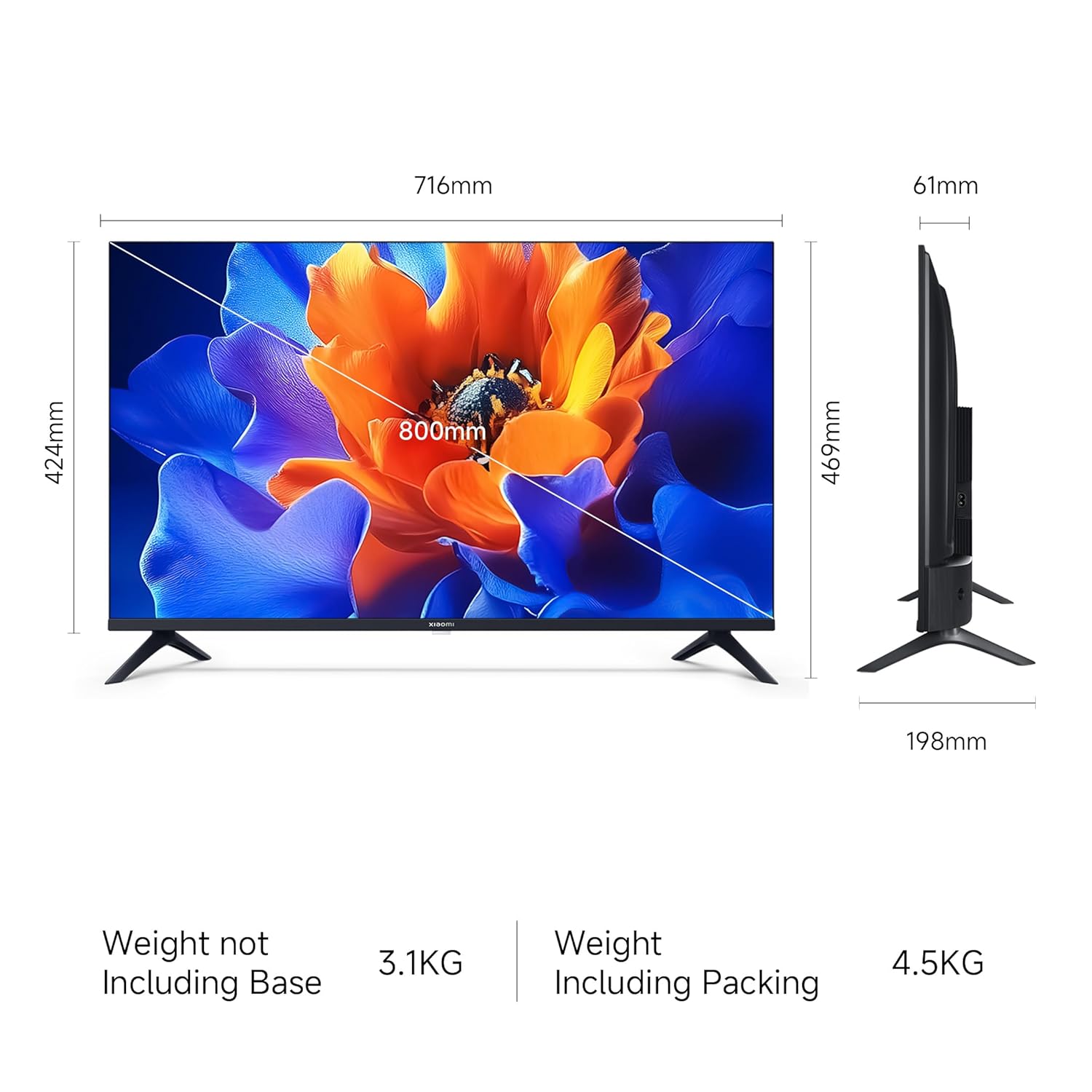
Image 6.1: Google TV interface and features.
- Aplikaziorako sarbidea: Launch pre-installed apps like Netflix, Prime Video, YouTube, and download more from the Google Play Store.
- Google Laguntzailea: Press the Google Assistant button on your remote and speak your commands to search for content, control smart home devices, or get information.
- Screen Mirroring (Google Cast): Cast content from your compatible smartphone or tablet directly to the TV.
- Pro pertsonalafiles: Sortu banakako profiles for personalized recommendations and watchlists.
6.3 Pantaila eta audio ezarpenak
- Irudi moduak: Adjust picture settings (e.g., Standard, Vivid, Movie) to suit your viewing preference. The TV supports HDR 10 for enhanced contrast and color.
- Begien erosotasun modua: Activate this feature to reduce blue light emission, which can be beneficial during long viewsaioak egitea.
- Soinu moduak: Select from various sound modes (e.g., Standard, Music, Movie) to optimize audio output. The TV features Dolby Audio and DTS-X for a cinematic sound experience.

Image 6.2: MagiQLED technology for vibrant colors.

Image 6.3: Vivid Picture Engine 2 in action.
Image 6.4: Eye Care Mode for comfortable viewing.

Image 6.5: Cinematic Audio features.
7. Mantentzea
7.1 Telebista garbitzea
- Deskonektatu beti telebista garbitu aurretik.
- Erabili zapi leun, lehor eta lihorik gabeko bat pantaila eta kabina garbitzeko.
- Marka egoskorretarako, arinki garbituampGarbitu zapi bat urarekin edo pantaila-garbitzaile leun eta ez-urratzaile batekin. Ez ihinztatu garbitzailea zuzenean pantailan.
- Saihestu garbitzaile urratzaileak, argizariak edo disolbatzaileak erabiltzea.
7.2 Arreta orokorra
- Ez blokeatu aireztapen baoak.
- Saihestu objektu astunak telebistan jartzea.
- Babestu korronte-kablea ibiltzeko edo atximur ez dadin.
8. Arazoak
Before contacting support, try these common solutions:
| Arazoa | Irtenbide posiblea |
|---|---|
| Botererik ez | Ensure the power cord is securely connected and the power outlet is working. Try a different outlet. |
| Ez dago irudirik, baina soinua badago | Egiaztatu sarrera-iturria. Ziurtatu kanpoko gailuak piztuta eta behar bezala konektatuta daudela. |
| Soinurik ez, baina irudia badago | Check volume levels and mute status. Verify audio settings and external speaker connections. |
| Urruneko kontrola ez dabil | Aldatu bateriak. Ziurtatu ez dagoela oztoporik urrutiko agintearen eta telebistaren artean. Beharrezkoa bada, berriro parekatu Bluetooth urrutiko agintea. |
| Smart TV features are slow or unresponsive | Check internet connection. Restart the TV by unplugging it for a few minutes. Clear app caches or factory reset if issues persist (data will be lost). |
9. Zehaztapenak
| Ezaugarri | Xehetasuna |
|---|---|
| Marka | XIAOMI |
| Eredua | L32MB-APIN |
| Pantailaren tamaina | 32 hazbete (80 cm) |
| Bistaratzeko Teknologia | QLED |
| Ebazpena | HD prest (1366 x 768 pixel) |
| Freskatze tasa | 60 Hz |
| Sistema eragilea | Google TV (Android 14 sistema eragilea) |
| RAM Memoria | 1 GB |
| Barne Biltegiratzea | 8 GB |
| Audio Irteera | 20 Watt |
| Audio Ezaugarriak | Dolby Audio, DTS-X, DTS Virtual:X |
| Konektibitatea | Dual Band Wi-Fi, Bluetooth, Ethernet, 2 HDMI, 2 USB, AV Input, 3.5mm Audio |
| Ezaugarri bereziak | Eye Comfort Mode, HDR 10, HLG, Vivid Picture Engine 2, Google Assistant |
| Produktuaren neurriak (LxWxH) | 71.6 x 19.8 x 46.9 cm (euskarriarekin) |
| Elementuaren pisua | 3.2 kg |
| Energia iturria | 240 volt korronte alternoa |

Image 9.1: TV dimensions.
10. Bermea eta Laguntza
10.1 Bermearen informazioa
Your Xiaomi A Pro QLED Series Smart TV comes with a 1 urteko berme integrala from the date of purchase. To avail warranty services, please retain your purchase invoice. The user manual can also be accessed from the official Xiaomi brand webgunea.
10.2 Bezeroarentzako laguntza
For any assistance, service requests, or technical queries, please contact Xiaomi Support. Our team aims to provide swift solutions:
- Expect a call back from our team within 60 minutu for any service request.
- Our experts strive to arrive at your home within 24 ordu of your service request, 99% of the time.
- 99% of new TV installations are completed within 3 ordu of your appointment.
For the most up-to-date contact information, please visit the official Xiaomi India support website or refer to the contact details provided with your product documentation.


