1. Segurtasun-argibide garrantzitsuak
Please read all safety instructions carefully before using this appliance. Failure to follow these instructions may result in electric shock, fire, or serious personal injury.
- Deskonektatu beti haizagailua garbitu edo mantentze-lanak egin aurretik.
- Ez sartu hatzak edo bestelako objektuak parrillatik haizagailua martxan dagoenean.
- Ziurtatu haizagailua gainazal egonkor eta mailakatu batean jartzen dela, iraultzea saihesteko.
- Mantendu korronte-kablea gainazal beroetatik urrun.
- Ez erabili haizagailua hondatutako kable edo entxufe batekin.
- Etxetresna hau barrualdean erabiltzeko soilik da.
2. Paketearen edukia
Egiaztatu elementu guztiak zure paketean sartuta daudela:
- 1 × Dreo Poly Fan (DR-HPF007S)
- 1 × Elikadura egokitzailea
- 1 × Remote Control (Battery included)
- 1 × Screw for Base
- 1 × Screwdriver for Base
3. Konfigurazioa eta Muntaketa
Follow these steps to assemble your DREO Smart Fan:
- Kontu handiz kendu osagai guztiak ontzitik.
- Attach the fan body to the pedestal column.
- Secure the base to the bottom of the pedestal column using the provided screw and screwdriver.
- Attach the remote control holder to the pedestal column at a convenient height.
- Plug the power adapter into the fan and then into a power outlet.
Video: PolyFan Assembly and Clean
This video demonstrates the step-by-step assembly process and how to clean the PolyFan. It shows how to attach the base, secure the column, and connect the power adapter. It also covers disassembling parts for cleaning.
Video: Dreo HPF004S Installation Video
This video provides a visual guide for the installation of the Dreo HPF004S fan, which shares similar assembly steps with the DR-HPF007S model.
4. Funtzionamendu-argibideak
Your DREO Smart Fan offers multiple control methods and customizable settings for optimal comfort.
4.1 Kontrol-metodoak
- Ukipen-kontrolak: Use the intuitive touch panel on the fan's pedestal.
- Urruneko kontrola: Operate the fan from a distance with the included remote.
- DREO App: Connect via Wi-Fi for advanced features, scheduling, and voice control.
- Ahots kontrola: Integratu Alexa edo Google Assistant-ekin esku libreko funtzionamendua lortzeko.
4.2 Fan Speeds and Airflow Modes
- 9 haizagailu abiadura: Adjust airflow intensity from a gentle breeze to powerful circulation.
- 6 Airflow Modes: Choose from Normal, Natural, Sleep, Auto, Custom, and Turbo modes to suit your preference.

Image: Fan Modes and Speeds
The fan's display shows the current speed and selected mode, offering 9 speed levels and 6 distinct airflow modes for personalized comfort.
4.3 Oszilazioa
- 3D oszilazioa: Enjoy wide-area coverage with 150° horizontal and 120° vertical oscillation.
- Position-based Oscillation: (DREO app exclusive) The fan adjusts its airflow direction based on your movement within the room.

Image: 3D Oscillation
This image illustrates the fan's ability to oscillate both horizontally (150°) and vertically (120°), providing comprehensive air circulation.
Video: Dreo Smart Position-based Oscillation Fan TurboPoly Fan 707S
This video highlights the smart position-based oscillation feature of the fan, demonstrating how it tracks movement to maintain airflow.
4.4 Tenporizadorearen funtzioa
Set the fan to automatically turn off after a specified period:
- Gailuan: Gehienez 8 ordu.
- DREO App: Up to 12 hours for extended control.
4.5 Smart Features via DREO App
- Programazioa: Program the fan to turn on/off at specific times.
- Temperature Triggers: Set the fan to adjust speed based on ambient temperature.
- Desktop Widgets: Quick access to fan controls from your smartphone home screen.
- Funtzionamendu isila: Operates as low as 25dB for undisturbed sleep.
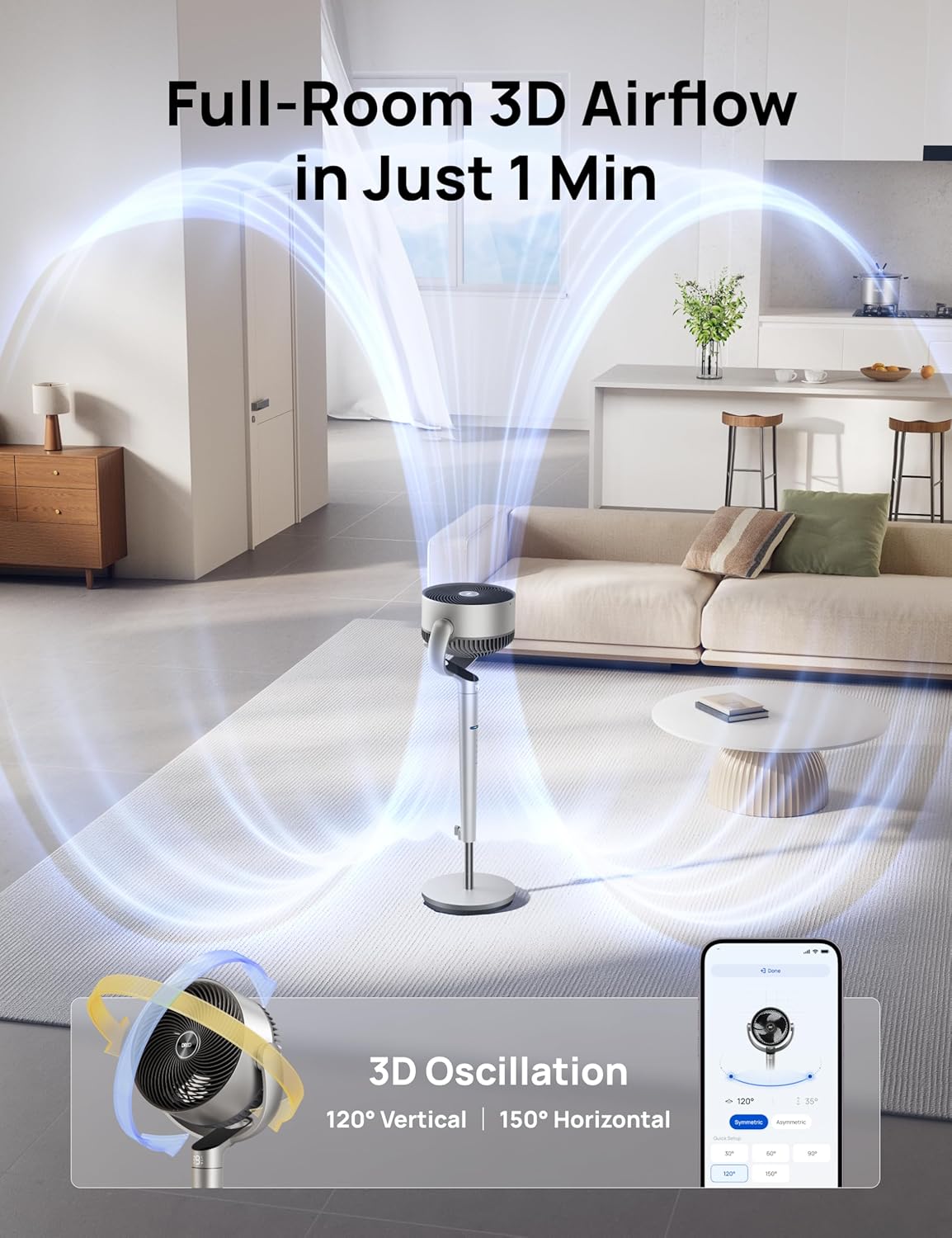
Image: App Control Interface
The DREO app provides comprehensive control over fan settings, including modes, speeds, oscillation, and smart features.
5. Garbiketa eta Mantentze-lanak
Garbiketa erregularrak zure haizagailuaren errendimendu optimoa eta iraupen luzea bermatzen ditu.
- Deskonektatu beti haizagailua garbitu aurretik.
- Garbitu kanpoko gainazalak leun batekin, damp oihal.
- To clean the fan blades, remove the front grille by rotating it counter-clockwise.
- Rotate the blade cap counter-clockwise to remove it, then carefully take out the blade from the shaft.
- Rinse the cap, blade, and grille under running water. Dry all parts thoroughly before reassembling.
- Reassemble the fan by reversing the disassembly steps.
Video: PolyFan Assembly and Clean
This video demonstrates how to disassemble the fan for cleaning and reassemble it, ensuring proper maintenance.
6. Arazoak
If you encounter any issues with your DREO Smart Fan, refer to the following common solutions:
- Fan ez da pizten: Ensure the power cord is securely plugged into a working outlet. Check if the power adapter is correctly connected to the fan.
- Aire fluxu ahula: Verify that the fan speed is set to an appropriate level. Clean the fan blades and grilles to remove any dust buildup.
- Ezohiko zarata: Ensure all parts are assembled correctly and securely. Clean the fan to remove any foreign objects that might be causing noise.
- Urruneko kontrola ez dabil: Check the battery in the remote control. Ensure there are no obstructions between the remote and the fan.
- Wi-Fi konexio arazoak: Ensure your Wi-Fi network is 2.4GHz. Restart your router and the fan, then try connecting again via the DREO app.
7. Zehaztapenak
| Ezaugarri | Xehetasuna |
|---|---|
| Marka | Dreo |
| Ereduaren izena | DR-HPF007S |
| Produktuaren neurriak | 13.7" L x 8.7" W x 42.52" H |
| Energia iturria | DC |
| Wattage | 50 watt |
| liburukiatage | 120 Volt |
| Zarata Maila | 25 dezibelio |
| Aire Fluxuaren Ahalmena | 1404 oin kubiko minutuko |
| Abiadura | 8 Meters per Second |
| Potentzia-maila kopurua | 9 |
| Ezaugarri bereziak | Adjustable Height, Adjustable Tilt, Oscillating, Remote Controlled, Timer, Wi-Fi, Voice Control |
| Kontrol-metodoa | Aplikazioa, Urrunekoa, Ukitua |
| Barruko/Kanpoko erabilera | Barruan |
| Elementuaren pisua | 17.96 kilo |
| UPC | 810142858212 |
8. Bermea eta Laguntza
For product support, warranty information, or any inquiries, please contact Dreo customer service:
- Webgunea: www.dreo.com
- Posta elektronikoa: support@dreo.com
- Telefonoa: (888) 290-1688 (Mon-Fri, 9:00 AM-5:00 PM PST/PDT)


