1. Sarrera
This manual provides essential information for the proper use and maintenance of your XIAOMI Redmi 15 5G smartphone. Please read this guide thoroughly before operating your device to ensure optimal performance and longevity. The Redmi 15 5G is designed for reliable daily use, featuring a large display, powerful battery, and advanced camera system.
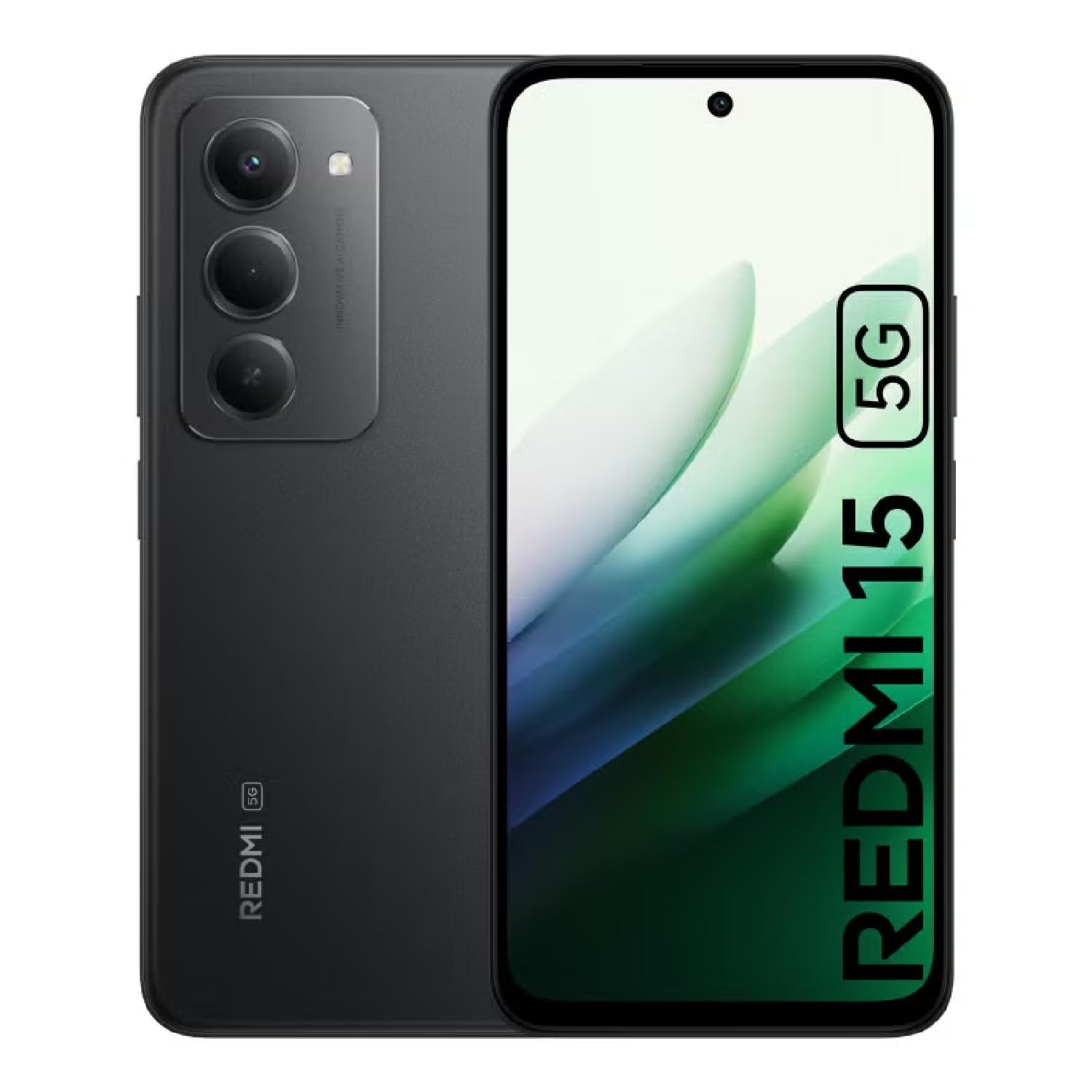
Image: The XIAOMI Redmi 15 5G smartphone, showcasing its design in multiple color options.
2. Zer dago kutxan
- XIAOMI Redmi 15 5G Smartphone
- USB kablea
- Telefono-zorroa
- SIM Ejector Tool (may be included with documentation)
- Hasierako gida azkarra eta bermearen informazioa
3. Konfigurazioa
3.1. SIM txartelaren eta MicroSD txartelaren instalazioa
- Bilatu SIM txartelaren erretilua zure gailuaren alboan.
- Sartu SIM txartela ateratzeko tresna erretiluaren ondoko zulo txikian eta sakatu astiro erretilua atera arte.
- Place your Nano-SIM card(s) and/or microSD card into the tray, ensuring they are correctly oriented. The Redmi 15 5G supports a hybrid SIM slot (SIM1 + SIM2 or SIM1 + microSD).
- Kontu handiz sartu berriro erretilua telefonoan.
3.2. Hasierako piztea eta konfigurazioa
- Sakatu eta eutsi pizteko botoiari XIAOMI logotipoa agertu arte.
- Jarraitu pantailan agertzen diren argibideei zure hizkuntza eta eskualdea hautatzeko eta Wi-Fi sare batera konektatzeko.
- Sign in with your Google account or create a new one to access apps and services.
- Set up your preferred security methods, such as a PIN, pattern, password, fingerprint, or AI face unlock.
4. Funtzionamendu-argibideak
4.1. Pantailaren ezaugarriak
The Redmi 15 5G features an immersive 6.9-inch FHD+ DotDisplay with a resolution of 2340 × 1080 pixels (374 PPI). Enjoy smooth visuals with a refresh rate of up to 144Hz and a touch sampling rate of up to 288Hz. The display offers a typical brightness of 700 nits (850 nits HBM) and a contrast ratio of 1400:1. It includes an all-day eye-care display with DC dimming and TÜV Rheinland certifications for low blue light, circadian friendly, and flicker-free viewing. The Wet Touch Technology 2.0 ensures accurate touch response even with wet fingers.
4.2. Kamera sistema
Capture high-quality photos and videos with the 50MP AI dual camera system. The main camera features a 5P lens with an f/1.8 aperture. Video recording supports 1080p (1920x1080) HD at 30 fps and 720p (1280x720) HD at 30 fps. The 8MP front camera (f/2 aperture) is ideal for selfies and video calls, offering features like filmCamera, HDR mode, soft-light ring, portrait mode, and time-lapse. Front camera video recording also supports 1080p and 720p HD at 30 fps.

Irudia: Xehetasun handikoa view of the Redmi 15 5G's rear camera system.
4.3. Errendimendua eta bateria
Powered by the Snapdragon® 6s Gen 3 5G Mobile Platform, built on an efficient 6nm process, the device offers smooth and reliable performance. The octa-core CPU (Kryo, up to 2.3GHz) and Adreno GPU ensure efficient multitasking and gaming. The phone comes with 8GB of RAM, expandable up to 16GB with Memory extension (utilizing ROM storage). A massive 7000mAh (typical) battery provides extended usage, offering up to 24 hours of talk time.
4.4. Konexioa eta segurtasuna
The Redmi 15 5G supports 5G connectivity (SA and NSA bands), 4G LTE, and 3G/2G networks. It includes NFC for contactless payments and data transfer, Wi-Fi for internet access, and comprehensive GPS support (GPS, Glonass, Galileo, Beidou). Security features include a side-mounted fingerprint sensor and AI face unlock for convenient and secure access.
5. Mantentzea
- Garbiketa: Erabili zapi leun eta lihorik gabeko bat pantaila eta gorputza garbitzeko. Saihestu produktu kimiko gogorrak.
- Software eguneraketak: Egiaztatu eta instalatu sistemaren eguneraketak aldizka, errendimendu, segurtasun eta funtzio berrietarako sarbidea optimoa bermatzeko.
- Bateria zaintzea: Bateriaren iraupena luzatzeko, saihestu tenperatura altuenak eta ez utzi bateria maiz erabat agortzen.
- Biltegiratze kudeaketa: Aldian-aldian garbitu beharrezkoak ez direnak files and apps to maintain device speed and free up storage space.
6. Arazoak
- Gailua ez da pizten: Ziurtatu bateria kargatuta dagoela. Konektatu gailua kargagailura eta itxaron minutu batzuk berriro pizten saiatu aurretik.
- Apps Freezing or Lagging: Close background applications. Clear app cache or data if the issue persists with a specific app. Restarting the device can also resolve temporary performance issues.
- Sare konexio eskasa: Check if your SIM card is properly inserted. Ensure mobile data is enabled and you are within network coverage. For Wi-Fi issues, restart your router and phone.
- Bateria azkar husten: Reduce screen brightness, disable unnecessary features like GPS or Bluetooth when not in use, and close power-intensive background apps.
- Hatz-marken sentsorea ez dabil: Ziurtatu hatza garbi eta lehor dagoela. Arazoak jarraitzen badu, erregistratu berriro hatz-markak.
7. Zehaztapenak
| Ezaugarri | Zehaztapena |
|---|---|
| Ereduaren izena | 25057RN09E |
| Bistaratzeko tamaina | 6.9 hazbete |
| Ebazpena | 2340 x 1080 |
| Freskatze tasa | 144 Hz |
| Prozesadorea | Snapdragon 6s Gen 3 Mobile Platform (Octa-core, up to 2.3GHz) |
| RAM | 8 GB (expandable up to 16GB with Memory extension) |
| Biltegiratze Ahalmena | 256 GB (microSD bidez 2 TB arte zabaldu daiteke) |
| Kamera Nagusia | 50 MP-ko AI kamera bikoitza |
| Aurrealdeko kamera | 8 MP |
| Bateria Edukiera | 7000 mAh |
| Sistema eragilea | Xiaomi HyperOS Android 15ean oinarrituta |
| Konektibitatea | 5G, Wi-Fi, NFC, GPS |
| Segurtasuna | Alboko hatz-marken sentsorea, aurpegiaren desblokeoa AI bidez |
| Neurriak | 6.74 x 3.23 x 0.34 hazbete |
| Pisua | 7.9 ontza (224 gramo) |
8. Bermea eta Laguntza
For warranty information, please refer to the warranty card included in your product packaging or visit the official XIAOMI website. If you encounter any issues not covered in this manual, please contact XIAOMI customer support for assistance. Keep your proof of purchase for warranty claims.


