1. Sarrera
This manual provides essential information for setting up, operating, and maintaining your KAMRUI E3B Mini PC. The KAMRUI E3B is a compact desktop computer powered by an AMD Ryzen 7 7730U processor, designed for various applications including office work, home entertainment, and light gaming. It features advanced connectivity options and support for multiple high-resolution displays.

1.1. irudia: Aurrealdea eta albokoa view of the KAMRUI E3B Mini PC.
2. Paketearen edukia
Egiaztatu elementu guztiak paketean daudela:
- KAMRUI E3B Mini PC
- Elikatze-moldagailua
- HDMI kablea
- VESA muntatzeko euskarria
- Muntatzeko Torlojuak
- Erabiltzailearen eskuliburua (dokumentu hau)
3. Produktua amaitu daview
The KAMRUI E3B Mini PC features a compact design with various ports for connectivity. Familiarize yourself with the port layout before setup.
3.1 Aurrealdeko interfazea
- 1x 3.5 mm-ko audio-konektorea: Aurikularretarako edo bozgorailuetarako.
- 1x Power Button: Gailua pizteko/izteko.
- 2x USB 3.2 Gen2 Type-A (10Gbps): Abiadura handiko datuak transferitzeko portuak.
- 1x USB 3.2 Gen2 Type-C: Supports DP1.4 (4K@60Hz), 10Gbps data transfer, and Power Delivery (PD) output.
3.2 Rear Interface
- 1x HDMI 2.0 (4K 60Hz-tan): Pantaila batera konektatzeko.
- 1x DP 1.4b (4K@60Hz): Pantaila batera konektatzeko.
- 4x USB 3.2 Gen1 Type-A (5Gbps): Standard data transfer ports.
- 1x 1Gbps RJ45 Ethernet Port: Kable bidezko sare konexiorako.
- 1x DC Power Input: Korronte-egokigailua konektatzeko.

Image 3.1: Diagram illustrating the front and rear interfaces of the Mini PC.
4. Hasierako konfigurazioa
Follow these steps to set up your KAMRUI E3B Mini PC:
- Pantaila batera konektatu: Use the provided HDMI cable to connect the Mini PC to a monitor or TV. You can also use the DisplayPort (DP) or USB-C port for additional displays.
- Konektatu periferikoak: Plug in your keyboard and mouse to the available USB ports.
- Sarera konektatu (aukerakoa): For a wired connection, connect an Ethernet cable to the RJ45 port. For wireless, ensure your WiFi network is available after powering on.
- Konektatu energia: Plug the power adapter into the DC power input on the rear of the Mini PC, then plug the adapter into a power outlet.
- Piztu: Sakatu Mini PCaren aurrealdean dagoen pizteko botoia. Sistema abiaraziko da.
5. Funtzionamendu-argibideak
5.1 Piztu/Itzali
- Pizteko: Sakatu pizteko botoia behin.
- Itzaltzeko: From the operating system, select "Shut Down". Alternatively, press and hold the power button for 5 seconds to force a shutdown (use only when necessary).
5.2 Sarearen konexioa
- Kable bidez (Ethernet): Connect an Ethernet cable to the RJ45 port. The system should automatically detect the connection.
- Wireless (Wi-Fi 6): After booting, navigate to your operating system's network settings, select your Wi-Fi network, and enter the password. The Mini PC supports Wi-Fi 6 for fast and stable wireless connections.
5.3 Bluetooth konexioa
The Mini PC includes Bluetooth 5.2 for connecting wireless peripherals such as headphones, keyboards, and mice. Access your operating system's Bluetooth settings to pair new devices.
5.4 Triple Display Setup
The KAMRUI E3B supports up to three 4K@60Hz displays simultaneously using the HDMI, DisplayPort (DP), and USB-C ports. Connect your monitors to these ports and configure display settings within your operating system.

5.1 irudia: Adibideaample of a triple display setup for enhanced productivity.
6. Storage and Memory Upgrade
The KAMRUI E3B Mini PC offers flexible upgrade options for both RAM and storage.
6.1 RAM Upgrade
The device comes with 16GB DDR4 3200MHz RAM and can be upgraded to a maximum of 64GB. To upgrade, locate the SO-DIMM DDR4 slots inside the chassis.
6.2 SSD Storage Expansion
The Mini PC includes a 512GB M.2 2280 SSD (pre-installed) and features two M.2 2280 slots for expansion, supporting up to 2TB per slot for a total of 4TB expandable storage. One slot supports M.2 SATA SSDs, and the other supports both M.2 PCIe NVMe and SATA SSDs.
Oharra: Opening the chassis to perform upgrades should be done carefully to avoid damaging internal components. Refer to the internal layout diagram for guidance.

Image 6.1: Internal layout showing M.2 SSD slots and SO-DIMM DDR4 memory slot.
7. Mantentzea
7.1 Garbiketa
Regularly clean the exterior of the Mini PC with a soft, dry cloth. Use compressed air to gently clear dust from the ventilation grilles to ensure optimal airflow and prevent overheating. Do not use liquid cleaners directly on the device.
7.2 Beroaren xahupena
The KAMRUI E3B features a built-in high-speed silent axial fan and dual exhaust vents for efficient heat dissipation. Ensure that the vents are not obstructed to maintain proper cooling and system performance.

Image 7.1: Illustration of the Mini PC's internal cooling components.
8. Arazoak
Atal honek zure Mini PCarekin izan ditzakezun arazo ohikoenei buruzko informazioa ematen du.
| Arazoa | Kausa posiblea | Irtenbidea |
|---|---|---|
| No power/System does not turn on. | Power adapter not connected, faulty power outlet, or power button issue. |
|
| Ez da pantailarik ageri monitorearen gainean. | Incorrect cable connection, monitor input selection, or display driver issue. |
|
| Wi-Fi or Bluetooth not working. | Drivers not installed, disabled in settings, or interference. |
|
| System freezes or crashes. | Overheating, software conflict, or insufficient RAM/storage. |
|
9. Zehaztapenak
| Ezaugarri | Xehetasuna |
|---|---|
| Marka | KAMRUI |
| Modelo zenbakia | E3B |
| Prozesadorea | AMD Ryzen 7 7730U (8 Cores/16 Threads, up to 4.5GHz) |
| Grafikoak | AMD Radeon Vega 8 grafikoak |
| RAM | 16GB DDR4 3200MHz (Expandable to 64GB) |
| Biltegiratzea | 512GB M.2 2280 SSD (Expandable up to 4TB via 2 M.2 slots) |
| Sistema eragilea | OS (Pre-installed Windows 11 based on reviews) |
| Haririk gabeko konexioa | Wi-Fi 6, Bluetooth 5.2 |
| Ethernet | 1x 1Gbps RJ45 |
| Bideo Irteera | 1x HDMI 2.0 (4K@60Hz), 1x DP 1.4b (4K@60Hz), 1x USB-C (DP1.4, 4K@60Hz) |
| USB atakak | 2x USB 3.2 Gen2 Type-A, 4x USB 3.2 Gen1 Type-A, 1x USB 3.2 Gen2 Type-C |
| Audioa | 1x 3.5 mm-ko audio-konexioa |
| Neurriak | 9.29 x 7.17 x 2.91 hazbete inguru |
| Pisua | 2.63 kilo inguru |
10. Bermea eta Laguntza
KAMRUI provides maintenance services for your Mini PC during the warranty period. For technical assistance or warranty claims, please contact KAMRUI support through the following channels:
- Posta elektronikoa: support@kamrui.com
- Telefonoa (AEB): +1-833-670-1528 (Monday-Friday, 9am-5pm EST)
- Lineako laguntza: You can also reach out via your Amazon account by navigating to "Your Orders" and selecting "Ask Product Question" for this item.
KAMRUI offers a price protection policy within 30 days of purchase. If the price changes within this period, you may be eligible for a refund of the difference.
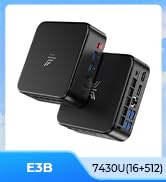

Image 10.1: KAMRUI support contact details and online assistance options.


