Sarrera
The ASUS ROG Strix Helios II is an EATX mid-tower gaming PC case designed for high-performance builds. It features dual tempered glass panels, an aluminum diamond-grille front panel, and advanced cooling capabilities with four pre-installed fans. This manual provides essential information for setting up, operating, maintaining, and troubleshooting your PC case.
Konfigurazioa
Despaketatzea eta Hasierako Ikuskapena
Carefully remove the PC case from its packaging. Inspect the case for any signs of damage during transit. Ensure all accessories listed in the packing list are present.
Tool-Free Side Panel Access
The ROG Strix Helios II features tool-less side panels for easy access to internal components. Simply unlatch the panels to open the case. This design simplifies installation and maintenance.
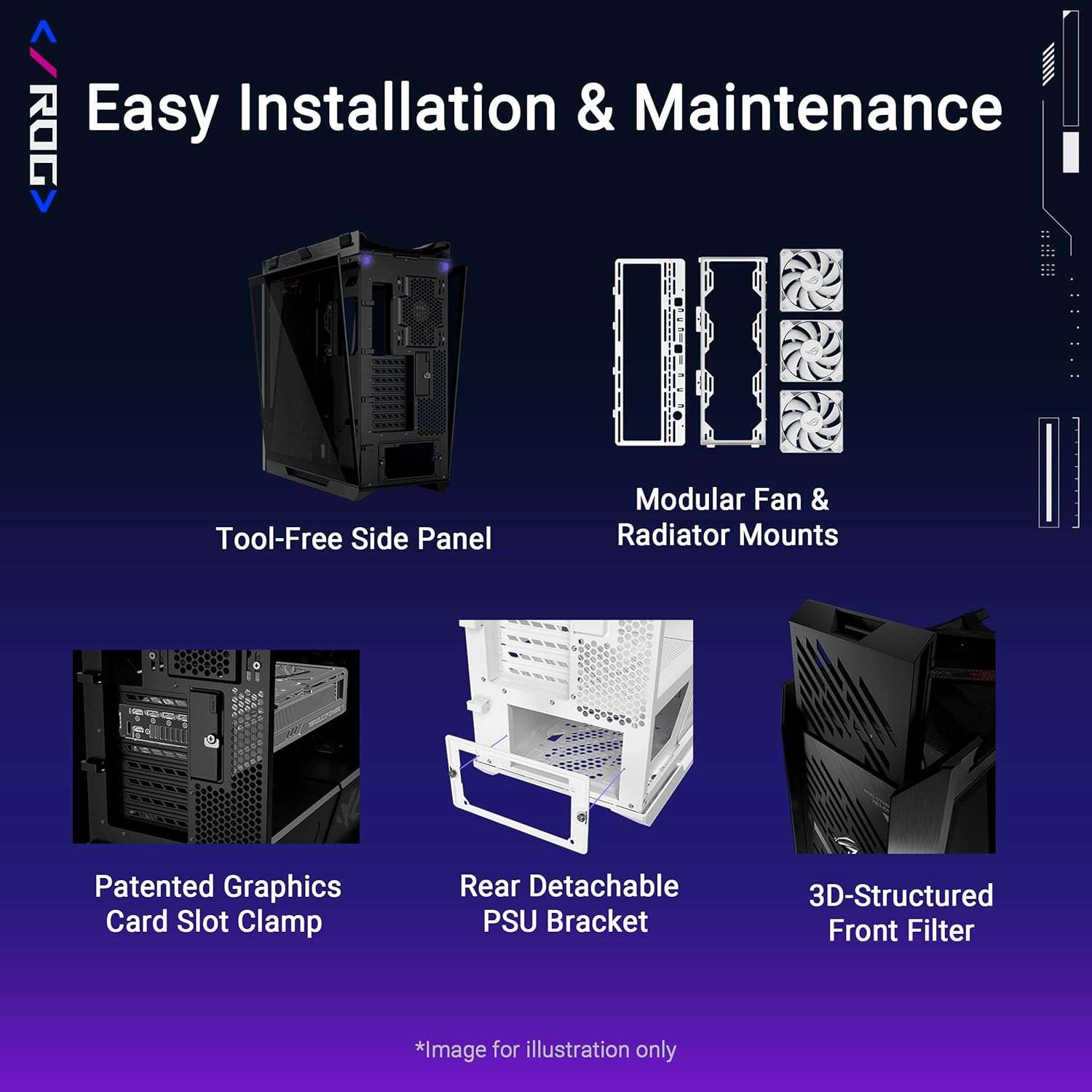
Figure 1: Easy Installation & Maintenance features, including tool-free side panel and detachable PSU bracket.
Plaka amaren instalazioa
The case supports E-ATX (up to 12" x 10.9"), ATX, Micro-ATX, and Mini-ITX motherboards. Install your motherboard onto the standoffs provided. Ensure all screws are securely fastened.
Energia horniduraren instalazioa
The case includes a rear detachable PSU bracket. Install your power supply (up to 220mm in length) into the bracket, then secure the bracket to the case. This design simplifies PSU installation and cable routing.
Txartel grafikoen instalazioa
The case supports graphics cards up to 450mm long. It features a patented graphics card slot clamp for secure horizontal installation. Vertical GPU mounting is also supported.

Figure 2: Graphics card installation options, including horizontal and vertical mounting.
Kableen kudeaketa
Utilize the multifunction cover with graphics card holders, PSU shroud, cable cover, and rear cable clips for effortless cable management. This ensures a tidy build and optimized airflow.

Figure 3: Dedicated features for organized cable routing.
Operating the PC Case
Advanced I/O Panel
The top I/O panel provides convenient access to connectivity and controls. It features two USB 20Gbps Type-C ports, four USB-A 3.0 ports, an ARGB-lighting control button, and a fan-speed PWM control button.
ARGB Argiztapen Kontrola
Use the dedicated ARGB-lighting control button on the I/O panel to cycle through various lighting effects and colors for compatible components.
Fan Abiadura Kontrola
Adjust the fan speeds using the PWM control button on the I/O panel to balance cooling performance and noise levels.
Cooling and Thermal Performance
The ROG Strix Helios II is engineered for optimal thermal performance. It comes with four pre-installed 140 x 28mm performance fans that deliver high airflow while maintaining low noise levels.
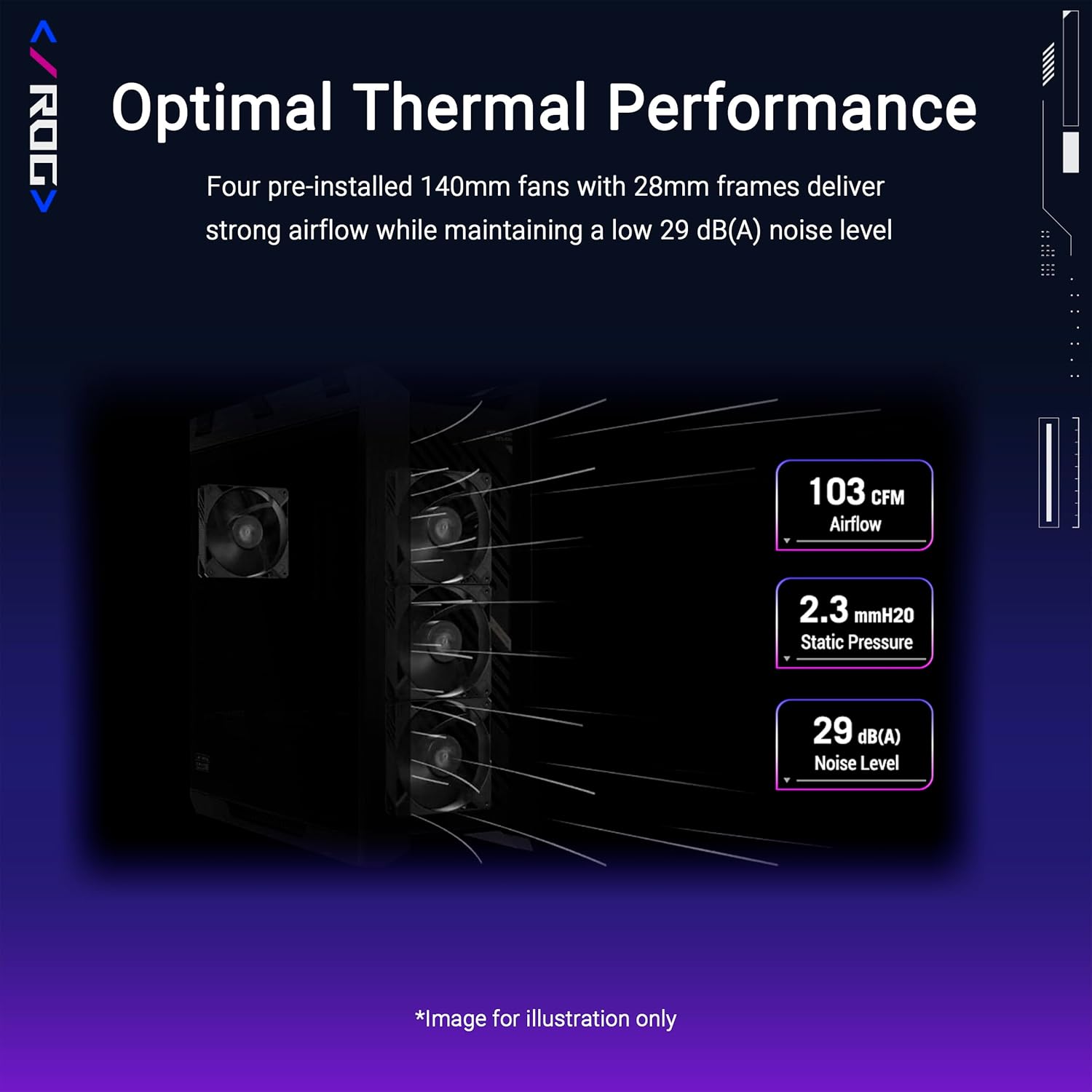
Figure 4: Airflow and noise level specifications for optimal thermal performance.
Fan and Radiator Capacity
The case supports up to 420mm radiators and 7 x 120mm fans, providing extensive cooling options for high-end components.

Figure 5: Detailed fan and radiator compatibility.
Mantentzea
Hauts-iragazkien garbiketa
The case features a 3D-structured filter on the front panel and removable dust covers to prevent dust buildup. Regularly clean these filters to maintain optimal airflow and component longevity. To clean, gently remove the filters and use compressed air or a soft brush to clear accumulated dust. Reinstall once clean and dry.
Arazoak konpontzea
Gai orokorrak
If you encounter issues such as unexpected shutdowns, overheating, or component recognition problems, first ensure all power and data cables are securely connected. Verify that all fans are spinning correctly and dust filters are clean. Consult your component manuals for specific troubleshooting steps.
Jarri harremanetan laguntzarekin
For persistent issues, please refer to the ASUS support webwebgunera edo jarri harremanetan bezeroarentzako arreta-zerbitzuarekin laguntza gehiago lortzeko.
Zehaztapenak
| Ezaugarri | Xehetasuna |
|---|---|
| Marka | ASUS |
| Ereduaren izena | ROG STRIX HELIOS II GX601S BLACK |
| Kasu mota | Mid dorrea |
| Plaka amaren bateragarritasuna | E-ATX (up to 12" x 10.9"), ATX, Micro-ATX, Mini-ITX |
| Materiala | Aluminioa, beira tenplatua |
| Elementuaren pisua | 39.7 kilo |
| Produktuaren neurriak (LxWxH) | 22.2 x 9.8 x 23.3 hazbete |
| GPUaren gehienezko luzera | 450 mm |
| CPU hozgailuaren gehienezko altuera | 190 mm |
| PSU luzera maximoa | 220 mm |
| Aurrez instalatutako zaleak | 4 x 140 x 28mm performance fans |
| Erradiadorearen euskarria | Gehienez 420 mm |
| I/O Portuak | 2x USB 20Gbps Type-C, 4x USB-A 3.0, ARGB-lighting control, Fan-speed PWM control |
Bermea eta Laguntza
Bermearen informazioa
Please refer to the official ASUS website or your product's warranty card for detailed warranty terms and conditions. Keep your proof of purchase for warranty claims.
Bezeroarentzako Arreta
For technical assistance, product inquiries, or service requests, visit the ASUS support website or contact their customer service. Support contact information can typically be found on the ASUS official webgunean edo produktuaren ontzian.
Ezaugarri gehigarriak
Ergonomic Case Straps
The ROG Strix Helios II features ergonomic and stylish X-shaped woven straps, designed to comfortably carry your prized build. These straps support up to 50kg.
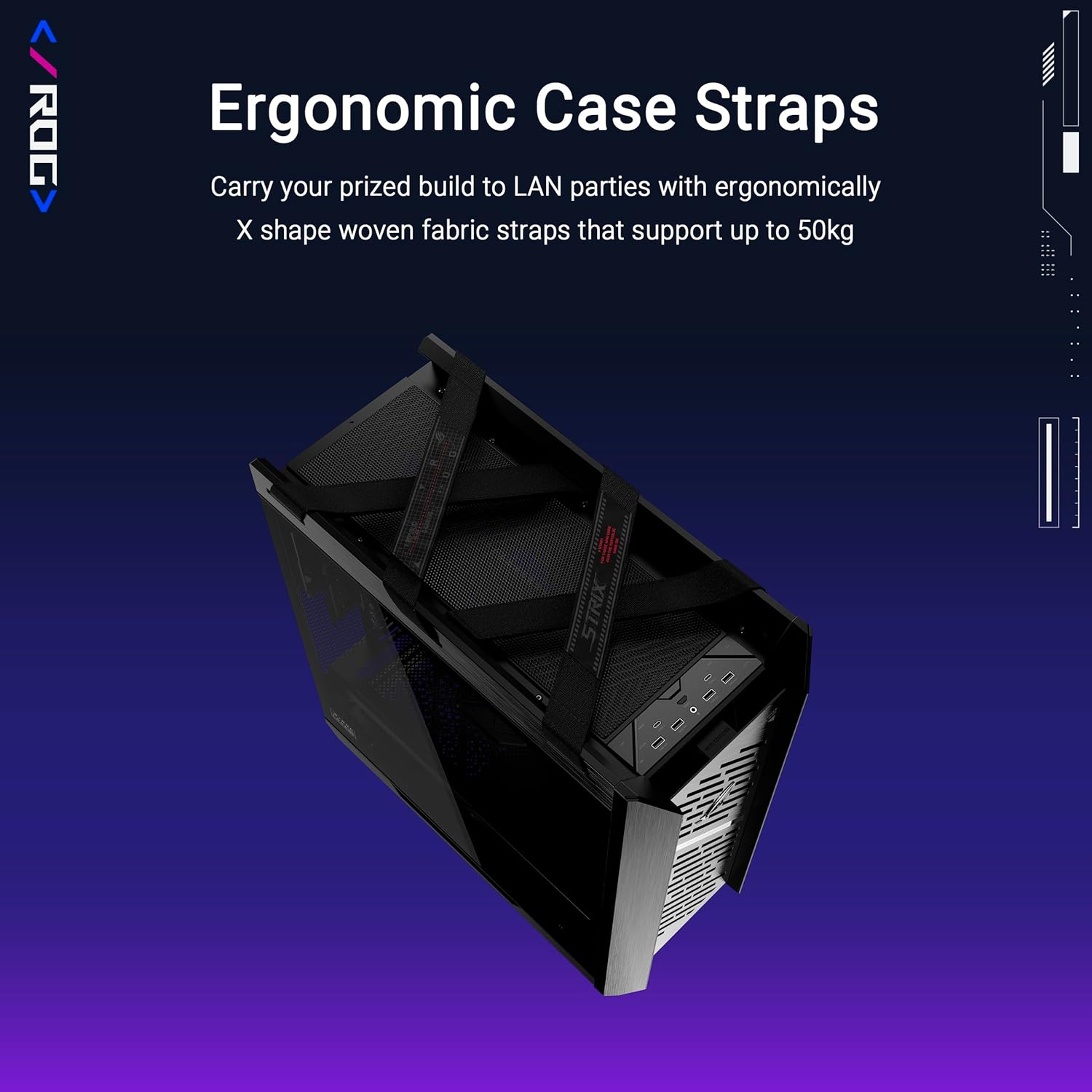
Figure 6: Case straps for convenient transport.
Premium Design & Aesthetics
The case boasts a premium design with an aluminum front panel featuring a diamond-grille design and a 3D-structured filter, enhancing both aesthetics and cooling efficiency.

Figure 7: Front panel design details.
Produktu Ofizialaren Bideoak
1. bideoa: Ofizialki amaitu daview of the ASUS ROG Strix Helios II computer case, showcasinbere ezaugarriak eta diseinua g.


